available_username2

Well-Known Member
Joined
Dec 31, 2019
Threads
32
Messages
527
Reaction score
573
Location
USA
Vehicles
Cmax energi
Country flag
I've been using the V4 Beta for some time now and the V5 official version, although only on its 2nd day, has been crisp and hasn't faulted.
I do have the advantage of already being very familiar with it and knowing where everything is at.

There are a couple of things missing from the V4 version admittedly, but this platform that V5 is on promises to be more reliable and quicker.

I realize that invites ire from anyone having V5 issues of course.

Android, by the way. A 2 year old Samsung FE trim. So far from a flagship.

PAAK made the transition without hiccup. I was wondering if it would.
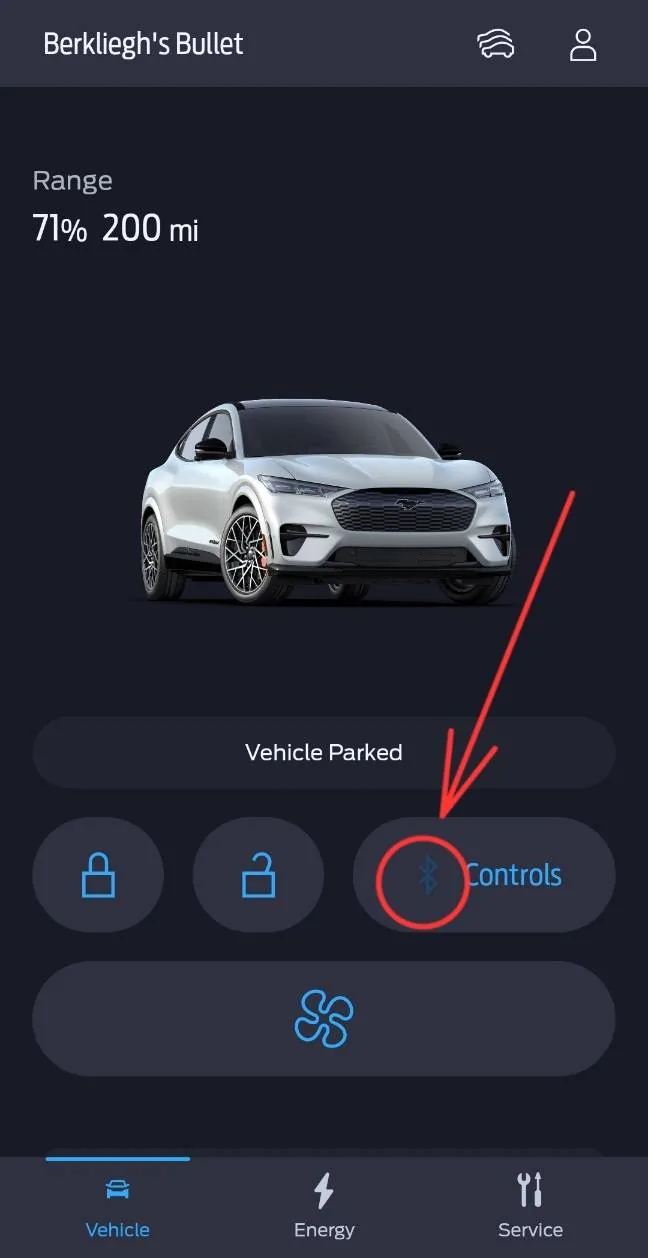
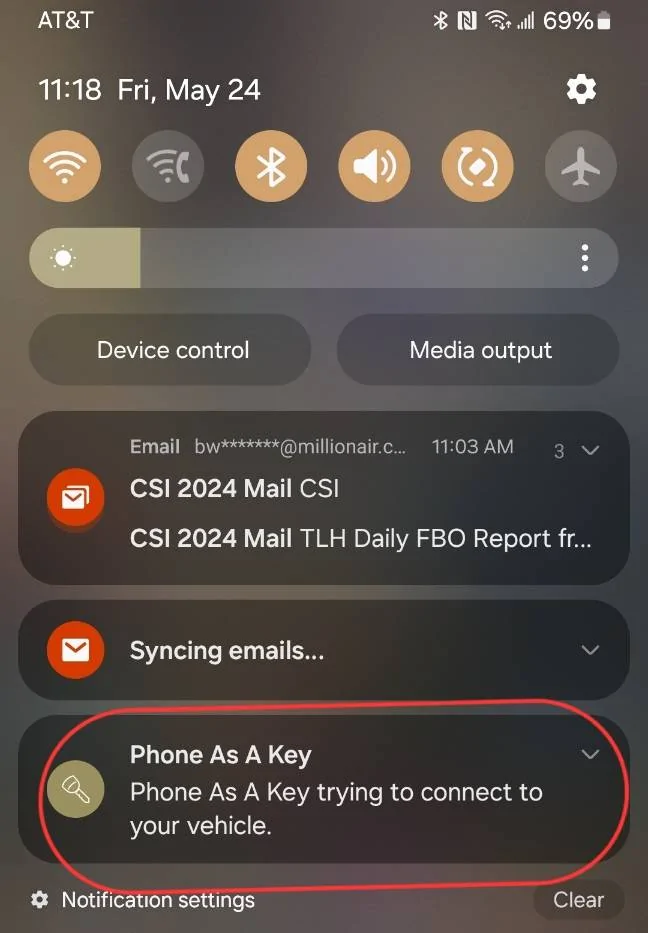
And I think you can confirm whether it is connected by both the Android notification that resides permanently on Android, as well as the Bluetooth icon being highlighted in color in the app itself? I'm not 100% sure both are the same Bluetooth connection. I need to investigate.

Screenshot_20240524_111713_FordPass.jpg


Screenshot_20240524_111845_Microsoft Launcher.jpg
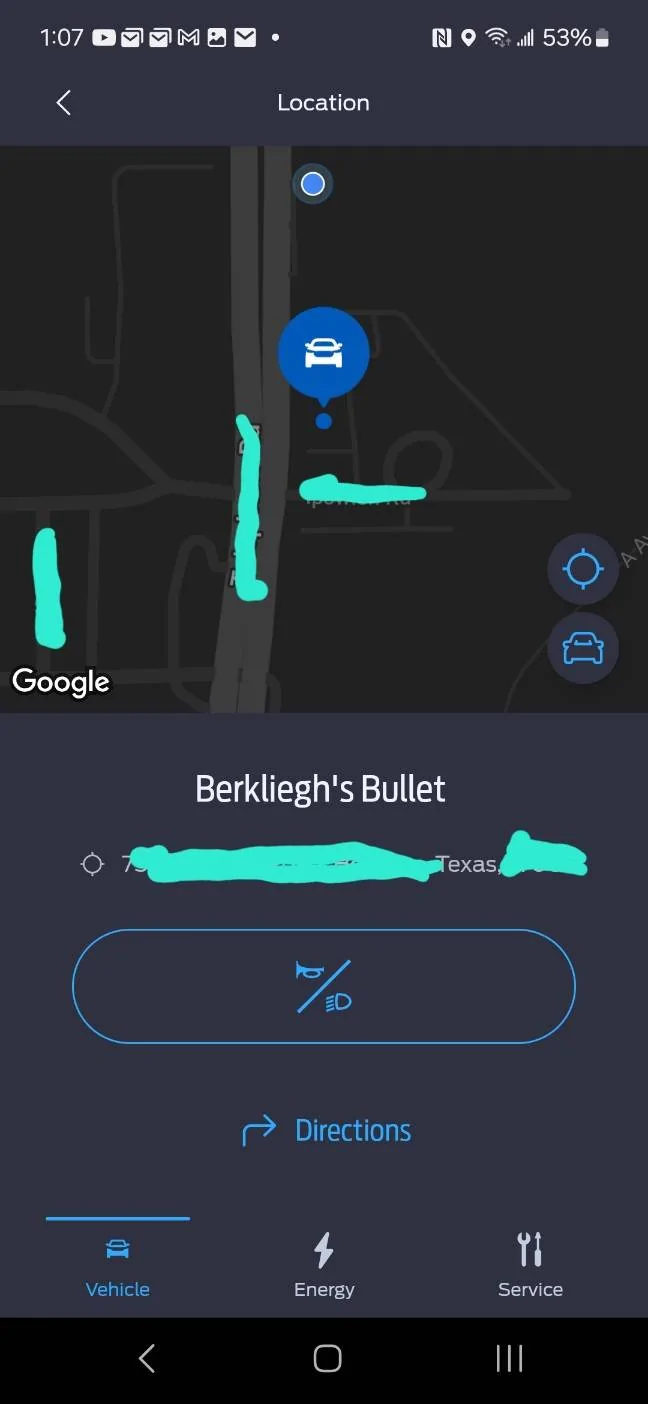
Does location work for you?
Sponsored


available_username2

Well-Known Member
Joined
Dec 31, 2019
Threads
32
Messages
527
Reaction score
573
Location
USA
Vehicles
Cmax energi
Country flag
Hitting location doesn't open the map reliably for many. Granted once it opens the actual location was there quickly
 

Aahhcc11

Well-Known Member
First Name
Y
Joined
Apr 21, 2024
Threads
25
Messages
190
Reaction score
73
Location
Maryland
Vehicles
Mach E Premium Nite Pony
Country flag
I don’t get why the per location charge limit and times are separated. Seems to me that they’re relevant to one another and seemed fine in 4.x.
 

Space_Pony

Well-Known Member
Joined
Jun 7, 2023
Threads
4
Messages
1,702
Reaction score
1,439
Location
Indiana
Vehicles
2023 Premium Mach-E awdX
Country flag
I've had this new version of the app for a while now and was one of the beta users. At first it felt awkward, but only because I was used to the old layout. once I learned the new layout the app was awesome.

I think the app looks great and works great. I've had very little to no issues with it since using it.

Great Job on the App refresh @Ford Motor Company
What phone are you using?


GarageWarrior2023

Well-Known Member
Joined
Aug 18, 2023
Threads
13
Messages
238
Reaction score
179
Location
Manitoba, Canada
Vehicles
2023 Mustang Mach-E Premium x2
Country flag
So, why all the problems with the other users? I think I'll wait a few weeks for more bugs to be fixed.
Not sure.

If I put my IT cap on, I'd say first thing to do if the app is not working properly is clear your app's cached data (you may have to sign in again) but there could be an issue with previously cached data from the old app that's not playing nice with the new app version.

If that doesn't work. I'd first clear the cache for that app then uninstall and reinstall to see if that makes any difference.

It could also perform differently based on phone and os version as well....

I'll say this though. When I first updated to the latest version there were some items that didn't sync up right away and some stuff that was slow to respond or didn't respond at all. It took some refreshing and successful communications/syncs with the car before everything was there and working right. I'm speaking very generally since I can't remember specifics. Seemed tied to cached data or something similar.

All to say, give it some time to "figure itself out" and for you to climatize to the new layout and then decide if it's still not working how it should. There's a few ways to force things to start fresh but starting fresh may also require time for data to sync up initially.
 

Aahhcc11

Well-Known Member
First Name
Y
Joined
Apr 21, 2024
Threads
25
Messages
190
Reaction score
73
Location
Maryland
Vehicles
Mach E Premium Nite Pony
Country flag
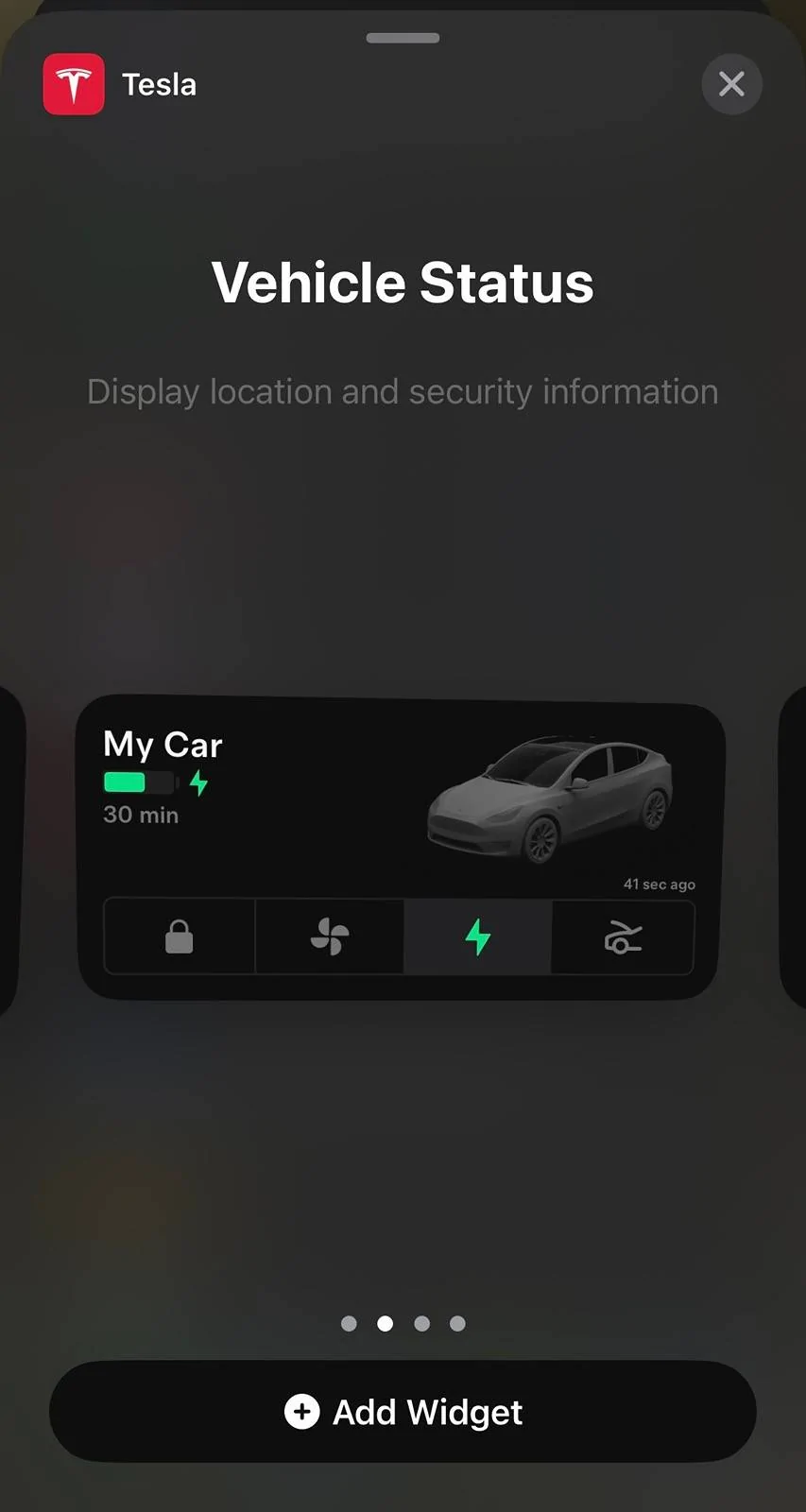
@Ford Motor Company another request… iOS widgets. Let me add the battery percentage and/or lock/unlock/start to my iPhone Home Screen. For me this is a primary means of interacting with my thermostat, garage, alarm, lights, and more.

attached is how Tesla does it — rented a Y over spring break in FL. The battery part shows time to target charge or amount remaining depending if it’s on charger.

Ford Mustang Mach-E Newly Designed FordPass 5.0 App®: What to Know IMG_3025
 

GarageWarrior2023

Well-Known Member
Joined
Aug 18, 2023
Threads
13
Messages
238
Reaction score
179
Location
Manitoba, Canada
Vehicles
2023 Mustang Mach-E Premium x2
Country flag
I can still find the odometer and char

ge to 100% ad-hoc but those options are buried and not clearly marked. "Charge to 100%" is useful the night before a longer trip without having to change your regularly scheduled program.

Do the people who work on the app actually own and drive a BEV?
Charge to 100% is on the first screen and is called "START" in the upper right corner. when it's not actively charging but is plugged in you can select "start" and it will start charging.

on the energy screen when your car is plugged in. if you have location based charge limits set, you can use the slider to set any new charge target while it's charging or done charging and plugged in. this sets the location's charge target that you are currently sitting at though. so it's an on the fly adjustment to current setting (I love the way it's designed and how it functions....others may not).
 

User100723

Well-Known Member
Joined
Oct 20, 2023
Threads
20
Messages
386
Reaction score
351
Location
United States
Vehicles
GT
Country flag
Hi Mustang Mach-E owners! If you recently updated your FordPass® app, you may have noticed it looks a little different. We are pleased to share that we have rolled out a newly designed app that is easy to use and efficient, to help you better manage your vehicle remotely. Here is what is new:
  • Simplified Experience: We have reduced the number of steps it takes to access functions and made it easier to find them. As an EV owner, you can enjoy a simplified slider for target charge. Also, instead of having to press and hold to turn the vehicle ‘on’, it is now a simple tap.
  • Apple Watch Integration: If you have an Apple Watch, in addition to lock/unlock and remote start/stop, you will also be able to use the following features from your wrist:
    • View battery level and range
    • View charging status, including: Charging speed, next departure time based on when desired charge is reached, current preferred charging window
    • View vehicle location
    • Activate horn and lights remotely
We are also continuing to improve the in-app experience with this latest version. If you notice a feature you previously used before is no longer there, don’t worry. The feature can still be accessed via your in-vehicle touchscreen.

We love to hear from our owners so let us know what you think and if you have any questions about FordPass!

Please note: FordPass® App, compatible with select smartphone platforms, is available via a download. Message and data rates may apply. 

524242.png
Big improvement indicating whether or not the car is running! Love it!

Now with how easy it is to unlock and open the car via a single tap in the app, I’d love to see some indicators for whether the doors are currently locked/unlocked, and if the hatch/trunk have been left open. Banners that disappear in a few seconds is good, but not the best if more than a minute of time elapses s see
 

Space_Pony

Well-Known Member
Joined
Jun 7, 2023
Threads
4
Messages
1,702
Reaction score
1,439
Location
Indiana
Vehicles
2023 Premium Mach-E awdX
Country flag
Big improvement indicating whether or not the car is running! Love it!

Now with how easy it is to unlock and open the car via a single tap in the app, I’d love to see some indicators for whether the doors are currently locked/unlocked, and if the hatch/trunk have been left open. Banners that disappear in a few seconds is good, but not the best if more than a minute of time elapses s see
Maybe they didn't think it was necessary to show lock/unlock because the car defaults to locked. I've never found my mme unlocked. It always locks itself from walking away or after a time. Is there a way to keep it unlocked?
 

iam-s-Hon

Well-Known Member
First Name
Richard
Joined
May 20, 2021
Threads
3
Messages
409
Reaction score
366
Location
Maryland
Vehicles
2021 Job 1 MME Premium AWD ER Iconic Silver, 24 Lightning Lariat AMB
Country flag
Not sure.

If I put my IT cap on, I'd say first thing to do if the app is not working properly is clear your app's cached data (you may have to sign in again) but there could be an issue with previously cached data from the old app that's not playing nice with the new app version.

If that doesn't work. I'd first clear the cache for that app then uninstall and reinstall to see if that makes any difference.

It could also perform differently based on phone and os version as well....

I'll say this though. When I first updated to the latest version there were some items that didn't sync up right away and some stuff that was slow to respond or didn't respond at all. It took some refreshing and successful communications/syncs with the car before everything was there and working right. I'm speaking very generally since I can't remember specifics. Seemed tied to cached data or something similar.

All to say, give it some time to "figure itself out" and for you to climatize to the new layout and then decide if it's still not working how it should. There's a few ways to force things to start fresh but starting fresh may also require time for data to sync up initially.
+1 on this.

I used the beta for about 2 weeks prior to gen release. Not a daily driver but I noticed app performance improvements immediately followed by some info views that seemed to update after the recent gen release.

so far all my previous settings, like change locations, appear correct. No issues with PAAK.

iOS on a 13 pro.
 

RMacon808

Member
First Name
Robert
Joined
Oct 9, 2023
Threads
0
Messages
23
Reaction score
12
Location
Seattle, WA
Vehicles
2023 Mach E Premium ER AWD
Occupation
Engineer
Country flag
I am on day 4 or day 5 of basically zero functionality with the new app -- granted it sounded like it was initiated with some sort of server crash, but after several days here is the list of functions that are not working on the new app:

Location -- map seems to update once every 24 hours if it does
Main Status -- totally wrong always. Car has been off and parked for 5 hours today and still shows "Vehicle is On"
Range -- also updates completely randomly throughout the day if at all.
Departure Times --- cannot delete or edit existing ones before app update, won't allow me to create new ones.
Charge status -- new app has never shown status if the car is plugged in or charging. The car charges to the correct limit per previous settings (80%) but won't let me change that or provide the "Charge to 100%" button that it previously did.

Basically, this is several days of the app being complete garbage. I'm also a SONOS customer, so to me these head-spinningly awful app updates are now a pattern, not an exception. Whatever is causing this -- too much dependence on cheap or AI-based programming capability or nearly zero oversight or pre-release testing --- I am pleading with Ford to fix it.

I've been patient with half or one day outages here and there -- I'm generally a very pro "new tech" person-- but this is pretty ridiculous. Brands that take such little pride in their name and have such little regard for their customers deserve to be abandoned.

Ok rant over.

Sincerely,

Fed Up Ford Guy


Top