• NOTE: THE MEMBERS MARKETPLACE SECTION IS FOR PERSONAL USE ONLY - I.E. SELLING ITEMS/PARTS FROM YOUR PERSONAL VEHICLE ONLY. ANY SALES OF ITEMS MADE FOR COMMERCIAL PURPOSES (I.E. MAKING/SELLING MULTIPLE ITEMS, TAKING ORDERS, ETC) BY ACCOUNTS NOT AUTHORIZED TO CONDUCT COMMERCIAL SALES ON THE SITE IS A DIRECT VIOLATION OF OUR FORUM RULES AND TERMS OF SERVICE AND WILL RESULT IN THE PERMANENT SUSPENSION OF YOUR ACCOUNT.

    ATTENTION SELLERS: All users who wish to sell in the marketplace are now required to abide by the following RULES. If a sales thread/post does not comply, it is subject to DELETION without notice.

    ATTENTION BUYERS: If you see a non-compliant sales thread, please REPORT the thread and take CAUTION when transacting.

    Rule #1 - Post a picture of the actual item you are selling (NO stock photos).
    Rule #2 - The picture must include a REAL piece of paper with your Username and the Date written on it next to the product you are selling. NO photoshop or digitally edited photos are allowed.
    Rule #3 - NO "feeler" threads are permitted. This section is only for items that are actually available and ready to be sold currently.
    Rule #4 - The listing must include an asking price. OBO (or best offer) is allowed but it must be accompanied by an asking price.
    Rule #5 - No "threadcrapping." Classifieds threads are not meant for negative discussions. Comments on pricing are not allowed. Only people with genuine questions and interest in the item for sale should be posting in the classifieds threads.

California Navigation/SiriusXM Split Screen?

ockurz

New Member
First Name
Matt
Joined
Feb 22, 2023
Threads
1
Messages
1
Reaction score
1
Location
Irvine, CA
Vehicles
2023 Ford Mustang Mach-E Premium
Occupation
Commercial Real Estate
Country flag
Just got a Mach-E Premium and wondering if there is a way to see a split screen of navigation and SiriusXM (not Spotify, Apple Music, radio etc) - showing more than just the track name in a tab at the bottom. With that big a screen there has to be a way right?

Ideally I would like to see the artist, track name and station as shown at the top, and navigation under that. I know I could keep the SiriusXM screen up and just use the next turn feature on the dash but that’s limiting, would like to see a couple moves ahead.

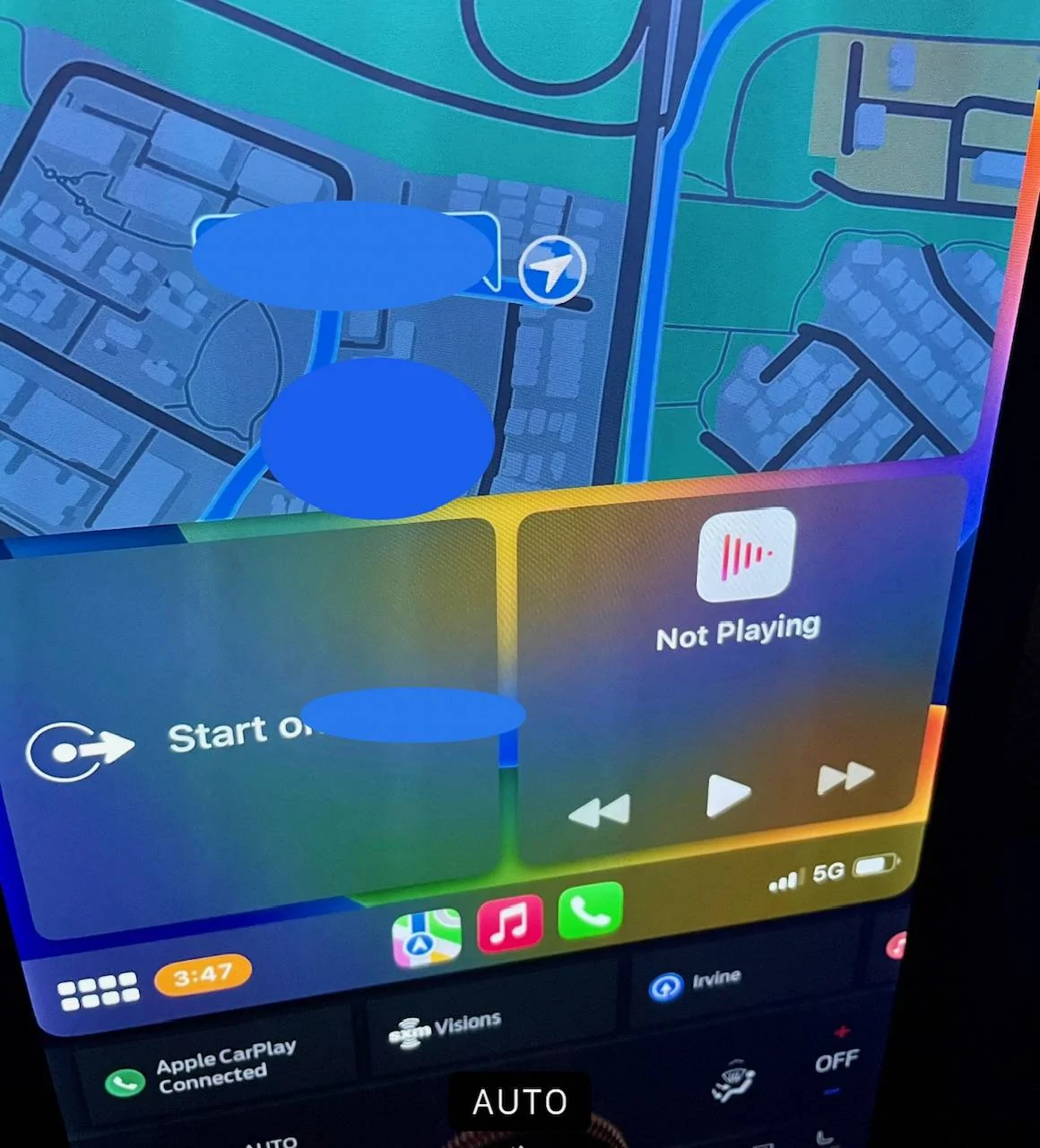
CarPlay has something close (see below, 3 windows - nav, next turn, and now playing, but not SiriusXM) Wondering if I’m just missing a customization feature. TIA!
Ford Mustang Mach-E Navigation/SiriusXM Split Screen? image0 (2)
Sponsored


generaltso

Well-Known Member
Joined
Jun 24, 2020
Threads
76
Messages
15,389
Reaction score
28,696
Location
Vermont
Vehicles
2024 Kia EV9 GT-Line
Country flag
That info used to display in the larger cards at the bottom. But they decided to take it away.


Top