Google Maps via CarPlay - Vehicle Heading Incorrect

JohnFoxeSheets

Well-Known Member
First Name
John
Joined
Jan 29, 2022
Threads
28
Messages
3,415
Reaction score
5,514
Location
San Francisco
Website
johnfoxesheets.com
Vehicles
2022 Iced Blue Silver Mach E GT
Occupation
Retired Engineer
Country flag
I don't think phone positioning is the problem here, as CarPlay is receiving GPS from your Mach-E.

...

I think that the connection between the phone and the car has gotten out of sync (I theorize that an iOS release or update to our cars is causing a versioning mismash), and the iPhone is only thinking it's receiving GPS and compass data from the car sporatically and imperfectly.

BTW, different apps on your iPhone will interpret these location misfires in different ways. They get the location from the OS, but nav apps will snap to the nearest road, and have ways to interpret new data to figure out if you've traveled on the same road or have turned. It sounds like Google Maps is completely confused in OP's case.
Interesting theory and you may be right, though I'm unsure why the issue reliably gets better when I take the phone out and put it on the MagSafe charger mount by the screen. It's certainly worth a shot though.

I see the problem with Apple Maps as well as Google Maps, BTW...
Sponsored

 

scoopman

Well-Known Member
Joined
Jan 30, 2021
Threads
60
Messages
2,771
Reaction score
5,816
Location
Bay Area
Vehicles
2023 KIA EV6 GT, 20214 Hyundai Ioniq 5 Ltd AWD
Occupation
former electric pony jockey, flatbed towing expert
Country flag
Interesting theory and you may be right, though I'm unsure why the issue reliably gets better when I take the phone out and put it on the MagSafe charger mount by the screen. It's certainly worth a shot though.

I see the problem with Apple Maps as well as Google Maps, BTW...
I suspect (but do not know for certain) that Apple (like Android) is combining its other sensors to determine location when it doesn't receive GPS data properly from the car. Those other sensors may be compromised, or the phone may be really confused because it is receiving GPS data telling it one thing, and its own sensors telling it something else.

There may be other communication issues going on here as well -- these protocols for projection are technically interesting and can be complex, because they're bi-directional packets going both ways that contain streaming video of what you see on the car screen, and sensors and input data back from the car to the phone.

If there's a change in the protocol that's expected, and the other side hasn't versioned / changed properly, I suspect this is what causes these problems.
 

JohnFoxeSheets

Well-Known Member
First Name
John
Joined
Jan 29, 2022
Threads
28
Messages
3,415
Reaction score
5,514
Location
San Francisco
Website
johnfoxesheets.com
Vehicles
2022 Iced Blue Silver Mach E GT
Occupation
Retired Engineer
Country flag
I suspect (but do not know for certain) that Apple (like Android) is combining its other sensors to determine location when it doesn't receive GPS data properly from the car. Those other sensors may be compromised, or the phone may be really confused because it is receiving GPS data telling it one thing, and its own sensors telling it something else.

There may be other communication issues going on here as well -- these protocols for projection are technically interesting and can be complex, because they're bi-directional packets going both ways that contain streaming video of what you see on the car screen, and sensors and input data back from the car to the phone.

If there's a change in the protocol that's expected, and the other side hasn't versioned / changed properly, I suspect this is what causes these problems.
Whatever is going on, I hope they fix it as it's annoying. But I'll try your idea and ?

Thanks!
 

Dad Bod

Active Member
Joined
Oct 27, 2022
Threads
1
Messages
31
Reaction score
24
Location
Los Angeles
Vehicles
2022 Mustang Mach E GTPE, 2016 Lexus CT200h
Country flag
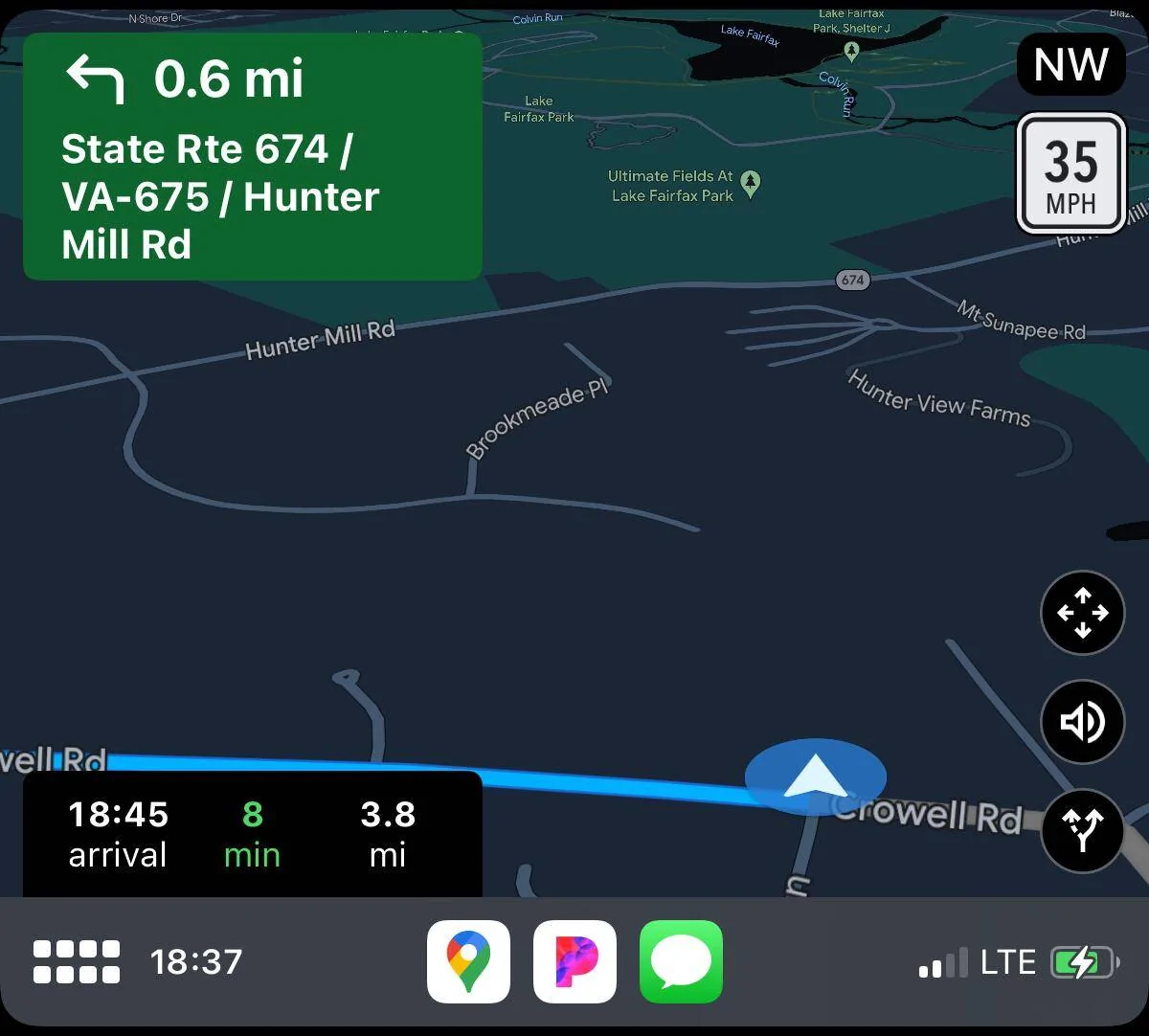
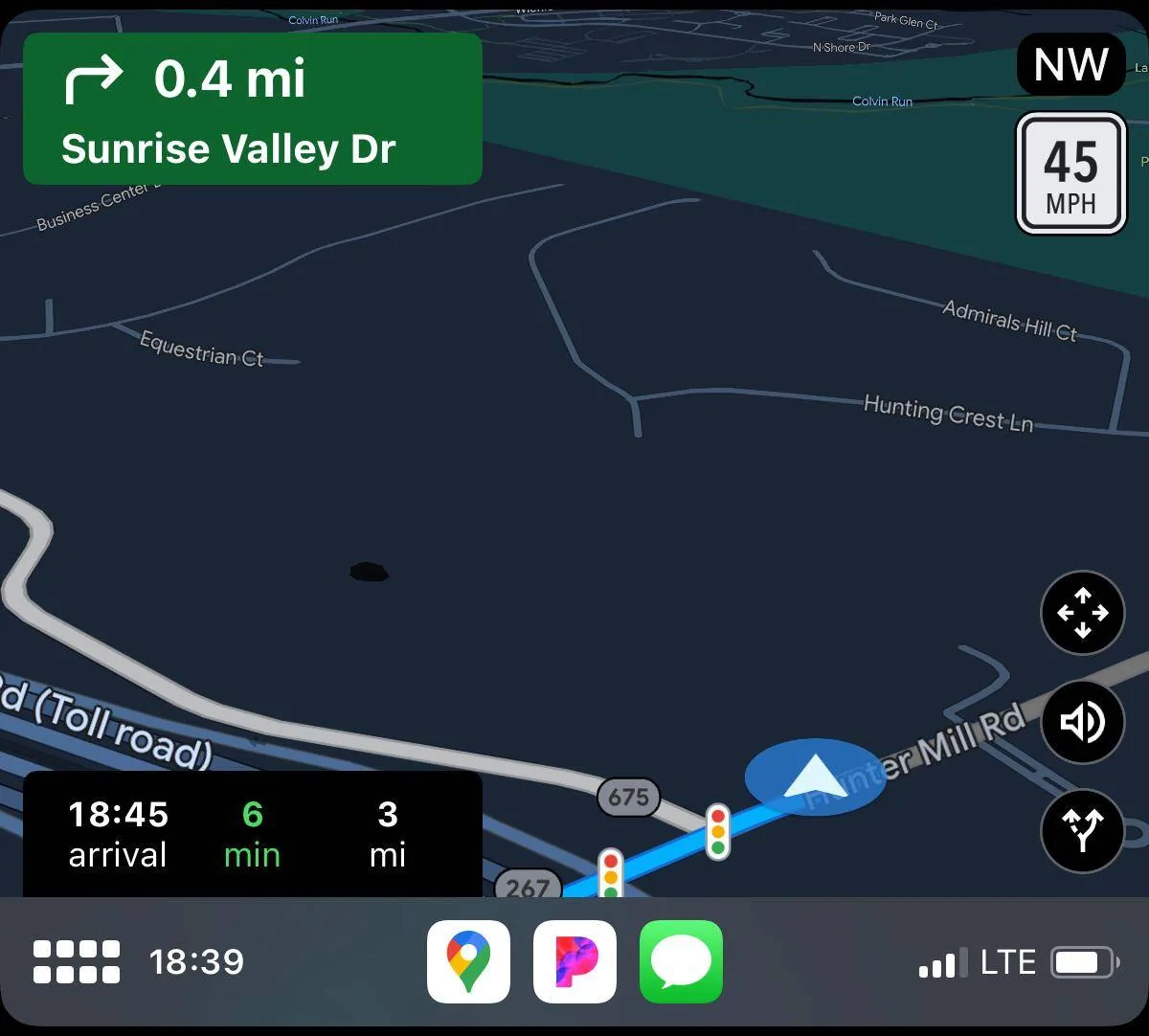
I've had this problem since I purchased my Mach E in December 2022. When using Google Maps via wireless CarPlay, the heading of the car will eventually drift to a value that's 90-180 degrees off from the real heading. This causes Google Maps to constantly reroute the trip, thinking that you're turning onto roads you're not about to turn onto. This constant rerouting eventually will lock the app/phone up, and cause so much CPU usage that the phone gets extremely hot. Also, with the wrong heading, the map is pointed in the wrong direction, so you can't look at it to see where you need to turn--the useful parts of the map are hidden off-screen.

Some screenshots of the problem occurring:

IMG_2117.PNG


IMG_2120.PNG


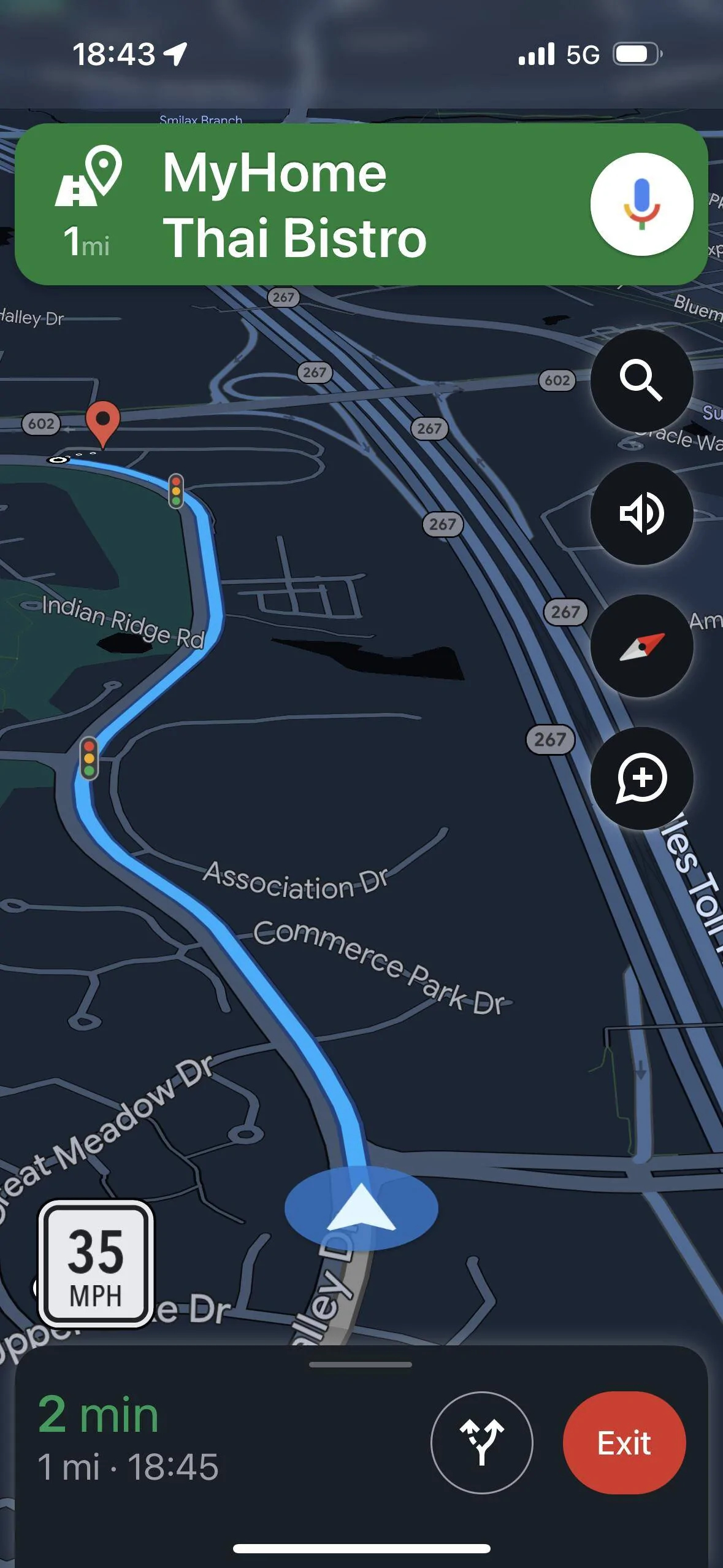
At first I thought this might be due to the wireless charger throwing off the iPhone heading sensor. But it doesn't seem to matter if the phone is on the charger pad or somewhere else in the car. Also, if I disconnect CarPlay, Google Maps seems to work just fine--the problem goes away:

IMG_2123.PNG


Force quitting the app and restarting it does not resolve the issue. Also, this seems to happen much more often after I've been driving for 30+ minutes and not as much just after starting a trip. Finally, I haven't seen anything weird going on with the SYNC built-in nav.

Car is a '22 MME Premium AWD ER, build date Oct 22, running power-up 3.5.4. iPhone is a 14, running iOS 16.2. Google Maps version is 6.49.4.
I have the same issue. Thought it was only me.
Sponsored


Top