HuntingPudel
Well-Known Member
- First Name
- Steve
- Joined
- Mar 23, 2021
- Threads
- 88
- Messages
- 12,927
- Reaction score
- 17,370
- Location
- Bay Area, CA
- Vehicles
- 2024 MME GT with Performance Upgrade, 1979 Fire-Am, 1972 K/5 Blazer
- Occupation
- Engineering

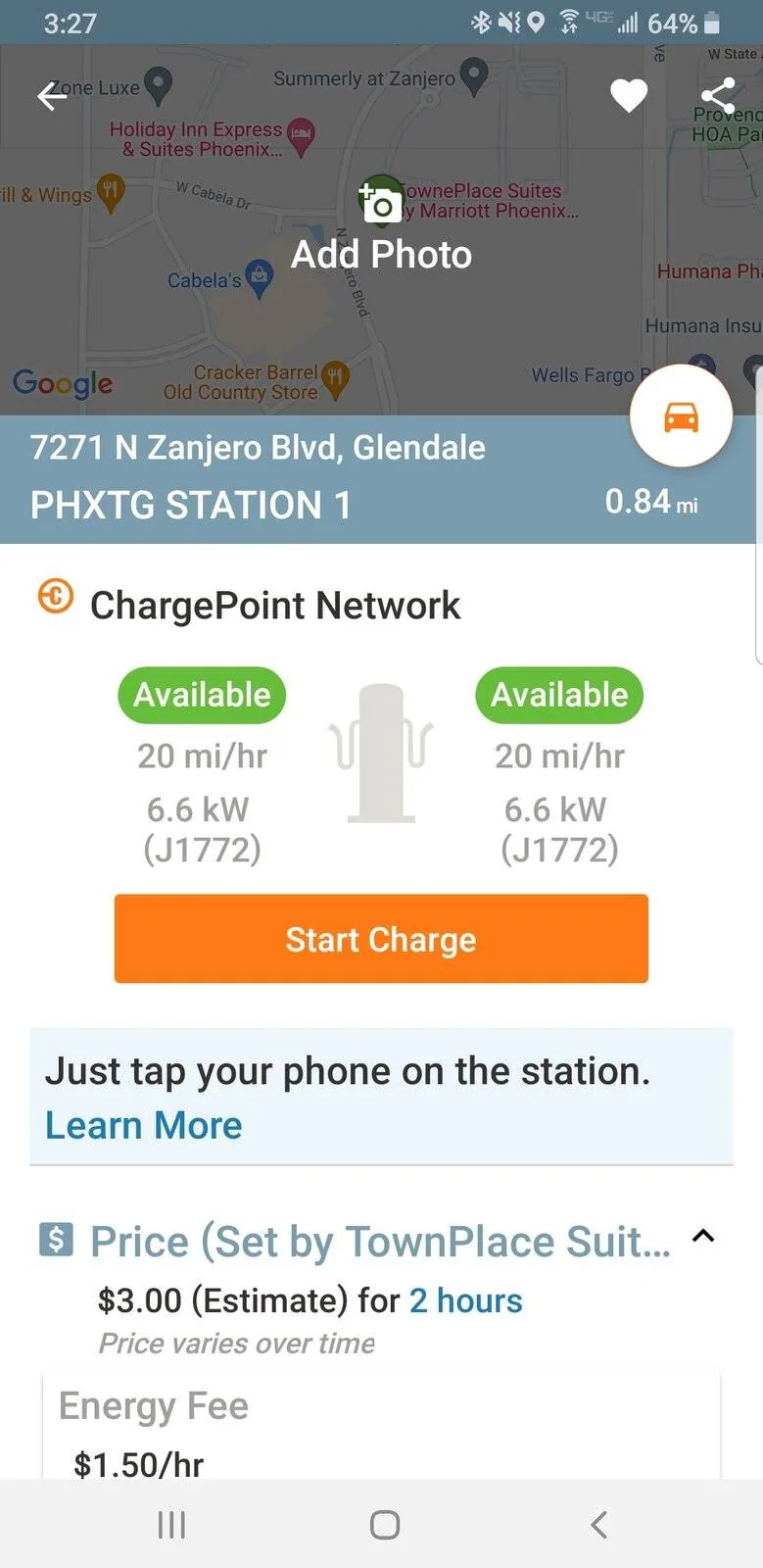
In my case I had to use the app in order to make the charger work, since the NFC on the charger was not working.
In order to make the app work, you open the app. On the map you will see yourself circled and one or more stations pinpointed in your circle. Tap on the pinpoint and it will open a little pane at the bottom of your screen. The name of thee charge station you have selected will be in that pane. If that name doesn't match the one on the screen of the one you're parked at, tap on the pinpointo n the map again and it'll cycle through the station names at your location. Once the name of the charging station on your phone matches the one on the screen of the station you are parked at, swipe the lower pane up or tap on it. You can then tap on the "Start Charge" button.
In order to make the app work, you open the app. On the map you will see yourself circled and one or more stations pinpointed in your circle. Tap on the pinpoint and it will open a little pane at the bottom of your screen. The name of thee charge station you have selected will be in that pane. If that name doesn't match the one on the screen of the one you're parked at, tap on the pinpointo n the map again and it'll cycle through the station names at your location. Once the name of the charging station on your phone matches the one on the screen of the station you are parked at, swipe the lower pane up or tap on it. You can then tap on the "Start Charge" button.
Sponsored