360 Camera Calibration - unsuccessful?

phidauex

Well-Known Member
First Name
Sam
Joined
Dec 8, 2020
Threads
17
Messages
967
Reaction score
1,843
Location
Colorado
Vehicles
2021 MachE 4EX, 2006 Prius, 1997 Tacoma
Occupation
Renewable Energy Engineer
Country flag
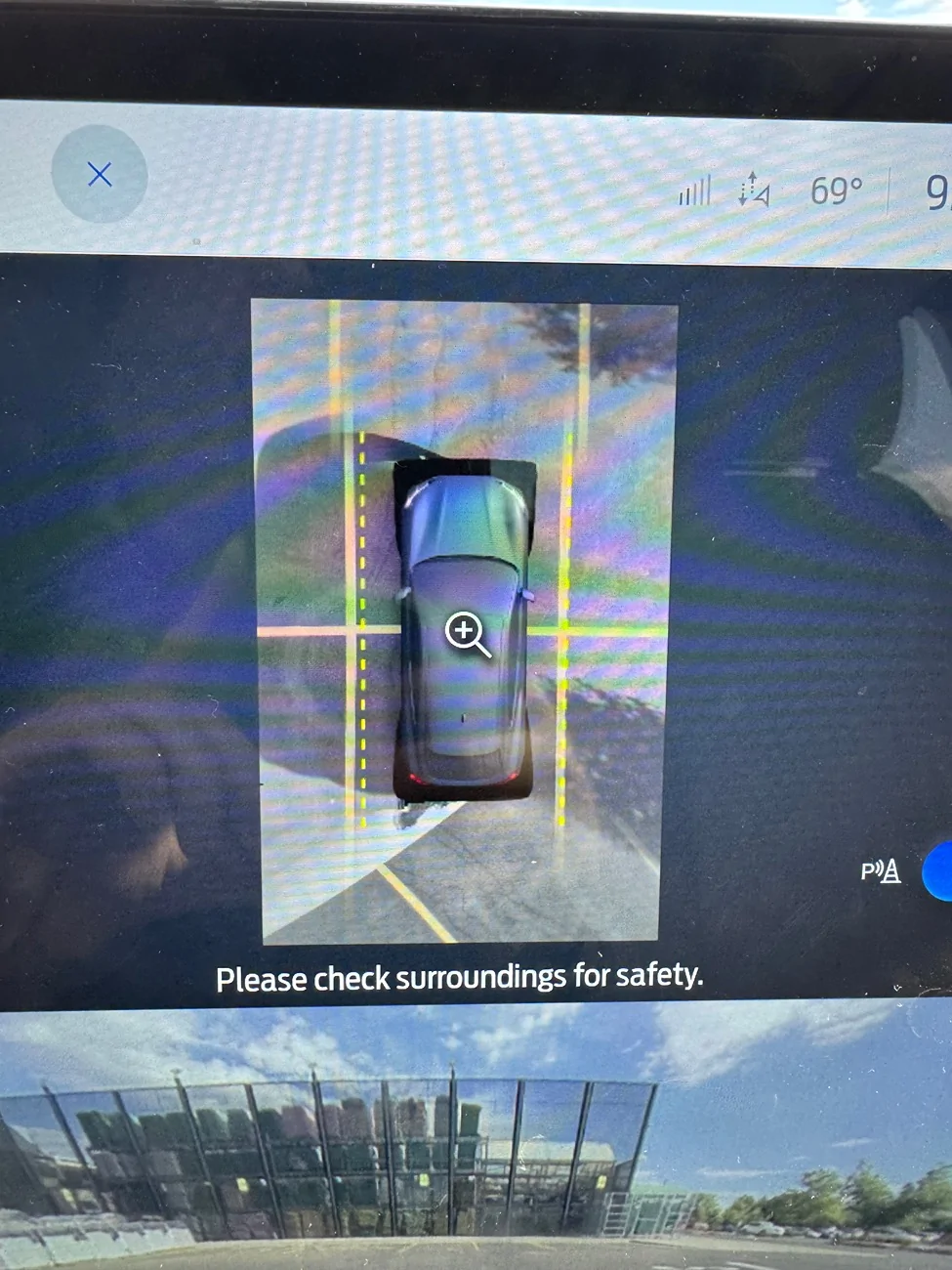
Recently my 360 camera view has become comically skewed - lines don't match at all, and the rear view is rotated almost 30 degrees. I haven't had any collisions, and the 4 cameras look normal and snug in their mounts. Bluecruise works normally. The rear camera looks normal when simply looking at the rear camera view, leading me to believe it is a stitching problem, not a hardware problem. I had a rear camera DTC "camera blocked", probably from my hitch rack, but it cleared without complaint. No IPMA DTCs.

I grabbed an FDRS subscription for two days to do the 12V recall updates (which all ran successfully and uneventfully), removed my rear rack, and attempted the camera alignments in a parking lot near my office. The downside is that it doesn't seem to be working.

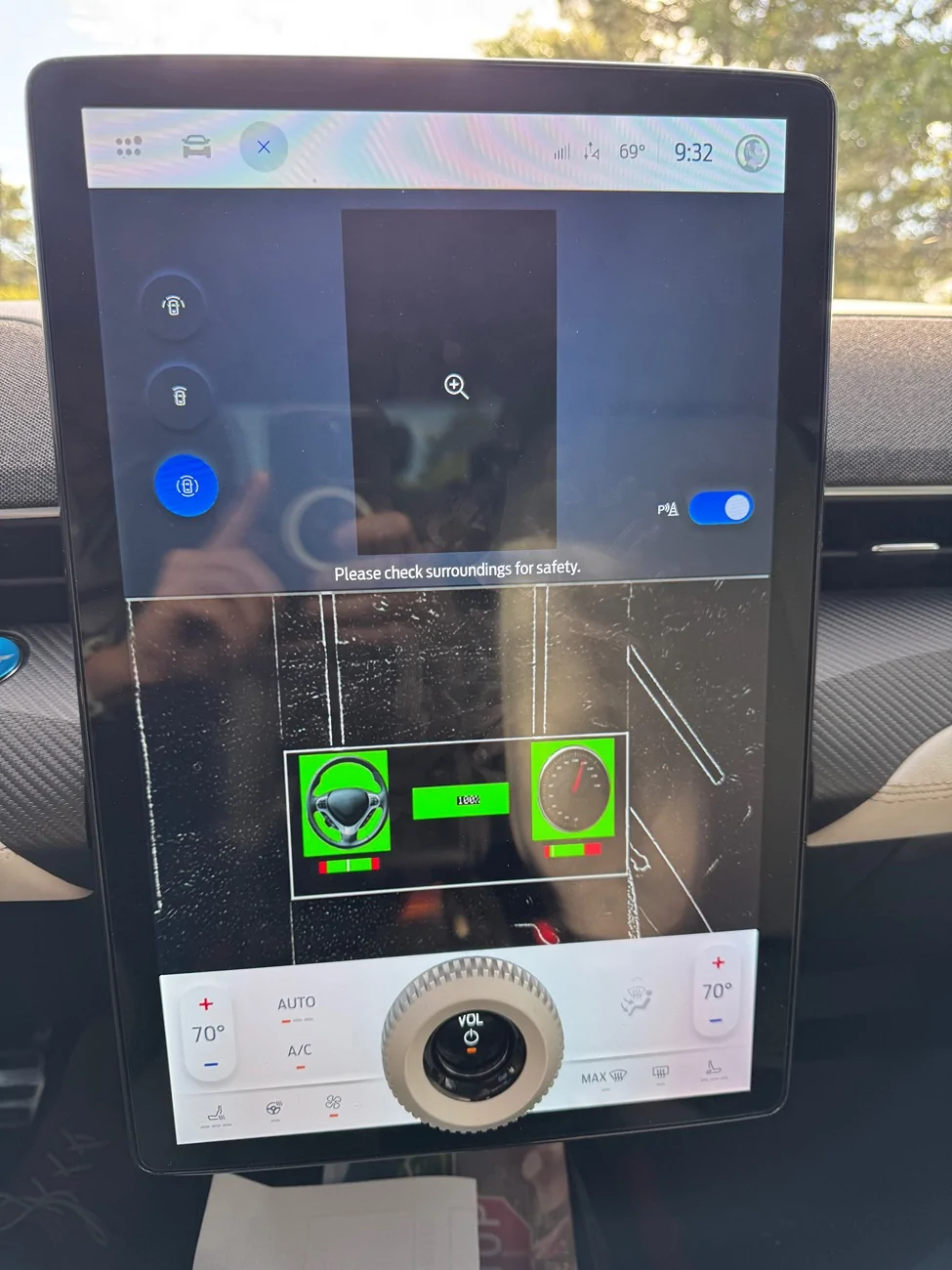
First I tried the IPMA Rear Parking Aid Alignment procedure, that has you drive slowly around a parking lot with clearly marked lines. This completed successfully, but I saw no change in the stitching or the images. I then tried the IPMA 360 Camera Alignment - the first time it appeared to run successfully, but I never saw the calibration screen. The 2nd and 3rd attempts showed the calibration screen during my attempt (image below), and claimed to be successful, but the stitching never updated. Finally I tried the main IPMA Camera Alignment module that requires you to drive on a straight road, but after 3 attempts I wasn't able to get a successful run - I was having a hard time finding a long enough straight shot.

Am I barking up the wrong tree? Anything else I should be confirming to get this calibration to work?

Ford Mustang Mach-E 360 Camera Calibration - unsuccessful? IMG_2456


Ford Mustang Mach-E 360 Camera Calibration - unsuccessful? IMG_2457
Sponsored


rugedraw

Well-Known Member
First Name
Javier
Joined
Nov 13, 2023
Threads
0
Messages
2,640
Reaction score
2,399
Location
Miami, FL
Vehicles
2021 Ford F150 Platinum FX4 EB/2023 Bronco Sport Badlands/1991 Mustang 5.0 coupe
Occupation
Auto Sales
Country flag
Any DTC's anywhere else?

If BC works fine, you don't need the IPMA calibration that you do while driving in a straight line. That is to calibrate lane centering. The 360 cams calibration is the right one based on your issue. If this issue started randomly, it could be a bad IPMA. Your car being a 2021 would be out of warranty unless you bought extended warranty, so maybe swapping in a used IPMA is an option since you have FDRS to program it. I'm not a fan of firing the parts cannon at a vehicle when something goes wrong, but if there are no codes and no software related concerns, it could be a bad module.
 

Mach-Lee

Well-Known Member
First Name
Lee
Joined
Jul 16, 2021
Threads
262
Messages
11,351
Reaction score
24,977
Location
Wisconsin
Vehicles
2022 Mach-E Premium AWD
Occupation
Sci/Eng
Country flag
When doing a 360° camera calibration, make sure you drive around slowly enough, and keep the wheel as straight as possible. I think you want to drive around at about 5 miles an hour. Also, make sure you drive at an angle to the lines, not perfectly parallel or perpendicular. It should be a large Walmart size parking lot so you don’t have to turn around constantly (turning delays the calibration). Make sure all the cameras are clean first. Last time I did one, it took a while, but it completed successfully, and everything was perfectly aligned afterwards. You are not supposed to do the rear parking aid alignment if you have a 360 camera.

For the lane centering camera calibration, you need a road that is pretty straight, not hilly, and has good marked lines on both sides, not just one. When you perform the calibration, make sure you are not following anyone close. Keep a big gap so it can see the lines.
 
Last edited:
OP
OP
phidauex

phidauex

Well-Known Member
First Name
Sam
Joined
Dec 8, 2020
Threads
17
Messages
967
Reaction score
1,843
Location
Colorado
Vehicles
2021 MachE 4EX, 2006 Prius, 1997 Tacoma
Occupation
Renewable Energy Engineer
Country flag
When doing a 360° camera calibration, make sure you drive around slowly enough, and keep the wheel as straight as possible. I think you want to drive around at about 5 miles an hour. Also, make sure you drive at an angle to the lines, not perfectly parallel or perpendicular. It should be a large Walmart size parking lot so you don’t have to turn around constantly (turning delays the calibration). Make sure all the cameras are clean first. Last time I did one, it took a while, but it completed successfully, and everything was perfectly aligned afterwards. You are not supposed to do the rear parking aid alignment if you have a 360 camera.

For the lane centering camera calibration, you need a road that is pretty straight, not hilly, and has good marked lines on both sides, not just one. When you perform the calibration, make sure you are not following anyone close. Keep a big gap so it can see the lines.
I think I got most of that right - drove 4/5 mph, wheel straight, getting some strange looks from the other Home Depot shoppers. I was mostly driving down the aisles, however, maybe I needed to cross more of the lines.

I did get the calibration graphic, but when the completion bar on FDRS was around 80-90% complete, the calibration graphic would disappear, then a few moments later the FDRS graphic would complete and indicate a successful calibration.

Does that sound like how yours went? Or am I maybe timing out on the 5 min just before actually finishing? I figured I'd get a failure message if that happens, but maybe I just wasn't getting it done in time.
 

Mach-Lee

Well-Known Member
First Name
Lee
Joined
Jul 16, 2021
Threads
262
Messages
11,351
Reaction score
24,977
Location
Wisconsin
Vehicles
2022 Mach-E Premium AWD
Occupation
Sci/Eng
Country flag
I think I got most of that right - drove 4/5 mph, wheel straight, getting some strange looks from the other Home Depot shoppers. I was mostly driving down the aisles, however, maybe I needed to cross more of the lines.

I did get the calibration graphic, but when the completion bar on FDRS was around 80-90% complete, the calibration graphic would disappear, then a few moments later the FDRS graphic would complete and indicate a successful calibration.

Does that sound like how yours went? Or am I maybe timing out on the 5 min just before actually finishing? I figured I'd get a failure message if that happens, but maybe I just wasn't getting it done in time.
Yeah it probably didn't have enough features to merge the images if you were not driving on top of the lines almost the whole time. If the ground is all the same color without features (e.g. black asphalt) it can't work with that.

It's been several years since I did it, but I just remember it taking like 5-10 minutes of driving around. I don't trust "successful" until I park in a spot, get out, and verify it's perfectly centered and straight.
Sponsored


Top