
jefflit
Member
- Joined
- Sep 10, 2024
- Threads
- 1
- Messages
- 6
- Reaction score
- 0
- Location
- LA
- Vehicles
- 2024 Mach-e Premium Extended

- Thread starter
- #1
Am I the only one who has problems with key and/or profile issues? Maybe this is a FAQ but I did a little searching first. Maybe it is RTFM? Maybe I should go to dealer? But I thought I'd ask the experts first....
Bought new 2024 Premium extended range in September. Two drivers, wife and me. Mostly love the car. Her car. Two physical keys. Hers is the admin key. Setup her iPhone and my Galaxy as "phone as a key". No new phones since purchase. She is 5'2". I am 6'2".
First issue: Phone as a key is so unreliable we must carry physical keys.
Second issue: Seat chooses to move forward or back with no rhyme or reason.
Third issue: Apple Carplay and Android Auto don't auto connect at first drive of day.
Third issue: Not so much an issue than a question: why does her dash display look different than mine?
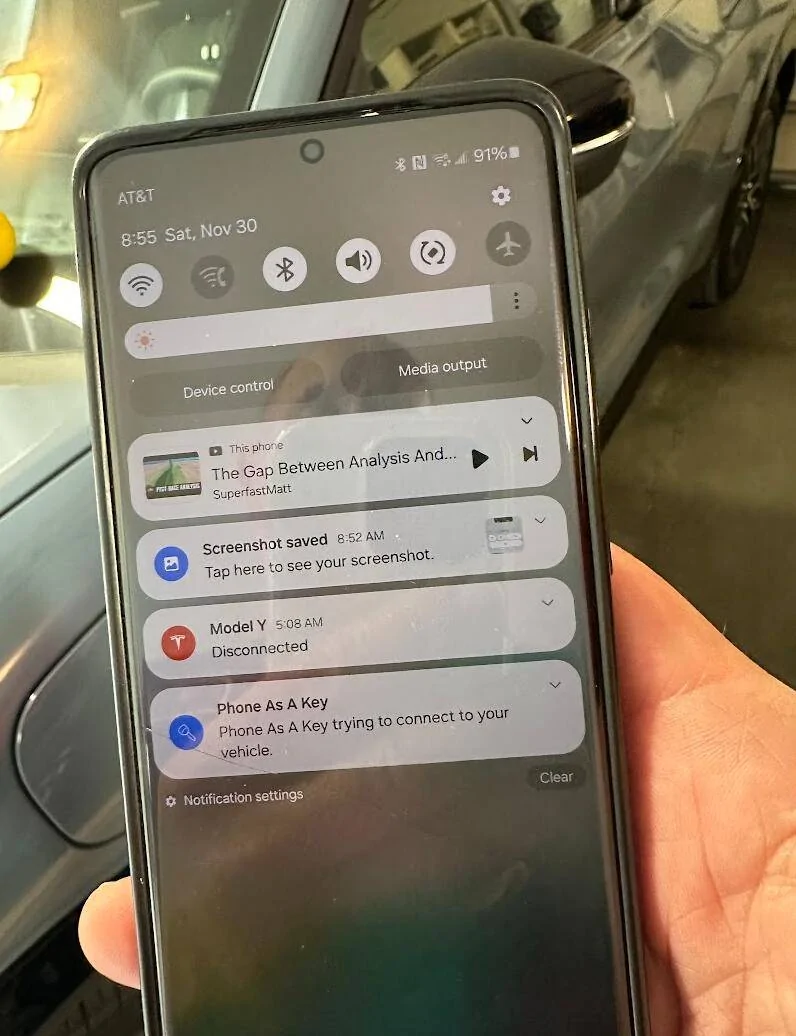
1) Sometimes I walk into the garage with my phone in my pocket and the lights of the car turn on to greet me. So friendly. But most of the time they don't. I often see a "Phone as a key is trying to connect to your vehicle" notification on my Galaxy. I can walk right next to the car and it still doesn't connect (see photo).
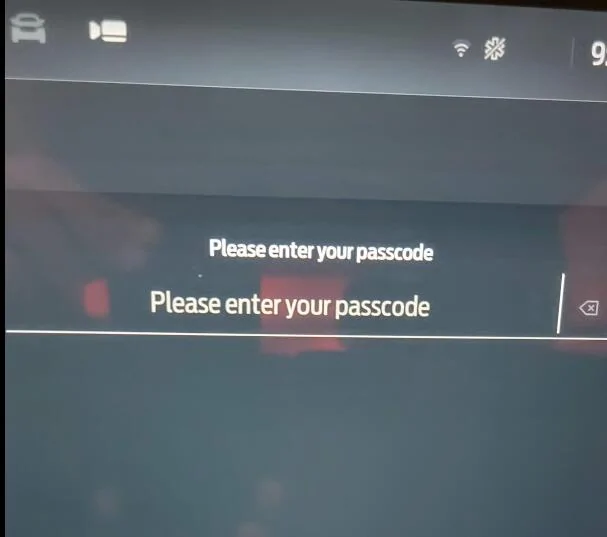
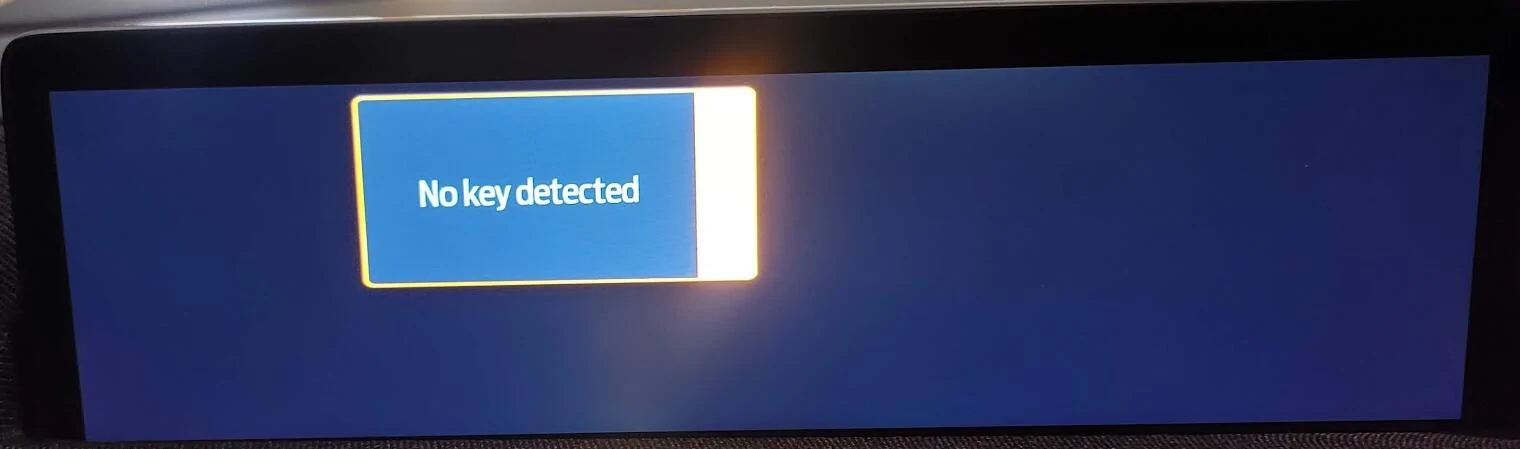
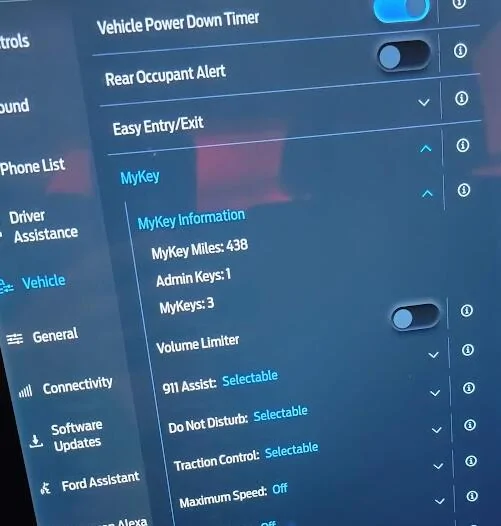
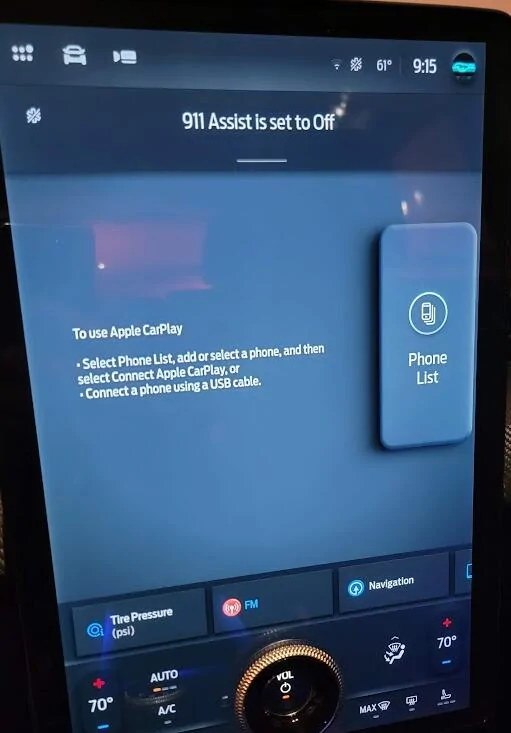
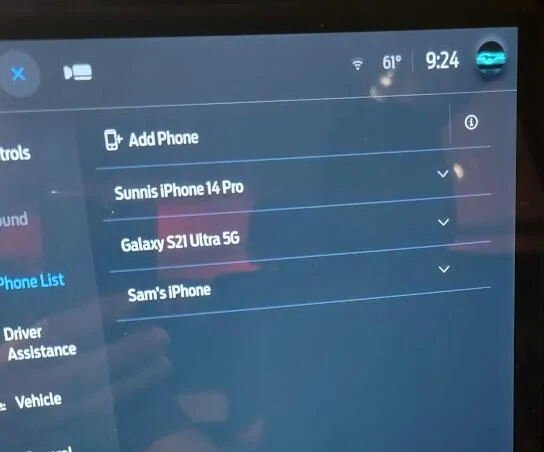
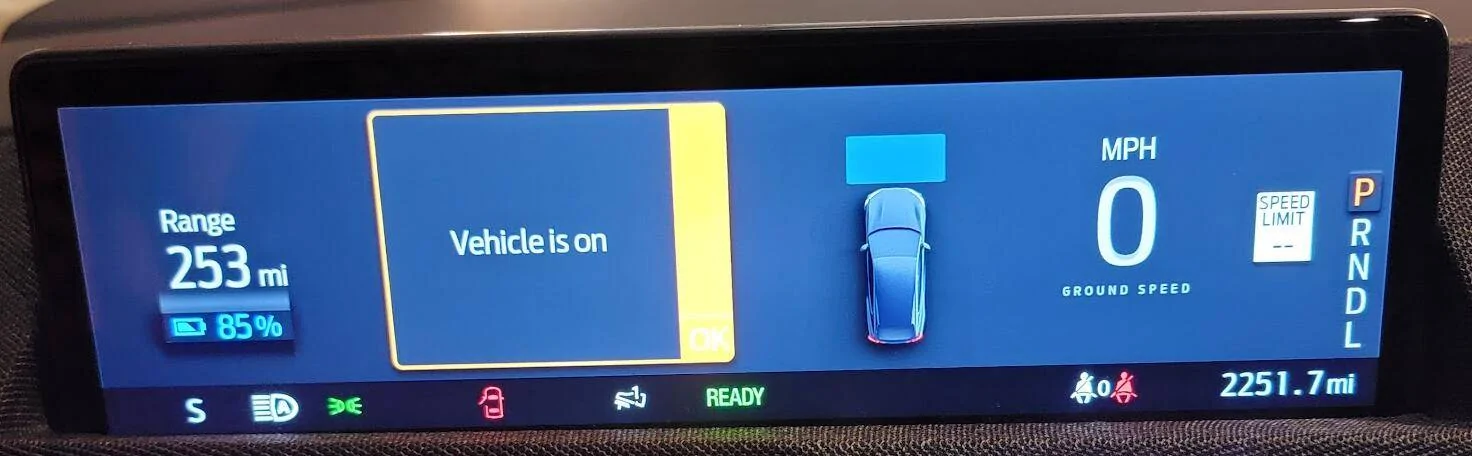
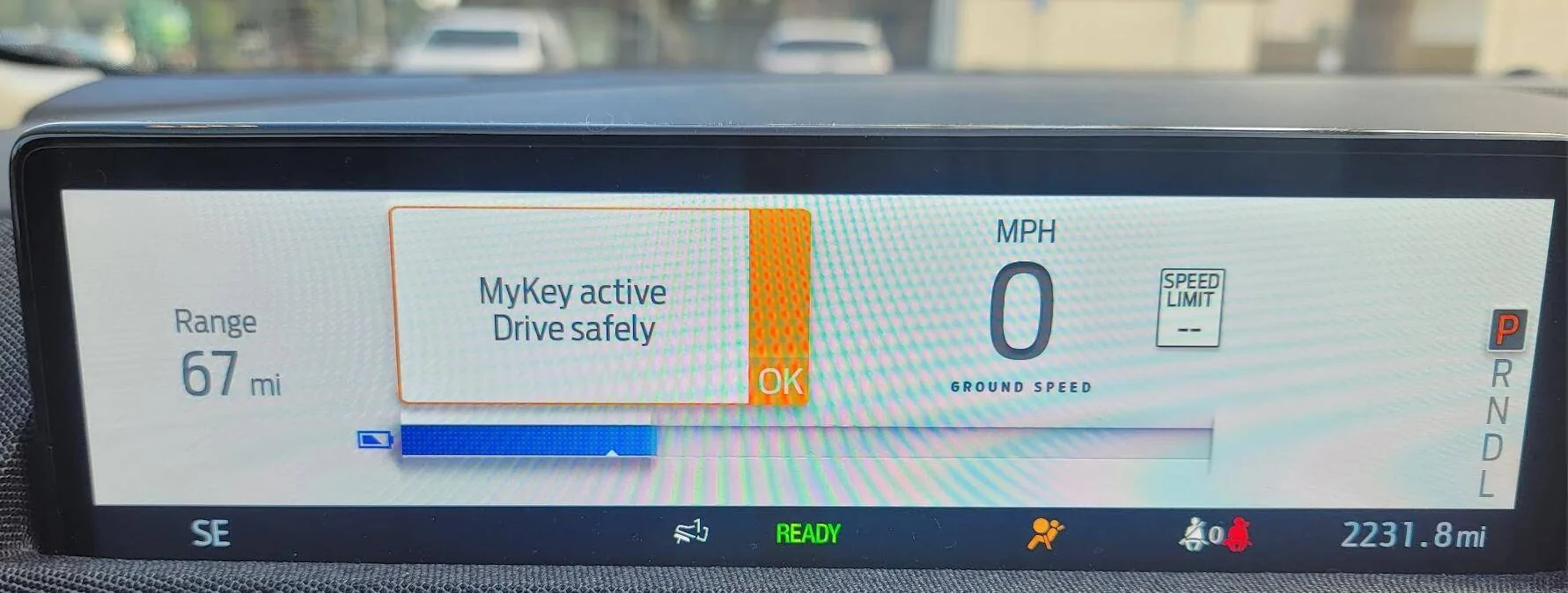
I can open the door with the code on the b-pillar and get inside and turn on the car. When I do, it briefly displays "No Key Detected" then the dash displays its spasmodic blue waves. I can't drive unless I enter a passcode at the prompt on the big screen. Frustratingly, and it direct conflict with my complaint number 3 below, I know the phone is detected because it automatically connects to Android Auto and starts playing my music. For 30 seconds. Then it turns off completely. See video and photos below, all taken with my phone. Also see photo further below from yesterday (20 miles earlier) where is says MyKey is Active. Same phone, etc. I can always open the Ford Pass app and lock/unlock etc via my Galaxy. MyKey worked great at the dealership and for the first few days/weeks, thus 438 of the 2251 miles via MyKey. Completely useless since because you live in constant fear of being locked out.
Video:


Using wife's admin key I can see list of MyKeys but not much else.

2) I rarely drive the car. She carries both her iPhone and her (admin) key. Randomly (as in at one of her many stops during the day (my key and phone not within tens of miles of her) she'll get in and the seat will start moving backwards to my position. Sometimes I get in (can't recall of via my key or my phone (when it works)) and the seat tries to kill me via crush against the steering wheel.
3) When either she or I (alone, with our phone and our key but with other phone/key not nearby) first drive the car in a day we are presented with a screen telling us to use Apple CarPlay select a phone. The message is the same for either of us (i.e. it says Apple CarPlay even though I have an Android). Once a phone is selected, it seems to properly auto connect for the rest of the day. Note re: #1 above, I had picked my phone once today so even without a physical key (and MyKey not detected), it did auto connect after that.


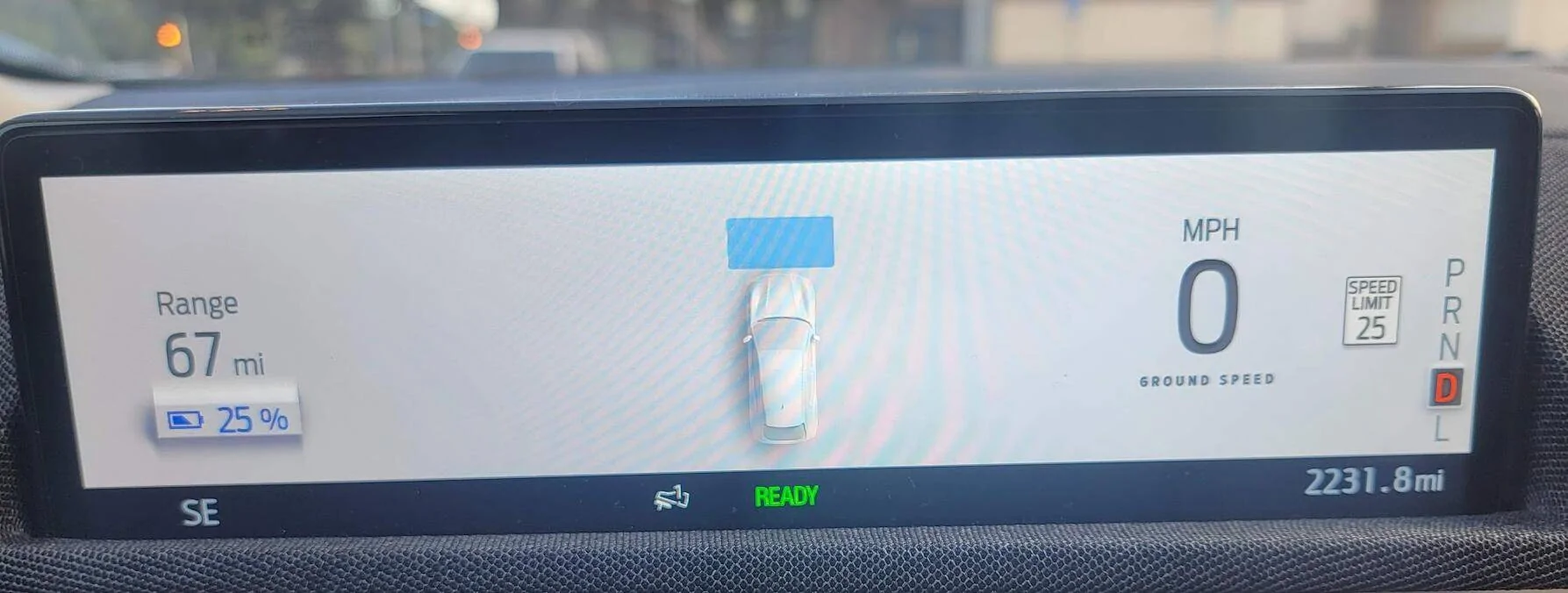
4) Maybe related to #2, when I drive alone (with my key) the dash shows the following distance to the car in front. Bluecruise is off. No difference in display when I turn on/off BC. When she drives, or when I drive with her, the dash shows a battery charge status thermometer. Interestingly, my display also shows the battery status bar for a few seconds after startup but the it switches to the following distance. I don't really care which display I get but I don't know how to change. Probably deep in some manual and screen somewhere.
Wife's admin key (at home in garage):

My physical key (and I have my phone) at home in garage alone at initial startup:

A few seconds later:

My physical key (and I have my phone) away from home alone at initial startup. Note MyKey working here while not working above. Same key/phone. Different day/location (20 miles earlier).

A few seconds later, in gear, and for rest of drive:

All these problems as exacerbated by the fact there is no obvious indication of who's profile is active (if any). Compare to the Tesla, which always gets it right, even with two people in car, where it always properly detects and displays driver's profile.
Not trying to me a whiner, but any ideas how to fix? Maybe Ford will update software? Or am I alone with these problems?
Bought new 2024 Premium extended range in September. Two drivers, wife and me. Mostly love the car. Her car. Two physical keys. Hers is the admin key. Setup her iPhone and my Galaxy as "phone as a key". No new phones since purchase. She is 5'2". I am 6'2".
First issue: Phone as a key is so unreliable we must carry physical keys.
Second issue: Seat chooses to move forward or back with no rhyme or reason.
Third issue: Apple Carplay and Android Auto don't auto connect at first drive of day.
Third issue: Not so much an issue than a question: why does her dash display look different than mine?
1) Sometimes I walk into the garage with my phone in my pocket and the lights of the car turn on to greet me. So friendly. But most of the time they don't. I often see a "Phone as a key is trying to connect to your vehicle" notification on my Galaxy. I can walk right next to the car and it still doesn't connect (see photo).
I can open the door with the code on the b-pillar and get inside and turn on the car. When I do, it briefly displays "No Key Detected" then the dash displays its spasmodic blue waves. I can't drive unless I enter a passcode at the prompt on the big screen. Frustratingly, and it direct conflict with my complaint number 3 below, I know the phone is detected because it automatically connects to Android Auto and starts playing my music. For 30 seconds. Then it turns off completely. See video and photos below, all taken with my phone. Also see photo further below from yesterday (20 miles earlier) where is says MyKey is Active. Same phone, etc. I can always open the Ford Pass app and lock/unlock etc via my Galaxy. MyKey worked great at the dealership and for the first few days/weeks, thus 438 of the 2251 miles via MyKey. Completely useless since because you live in constant fear of being locked out.
Video:
Using wife's admin key I can see list of MyKeys but not much else.
2) I rarely drive the car. She carries both her iPhone and her (admin) key. Randomly (as in at one of her many stops during the day (my key and phone not within tens of miles of her) she'll get in and the seat will start moving backwards to my position. Sometimes I get in (can't recall of via my key or my phone (when it works)) and the seat tries to kill me via crush against the steering wheel.
3) When either she or I (alone, with our phone and our key but with other phone/key not nearby) first drive the car in a day we are presented with a screen telling us to use Apple CarPlay select a phone. The message is the same for either of us (i.e. it says Apple CarPlay even though I have an Android). Once a phone is selected, it seems to properly auto connect for the rest of the day. Note re: #1 above, I had picked my phone once today so even without a physical key (and MyKey not detected), it did auto connect after that.
4) Maybe related to #2, when I drive alone (with my key) the dash shows the following distance to the car in front. Bluecruise is off. No difference in display when I turn on/off BC. When she drives, or when I drive with her, the dash shows a battery charge status thermometer. Interestingly, my display also shows the battery status bar for a few seconds after startup but the it switches to the following distance. I don't really care which display I get but I don't know how to change. Probably deep in some manual and screen somewhere.
Wife's admin key (at home in garage):
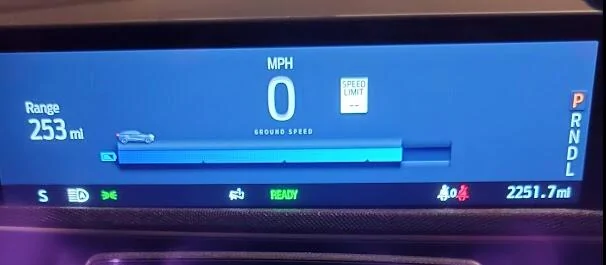
My physical key (and I have my phone) at home in garage alone at initial startup:
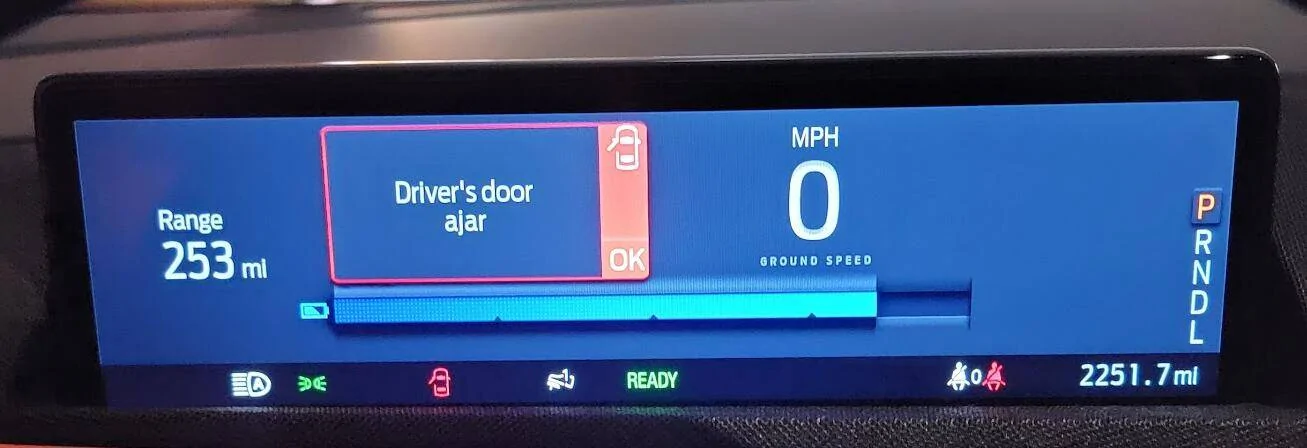
A few seconds later:
My physical key (and I have my phone) away from home alone at initial startup. Note MyKey working here while not working above. Same key/phone. Different day/location (20 miles earlier).
A few seconds later, in gear, and for rest of drive:
All these problems as exacerbated by the fact there is no obvious indication of who's profile is active (if any). Compare to the Tesla, which always gets it right, even with two people in car, where it always properly detects and displays driver's profile.
Not trying to me a whiner, but any ideas how to fix? Maybe Ford will update software? Or am I alone with these problems?
Sponsored


