Navigation instructions on small screen are incorrect

SashaLondon

Well-Known Member
First Name
Sasha
Joined
Sep 11, 2020
Threads
32
Messages
1,393
Reaction score
1,500
Location
London
Vehicles
MME AWD SR
Country flag
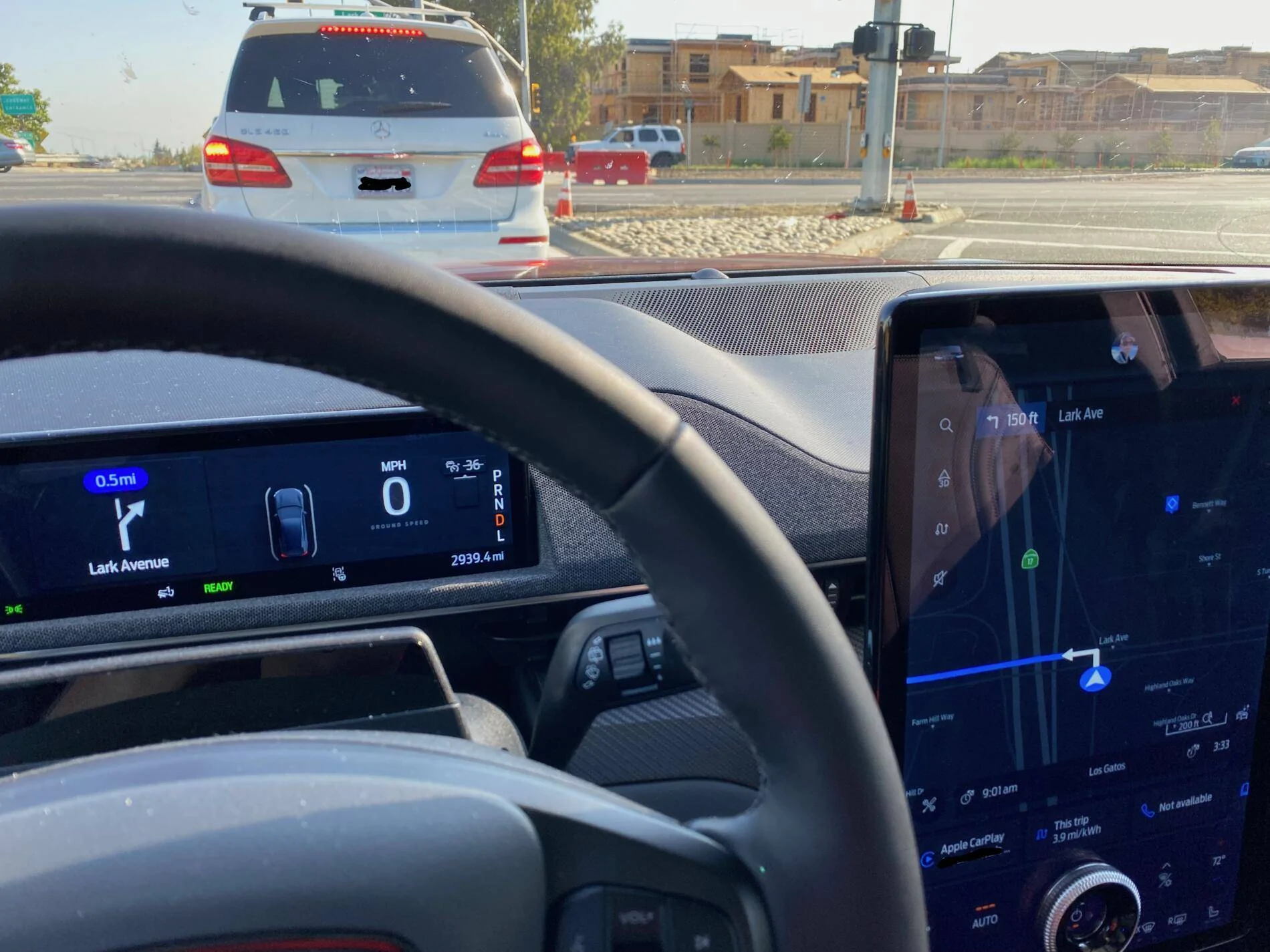
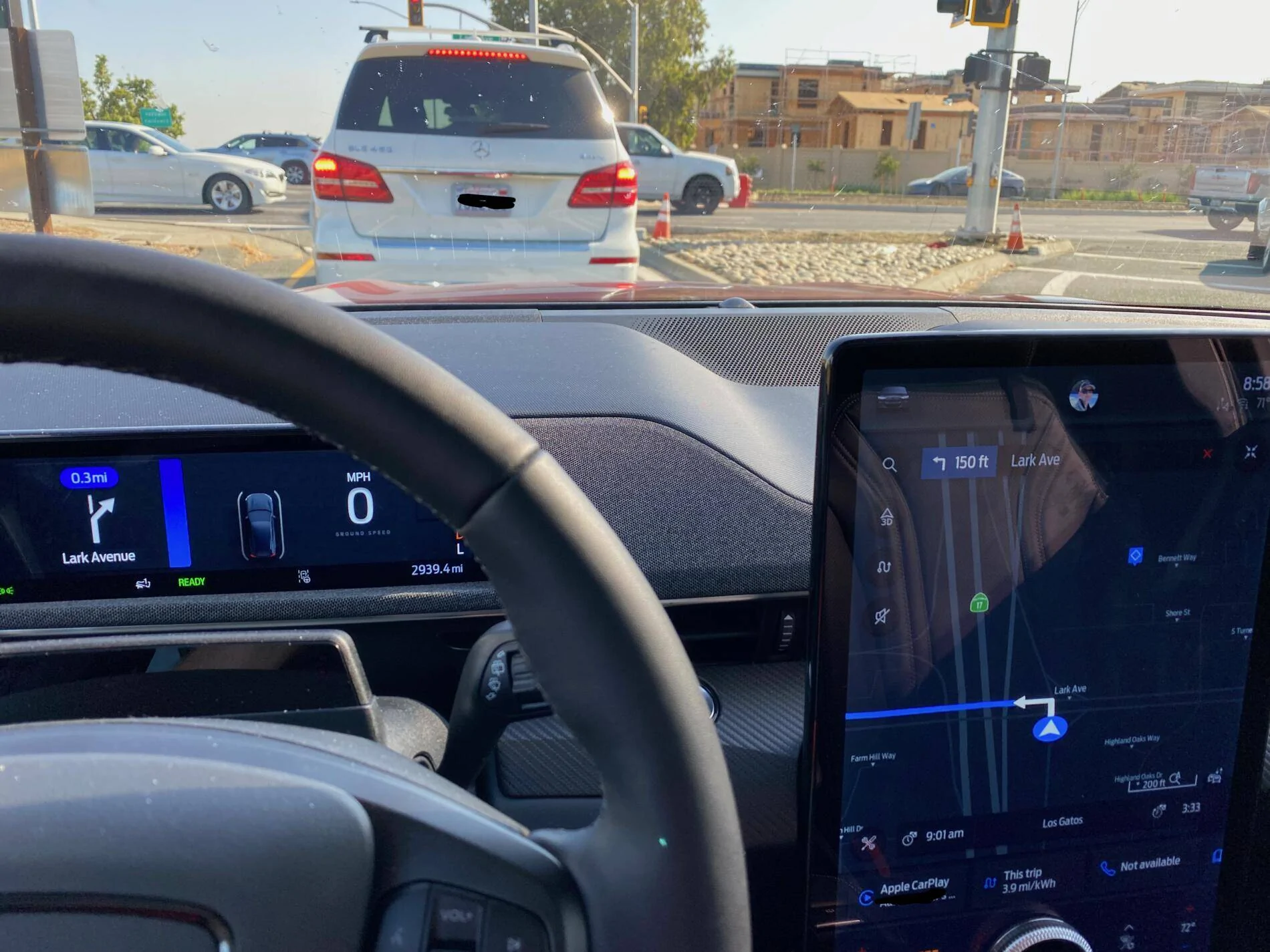
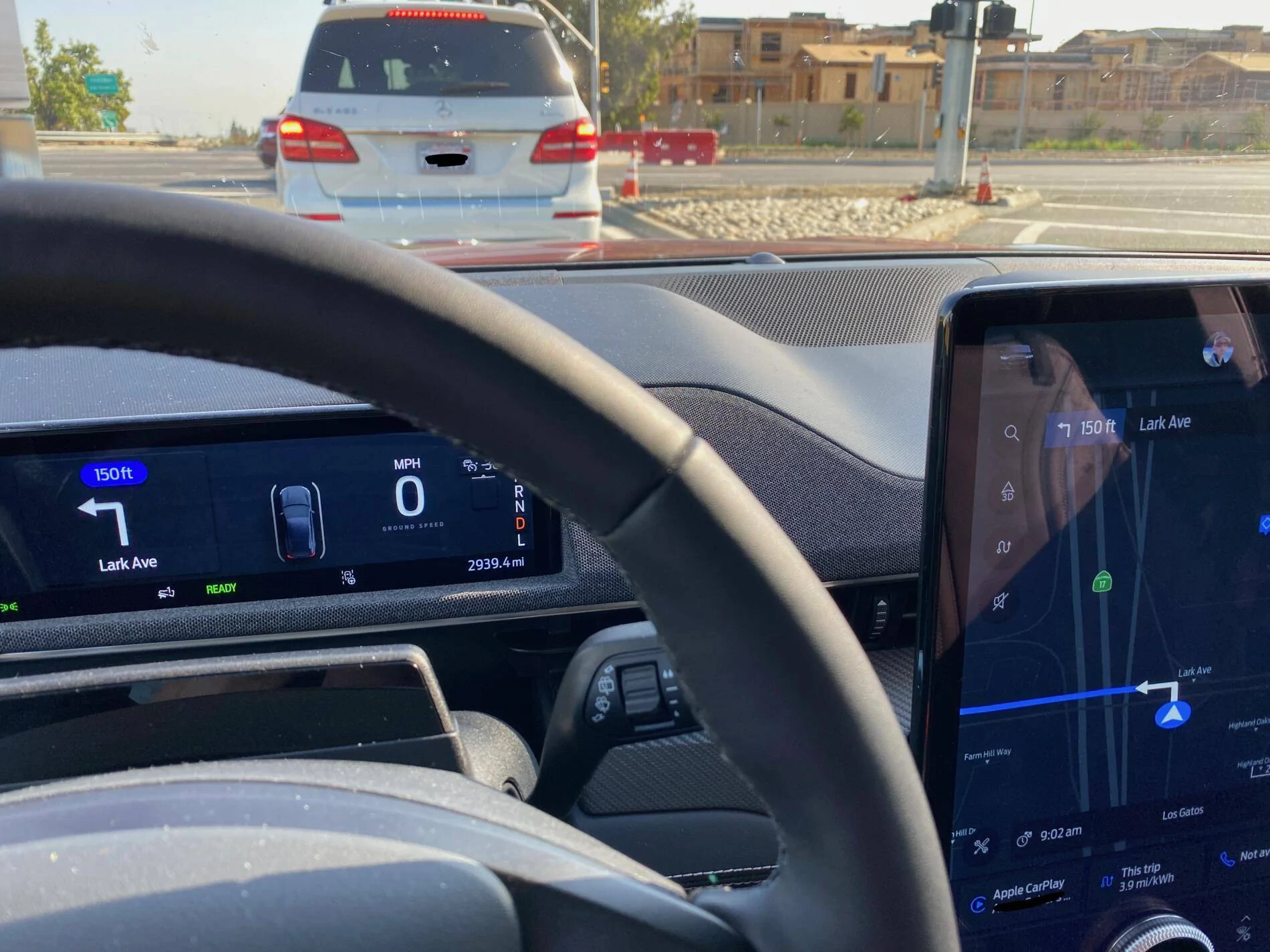
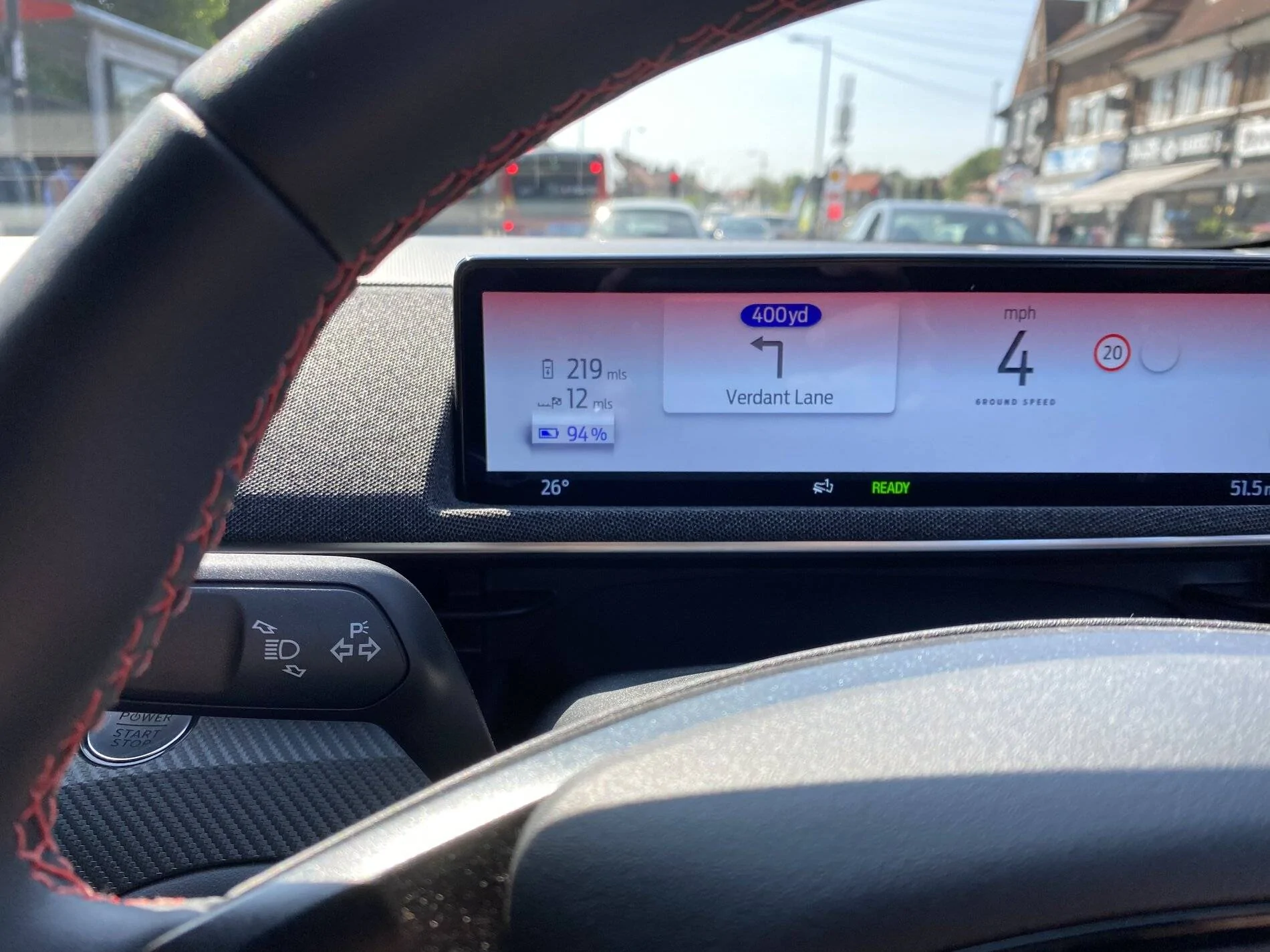
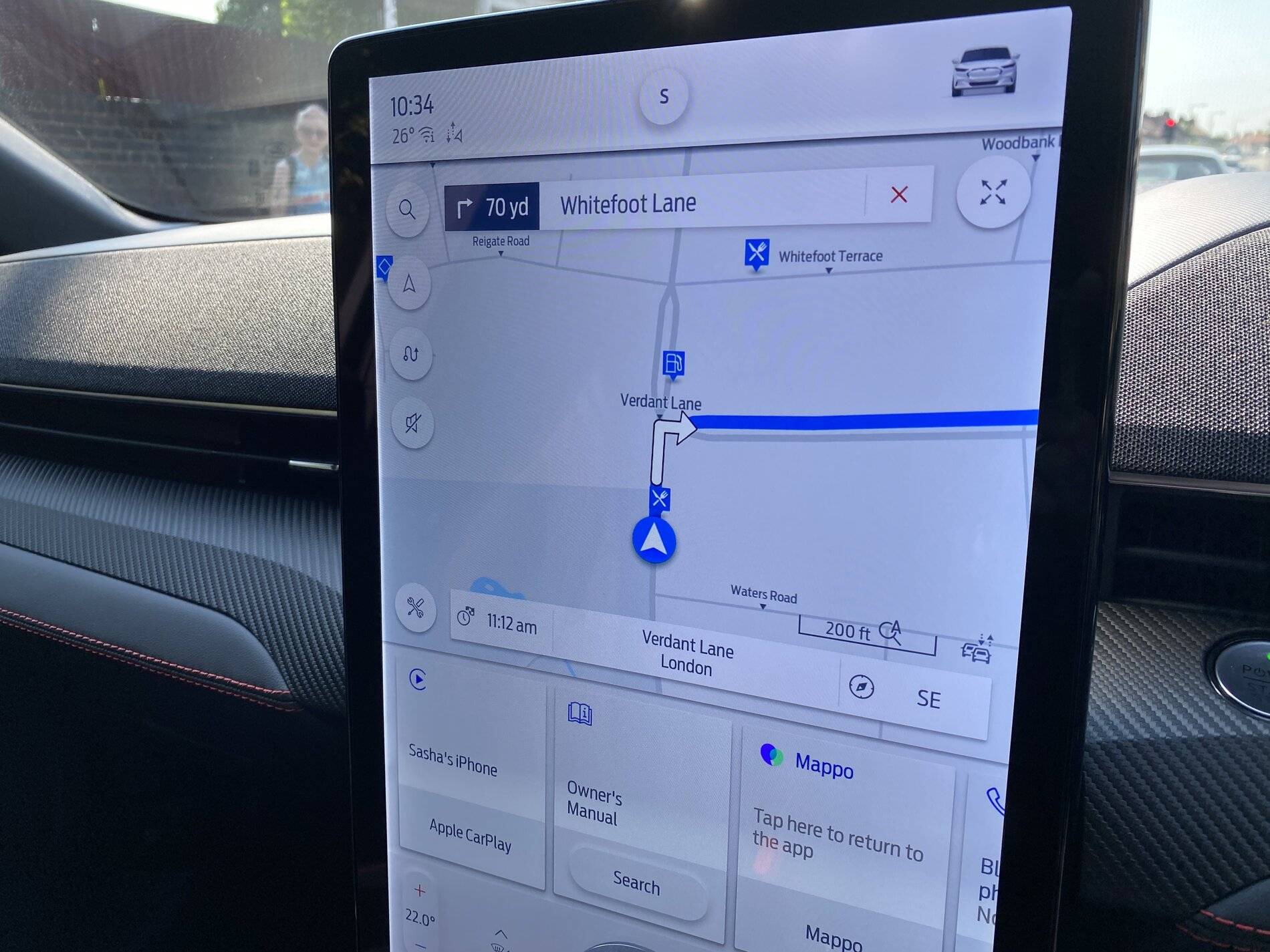
I have picked up my car and had to use the navigation to get home. I missed a couple of turns because the small instruction was completely incorrect and didn’t match the route. This was for the whole journey. The large screen map was correct the whole time.
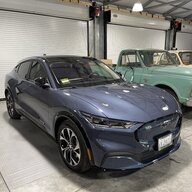
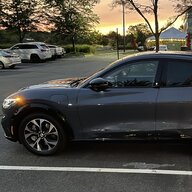
I took a photo at a traffic light to illustrate. Any ideas on this?

Ford Mustang Mach-E Navigation instructions on small screen are incorrect F40D6A25-98CA-41CD-AC0A-E47933DAF994
Ford Mustang Mach-E Navigation instructions on small screen are incorrect ABE0F0C0-11C0-4A8C-8C06-CD7495CD832F
Sponsored


gafear

Well-Known Member
Joined
Jun 7, 2021
Threads
16
Messages
113
Reaction score
76
Location
Chicago
Vehicles
Premium AWD ER
Country flag
Could be that you also have Google maps /Waze running to a different address?
 
OP
OP
SashaLondon

SashaLondon

Well-Known Member
First Name
Sasha
Joined
Sep 11, 2020
Threads
32
Messages
1,393
Reaction score
1,500
Location
London
Vehicles
MME AWD SR
Country flag
I don’t have waze and didn’t open Google maps. It was literally 2 miles from picking the car up.
 

SteveJo

Well-Known Member
First Name
Steve
Joined
Apr 17, 2020
Threads
12
Messages
234
Reaction score
360
Location
Chadds Ford, PA, USA
Vehicles
2010 Ford Fusion Hybrid, Job 1 Mach-e/X
Country flag
I have picked up my car and had to use the navigation to get home. I missed a couple of turns because the small instruction was completely incorrect and didn’t match the route. This was for the whole journey. The large screen map was correct the whole time.
I took a photo at a traffic light to illustrate. Any ideas on this?
F40D6A25-98CA-41CD-AC0A-E47933DAF994.jpeg
ABE0F0C0-11C0-4A8C-8C06-CD7495CD832F.jpeg
Seems your speedometer is off as well if you were at a light. o_O
 

GoGoGadgetMachE

Well-Known Member
First Name
Michael
Joined
Jan 23, 2020
Threads
153
Messages
5,612
Reaction score
12,669
Location
Ohio
Vehicles
2021 Mach-E 1st Ed., 2022 Lightning Platinum
Occupation
Professional forum cheerleader and fanboy
Country flag
I have picked up my car and had to use the navigation to get home. I missed a couple of turns because the small instruction was completely incorrect and didn’t match the route. This was for the whole journey. The large screen map was correct the whole time.
I took a photo at a traffic light to illustrate. Any ideas on this?
F40D6A25-98CA-41CD-AC0A-E47933DAF994.jpeg
that is super weird. not sure anyone has reported this particular issue before. are you able to reproduce it on the same route?


MarkP213

Well-Known Member
First Name
Mark
Joined
Apr 16, 2021
Threads
4
Messages
339
Reaction score
461
Location
California
Vehicles
Mach E 4X Premium, Infinite Blue
Country flag
I don’t have waze and didn’t open Google maps. It was literally 2 miles from picking the car up.
Was it possibly the Mappo app interfering? I see that was running as well. ?‍♂

Either way, that’s odd. Out of curiosity, are you on iOS or Android? I believe when Android phones are connected, Sync can show directions from different sources on the dash screens, where iOS currently can only show the Ford Sync directions.
 

agelter

Member
First Name
Aaron
Joined
May 27, 2021
Threads
0
Messages
7
Reaction score
4
Location
Scotts Valley, CA
Vehicles
2021 Premium AWD ER
Country flag
This happens to me as well. It’s intermittent, maybe once out of every ten times I navigate. What I noticed is that the driver display gets into a state where it’s always on the turn before the current one. So for example, when you make a turn, the center display updates to the next turn and the driver display updates to the turn I just made.
 

JohnnyForensic

Well-Known Member
First Name
John
Joined
Apr 14, 2021
Threads
44
Messages
1,208
Reaction score
2,191
Location
VA, US
Vehicles
'21 Infinite Blue MME 4X Premium
Occupation
Digital Forensics
Country flag
This was iPhone. Will try tomorrow with another route.
This is kind of fascinating because I've seen the same behavior on occasion with my Acura RDX. The turn-by-turn on the heads-up display (similar to the instrument screen on the MME) gets out of sync with the directions on the head unit (like the 15" touch screen). Wild to see it again on another car.
 

Mopey

Well-Known Member
First Name
John
Joined
Nov 20, 2019
Threads
19
Messages
613
Reaction score
1,504
Location
Alaska
Vehicles
21 MME GTPE, 22 Lightning Lariat
Country flag
You might try disabling 'Wireless App Projection" under 'Settings - Connectivity'. That should let you see if your problem is related to other apps that might to sending conflicting Nav info.

Also, you might try doing a reboot of the display using the controls on the steering wheel. That solved a one- time Nav problem I had when my system maps disappeared for a 4 block area. The problem never reoccurred for me after the reboot.
 
OP
OP
SashaLondon

SashaLondon

Well-Known Member
First Name
Sasha
Joined
Sep 11, 2020
Threads
32
Messages
1,393
Reaction score
1,500
Location
London
Vehicles
MME AWD SR
Country flag
You might try disabling 'Wireless App Projection" under 'Settings - Connectivity'. That should let you see if your problem is related to other apps that might to sending conflicting Nav info.

Also, you might try doing a reboot of the display using the controls on the steering wheel. That solved a one- time Nav problem I had when my system maps disappeared for a 4 block area. The problem never reoccurred for me after the reboot.
Sounds good will try that.
 

agelter

Member
First Name
Aaron
Joined
May 27, 2021
Threads
0
Messages
7
Reaction score
4
Location
Scotts Valley, CA
Vehicles
2021 Premium AWD ER
Country flag
This has happened to me a few times recently. It seems to be some kind of lag or really long latency between the main display and the driver display. As you can see from the attached images, as I sat at the stop light, the driver display slowly caught up. So strange!

@Mopey how do you do a reboot of the driver display? Or a reboot of the whole Sync4 system?

Ford Mustang Mach-E Navigation instructions on small screen are incorrect IMG_1154 (1)
Ford Mustang Mach-E Navigation instructions on small screen are incorrect IMG_1155 (1)
Ford Mustang Mach-E Navigation instructions on small screen are incorrect IMG_1156 (1)
 

Mopey

Well-Known Member
First Name
John
Joined
Nov 20, 2019
Threads
19
Messages
613
Reaction score
1,504
Location
Alaska
Vehicles
21 MME GTPE, 22 Lightning Lariat
Country flag
Not sure about the driver's display, but you reboot the big screen\Sync 4 by holding the seek right and volume down buttons on the steering wheel controls for 10-20 seconds which will reboot the SYNC 4 system. It takes a minute or two to
reboot.
Sponsored


Top