Set up iPhone as a key

bernie

Member
First Name
Freespool
Joined
Feb 26, 2026
Threads
2
Messages
8
Reaction score
1
Location
The North
Vehicles
2024 premium AWD
Hi,

Has this been disabled as an option?

I have tried everything and the option of using the phone as a key does not flash up on the phone or the cars screen when I add the vehicle to the Ford app.

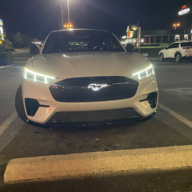
Also any top tips on getting the welcome pony lights to come on from the wing mirrors when you walk up to the vehicle? It’s only happened once.

Any help would be appreciated.

Ive even had a Ford man in a van come out to help and he can’t work out how to do it either.

2024 Premium AWD
Sponsored


PharaohHound138

Well-Known Member
First Name
Dave
Joined
Apr 29, 2022
Threads
5
Messages
186
Reaction score
237
Location
Ohio
Vehicles
2022 Mach-E premium
Occupation
Railroad
Country flag
I bought my first and last iPhone when I bought my 2022 Mach-E. The phone as a key was wildly unreliable as was carplay. In fairness, maybe an update somewhere changed something but, no issues with my Pixel.
So based on MY experience alone........iphones suck. They just have great marketing
 

Kamuelaflyer

Well-Known Member
First Name
Bill
Joined
Feb 18, 2020
Threads
11
Messages
11,307
Reaction score
22,849
Location
Hawaii
Vehicles
2021 Premium Infinite Blue. ER AWD. 2020 Raptor, 2021 Ranger.
Country flag
I’ve been using PAAK for 5 years with only a very occasional glitch. What type phone are you using and model @bernie ?

Welcome light. Are the outside rearview mirrors folded in? They wont work otherwise.
 

schuman1048

Active Member
First Name
Joe
Joined
Feb 24, 2025
Threads
6
Messages
35
Reaction score
27
Location
PA
Vehicles
2025 Mach E Premium RWD
Occupation
Engineer
Hi,

Has this been disabled as an option?

I have tried everything and the option of using the phone as a key does not flash up on the phone or the cars screen when I add the vehicle to the Ford app.

Also any top tips on getting the welcome pony lights to come on from the wing mirrors when you walk up to the vehicle? It’s only happened once.

Any help would be appreciated.

Ive even had a Ford man in a van come out to help and he can’t work out how to do it either.

2024 Premium AWD
I've been using PAK on my iPhone 16 without any issues, other than an occasional odd message on the dashboard about no key found after the car started. I had problems with an earlier iPhone.

There are instructions here for setting it up: https://www.ford.com/support/how-to...79E2DNcRDqcU6s-jRTkGWWtWqN2WKomBS1ZPqmeNDUw1e.

The Brave AI gives these instructions:
Step-by-Step Setup Process
  1. Prepare Your Phone and Car:
    • Ensure your phone has Bluetooth enabled and is connected to a strong cellular or Wi-Fi network.
    • Delete the FordPass app and remove all previous Bluetooth pairings between your phone and the Mach-E.
    • Reset PAAK in the car: Go to Settings > General > Reset > FordPass Connect Reset, then confirm to erase all PAAK data and backup start codes.
  2. Install and Log In to FordPass:
    • Reinstall the FordPass app from the App Store (iOS) or Google Play (Android).
    • Log in with your Ford.com account and set a 4-digit FordPass PIN.
  3. Initiate Setup in the Car:
    • Start your Mach-E and sit inside with your key fob nearby.
    • On the SYNC® 4A touchscreen, go to Settings > FordPass Connect > Set Up Phone as a Key.
    • Tap Yes to confirm activation. The car will prompt you to set up your phone via the app.
  4. Complete Setup in the FordPass App:
    • On your phone, open FordPass and tap "Set Up Phone as a Key".
    • If prompted, ignore "Device not supported" and tap Continue, I Understand.
    • Name your phone (e.g., "My iPhone") and tap Copy and Continue.
    • Paste the 6-digit temporary code into the Bluetooth pairing prompt on your phone.
    • Once paired, the car will ask to set a Backup Start Passcode — create a strong 8+ character code (not just numbers) for emergency use if your phone fails.
  5. Re-pair Your Regular Phone:
    • Go to Settings > Phone List > Add Phone on the car’s touchscreen.
    • Re-pair your primary phone (e.g., for CarPlay or regular Bluetooth).
  6. Test the System:
    • Exit the car with your key fob and phone.
    • Approach the car — the driver door should unlock automatically.
    • Press the Start/Stop button (after the animation finishes) to start the vehicle.
    • If PAAK fails, use the Backup Start Passcode on the touchscreen.
âš  Important Notes:
  • PAAK may not be available in all regions (e.g., UK due to Thatcham regulations).
  • If the "Set Up Phone as a Key" option is missing, contact Ford support with your VIN — it may require a software update.
  • For Android users, some models (e.g., Android 9) have compatibility issues; resetting both phone and car often resolves it.
  • Always keep a physical key fob as a backup for reliability.
Troubleshooting Tips
  • If setup fails, delete the app, reset the car, and start over.
  • Some users report the option appears 24 hours after a reset.
  • If using a custom Android ROM, you must re-enable PAAK and Android Auto after every flash.
With PAAK, you gain keyless entry, remote start, and a backup code — but it’s optional. The physical fob remains fully functional at all times.
 
OP
OP

bernie

Member
First Name
Freespool
Joined
Feb 26, 2026
Threads
2
Messages
8
Reaction score
1
Location
The North
Vehicles
2024 premium AWD
Hi yes they are folded in and it’s double locked.

I’ve got an iPhone 13 Pro and my work one is a normal 13 they are both on the latest firmware and it works on neither.

According to Ford it should say use this phone as a key? when you add the vehicle to the app but it does not give me that option.


OP
OP

bernie

Member
First Name
Freespool
Joined
Feb 26, 2026
Threads
2
Messages
8
Reaction score
1
Location
The North
Vehicles
2024 premium AWD
I've been using PAK on my iPhone 16 without any issues, other than an occasional odd message on the dashboard about no key found after the car started. I had problems with an earlier iPhone.

There are instructions here for setting it up: https://www.ford.com/support/how-to...79E2DNcRDqcU6s-jRTkGWWtWqN2WKomBS1ZPqmeNDUw1e.

The Brave AI gives these instructions:
Step-by-Step Setup Process
  1. Prepare Your Phone and Car:
    • Ensure your phone has Bluetooth enabled and is connected to a strong cellular or Wi-Fi network.
    • Delete the FordPass app and remove all previous Bluetooth pairings between your phone and the Mach-E.
    • Reset PAAK in the car: Go to Settings > General > Reset > FordPass Connect Reset, then confirm to erase all PAAK data and backup start codes.
  2. Install and Log In to FordPass:
    • Reinstall the FordPass app from the App Store (iOS) or Google Play (Android).
    • Log in with your Ford.com account and set a 4-digit FordPass PIN.
  3. Initiate Setup in the Car:
    • Start your Mach-E and sit inside with your key fob nearby.
    • On the SYNC® 4A touchscreen, go to Settings > FordPass Connect > Set Up Phone as a Key.
    • Tap Yes to confirm activation. The car will prompt you to set up your phone via the app.
  4. Complete Setup in the FordPass App:
    • On your phone, open FordPass and tap "Set Up Phone as a Key".
    • If prompted, ignore "Device not supported" and tap Continue, I Understand.
    • Name your phone (e.g., "My iPhone") and tap Copy and Continue.
    • Paste the 6-digit temporary code into the Bluetooth pairing prompt on your phone.
    • Once paired, the car will ask to set a Backup Start Passcode — create a strong 8+ character code (not just numbers) for emergency use if your phone fails.
  5. Re-pair Your Regular Phone:
    • Go to Settings > Phone List > Add Phone on the car’s touchscreen.
    • Re-pair your primary phone (e.g., for CarPlay or regular Bluetooth).
  6. Test the System:
    • Exit the car with your key fob and phone.
    • Approach the car — the driver door should unlock automatically.
    • Press the Start/Stop button (after the animation finishes) to start the vehicle.
    • If PAAK fails, use the Backup Start Passcode on the touchscreen.

Troubleshooting Tips
  • If setup fails, delete the app, reset the car, and start over.
  • Some users report the option appears 24 hours after a reset.
  • If using a custom Android ROM, you must re-enable PAAK and Android Auto after every flash.
With PAAK, you gain keyless entry, remote start, and a backup code — but it’s optional. The physical fob remains fully functional at all times.
Legend cheers I’ll give this a try
 
OP
OP

bernie

Member
First Name
Freespool
Joined
Feb 26, 2026
Threads
2
Messages
8
Reaction score
1
Location
The North
Vehicles
2024 premium AWD
That’ll be why. I’m in the UK. Just another highlight of living in the UK these days.

Ford Mustang Mach-E Set up iPhone as a key IMG_7430
 

Rob-Mach-E

Well-Known Member
First Name
Rob
Joined
Aug 29, 2023
Threads
8
Messages
90
Reaction score
73
Location
Central Pennsylvania
Website
robzone.net
Vehicles
2023 GTPE. Space White Nite Pony
Country flag
I have been using phone as a key for 2.5 years now. It has worked very reliably with my last two iPhones with only small glitches here and there.

If I go on a trip, I do bring the key fob "just in case" but never had to use it.
 

Kamuelaflyer

Well-Known Member
First Name
Bill
Joined
Feb 18, 2020
Threads
11
Messages
11,307
Reaction score
22,849
Location
Hawaii
Vehicles
2021 Premium Infinite Blue. ER AWD. 2020 Raptor, 2021 Ranger.
Country flag
That’ll be why. I’m in the UK
Yeah, that’s why. Sorry, i didn’t look at your profile or I’d have figured it out.
 

ChasingCoral

Well-Known Member
First Name
Mark
Joined
Feb 3, 2020
Threads
502
Messages
14,306
Reaction score
28,653
Location
Maryland
Vehicles
2021 GB E4X FE, 2022 F-150 Lightning Lariat ER
Occupation
Retired oceanographer
Country flag
Hi,

Has this been disabled as an option?

I have tried everything and the option of using the phone as a key does not flash up on the phone or the cars screen when I add the vehicle to the Ford app.

Also any top tips on getting the welcome pony lights to come on from the wing mirrors when you walk up to the vehicle? It’s only happened once.

Any help would be appreciated.

Ive even had a Ford man in a van come out to help and he can’t work out how to do it either.

2024 Premium AWD
I had my PaaK glitch on me a few weeks ago and was able to delete my iPhone 16 and set it up again with no issues.
 

PeterLavoie

Member
First Name
Peter
Joined
Sep 24, 2024
Threads
0
Messages
8
Reaction score
3
Location
Oro-Medonte, Ontario, Canada
Vehicles
2021 Mustang EV4X Premium
Occupation
Engineer turned Politician (Why did I ever do that!?)
Country flag
I’ve been using PaaK consistently with a iPhone for a couple of years with no problem.

But the Apple CarPlay almost never connects over BlueTooth so I just USB it in. (This is a different connection than PaaK.)

Since my first car had the option to start with a crank, I consider being able to connect a phone a great leap forward.
Sponsored


Top