
OP
OP

FPLiptak
Well-Known Member
- First Name
- Frank
- Joined
- Jun 21, 2020
- Threads
- 16
- Messages
- 355
- Reaction score
- 345
- Location
- Saint George, UT
- Vehicles
- Mach-E Premium ER AWD
- Occupation
- Retired

- Thread starter
- #16
OK, here is what I am doing in yellow.Frank,
I think you may be confusing “charge when plugged in” and “anytime.”
Start with “Charge Settings”
Next “Preferred Charge Times”
Now, you should see your location “Home” with a caret on the right. Underneath location “Home” there is you home address and below that are two choices with radio buttons: “Charge when plugged in”
and “Use preferred charge settings.”
Select the second one, “Use preferred charge settings.”
Now select the address under location “Home” by tapping the address line. That brings you to a new page. Now, on that page you can select a charge level and when to charge under “Preferred Charge Times.” The default here should be “Anytime.” Leave it that way. If there is already a time set, delete it.
Select the dark blue “Save” button at the bottom and you should be good to go.
The key is to not use “Charge when plugged in” and to use “anytime” on the time setting screen.
Hope that solves your problem.
Good luck.
Start with “Charge Settings”
Next “Preferred Charge Times” - Mine has "Preferred Charge Locations" not Times so I selected Locations
Now, you should see your location “Home” with a caret on the right. Underneath location “Home” there is you home address and below that are two choices with radio buttons: “Charge when plugged in”
and “Use preferred charge settings.”
Select the second one, “Use preferred charge settings.” - This is how mine is currently configured
Now select the address under location “Home” by tapping the address line. That brings you to a new page. Now, on that page you can select a charge level and when to charge under “Preferred Charge Times.” The default here should be “Anytime.” Leave it that way. If there is already a time set, delete it.
This is where it diverges:
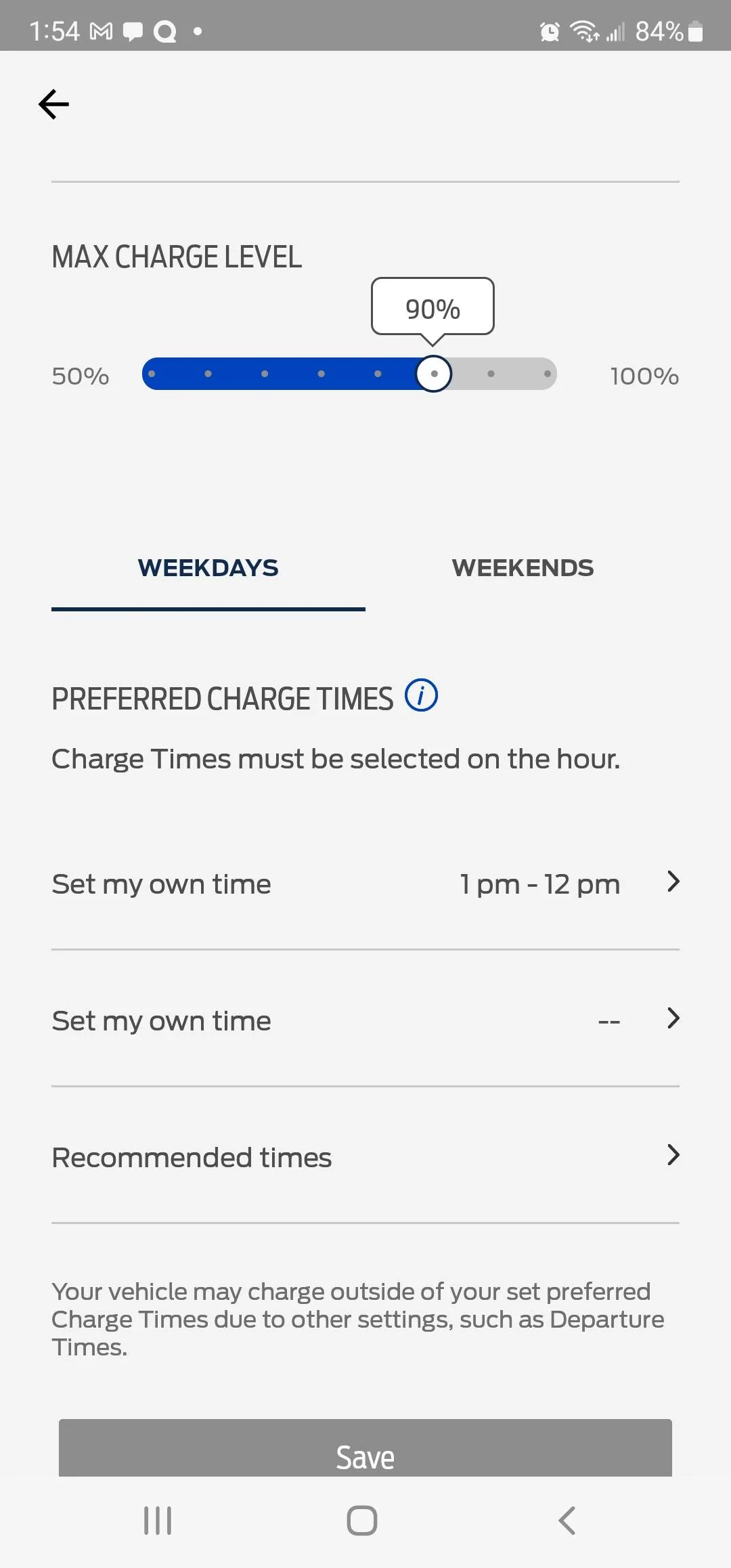
I have the MAX CHARGE LEVEL (set to 90%) and the selections of WEEKDAYS or WEEKENDS
Under that is "Charge Times must be selected on hour" and then I have two "Set my own time" options and a "Recommended times" option
For each of the "Set my own time" options there does not appear to be any way to delete them:
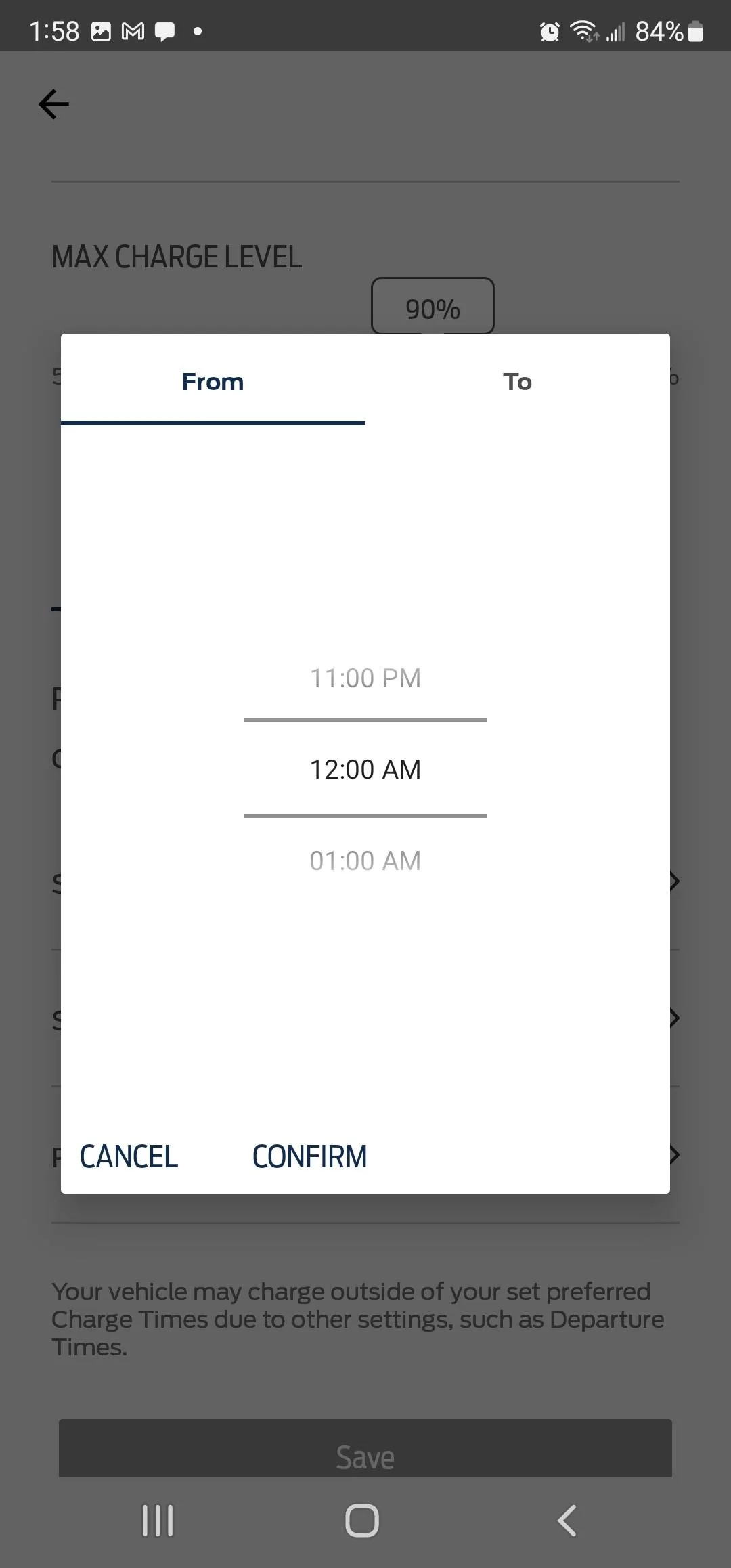
If I try to edit either I get a screen From/Top with time and "CANCEL" or "CONFIRM" options
Now that is where it gets interesting.
If I edit BOTH times to 12:00 PM (and confirm each) it does go back the previous screen and MAGICALLY the "Set my own time" is now set to "Anytime"
Note: If you choose 12:00 AM for both changes are not saved!
This is NOT OBVIOUS OR INTUITIVE.
My next charge session will be next week and I will see how it goes.
Thanks for the step by step but as I stated the last part is neither OBVIOUS or INTUITIVE
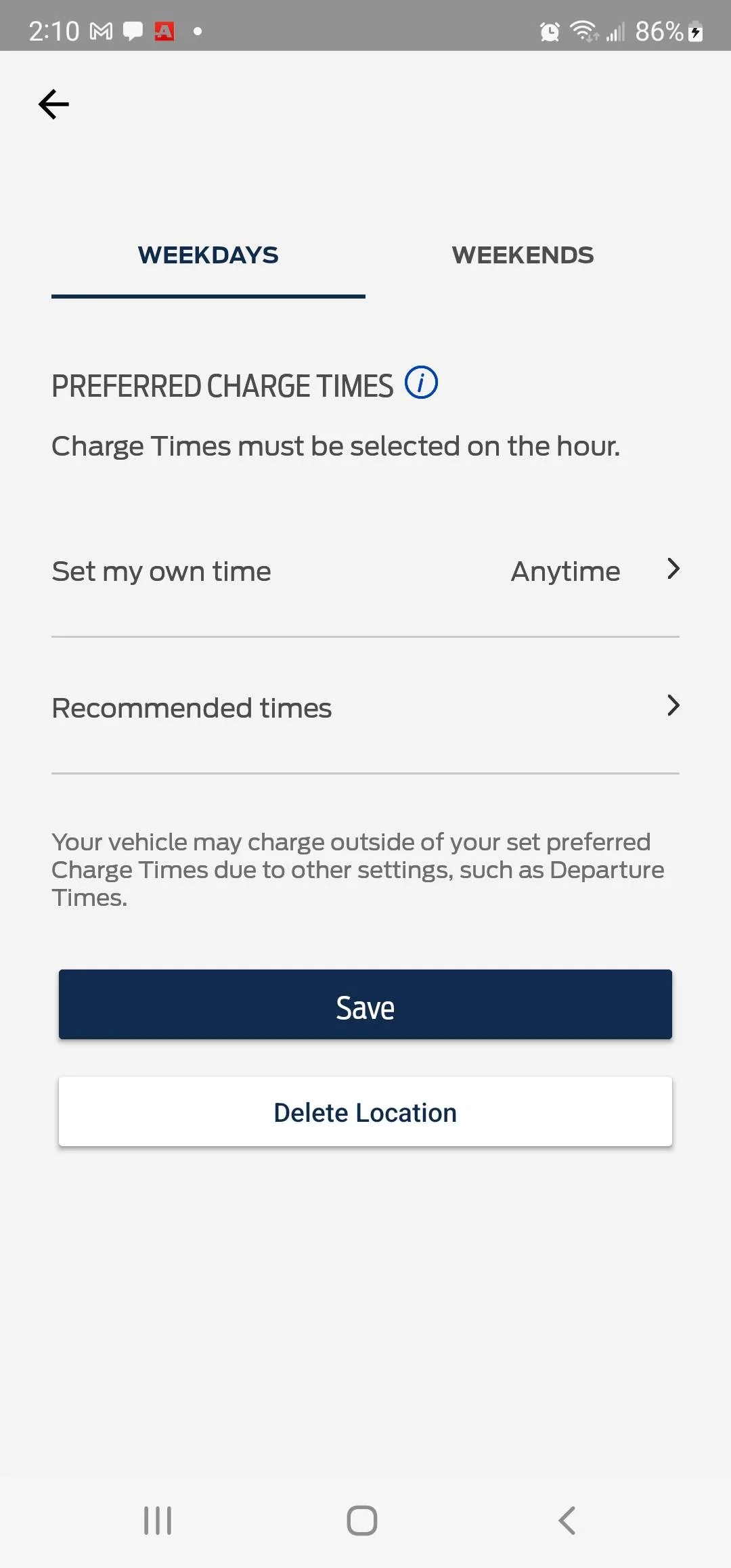
Select the dark blue “Save” button at the bottom and you should be good to go.
Yes, now it works. I went back and did the same for "WEEKENDS"
The key is to not use “Charge when plugged in” and to use “anytime” on the time setting screen.
Sponsored



