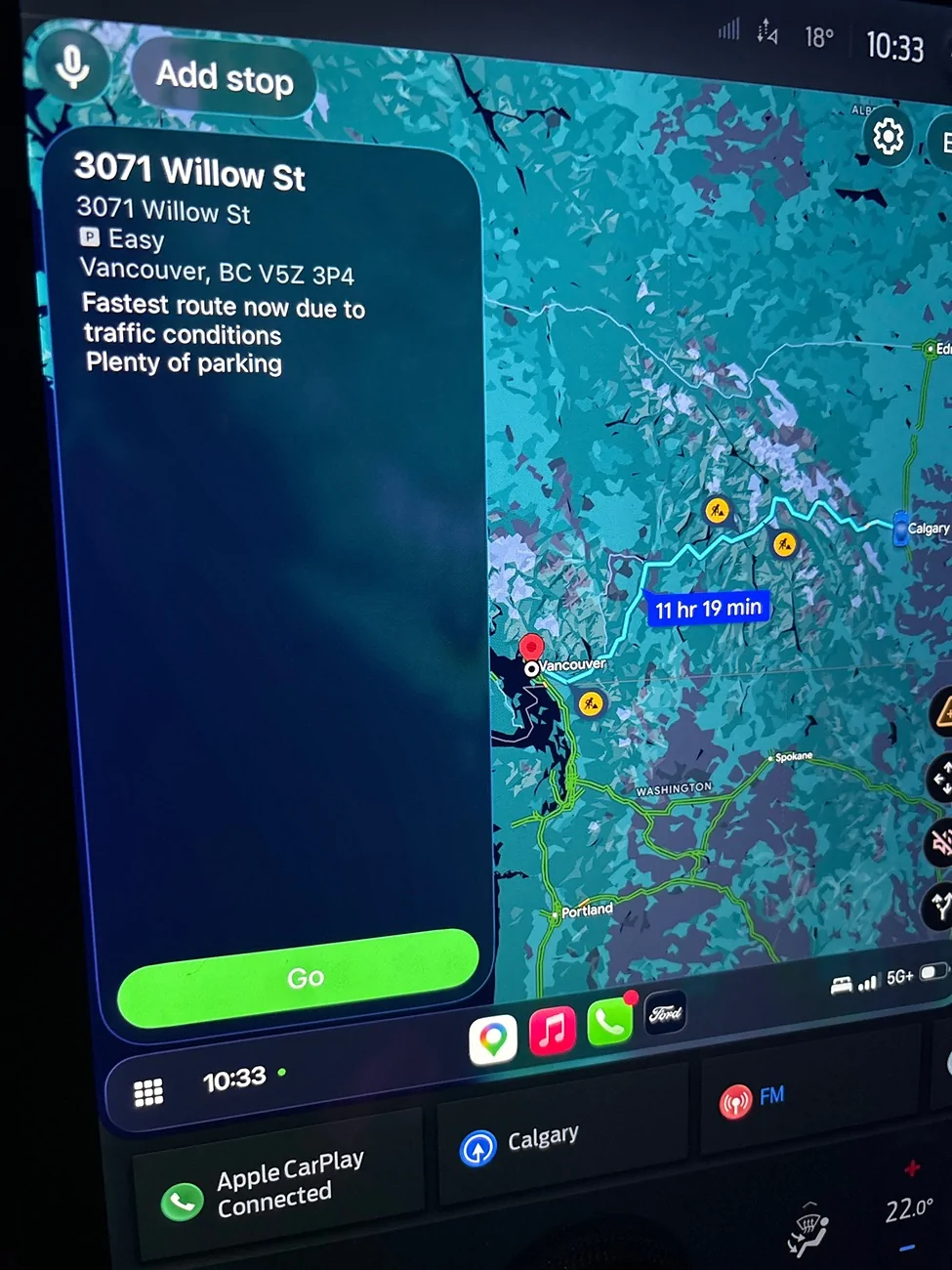
Using Google Maps to plan a route on iOS.

music_cities

Well-Known Member
Joined
Nov 7, 2023
Threads
53
Messages
671
Reaction score
679
Location
Calgary, Canada
Vehicles
Mach E 2022 GT
Country flag
Can someone remind me how to use Google Maps to automatically add chargers to a route when using iOS and CarPlay ?

I can add a stop for the next charger on my route, but it only seems to search nearby and up to about an hour away if I try to add a stop.

I really thought there was a way in Google
Maps to add chargers to the whole trip, like in ABRP, connected navigation, or Apple Maps. But I can’t find it.
Ford Mustang Mach-E Using Google Maps to plan a route on iOS. imag
Sponsored


tbrumleve

Well-Known Member
First Name
Tom
Joined
Jan 1, 2023
Threads
2
Messages
743
Reaction score
986
Location
Oregon, USA
Vehicles
2023 Mach-E Premium eAWD Standard Range
Country flag
I believe only Apple Maps on iOS will do automatic charging and EV routing. Google Maps will do that + preconditioning on Android only. You can add chargers along the route after you tap “directions” then “add stops” > chargers, but it will not automatically do it for you, since Apple only integrated Apple Maps with the car, Google Maps on iOS doesn’t have access to the battery info.
 
OP
OP

music_cities

Well-Known Member
Joined
Nov 7, 2023
Threads
53
Messages
671
Reaction score
679
Location
Calgary, Canada
Vehicles
Mach E 2022 GT
Country flag
I believe only Apple Maps on iOS will do automatic charging and EV routing. Google Maps will do that + preconditioning on Android only. You can add chargers along the route after you tap “directions” then “add stops” > chargers, but it will not automatically do it for you, since Apple only integrated Apple Maps with the car, Google Maps on iOS doesn’t have access to the battery info.
For anyone following along at home, another option is to use ABRP, but you need the premium subscription to have ABRP on the CarPlay screen, and ABRP doesn’t trigger preconditioning. However, with an OBD2 dongle, ABRP does have access to battery info.

I never like the charging stops that Apple Maps chooses, so I never use it for long trips. I could usually live with the charging stops that Ford Connected Navigation chooses, but instead, I:
  • Always use ABRP to plan long trips (with charger reliability verification using PlugShare), or complex trips with many stops.
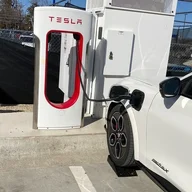
  • Usually use Connected Navigation to execute trips, but I input the charging stops manually. (Also, to add a Tesla Supercharger, you have to search for it by POI name rather than searching for a charger.) This also gives you preconditioning, even for Superchargers.
  • Sometimes use ABRP to execute complex days — e.g., on a vacation road trip when I’ve subscribed to ABRP anyway (so I have it on CarPlay) and all my stops are already saved as a journey.
  • Use Apple Maps with Siri for quick voice navigation to a new place, such as “Sarah’s house” or “Directions to my wife.”
  • Fall back to Google Maps mostly for directions to restaurants after reading reviews in Google Maps.
 

Colorado MME GT

Well-Known Member
First Name
Greg
Joined
Jul 27, 2024
Threads
2
Messages
113
Reaction score
238
Location
Aurora, CO USA
Vehicles
2023 Mach-E GT
Occupation
Retired Traveling Fool
Country flag
For anyone following along at home, another option is to use ABRP, but you need the premium subscription to have ABRP on the CarPlay screen, and ABRP doesn’t trigger preconditioning. However, with an OBD2 dongle, ABRP does have access to battery info.

I never like the charging stops that Apple Maps chooses, so I never use it for long trips. I could usually live with the charging stops that Ford Connected Navigation chooses, but instead, I:
  • Always use ABRP to plan long trips (with charger reliability verification using PlugShare), or complex trips with many stops.
  • Usually use Connected Navigation to execute trips, but I input the charging stops manually. (Also, to add a Tesla Supercharger, you have to search for it by POI name rather than searching for a charger.) This also gives you preconditioning, even for Superchargers.
  • Sometimes use ABRP to execute complex days — e.g., on a vacation road trip when I’ve subscribed to ABRP anyway (so I have it on CarPlay) and all my stops are already saved as a journey.
  • Use Apple Maps with Siri for quick voice navigation to a new place, such as “Sarah’s house” or “Directions to my wife.”
  • Fall back to Google Maps mostly for directions to restaurants after reading reviews in Google Maps.
For a non-OBD2 solution, just export the route from ABRP to Google Maps. You don't get the benefit of real-time connectivity, but ABRP is pretty accurate without the connection. Battery preconditioning is really only necessary in cold months.
Sponsored


Top