Zero communication with Ford Pass and MachE

irishmommy1

New Member
First Name
Colleen
Joined
Nov 27, 2025
Threads
1
Messages
1
Reaction score
0
Location
Minnesota
Vehicles
2025 Mustang mach E
Occupation
photographer
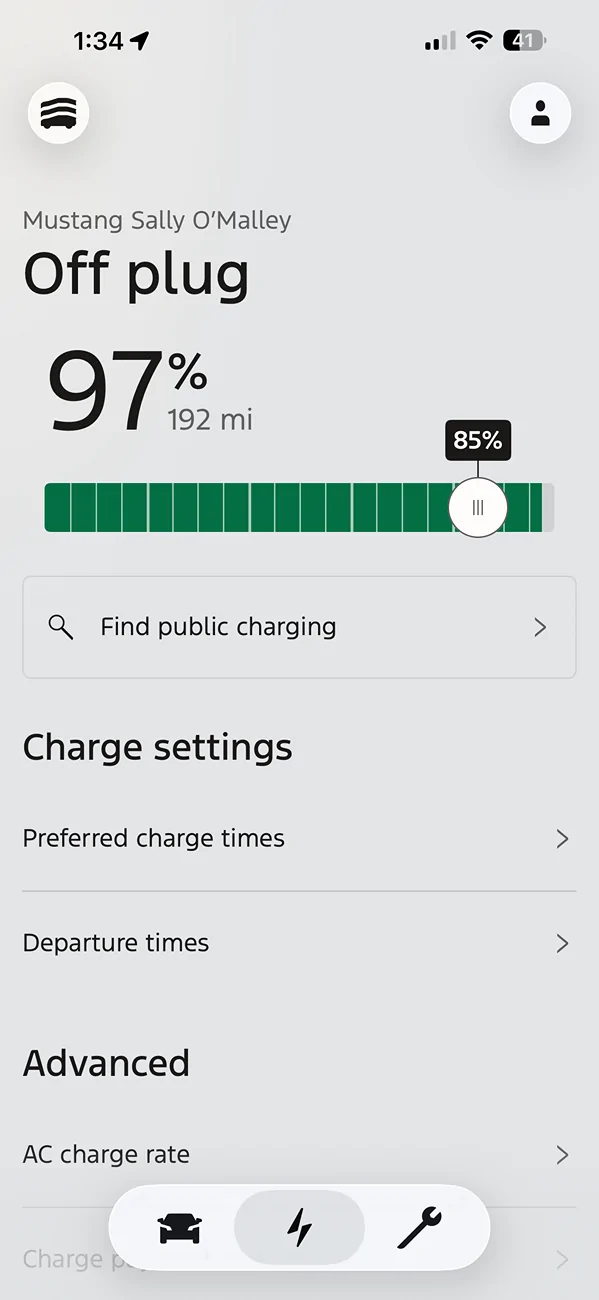
I've tried downloading and re-downloading the app, soft reset, wifi changes--nothing will change on the app. It's still charging fine, but the app will not update or communicate with the car. Anything else I can try?

Ford Mustang Mach-E Zero communication with Ford Pass and MachE IMG_5452


Ford Mustang Mach-E Zero communication with Ford Pass and MachE IMG_5451
Sponsored


Maquis

Well-Known Member
First Name
Dave
Joined
Dec 21, 2020
Threads
34
Messages
5,688
Reaction score
8,068
Location
Illinois
Vehicles
2021 Mach E4X, 2023 Lightning Lariat ER
Country flag
Check the communications settings in the car.
 

kevin1024

Well-Known Member
First Name
Kevin
Joined
Nov 23, 2024
Threads
2
Messages
82
Reaction score
97
Location
Nashua, NH
Vehicles
2024 Mach E Premium AWD (Roxanne)
Occupation
Software Engineering
A lot of people don't understand this or don't care to, but the way the Ford app gets its data is from a Ford server in the cloud ... and that server in the cloud gets the data when the car pushes data to it. There's nothing you can do on the Ford app to remedy this.
It's not unusual for the car's communications equipment ("telematics") to hang. When this happened to me the solution was to disconnect the 12V battery for around 10 minutes.
I've since heard you can remove fuses 11 and 19 for 10 minutes, which would be way easier ... but I can't speak to whether it works. Those fuses are in the passenger footwell.
 

cooltatts

Well-Known Member
First Name
Chris
Joined
Apr 20, 2025
Threads
10
Messages
124
Reaction score
73
Location
Mississauga, ON
Vehicles
2024 Mustang Mach - E Premium
I opened the panel under the passenger footwell and disconnected the main power line plug on the fuse panel. Waited ten seconds and reconnected. Hasn’t been a lag in the app to car communication since.
I’m not sure if you’re experiencing the same issue but this is what worked for me when the app and car wouldn’t communicate and I’d tried everything else.
 

Gimme_my_MME

Well-Known Member
Joined
Oct 12, 2020
Threads
12
Messages
1,945
Reaction score
6,460
Location
Dearborn
Vehicles
Grabber Blue First Edition Mustang Mach-E
Occupation
Engineer
Country flag
I've tried downloading and re-downloading the app, soft reset, wifi changes--nothing will change on the app. It's still charging fine, but the app will not update or communicate with the car. Anything else I can try?
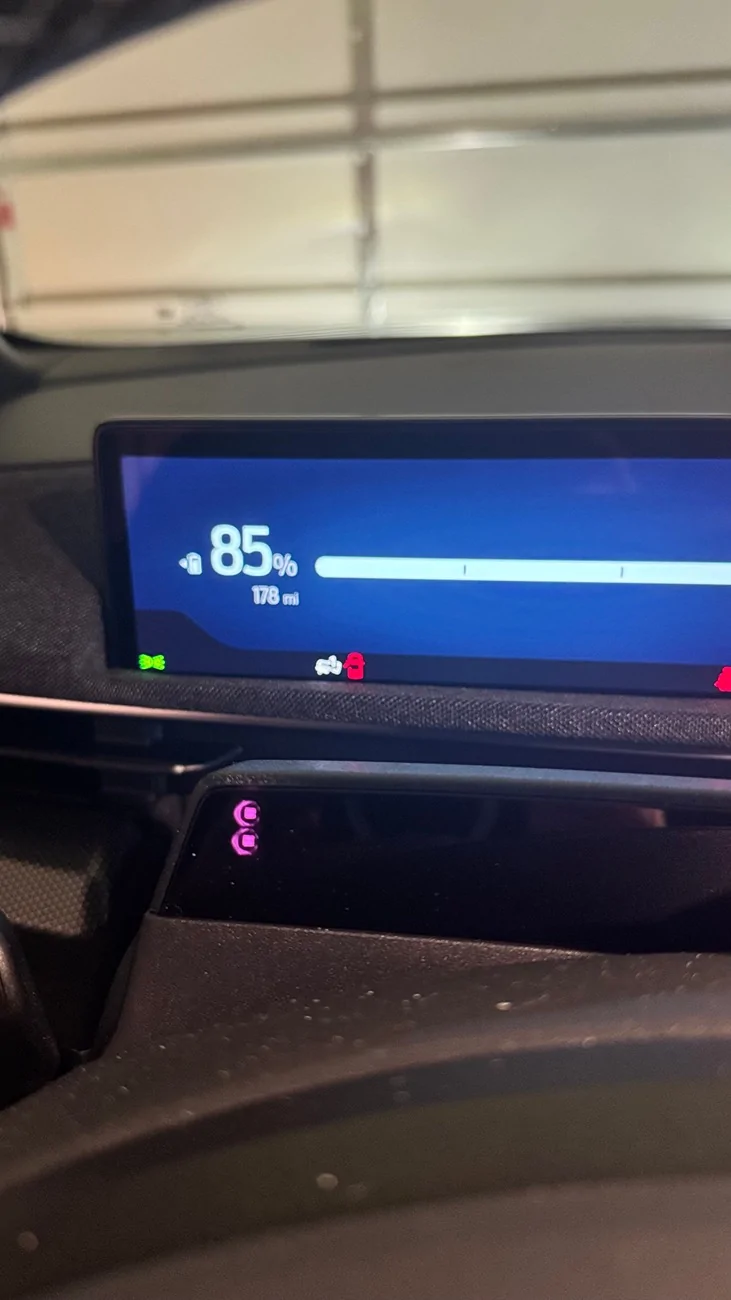
IMG_5452.webp


IMG_5451.webp
Your modem is likely shot and needs to be replaced. Take it to the dealer and ask them to check the modem or tell them connected features aren't working


Adventureboy

Well-Known Member
First Name
Jonathan
Joined
Jan 5, 2024
Threads
1
Messages
455
Reaction score
314
Location
Ontario
Vehicles
2022 MME Premium AWD ER, 2023 Lightning Lariat ER, 2005 Volvo S60 T5 M66
Country flag
The modem might simply need a reset. @cooltatts suggestion should work if that is the case. Alternatively, you can restart the modem using a softer approach by pulling the fuse labelled in your manual as "Gateway" and reinserting it a few minutes later. Apparently, it is not the same fuse across all model years, so you'll have to check your manual.
 

Marky_P

New Member
First Name
Mark
Joined
Jul 30, 2024
Threads
0
Messages
2
Reaction score
2
Location
England
Vehicles
Mustang Mach-E GT, Renault Scenic e-Tech Iconic
Country flag
My MY2023.75 Gt stopped communicating yesterday. There was no response to commands from the app (lock, unlock, climate, etc.), and Alexa in the vehicle wouldn't do anything, not even the wake word worked.
Pulling the fuse for the gateway module (modem) out for a few minutes and refitting it resolved the issue straight away. In my case, this was fuse no. 21.

Just posting this to help others with the same issue.
Sponsored


Top