About to take first road trip - anxious and looking for advice

RmP

Well-Known Member
Joined
Dec 12, 2024
Threads
9
Messages
68
Reaction score
31
Location
California
Vehicles
Mach e
Title says it all. Two areas I’m particularly curious about are:
1. Which navi map should I use to help with planning charging stops? Google Apple or the Ford navigation?
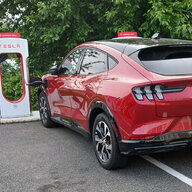
2. I bought an A2Z adapter so I can use Tesla Superchargers and I’m a little confused on how they work compared to standard NACS chargers.

I’ll take any advice though.
thank you.
Sponsored
 

IgorKl

Well-Known Member
Joined
Mar 22, 2022
Threads
40
Messages
766
Reaction score
740
Location
Pacifica, ca
Vehicles
'22 MME CaliRoute 1 AWD and '25 MME Premium RWD Ext
Country flag
1. both wrong. A Better Road Planner aka ABRP is the best planning tool. You can also use PlugShare to read reviews about charging locations. and yes, you can select NACS adapter ownership in ABRP.
2. https://mustangmacheclub.org/nacs-adapters-a2z-typhoon-vs-lectron-vortex/ it will help with A2Z. also, try to use at local Tesla Sc before the road.

3. install Tesla app if you plan to buy more than 100kW. Tesla membership will save you some $$. Tesla app contains the most correct information about open for NACS adapters locations, cost and etc. plus if you have Tesla membership you have to start session from app.

4. do not expect declared range, even close unless you are city driving.
 

Mikeonejones

Member
First Name
Mike
Joined
Jan 11, 2025
Threads
0
Messages
10
Reaction score
5
Location
Queens, New York
Vehicles
Mach e GT
Occupation
Retired
Title says it all. Two areas I’m particularly curious about are:
1. Which navi map should I use to help with planning charging stops? Google Apple or the Ford navigation?
2. I bought an A2Z adapter so I can use Tesla Superchargers and I’m a little confused on how they work compared to standard NACS chargers.

I’ll take any advice though.
thank you.
Title says it all. Two areas I’m particularly curious about are:
1. Which navi map should I use to help with planning charging stops? Google Apple or the Ford navigation?
2. I bought an A2Z adapter so I can use Tesla Superchargers and I’m a little confused on how they work compared to standard NACS chargers.

I’ll take any advice though.
thank you.
Hey RMP,
2 YEARS AGO , I drove from NYC to Miami Beach. I was terrified with a range anxiety. But that trip have me confidence. I prefer Apple Car play, but I mostly use Android Auto. They both work fine.
 

2FlyMache

Well-Known Member
First Name
Patrick
Joined
Aug 9, 2021
Threads
10
Messages
686
Reaction score
791
Location
Martinez GA
Vehicles
2021 Rapid Red Ex4 MachE
Country flag
As stated, ABRP is very good for travel and it has the ability to be configured for your NACS adapter as well which currently CarPlay doesn't. I personally purchased an OBD dongle and the premium ABRP which gives me real time consumption and better overall prediction of your range while driving. It isn't required though. You can manually enter your battery percentage after each stop and it will be pretty close as well
 

jstaebell

Active Member
First Name
Jon
Joined
Aug 25, 2023
Threads
2
Messages
33
Reaction score
62
Location
Madison, WI USA
Vehicles
2023 MME AWD Extended Range, Rapid Red
Country flag
I recently drove from Wisconsin to Galveston Texas and back without a single problem.

When I have long trips, I plan the route in ABRP, and put all the stops in a Google Keep document. I plan on charging every 2 hours or so, because I'll need a bathroom or food break. Every leg of the journey, I manually type the next destination of the next charging stop into the built-in navigation system, so I get battery preconditioning for the charge. After each charge, I enter the next destination in the navigation system from my document.

When planning the stops, I use Plugshare to research each charging stop to make sure they have good scores. I also enter nearby "backup" chargers near each of my planned stops in my Google Keep document, just in case there's an issue when I arrive (I've rarely needed the backup, it's mostly for peace of mind). Having said that, I've made several trips longer than yours and almost never needed to use a backup; it's been very smooth charging, and my range anxiety has eased a lot. Relax and enjoy the trip.


OP
OP
RmP

RmP

Well-Known Member
Joined
Dec 12, 2024
Threads
9
Messages
68
Reaction score
31
Location
California
Vehicles
Mach e
1. both wrong. A Better Road Planner aka ABRP is the best planning tool. You can also use PlugShare to read reviews about charging locations. and yes, you can select NACS adapter ownership in ABRP.
2. https://mustangmacheclub.org/nacs-adapters-a2z-typhoon-vs-lectron-vortex/ it will help with A2Z. also, try to use at local Tesla Sc before the road.

3. install Tesla app if you plan to buy more than 100kW. Tesla membership will save you some $$. Tesla app contains the most correct information about open for NACS adapters locations, cost and etc. plus if you have Tesla membership you have to start session from app.

4. do not expect declared range, even close unless you are city driving.
1. So you don’t recommend using the Ford navigation either?
2. That video was very helpful
3. Great idea about installing Tesla App. I didn’t think about that.

thanks again!
 
OP
OP
RmP

RmP

Well-Known Member
Joined
Dec 12, 2024
Threads
9
Messages
68
Reaction score
31
Location
California
Vehicles
Mach e
I recently drove from Wisconsin to Galveston Texas and back without a single problem.

When I have long trips, I plan the route in ABRP, and put all the stops in a Google Keep document. I plan on charging every 2 hours or so, because I'll need a bathroom or food break. Every leg of the journey, I manually type the next destination of the next charging stop into the built-in navigation system, so I get battery preconditioning for the charge. After each charge, I enter the next destination in the navigation system from my document.

When planning the stops, I use Plugshare to research each charging stop to make sure they have good scores. I also enter nearby "backup" chargers near each of my planned stops in my Google Keep document, just in case there's an issue when I arrive (I've rarely needed the backup, it's mostly for peace of mind). Having said that, I've made several trips longer than yours and almost never needed to use a backup; it's been very smooth charging, and my range anxiety has eased a lot. Relax and enjoy the trip.
You’re the 2nd person that recommended ABRP. I’ve never heard of it. It’s an app?

I like your idea about saving the stops and entering them into the navigation. So to be clear you use the Ford navigation not Google or Apple?

Thank you.
 

jstaebell

Active Member
First Name
Jon
Joined
Aug 25, 2023
Threads
2
Messages
33
Reaction score
62
Location
Madison, WI USA
Vehicles
2023 MME AWD Extended Range, Rapid Red
Country flag
Yes, A Better Route Planner (ABRP) is an app, available for Android or iOS. It's essential, download it now! If you have a Tesla charging adapter, you can tell it to also show those on your route, and limit it to just the Tesla stations that are open for non-Tesla cars. If you don't have a Tesla adapter, don't worry about it, ABRP will find lots of options for you. But to be safe, I always check the ratings in the Plugshare app to make sure the stops are reliable.

Yes, I use the built in Ford navigation when traveling, because it will pre-condition the battery to make charging a little quicker. If you prefer to use another navigation system, go ahead, it will just take a little longer to charge. I never use the Ford navigation except on trips because Google is so much better.... But it's fine on trips. (I've read that Google maps can now also pre-condition the battery, but haven't tried it to make sure it works on my car.)
 

charliec

Active Member
First Name
Charles
Joined
Oct 31, 2023
Threads
2
Messages
31
Reaction score
33
Location
Gainesville, FL
Vehicles
2021 Mach-E California Route 1, 2021 F-150 XLT
Occupation
Retired Veterinarian
Country flag
try to use at local Tesla Sc before the road.
This is important to help you get the tesla charging drill down pat before you travel, which is a great confidence builder. I set up my credit card on my Mach-E so it will auto magically connect and pay the Tesla bill. I just plug in, wait a few seconds for the charge light to turn blue, and walk away. I'm not getting the reduced cost that I would get had I payed for the monthly Tesla membership and paid through the Tesla app, but I DC fast charge so seldom that the difference in cost is not worth the inconvenience.
 

Sikkun

Well-Known Member
Joined
May 9, 2024
Threads
3
Messages
1,777
Reaction score
3,396
Location
USA
Vehicles
2023 Mach E
Country flag
You can navigate with whatever you want. But planning with A Better Route Planner is best.

Also, probably unpopular opinion to the GT owners but driving the speed limit will get better range. Meaning less time spent charging and reaching your destination faster.
 

MME in KC

Member
First Name
Dave
Joined
Nov 28, 2024
Threads
4
Messages
23
Reaction score
16
Location
Overland Park
Vehicles
2024 MME
You can navigate with whatever you want. But planning with A Better Route Planner is best.

Also, probably unpopular opinion to the GT owners but driving the speed limit will get better range. Meaning less time spent charging and reaching your destination faster.
Great tips, thanks! Just downloaded the app.
 
OP
OP
RmP

RmP

Well-Known Member
Joined
Dec 12, 2024
Threads
9
Messages
68
Reaction score
31
Location
California
Vehicles
Mach e
As stated, ABRP is very good for travel and it has the ability to be configured for your NACS adapter as well which currently CarPlay doesn't. I personally purchased an OBD dongle and the premium ABRP which gives me real time consumption and better overall prediction of your range while driving. It isn't required though. You can manually enter your battery percentage after each stop and it will be pretty close as well
Is ABRP an app? What is it?
 

IgorKl

Well-Known Member
Joined
Mar 22, 2022
Threads
40
Messages
766
Reaction score
740
Location
Pacifica, ca
Vehicles
'22 MME CaliRoute 1 AWD and '25 MME Premium RWD Ext
Country flag
You’re the 2nd person that recommended ABRP. I’ve never heard of it. It’s an app?

I like your idea about saving the stops and entering them into the navigation. So to be clear you use the Ford navigation not Google or Apple?

Thank you.
1. I usually select multiple charging locations for the trip because some Tesla SCs are located in malls and can be closed at night, example Tejon Ranch outlets on I-5. Tesla app contains this information, also codes if you need them to open gates if it’s possible.
2. Ford Nav does not recognize Tesla SCs yet (at least on my ‘21 and ‘22 MMEs). Sometimes, I use known to Ford Nav charger provider if they are next to Tesla SC, but usually I skip precondition.
3. I apologize for saying this, but if distance and your restaurant visit does not require charging over 80%, skip it along the road. It saves time.
4. Try to do not over smart ABRP looking for window sticker range: plan that you loose 25-30% (depending on the speed and heater use) of declared range.
5. My personal favorite part to travel long distance trip in MME is BlueCruise. Just remember it does not work when speed over 80mph


Top