Road Trip Upcoming: Can I add Tesla Network to Android Auto (Google Maps in AA)? Or Native NAV?

OP
OP
1969Mach1Mike

1969Mach1Mike

Well-Known Member
First Name
Mike
Joined
Jul 3, 2021
Threads
40
Messages
397
Reaction score
360
Location
CO
Vehicles
1969 Mach-1, 11 R56S MINI, 25 RIVIAN R1S Gen2 , 22 Mach-E IBSM Premium 4X.
Occupation
Minister Of Awesomeness
Country flag
I've reset the cache and data on both maps and android auto. All apps are up to date and I still don't have the option to edit adapters in AA. Its set correctly on my maps app (on phone)and shows everything correctly. This is for lack of better words extremely frustrating. My wifes phone shows everything perfectly.

About 500 other EV owners are also having this issue..so I don't feel so alone google keeps locking the threads on the interwebs without answering the pleas for help.

I am going to factory reset my phone and then manually import stuff I need to see if that kicks the cobwebs out of AA.

see screens

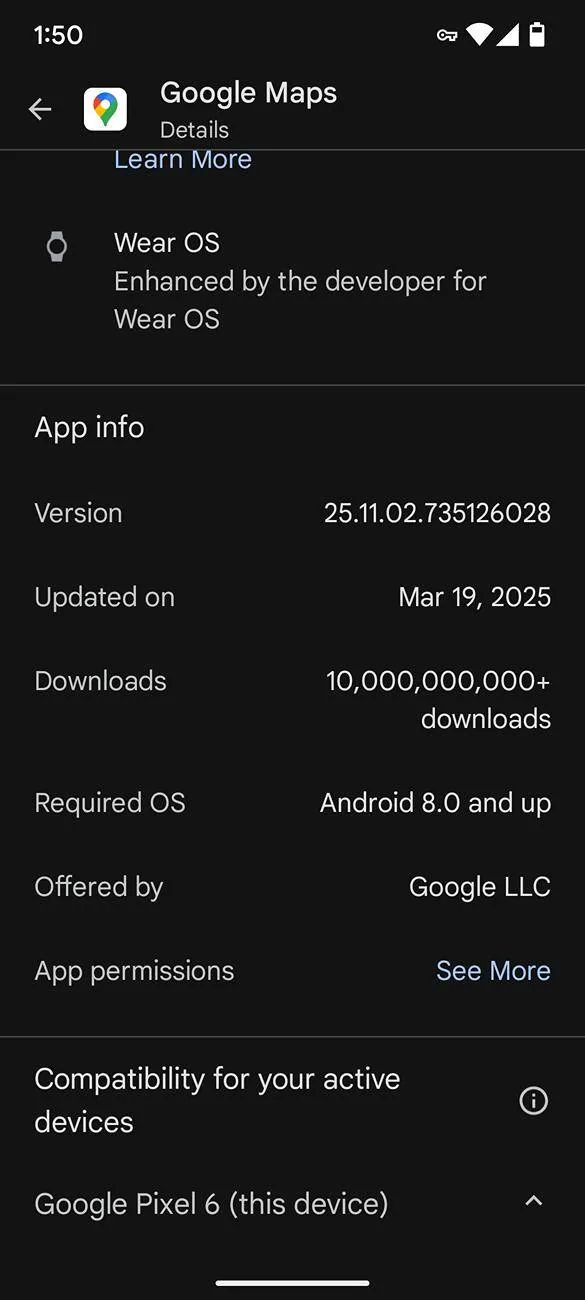
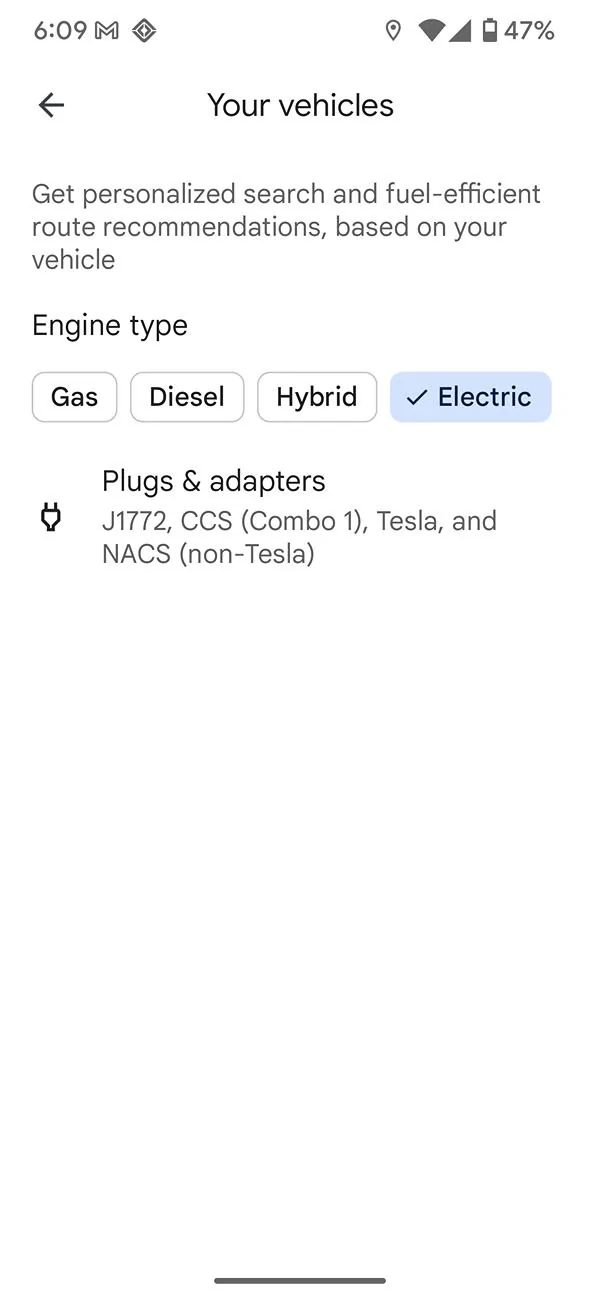
Google Maps on Phone Settings: It did of course allow me to pcik the Mach E, AWD Extended Range.

Ford Mustang Mach-E Road Trip Upcoming: Can I add Tesla Network to Android Auto (Google Maps in AA)? Or Native NAV? Screenshot_20250321-180907


Google Maps Version
Ford Mustang Mach-E Road Trip Upcoming: Can I add Tesla Network to Android Auto (Google Maps in AA)? Or Native NAV? Screenshot_20250321-181306


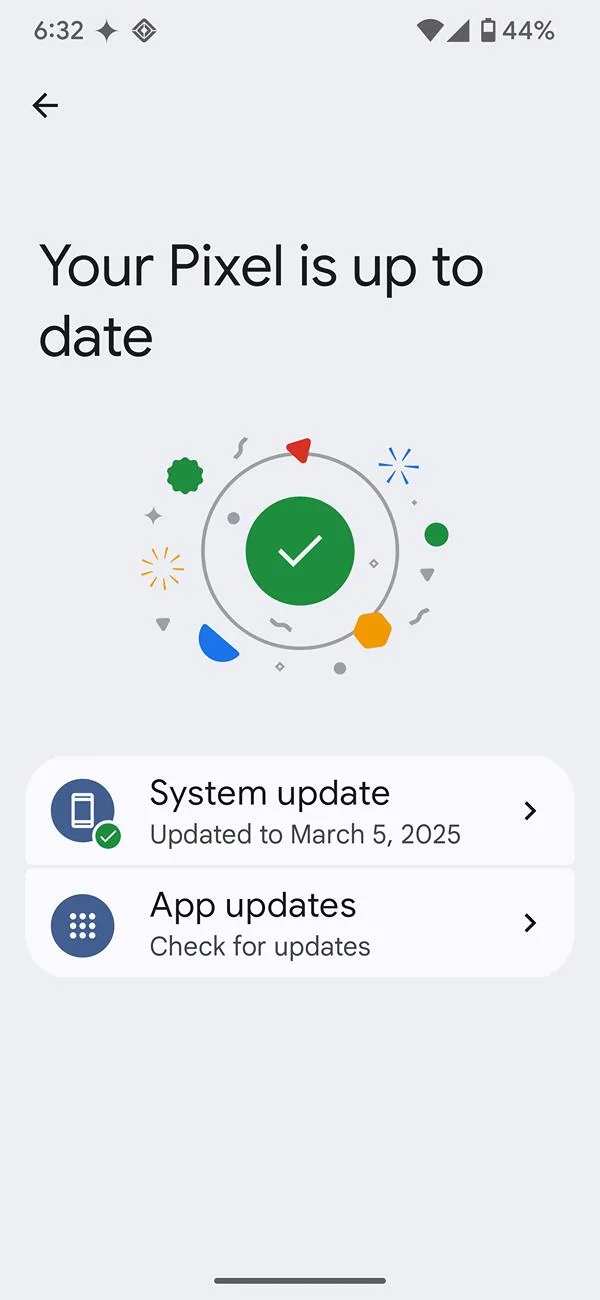
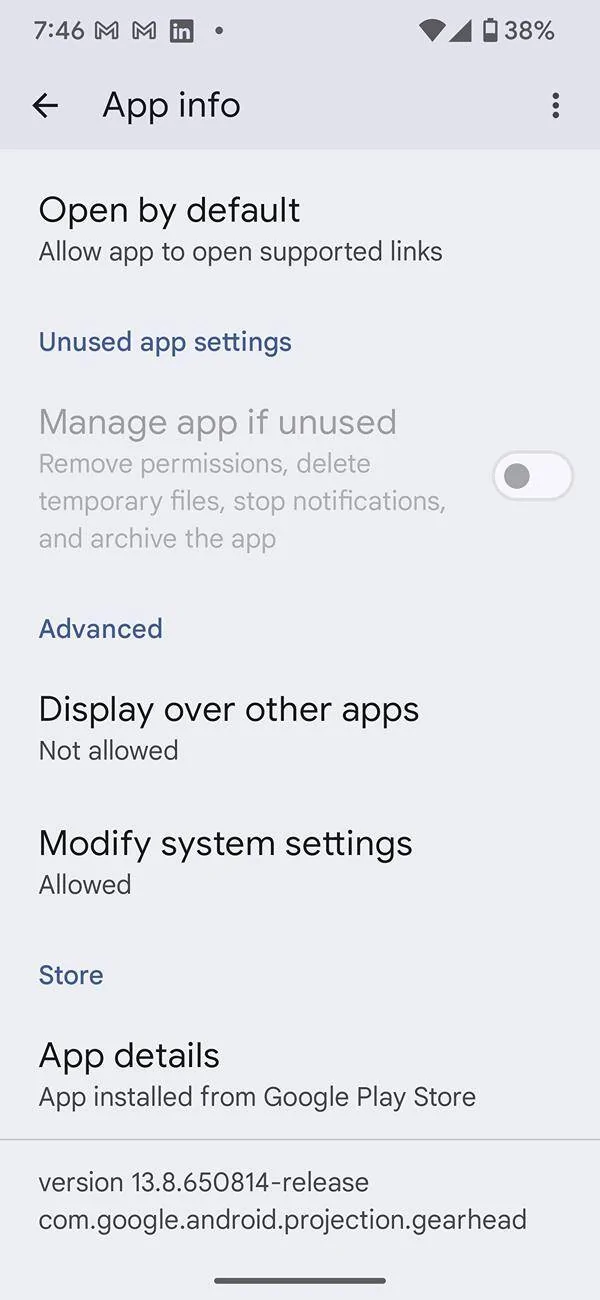
Pixel fully updated and Current OS

Ford Mustang Mach-E Road Trip Upcoming: Can I add Tesla Network to Android Auto (Google Maps in AA)? Or Native NAV? Screenshot_20250321-183254


Android Auto Version Feb 27 build date
Ford Mustang Mach-E Road Trip Upcoming: Can I add Tesla Network to Android Auto (Google Maps in AA)? Or Native NAV? Screenshot_20250321-194630
 

mdwinther35

Well-Known Member
First Name
Matt
Joined
Feb 1, 2024
Threads
3
Messages
145
Reaction score
190
Location
SE Michigan
Vehicles
2023 Mach E Select AWD
Occupation
Retired
Country flag
I've reset the cache and data on both maps and android auto. All apps are up to date and I still don't have the option to edit adapters in AA. Its set correctly on my maps app (on phone)and shows everything correctly. This is for lack of better words extremely frustrating. My wifes phone shows everything perfectly.

About 500 other EV owners are also having this issue..so I don't feel so alone google keeps locking the threads on the interwebs without answering the pleas for help.

I am going to factory reset my phone and then manually import stuff I need to see if that kicks the cobwebs out of AA.

see screens

Google Maps on Phone Settings: It did of course allow me to pcik the Mach E, AWD Extended Range.

Screenshot_20250321-180907.webp


Google Maps Version
Screenshot_20250321-181306.webp


Pixel fully updated and Current OS

Screenshot_20250321-183254.webp


Android Auto Version Feb 27 build date
Screenshot_20250321-194630.webp
If you haven't already, you could try unpairing your phone and re-pairing, and try USB connection (just to cross Bluetooth off the list of possible culprits).
 
OP
OP
1969Mach1Mike

1969Mach1Mike

Well-Known Member
First Name
Mike
Joined
Jul 3, 2021
Threads
40
Messages
397
Reaction score
360
Location
CO
Vehicles
1969 Mach-1, 11 R56S MINI, 25 RIVIAN R1S Gen2 , 22 Mach-E IBSM Premium 4X.
Occupation
Minister Of Awesomeness
Country flag
If you haven't already, you could try unpairing your phone and re-pairing, and try USB connection (just to cross Bluetooth off the list of possible culprits).
its is 100% on my phone's end. I'm back from my trip and just had to pre-plan any Tesla charges and ignore the 'not compatible' warning. Its probably a layering issue with OS updates and application updates. All versions match my wife's phone perfectly. Google Maps sees my car and has the correct adapters, Android auto is a the latest version and matches my wife's but is stuck not allowing NACS. My wife's works perfectly in the car.

I will be doing the clean wipe of my phone this evening and we shall see how everything goes.
Sponsored


Top