hack-e
Well-Known Member
- First Name
- Mark
- Joined
- Mar 5, 2022
- Threads
- 14
- Messages
- 892
- Reaction score
- 782
- Location
- Austin, TX
- Vehicles
- 2022 Prem AWD ER MME
- Occupation
- Robotics Engineer

- Thread starter
- #1
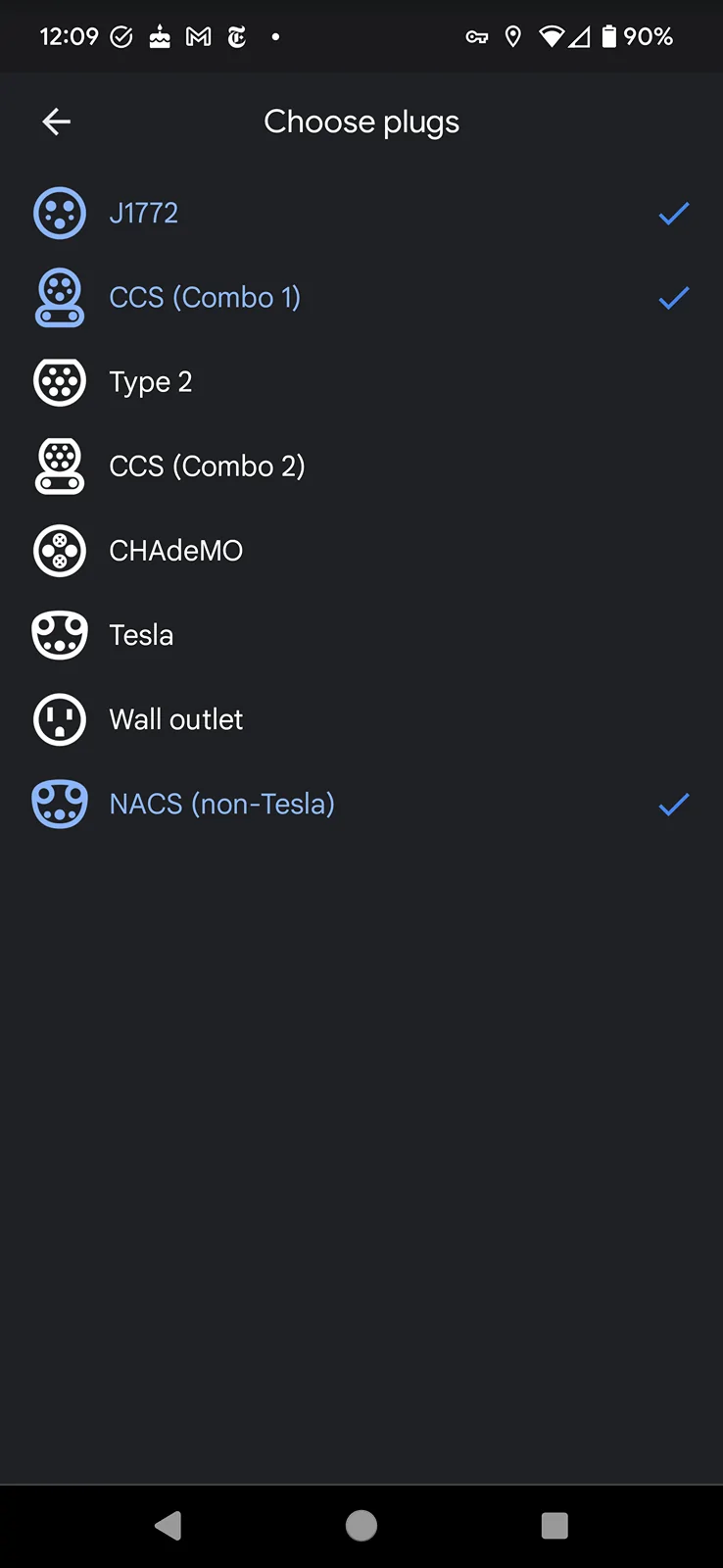
I have found that in Google Maps outside of Android Auto you can choose your car to be Electric then choose your plug types, including NACS (non-Tesla), which is very useful if you have a NACS adapter:

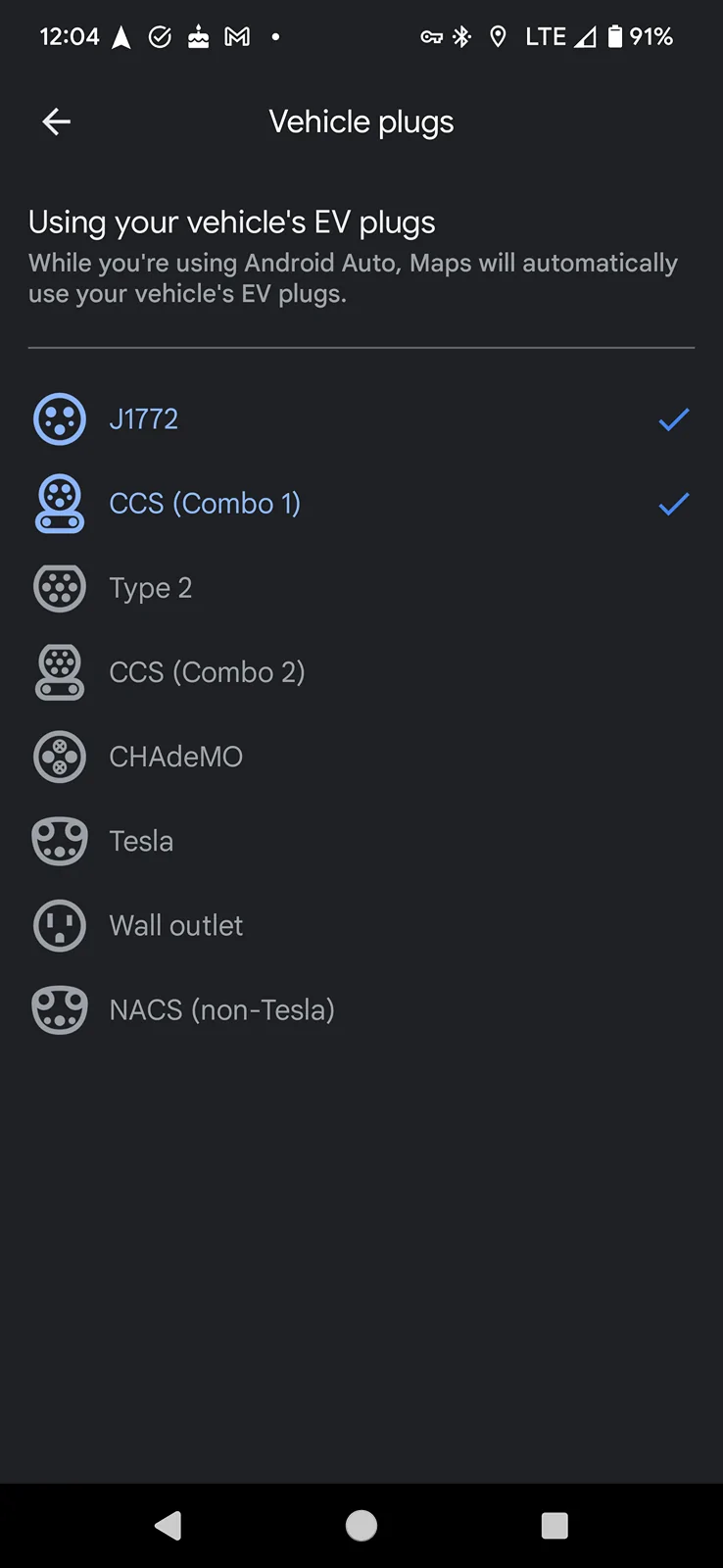
However, if you use Google Maps from Android Auto, you are not allowed to choose and instead they appear to be pre-selected:
You cannot select or deselect these.
I have told the MME in the Public Charging app not to hide stations that require a NACS adapter. But I guess that info doesn't get passed on to Android Auto.
Anyone know for sure who is at fault: Ford or Google?
Is Google's Android Auto making an assumption about the vehicle or is Ford not passing the this info to Android Auto. I am guessing Ford is at fault. I just want to know who to file a bug report to in order to get it fixed.
It sure would be nice to have this fixed so you can search for all compatible charging stations in Android Auto Google Maps when you own a NACS adapter.
The only workaround is to turn off the Your Plug filter completely but then you get every plug type in the search results and then dig deeper to check compatibility.
However, if you use Google Maps from Android Auto, you are not allowed to choose and instead they appear to be pre-selected:
You cannot select or deselect these.
I have told the MME in the Public Charging app not to hide stations that require a NACS adapter. But I guess that info doesn't get passed on to Android Auto.
Anyone know for sure who is at fault: Ford or Google?
Is Google's Android Auto making an assumption about the vehicle or is Ford not passing the this info to Android Auto. I am guessing Ford is at fault. I just want to know who to file a bug report to in order to get it fixed.
It sure would be nice to have this fixed so you can search for all compatible charging stations in Android Auto Google Maps when you own a NACS adapter.
The only workaround is to turn off the Your Plug filter completely but then you get every plug type in the search results and then dig deeper to check compatibility.
Sponsored