

AliRafiee
Well-Known Member
- First Name
- Ali
- Joined
- Jan 20, 2023
- Threads
- 103
- Messages
- 3,267
- Reaction score
- 4,192
- Location
- Seattle WA
- Vehicles
- 2022 Mach E GT - Grabber Blue
- Occupation
- Software Eng.

Apple Maps now routes to Tesla charging station to the map app, if you added it to the settings.

I wish you could set the priority on which network to try first.
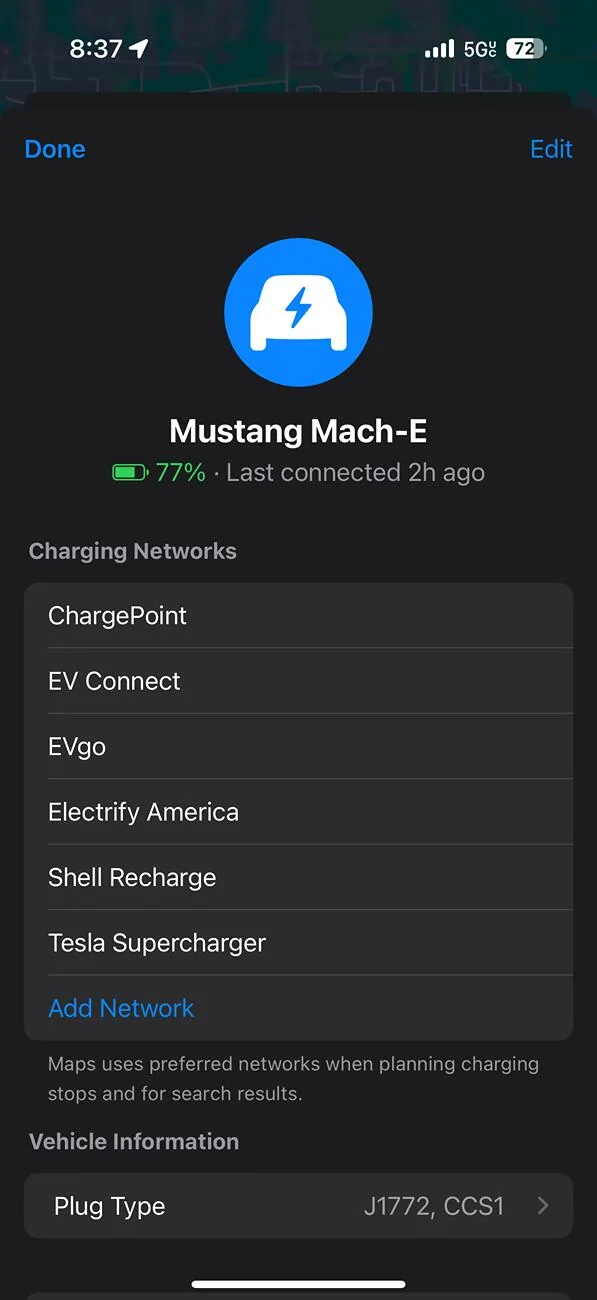
I wish you could set the priority on which network to try first.
DragonmasterLou
Well-Known Member
- Joined
- Mar 17, 2025
- Threads
- 3
- Messages
- 140
- Reaction score
- 110
- Location
- Massachusetts
- Vehicles
- 2025 Mustang Mach E Premium (coming soon)"
- Occupation
- Software Engineer
Would be nice if it would also do the pre-conditioning thing though.
I'm wondering just how bad is the built-in nav? I have a road trip coming up in a couple of weeks (hopefully I'll have my Mach E by then) and will need to make some charging stops. I've actually already figured out the ones I want as I've made this trip numerous times before, but I would like to pre-condition things...
I'm wondering just how bad is the built-in nav? I have a road trip coming up in a couple of weeks (hopefully I'll have my Mach E by then) and will need to make some charging stops. I've actually already figured out the ones I want as I've made this trip numerous times before, but I would like to pre-condition things...
vaporblu
Member
The Tesla routing worked better before the update, since then , I still have all Tesla chargers coming up, so I can’t tell if they are open to everyone or just Tesla.
They need to make this better.
GM works perfectly for this.
I am really getting tired of Ford’s slow , no update nonsense that I have to use 3 different maps to plan a trip. They are decades behind Tesla with software.
They need to make this better.
GM works perfectly for this.
I am really getting tired of Ford’s slow , no update nonsense that I have to use 3 different maps to plan a trip. They are decades behind Tesla with software.
d_k_g
Member
- First Name
- Dan
- Joined
- Aug 14, 2024
- Threads
- 2
- Messages
- 23
- Reaction score
- 44
- Location
- Wisconsin
- Vehicles
- 2014 Mach-E premium AWD extended battery
The Tesla mapping is not new with 18.4. This actually came out a couple weeks ago.
There are now 3 rows of icons in CarPlay for our giant screens though. That’s cool.
There are now 3 rows of icons in CarPlay for our giant screens though. That’s cool.
d_k_g
Member
- First Name
- Dan
- Joined
- Aug 14, 2024
- Threads
- 2
- Messages
- 23
- Reaction score
- 44
- Location
- Wisconsin
- Vehicles
- 2014 Mach-E premium AWD extended battery
I’m pretty sure this is an issue with the built in ford nav when searching for Tesla chargers. I don’t believe this is an issue with Apple Maps - only compatible superchargers come up for me.The Tesla routing worked better before the update, since then , I still have all Tesla chargers coming up, so I can’t tell if they are open to everyone or just Tesla.
They need to make this better.
GM works perfectly for this.
I am really getting tired of Ford’s slow , no update nonsense that I have to use 3 different maps to plan a trip. They are decades behind Tesla with software.
PhillyYa
Well-Known Member
- Joined
- Oct 28, 2022
- Threads
- 35
- Messages
- 249
- Reaction score
- 156
- Location
- Philadelphia
- Vehicles
- 2022 Mach-e Premium Extended
I saw chargers showing up on Google Maps for the first time. Shows how many, whether fast or slow and which network.

ChasingCoral
Well-Known Member
- First Name
- Mark
- Joined
- Feb 3, 2020
- Threads
- 502
- Messages
- 14,318
- Reaction score
- 28,677
- Location
- Maryland
- Vehicles
- 2021 GB E4X FE, 2022 F-150 Lightning Lariat ER
- Occupation
- Retired oceanographer
I've used the Ford (Garmin) Connected Navigation quite a bit and found it usually works well. In fact, it is the best option when towing our travel trailer with our Lightning as the others do a lousy job of estimating range while towing. The Connected Navigation actually improves in its estimates of efficiency the more you use it.Would be nice if it would also do the pre-conditioning thing though.
I'm wondering just how bad is the built-in nav? I have a road trip coming up in a couple of weeks (hopefully I'll have my Mach E by then) and will need to make some charging stops. I've actually already figured out the ones I want as I've made this trip numerous times before, but I would like to pre-condition things...
However, the Connected Navigation will sometimes do weird little routings to "save" a minute or a mile. It will also route to some weird L2 chargers. It's really a trust but verify situation.
NH_Pony_Boy
Well-Known Member
- First Name
- Michael
- Joined
- Feb 7, 2025
- Threads
- 6
- Messages
- 51
- Reaction score
- 69
- Location
- New Boston
- Vehicles
- 2024 Mustang Mach-E GT
- Occupation
- Retired Air Traffic Controller
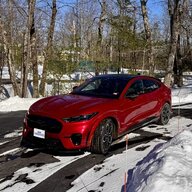
There are now three rows of smaller icons on the screen rather than the larger two rows before.
david_quick
Well-Known Member
- First Name
- David
- Joined
- Sep 10, 2023
- Threads
- 54
- Messages
- 642
- Reaction score
- 487
- Location
- Bremerton WA
- Vehicles
- 2023 Mach E GT
- Occupation
- Retired
I looked for this when the first indication of availability showed up on the forum but it was not there. Maybe only if beta SW was turned on?The Tesla mapping is not new with 18.4. This actually came out a couple weeks ago.
There are now 3 rows of icons in CarPlay for our giant screens though. That’s cool.
NH_Pony_Boy
Well-Known Member
- First Name
- Michael
- Joined
- Feb 7, 2025
- Threads
- 6
- Messages
- 51
- Reaction score
- 69
- Location
- New Boston
- Vehicles
- 2024 Mustang Mach-E GT
- Occupation
- Retired Air Traffic Controller
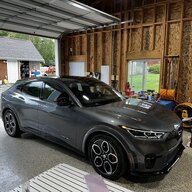
It is there, I think I had to connect the iPhone to the car then open the Apple Maps app on the phone and let it connect to your car.I looked for this when the first indication of availability showed up on the forum but it was not there. Maybe only if beta SW was turned on?
Mr_Mercedes
Member
- First Name
- Jose
- Joined
- Sep 19, 2024
- Threads
- 0
- Messages
- 20
- Reaction score
- 9
- Location
- Kissimmee
- Vehicles
- 2024 Mach E GT / 2023 Mach E Route 1
- Occupation
- analyst
It’s not bad. It can be annoying I only drive from Orlando to Miami and drove my GT to Atlanta. I was using the built-in nav, apple and also ABRP because they are not consistent on saying which charges work or are full.Would be nice if it would also do the pre-conditioning thing though.
I'm wondering just how bad is the built-in nav? I have a road trip coming up in a couple of weeks (hopefully I'll have my Mach E by then) and will need to make some charging stops. I've actually already figured out the ones I want as I've made this trip numerous times before, but I would like to pre-condition things...
OP
OP
bdeweese
Well-Known Member
- Thread starter
- #13
Yea. I believe the Tesla chargers were added in 18.3.2. The 3 rows of icons is very welcomed, however!The Tesla mapping is not new with 18.4. This actually came out a couple weeks ago.
There are now 3 rows of icons in CarPlay for our giant screens though. That’s cool.
WallyS56
Well-Known Member
- First Name
- Keith
- Joined
- Aug 4, 2024
- Threads
- 2
- Messages
- 218
- Reaction score
- 261
- Location
- Washington
- Vehicles
- 2024 Mach E Premium, 1969 Mercury Cougar, 1971 Ford Ranchero, 1993, F150 XL 4x4
- Occupation
- Teacher
I’ve tried and searched the forum, but I can’t figure out how to see my OTA updates history either on the phone app or in the vehicle. With the car in park, the ONLY update showing is 10.1. and doesn’t give a date. Please advise. 2024 MME purchased last August.Apple Maps now routes to Tesla charging station to the map app, if you added it to the settings.
I wish you could set the priority on which network to try first.
NH_Pony_Boy
Well-Known Member
- First Name
- Michael
- Joined
- Feb 7, 2025
- Threads
- 6
- Messages
- 51
- Reaction score
- 69
- Location
- New Boston
- Vehicles
- 2024 Mustang Mach-E GT
- Occupation
- Retired Air Traffic Controller
These are two different things. The iOS update to 18.4 added some nice CarPlay features. The Ford app inside the app store on your phone is another, it should update on its own. Then the car has its own software version that is updated much less frequent. I am not sure how to find the version your car is on. I asked ChatGPT but it gave me incorrect info on finding in the Ford Pass app.I’ve tried and searched the forum, but I can’t figure out how to see my OTA updates history either on the phone app or in the vehicle. With the car in park, the ONLY update showing is 10.1. and doesn’t give a date. Please advise. 2024 MME purchased last August.
Sponsored
Similar threads


- Replies
- 43
- Views
- 7,817


