kamorela
Well-Known Member
- First Name
- Kelly
- Joined
- Nov 24, 2024
- Threads
- 28
- Messages
- 365
- Reaction score
- 480
- Location
- Beaverton, Oregon
- Vehicles
- 2024 Ford Mustang Mach-e Premium AWD ER
- Occupation
- Sr. Aerospace Quality Engineer, Retired
- Thread starter
- #1
UPDATE:
After trying the few really hopeful tips and suggestions from other forum members, all to no avail, I spent about an hour and a half in my driveway determined to fix this mess. I soon learned that my issues began - coincidentally? - on June 9, the day Ford Pass updated to v5.21.0. Hmmm.
Anyway, after many many fails and getting more and more frustrated, and going down rabbit holes I still couldn't connect my phone via BT to set up PaaK. Oddly, my phone WAS connected to my car, I just couldn't set up PaaK via BT.
Then during all that, somewhere/somewhen I had a direction to go to the phone setting on my vehicle display and "Add phone" (even though my phone was clearly already there) which, when I did THAT, it walked me through finishing PaaK setup. I can't remember all the details nor the logic of adding a phone when it already exists but it worked and all is now good, PaaK works normally again, no 'Can't connect' messages.
Just for fun, though, I'm going to put my extra fob in the car in a faraday pouch.
Final jab: Hey Ford, It just shouldn't be this difficult!
PaaK: Samsung Galaxy S25 Ultra
Vehicle: 2024 Premium AWD ER
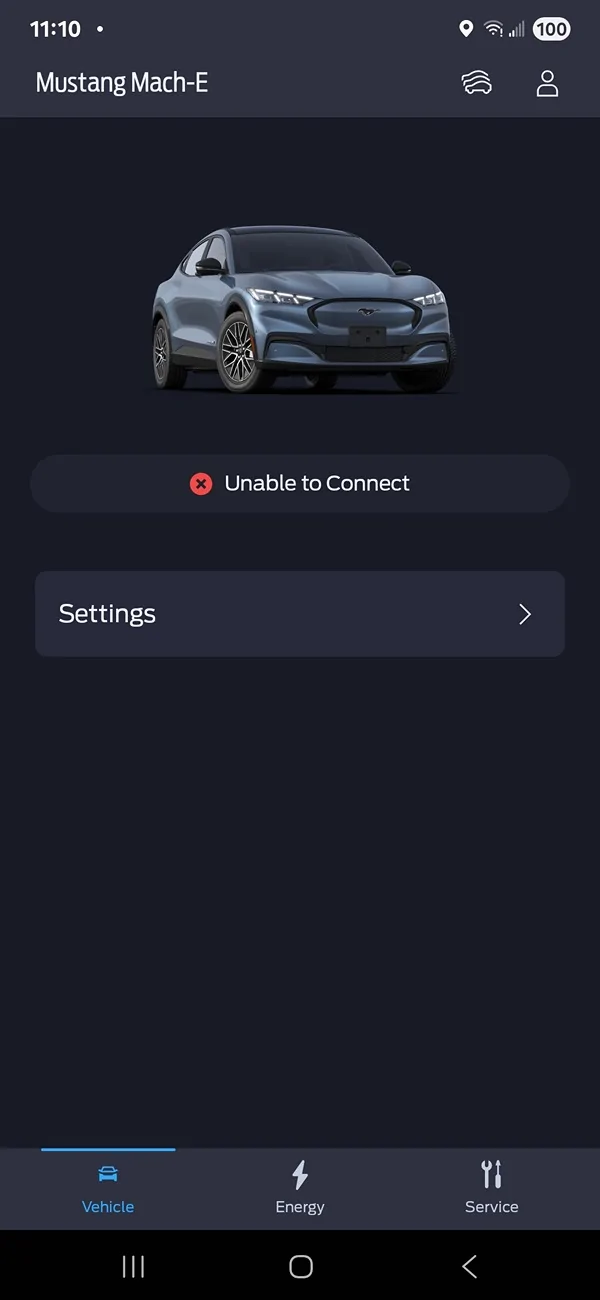
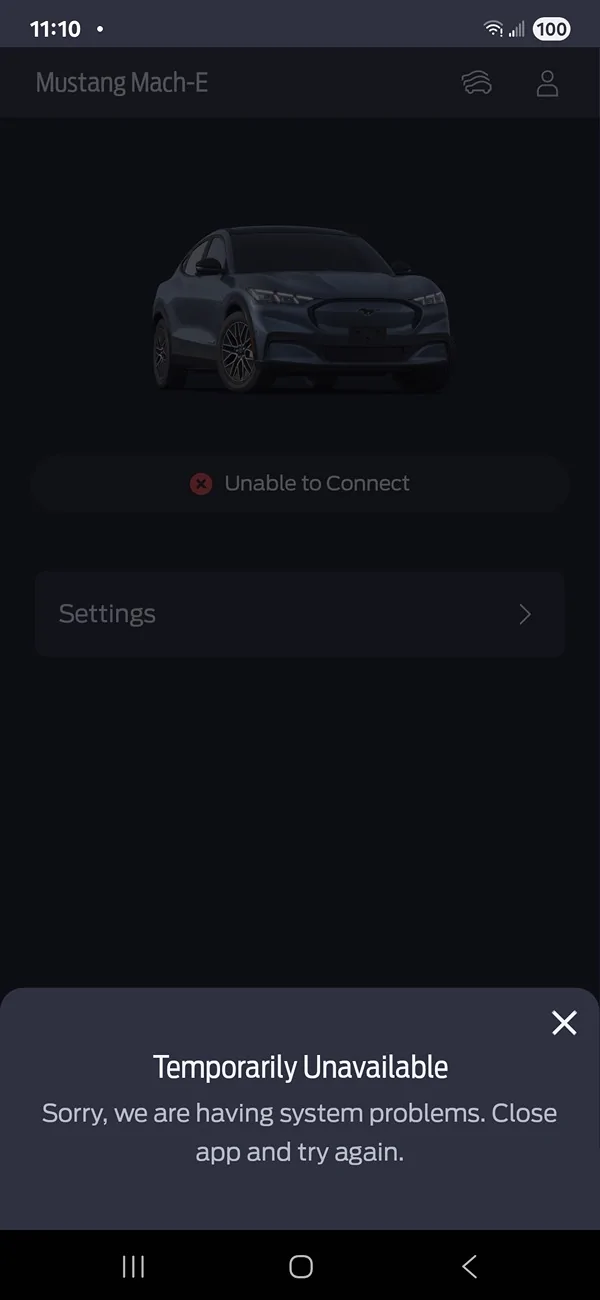
I use PaaK and have for months now. For the last 3 days, when I drive somewhere - anywhere - and try to lock my car using Ford Pass after exiting, I get a message that says 'Unable to connect' and the vehicle controls have disappeared. Instead it displays 'Settings' which, when selected, instead of going of Settings, displays the message 'Temporarily Unavailable - Sorry, we are having system problems. Close app and try again.'
Closing the app and trying again, even after multiple attempts, doesn't fix anything, I keep getting the same message. Ford Pass is basically useless at that point. However, when I walk away, the mirrors fold and I get the short horn honk and get a text from Ford Pass that the walk-away lock feature has been executed. At that point Ford Pass is back to normal and everything works fine.
My phone, Android Auto and Ford Pass are all up to date (as far as I can tell). I haven't made any system or vehicle changes (again, that I know of...and you'd think I'd know if I changed something?).
Comments/opinions/suggestions?

After trying the few really hopeful tips and suggestions from other forum members, all to no avail, I spent about an hour and a half in my driveway determined to fix this mess. I soon learned that my issues began - coincidentally? - on June 9, the day Ford Pass updated to v5.21.0. Hmmm.
Anyway, after many many fails and getting more and more frustrated, and going down rabbit holes I still couldn't connect my phone via BT to set up PaaK. Oddly, my phone WAS connected to my car, I just couldn't set up PaaK via BT.
Then during all that, somewhere/somewhen I had a direction to go to the phone setting on my vehicle display and "Add phone" (even though my phone was clearly already there) which, when I did THAT, it walked me through finishing PaaK setup. I can't remember all the details nor the logic of adding a phone when it already exists but it worked and all is now good, PaaK works normally again, no 'Can't connect' messages.
Just for fun, though, I'm going to put my extra fob in the car in a faraday pouch.
Final jab: Hey Ford, It just shouldn't be this difficult!
PaaK: Samsung Galaxy S25 Ultra
Vehicle: 2024 Premium AWD ER
I use PaaK and have for months now. For the last 3 days, when I drive somewhere - anywhere - and try to lock my car using Ford Pass after exiting, I get a message that says 'Unable to connect' and the vehicle controls have disappeared. Instead it displays 'Settings' which, when selected, instead of going of Settings, displays the message 'Temporarily Unavailable - Sorry, we are having system problems. Close app and try again.'
Closing the app and trying again, even after multiple attempts, doesn't fix anything, I keep getting the same message. Ford Pass is basically useless at that point. However, when I walk away, the mirrors fold and I get the short horn honk and get a text from Ford Pass that the walk-away lock feature has been executed. At that point Ford Pass is back to normal and everything works fine.
My phone, Android Auto and Ford Pass are all up to date (as far as I can tell). I haven't made any system or vehicle changes (again, that I know of...and you'd think I'd know if I changed something?).
Comments/opinions/suggestions?
Sponsored
Last edited: