Android Google Maps display won't change

Mark-E Mark

Well-Known Member
First Name
Mark
Joined
Aug 8, 2025
Threads
15
Messages
53
Reaction score
37
Location
San Diego
Vehicles
2023 Mach E 4x Premium
Occupation
Retired
When I left for vacation two weeks ago, I'm pretty sure my Android Google Maps on the big screen had a light background. When I got back home, now it has a dark background and I can't figure out how to change it. How do you switch between light and dark? 2023 Premium.
Sponsored

 

NY_Cade69

Well-Known Member
First Name
Cade
Joined
Mar 26, 2026
Threads
11
Messages
386
Reaction score
521
Location
30308
Vehicles
2025 Premium Sport package Molten Magenta Extended Range eAWD Pano
That's a day/night screen change, it should swith at dawn (to light) and dusk (to dark)... :cool:
 

B177y

Well-Known Member
First Name
Bill
Joined
Sep 17, 2023
Threads
16
Messages
422
Reaction score
637
Location
Olympic Peninsula, WA
Vehicles
'23 J2 MME Premium, '24 Lightning Pro ER, '20 Bolt
Country flag
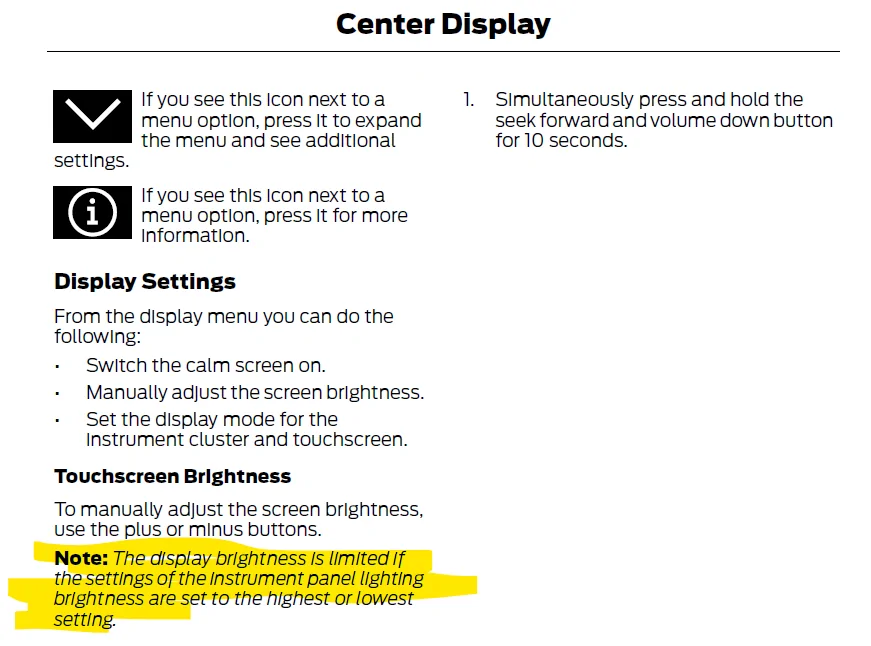
Three different places that this may need to be switched....

Google maps settings - App & Display - Theme - light, dark, same as device

Android Auto settings - Day/Night mode for maps - Day/Night/Automatic

Sync settings - Display - I think it's "theme" here too but can't recall exactly, and you have to choose between day, night, auto (or something similar).

If any are set to "dark", the map will be dark. Likewise if your sensor thinks it's dark and you're set on "automatic", it'll be dark.

EDIT:
The Android Auto settings menu I'm referring to is on the app in the phone, not the AA settings on the car screen. Super not-confusing, right?
Sponsored


Top