
Deleted Departure Times Keep Coming Back

scottintucson

Well-Known Member
First Name
Scott
Joined
Jun 4, 2022
Threads
4
Messages
80
Reaction score
38
Location
Tucson
Vehicles
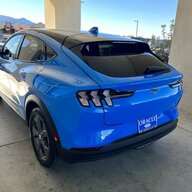
2022 Ford Mustang Mach E Select RWD Grabber Blue
Country flag
Using FordPass, I set a departure time for a Wednesday afternoon several weeks ago and deleted it once that day and time had passed. Since then, the deleted day and time keeps popping up in the app. I re-delete and sometime later it pops up again. Well, today I missed that it had popped up and the car pre-conditioned even when I didn't want it to at the previously delete scheduled start time. I had been doing all this on the app, but I went to the car just now and there is no scheduled departure times listed. Has anyone had this problem and found a solution. I'll chat with Ford support if needed, but I thought I'd ask here first.
Sponsored

 

bshaw

Well-Known Member
Joined
May 18, 2020
Threads
14
Messages
1,562
Reaction score
2,181
Location
Boston, MA
Vehicles
2021 Mustang Mach E 4X (Job 1)
Country flag
Starting a few months back, setting/changing departure times from FordPass became incredibly unreliable. Basically making changes in the app would not persist and would not make it to the car.

I was able to workaround by setting them in car, and that works consistently now. The times I set in the car were eventually synced to FordPass, but I don't edit them in the app anymore.
Are you trying to blank out all departure times, or you just want different ones than are currently showing in FordPass?
 
OP
OP
scottintucson

scottintucson

Well-Known Member
First Name
Scott
Joined
Jun 4, 2022
Threads
4
Messages
80
Reaction score
38
Location
Tucson
Vehicles
2022 Ford Mustang Mach E Select RWD Grabber Blue
Country flag
I want to blank out all the times. I have no consistent schedule and have only used it for one-offs, which were unreliable as you said.
 

bshaw

Well-Known Member
Joined
May 18, 2020
Threads
14
Messages
1,562
Reaction score
2,181
Location
Boston, MA
Vehicles
2021 Mustang Mach E 4X (Job 1)
Country flag
I want to blank out all the times. I have no consistent schedule and have only used it for one-offs, which were unreliable as you said.
Hmm. Not sure if this would work, but probably worth trying.
Create a new departure time (that you don't need) in the car, and wait for it to sync with FordPass.
Once you see that departure time in FordPass, go back to the car and delete the departure time so you now have none.
This is based on the theory that Ford's servers will accept what the car is reporting over what you previously had in FordPass.
 
OP
OP
scottintucson

scottintucson

Well-Known Member
First Name
Scott
Joined
Jun 4, 2022
Threads
4
Messages
80
Reaction score
38
Location
Tucson
Vehicles
2022 Ford Mustang Mach E Select RWD Grabber Blue
Country flag
Hmm. Not sure if this would work, but probably worth trying.
Create a new departure time (that you don't need) in the car, and wait for it to sync with FordPass.
Once you see that departure time in FordPass, go back to the car and delete the departure time so you now have none.
This is based on the theory that Ford's servers will accept what the car is reporting over what you previously had in FordPass.
OK...tried this. Added a couple of departure times in the car, waited for them to show in FordPass and deleted them in the car. Both times synced quickly with the app. I guess time will tell as to whether this is the solution. Thanks for the suggestion! I'll post if I find it didn't solve the problem.
Sponsored


Top