
GreaseMonkey
Well-Known Member
- First Name
- Steve
- Joined
- Oct 3, 2021
- Threads
- 21
- Messages
- 3,233
- Reaction score
- 5,173
- Location
- Chicago, IL
- Vehicles
- 24 Mach-E GT

So clean!
GreaseMonkey
Well-Known Member
- First Name
- Steve
- Joined
- Oct 3, 2021
- Threads
- 21
- Messages
- 3,233
- Reaction score
- 5,173
- Location
- Chicago, IL
- Vehicles
- 24 Mach-E GT
Never knew there was one there. I’m on my second MME! I’ll see if mine has one.Thank you! Its such a nice detailed logo, but so hard to see without shinning something on it lol…
MacheTwins
Member
- First Name
- Ken
- Joined
- May 13, 2024
- Threads
- 2
- Messages
- 16
- Reaction score
- 8
- Location
- Boston MA
- Vehicles
- 2023 Mustang Mach e Premium and 2023 Mustang Mach e GT
How did you do that? Where did you find that mat to show the pony?I was determined to find a way to light up the logo!

Deleted member 19354
Guest
Boogie!!? ?
?
?
Jimrpa
Well-Known Member
- First Name
- Jim
- Joined
- Sep 10, 2020
- Threads
- 297
- Messages
- 9,514
- Reaction score
- 12,847
- Location
- Wayne, PA
- Vehicles
- 2021 Infinite Blue Premium Mustang Mach E ER AWD
- Occupation
- Retied (formerly tried to herd highly technical, independent cats)
It was removed to make room for the heat pump ???Never knew there was one there. I’m on my second MME! I’ll see if mine has one.
OP
OP
SPF79
Well-Known Member
- Thread starter
- #8
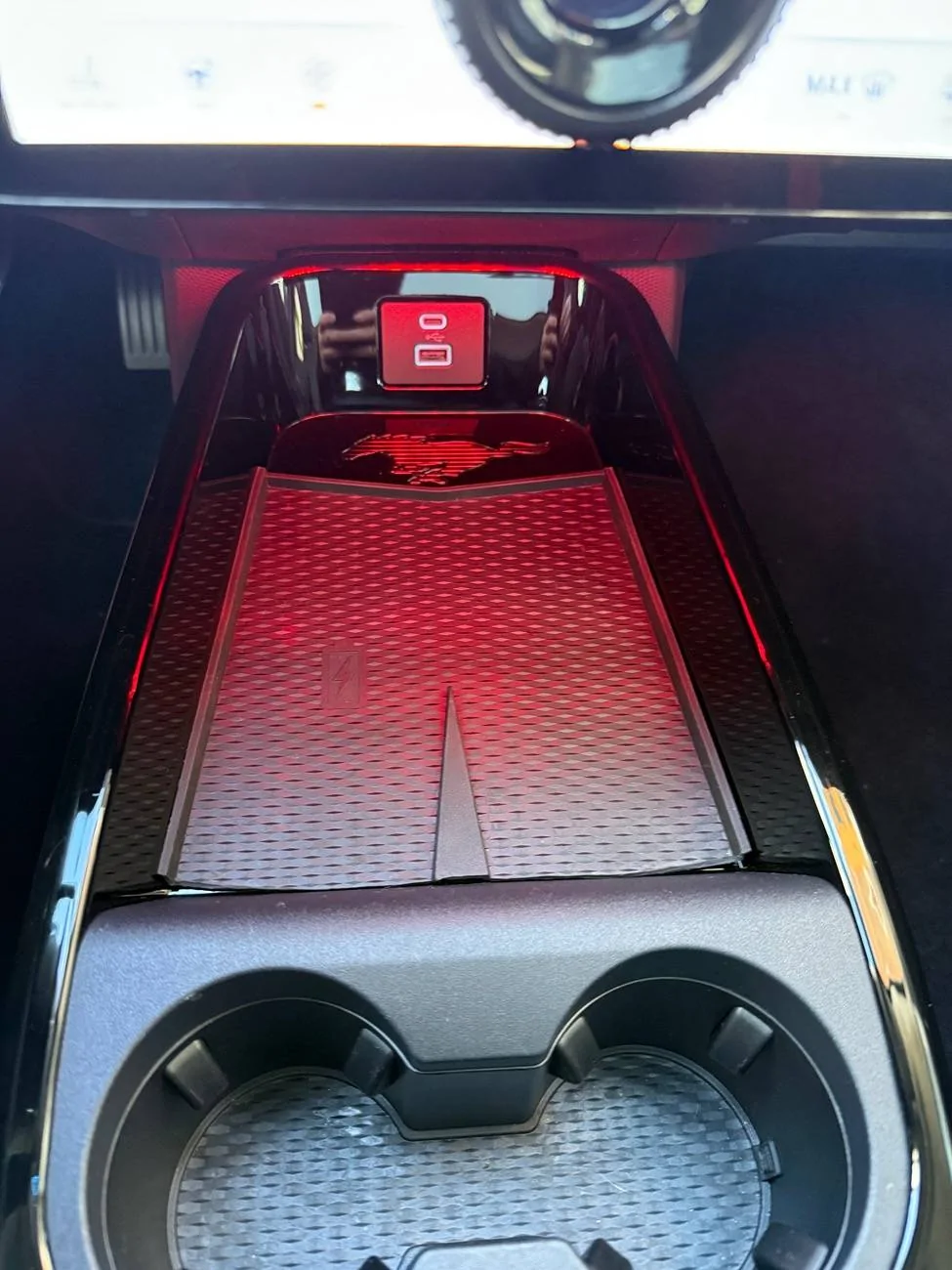
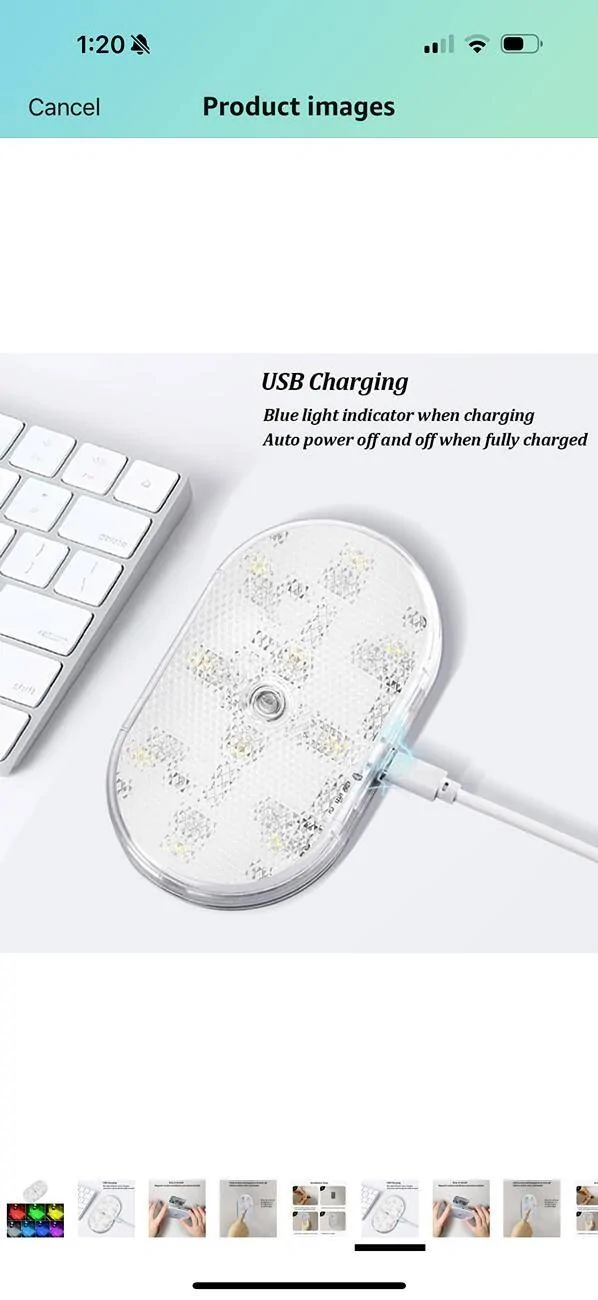
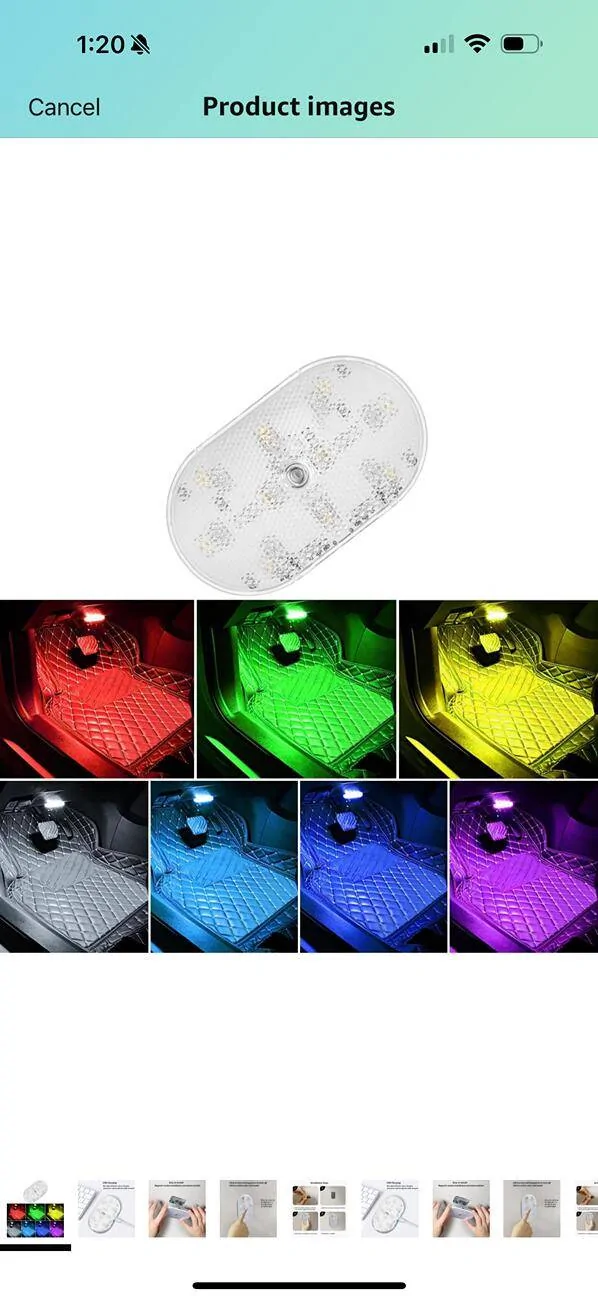
The mat is the original mat that comes with the car. I was trying to find a way to get rid of that piece that divides the mat so I could fit 2 phones, to my surprise when I took the mat out I saw that there. So I took a pair of scissors and I cut the top part of the mat so the Pony would show but since its black it was hard to see. I went on Amazon and I bought a LED light with different colors so I could match it with the color of the ambiance lighting in the car. I didn’t want to see any cables or bulbs so I bought one that is flat and it has a magnetic strip so I could remove it to charge it without any issues. To my surprise, the LED is the perfect size and fits on the bottom part on the back of the screen. To turn it on you press it once, to change colors you press it till you find the one you want and to turn it off you just press it for a few seconds and thats it. It was less than $15 on Amazon and it came with the USB charger. I’ll post a video tonightHow did you do that? Where did you find that mat to show the pony?
OP
OP
SPF79
Well-Known Member
- Thread starter
- #9
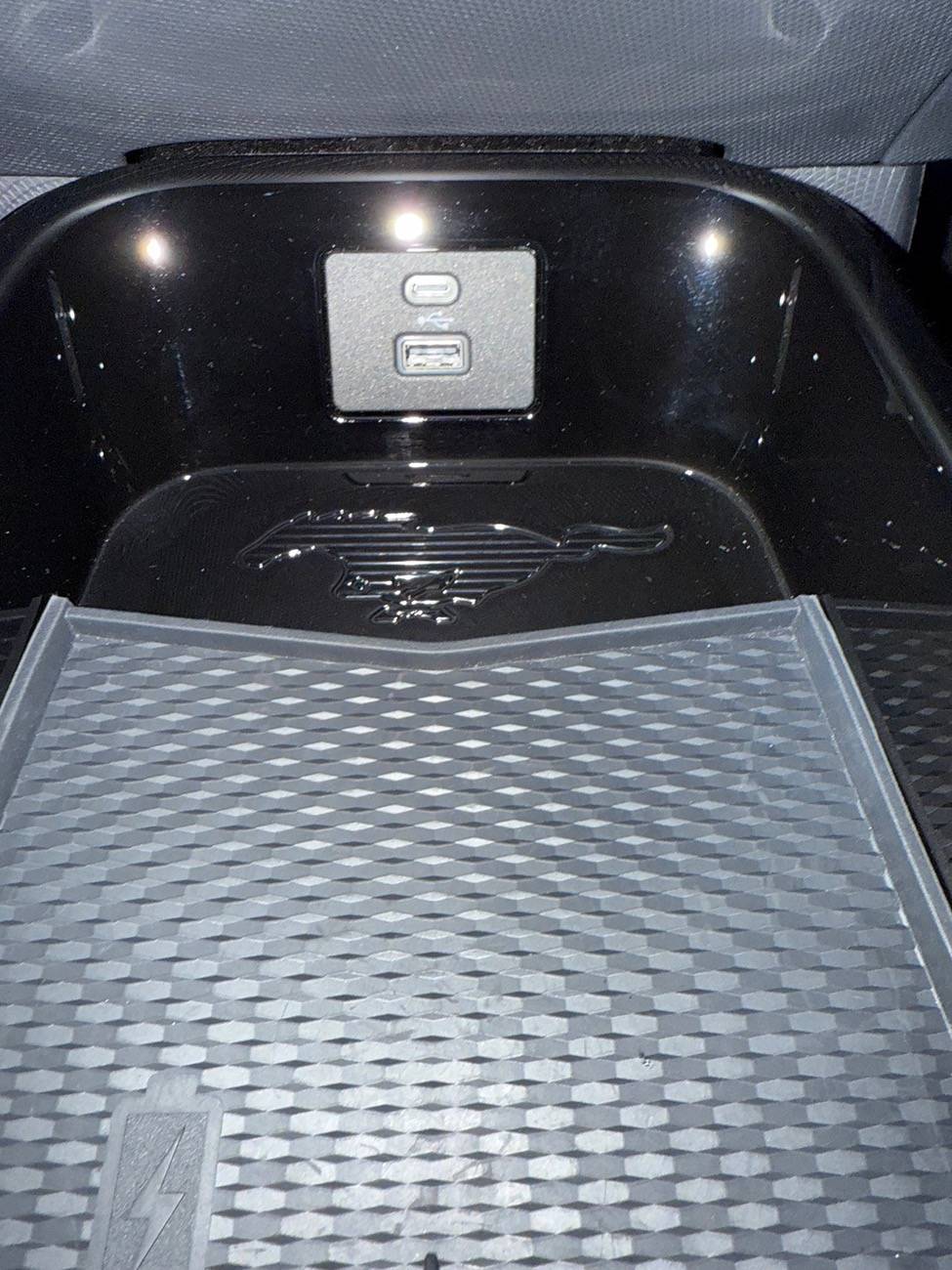
The pony is not on the mat, its a really nice well made logo that has no use besides for looks, but then the mat covers it lol…. I was surprised when I first saw it because its not like you can remove it, its not a sticker that can be pulled off. Its carved in there lol. Here is a picture of the day I found it and cut the mat to show it off lol. But at night I couldn’t see it so i bought the LED light and got lucky finding one that fits in the back of the screen and I can pick any color I want… now you can def see it at nightHow did you do that? Where did you find that mat to show the pony?
MacheTwins
Member
- First Name
- Ken
- Joined
- May 13, 2024
- Threads
- 2
- Messages
- 16
- Reaction score
- 8
- Location
- Boston MA
- Vehicles
- 2023 Mustang Mach e Premium and 2023 Mustang Mach e GT
Do you have the link for the light on Amazon?The mat is the original mat that comes with the car. I was trying to find a way to get rid of that piece that divides the mat so I could fit 2 phones, to my surprise when I took the mat out I saw that there. So I took a pair of scissors and I cut the top part of the mat so the Pony would show but since its black it was hard to see. I went on Amazon and I bought a LED light with different colors so I could match it with the color of the ambiance lighting in the car. I didn’t want to see any cables or bulbs so I bought one that is flat and it has a magnetic strip so I could remove it to charge it without any issues. To my surprise, the LED is the perfect size and fits on the bottom part on the back of the screen. To turn it on you press it once, to change colors you press it till you find the one you want and to turn it off you just press it for a few seconds and thats it. It was less than $15 on Amazon and it came with the USB charger. I’ll post a video tonight

OP
OP
SPF79
Well-Known Member
- Thread starter
- #11
Upgraded Version Car Touch LED... https://www.amazon.com/dp/B0CQK3351Q?ref=ppx_pop_mob_ap_shareDo you have the link for the light on Amazon?
MacheTwins
Member
- First Name
- Ken
- Joined
- May 13, 2024
- Threads
- 2
- Messages
- 16
- Reaction score
- 8
- Location
- Boston MA
- Vehicles
- 2023 Mustang Mach e Premium and 2023 Mustang Mach e GT
Appreciate you thanksUpgraded Version Car Touch LED... https://www.amazon.com/dp/B0CQK3351Q?ref=ppx_pop_mob_ap_share
Stanmckinney
Well-Known Member
- First Name
- Stan
- Joined
- Aug 31, 2022
- Threads
- 4
- Messages
- 189
- Reaction score
- 183
- Location
- Campbellsville, Ky.
- Vehicles
- 1966 Mustang convertible
Where did you cut the mat? In front, nearest the shifter? Where did you place the light?
OP
OP
SPF79
Well-Known Member
- Thread starter
- #15
Mine has the light also, but to your point, not bright enough. I honestly think the ambient lighting should be much brighter than what it is, its best if we could tone it down if too bright, but at the max setting it doesn’t really make much of a difference.For the ‘24 MY Ford added a light behind the display that shines down on the charging pad and is synced to the ambient lighting. Not as bright as yours but at least you can now see what’s in that area at night.
Sponsored
Similar threads


- Replies
- 23
- Views
- 4,056


- Replies
- 5
- Views
- 505
