Sync Update: How do I know it happened?

gcagora

Member
First Name
Mike
Joined
Feb 21, 2025
Threads
1
Messages
7
Reaction score
1
Location
USA
Vehicles
2023 Mustang Mach-E GTPE
Occupation
utility management
I was on a work trip this week, so my 2023 MME GTPE sat in the airport parking lot for a few days. I randomly logged in to my Ford account and saw that I needed a SYNC update and a Maps Update. I didn't think much of it until my drive home from the airport. BlueCruise did not activate for me the entire way home. I'm guessing that was because of the needed Maps update.

Now that I've been home a bit (and connected to my home's WiFi), expected the updates to happen (although I'm not sure why they wouldn't have happened at the airport).

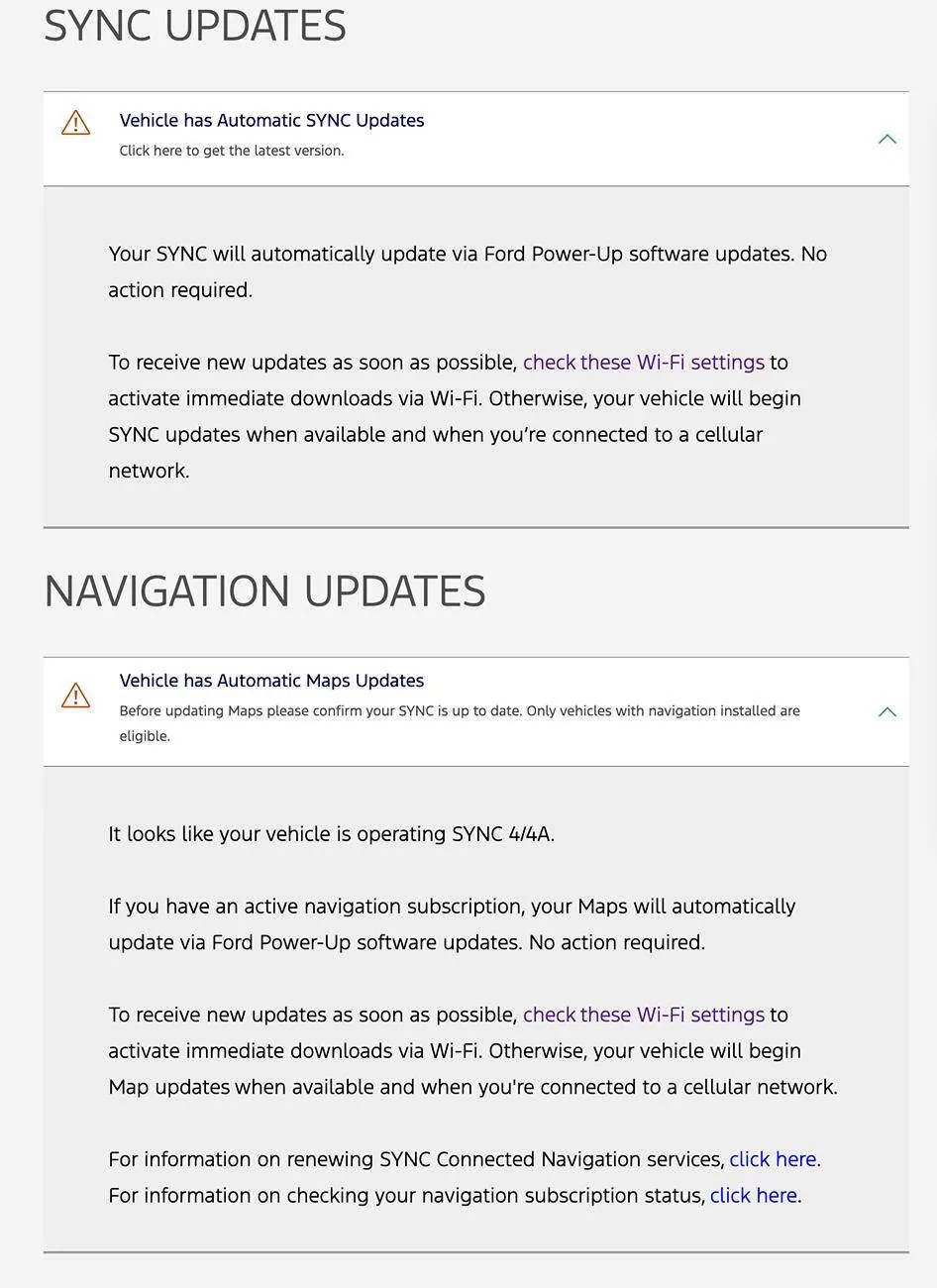
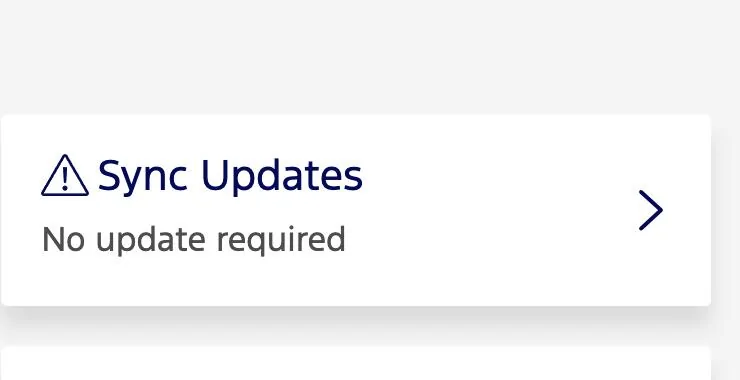
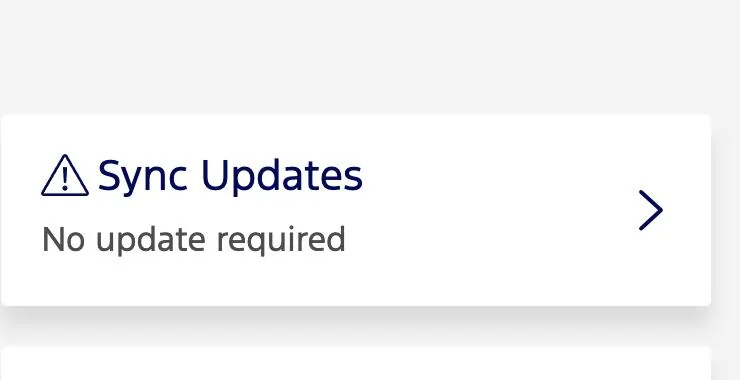
My question is...how do I know if the updates happened? The main "Vehicle Health" screen shows that there are no Sync updates required, but when I click through, I'm still getting the sync update notices below. Will I only really know when BlueCruise works again?


Ford Mustang Mach-E Sync Update: How do I know it happened? 1741887430296-wg


Ford Mustang Mach-E Sync Update: How do I know it happened? 1741887831635-02


Ford Mustang Mach-E Sync Update: How do I know it happened? 1741887796108-j9
Sponsored


mdwinther35

Well-Known Member
First Name
Matt
Joined
Feb 1, 2024
Threads
3
Messages
144
Reaction score
185
Location
SE Michigan
Vehicles
2023 Mach E Select AWD
Occupation
Retired
Country flag
Try looking under vehicle dashboard/technology/software updates. If there were OTA updates applied in the last 90 days they should show up there
 

rugedraw

Well-Known Member
First Name
Javier
Joined
Nov 13, 2023
Threads
0
Messages
2,639
Reaction score
2,395
Location
Miami, FL
Vehicles
2021 Ford F150 Platinum FX4 EB/2023 Bronco Sport Badlands/1991 Mustang 5.0 coupe
Occupation
Auto Sales
Country flag
When an OTA trigger is created for a vehicle, the car must be turned on within 7 days to accept it or the OTA will time out and expire. Message me the VIN and I can check to see what happened and also look into why BC stopped working.
 
OP
OP

gcagora

Member
First Name
Mike
Joined
Feb 21, 2025
Threads
1
Messages
7
Reaction score
1
Location
USA
Vehicles
2023 Mustang Mach-E GTPE
Occupation
utility management
Try looking under vehicle dashboard/technology/software updates. If there were OTA updates applied in the last 90 days they should show up there
Thanks. I see ann update there, but no date.
 
OP
OP

gcagora

Member
First Name
Mike
Joined
Feb 21, 2025
Threads
1
Messages
7
Reaction score
1
Location
USA
Vehicles
2023 Mustang Mach-E GTPE
Occupation
utility management
When an OTA trigger is created for a vehicle, the car must be turned on within 7 days to accept it or the OTA will time out and expire. Message me the VIN and I can check to see what happened and also look into why BC stopped working.
Thanks.
I did do a test the day and it worked again! I wonder if getting back to my WiFi connection let it go through? But my ford dot com login still shows those warnings.


bdeweese

Well-Known Member
First Name
Bob
Joined
Feb 9, 2025
Threads
3
Messages
116
Reaction score
92
Location
WA, USA
Vehicles
24 Mach-E Premium
I was on a work trip this week, so my 2023 MME GTPE sat in the airport parking lot for a few days. I randomly logged in to my Ford account and saw that I needed a SYNC update and a Maps Update. I didn't think much of it until my drive home from the airport. BlueCruise did not activate for me the entire way home. I'm guessing that was because of the needed Maps update.

Now that I've been home a bit (and connected to my home's WiFi), expected the updates to happen (although I'm not sure why they wouldn't have happened at the airport).

My question is...how do I know if the updates happened? The main "Vehicle Health" screen shows that there are no Sync updates required, but when I click through, I'm still getting the sync update notices below. Will I only really know when BlueCruise works again?
1741887430296-wg.webp


1741887831635-02.webp


1741887796108-j9.webp
I have these same warnings - but I interpreted them (the first 2 pics) as just telling me I’m on auto update - nothing to download at this point. Are they really telling us we have updates waiting? Thx!
 
Last edited:
OP
OP

gcagora

Member
First Name
Mike
Joined
Feb 21, 2025
Threads
1
Messages
7
Reaction score
1
Location
USA
Vehicles
2023 Mustang Mach-E GTPE
Occupation
utility management
I have these same warnings - but I interpreted them (the first 2 pics) as just telling me I’m on auto update - nothing to download at this point. Are they really telling us we have updates waiting? Thx!
Not sure. The exclamation points are throwing me off a bit….
 

rugedraw

Well-Known Member
First Name
Javier
Joined
Nov 13, 2023
Threads
0
Messages
2,639
Reaction score
2,395
Location
Miami, FL
Vehicles
2021 Ford F150 Platinum FX4 EB/2023 Bronco Sport Badlands/1991 Mustang 5.0 coupe
Occupation
Auto Sales
Country flag
Thanks.
I did do a test the day and it worked again! I wonder if getting back to my WiFi connection let it go through? But my ford dot com login still shows those warnings.
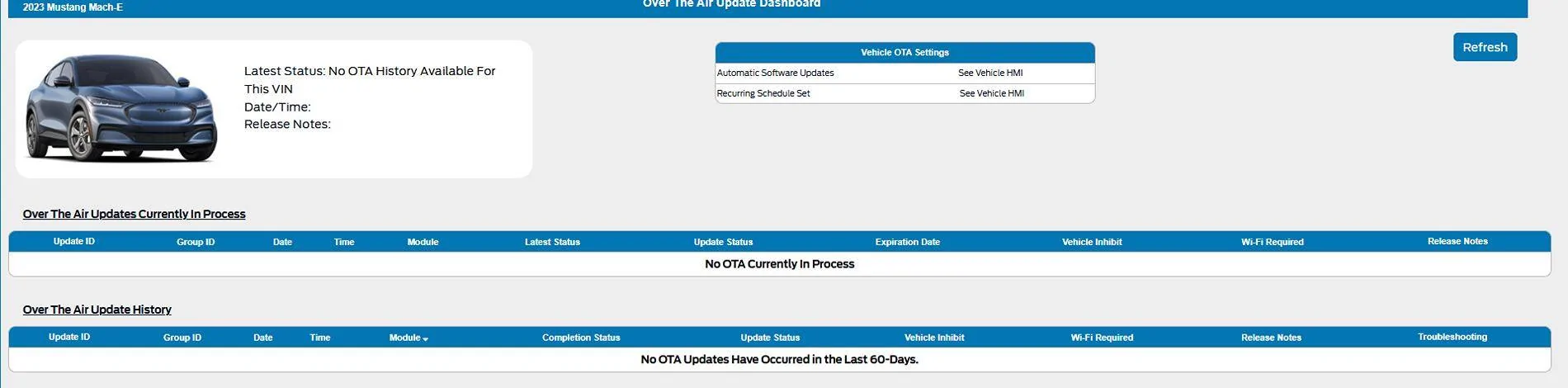
OTA history does not show any updates have been sent to the car recently. Your car is already on the latest Sync version and shows very little pending updates.

Ford Mustang Mach-E Sync Update: How do I know it happened? 1742074077178-sm


Glad to hear BC is working because I see nothing wrong with your car at all.
 
OP
OP

gcagora

Member
First Name
Mike
Joined
Feb 21, 2025
Threads
1
Messages
7
Reaction score
1
Location
USA
Vehicles
2023 Mustang Mach-E GTPE
Occupation
utility management
Thanks!!
Sponsored


Top