Ford Motor Company

Well-Known Member
Official Ford Account
First Name
Brian
Joined
May 10, 2021
Threads
68
Messages
3,455
Reaction score
6,529
Location
Michigan
Vehicles
Mustang Mach-E
Occupation
Real Human & Community Manager
Country flag
Hi Mustang Mach-E Owners –

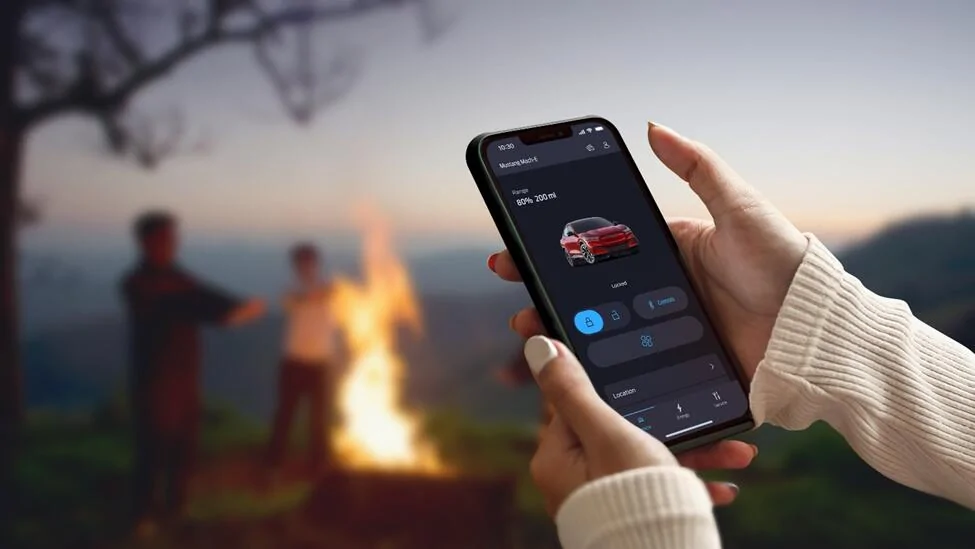
We’ve rolled out the newly designed FordPass® app to help you better manage your vehicle remotely, and we are continuing to deliver new enhancements! We wanted to let you know about the most recent updates – ‘Dark Mode’ and a new way to invite additional drivers to access your vehicle!


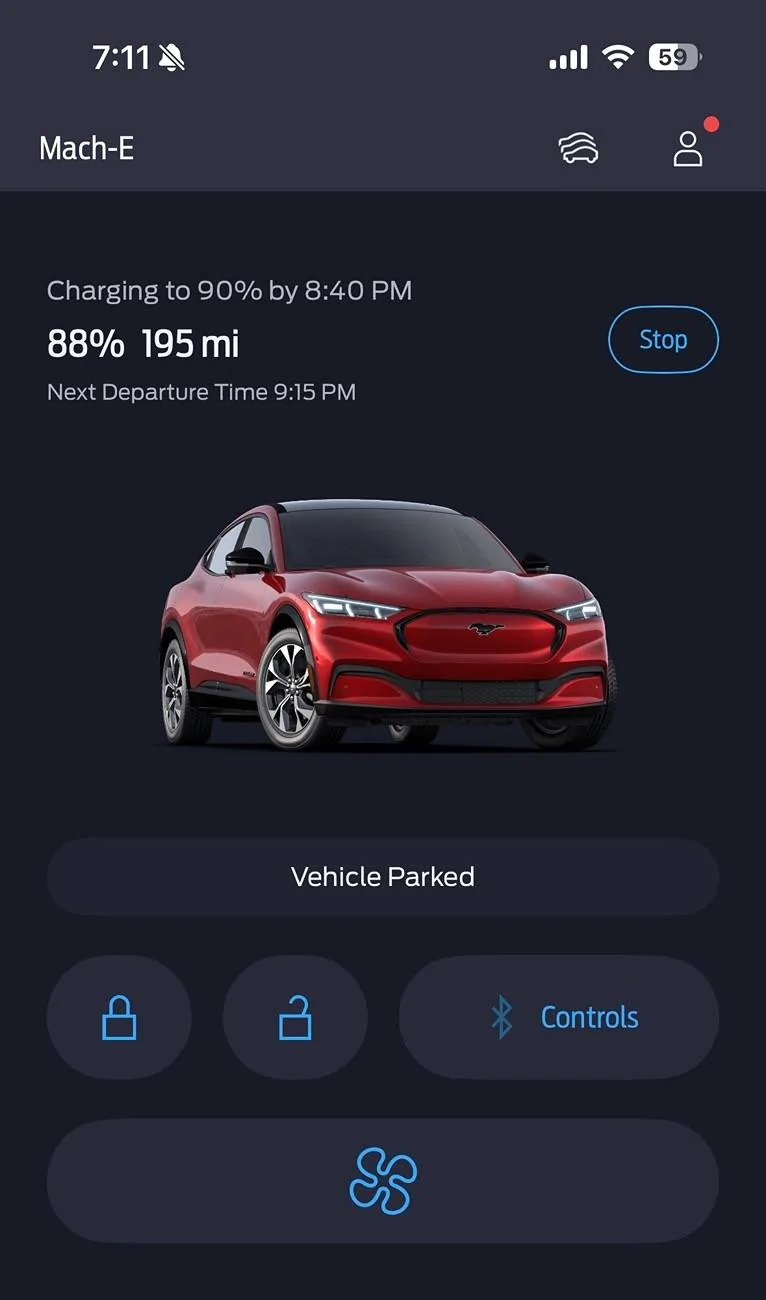
‘Dark Mode’: Ford customers with iOS devices will enjoy a sleek, new visual experience in the FordPass app called ‘Dark Mode’. The app’s interface can switch to a dark color scheme, using dark grays, blacks and muted colors for the background and text.

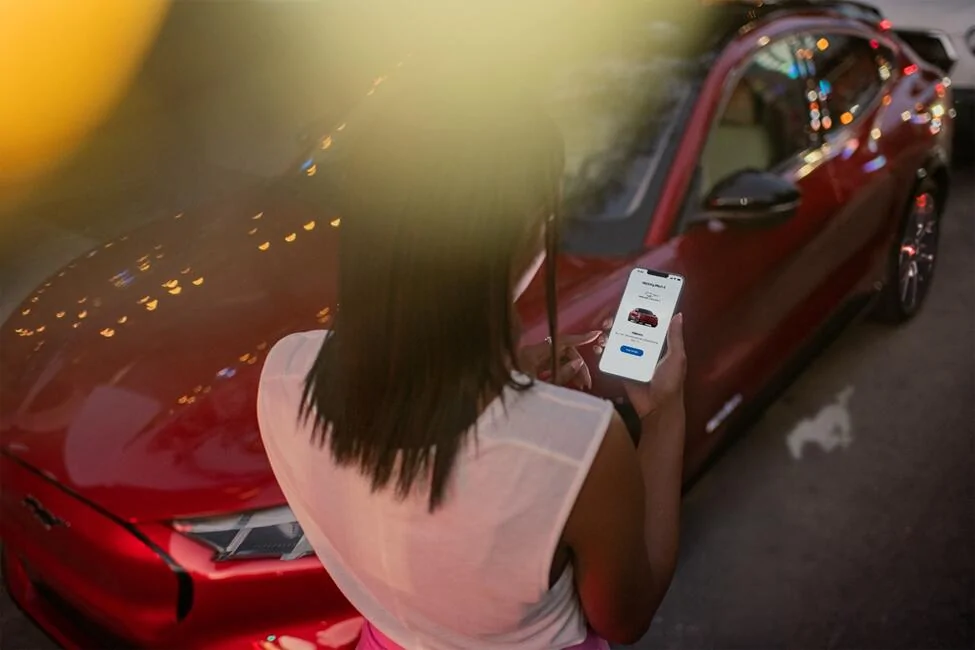
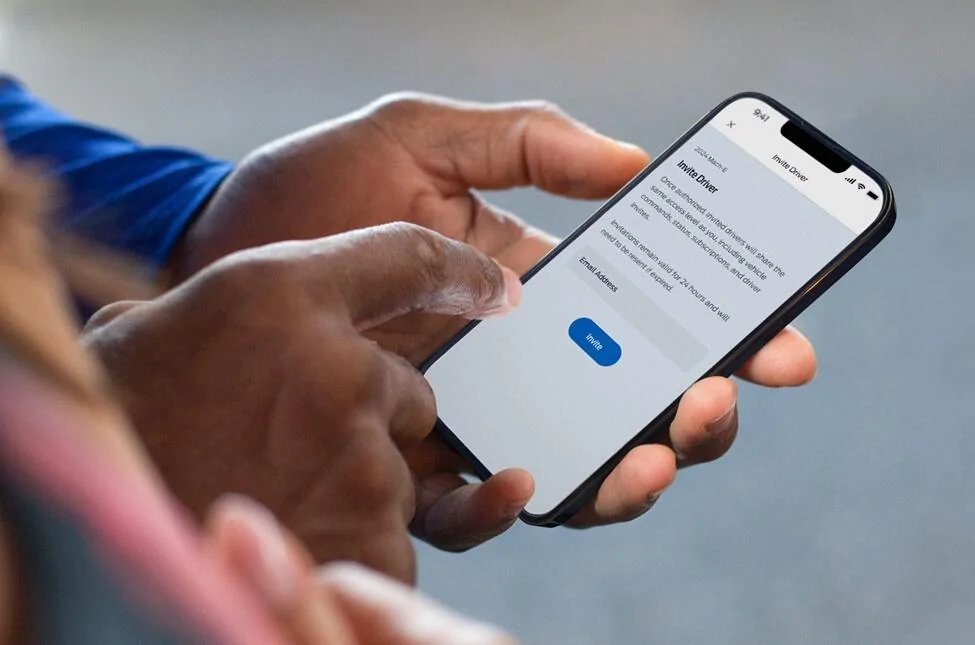
New Authorization: Ford customers using FordPass can now invite additional drivers such as friends and family to access their vehicle straight from the app for a more seamless experience. Previously, friends and family had to request access. Once friends and family have access, they can lock/unlock the vehicle, start the vehicle and view fuel/battery levels. Here is what you need to know:  

To invite a new user to access your vehicle:

  1. Open the FordPass app and tap Settings on the home screen
  2. Tap Vehicle Access
  3. Tap Invite at the top of the Vehicle Access page
  4. Enter the new user’s email address and send the invite
For the friend/family receiving the invite, they just have to:
  1. Download FordPass mobile app
  2. Create an account with the same email that the invitation was sent to
  3. Tap “Accept Invitation” in the invitation email
Let us know what you think and if you have any questions about FordPass!

Ford Mustang Mach-E FordPass Update - Dark Mode/New Authorization 1739978077644-t

Ford Mustang Mach-E FordPass Update - Dark Mode/New Authorization 1739978102169-8l

Ford Mustang Mach-E FordPass Update - Dark Mode/New Authorization 1739978112296-6t


-Brian, Not AI, from Ford
Sponsored


ThunderClap

Well-Known Member
First Name
Revanth
Joined
May 1, 2024
Threads
8
Messages
247
Reaction score
170
Location
Tennessee
Vehicles
MachE GT
Country flag
Hi Mustang Mach-E Owners –

We’ve rolled out the newly designed FordPass® app to help you better manage your vehicle remotely, and we are continuing to deliver new enhancements! We wanted to let you know about the most recent updates – ‘Dark Mode’ and a new way to invite additional drivers to access your vehicle!


‘Dark Mode’: Ford customers with iOS devices will enjoy a sleek, new visual experience in the FordPass app called ‘Dark Mode’. The app’s interface can switch to a dark color scheme, using dark grays, blacks and muted colors for the background and text.

New Authorization: Ford customers using FordPass can now invite additional drivers such as friends and family to access their vehicle straight from the app for a more seamless experience. Previously, friends and family had to request access. Once friends and family have access, they can lock/unlock the vehicle, start the vehicle and view fuel/battery levels. Here is what you need to know:  

To invite a new user to access your vehicle:

  1. Open the FordPass app and tap Settings on the home screen
  2. Tap Vehicle Access
  3. Tap Invite at the top of the Vehicle Access page
  4. Enter the new user’s email address and send the invite
For the friend/family receiving the invite, they just have to:
  1. Download FordPass mobile app
  2. Create an account with the same email that the invitation was sent to
  3. Tap “Accept Invitation” in the invitation email
Let us know what you think and if you have any questions about FordPass!

1739978077644-te.webp

1739978102169-8l.webp

1739978112296-6t.webp


-Brian, Not AI, from Ford

Can we get more siri shortcuts integration or even a single control for lock unlock to use for action button or more controls like remote start to map action button?
 

Deleted member 19354

Guest
Hi Mustang Mach-E Owners –

We’ve rolled out the newly designed FordPass® app to help you better manage your vehicle remotely, and we are continuing to deliver new enhancements! We wanted to let you know about the most recent updates – ‘Dark Mode’ and a new way to invite additional drivers to access your vehicle!


‘Dark Mode’: Ford customers with iOS devices will enjoy a sleek, new visual experience in the FordPass app called ‘Dark Mode’. The app’s interface can switch to a dark color scheme, using dark grays, blacks and muted colors for the background and text.

New Authorization: Ford customers using FordPass can now invite additional drivers such as friends and family to access their vehicle straight from the app for a more seamless experience. Previously, friends and family had to request access. Once friends and family have access, they can lock/unlock the vehicle, start the vehicle and view fuel/battery levels. Here is what you need to know:  

To invite a new user to access your vehicle:

  1. Open the FordPass app and tap Settings on the home screen
  2. Tap Vehicle Access
  3. Tap Invite at the top of the Vehicle Access page
  4. Enter the new user’s email address and send the invite
For the friend/family receiving the invite, they just have to:
  1. Download FordPass mobile app
  2. Create an account with the same email that the invitation was sent to
  3. Tap “Accept Invitation” in the invitation email
Let us know what you think and if you have any questions about FordPass!

1739978077644-te.jpg

1739978102169-8l.jpg

1739978112296-6t.jpg


-Brian, Not AI, from Ford
I may have r gotten this a few days ago. It’s sleek!
 

67 Stang Convertible

Well-Known Member
First Name
Rich
Joined
Jan 27, 2021
Threads
50
Messages
1,686
Reaction score
2,439
Location
Georgia, USA
Vehicles
1967 Mustang, 2013 Kia Optima, 2018 Kia Sportage
Occupation
Physician
Country flag
Hi Mustang Mach-E Owners –

We’ve rolled out the newly designed FordPass® app to help you better manage your vehicle remotely, and we are continuing to deliver new enhancements! We wanted to let you know about the most recent updates – ‘Dark Mode’ and a new way to invite additional drivers to access your vehicle!


‘Dark Mode’: Ford customers with iOS devices will enjoy a sleek, new visual experience in the FordPass app called ‘Dark Mode’. The app’s interface can switch to a dark color scheme, using dark grays, blacks and muted colors for the background and text.

New Authorization: Ford customers using FordPass can now invite additional drivers such as friends and family to access their vehicle straight from the app for a more seamless experience. Previously, friends and family had to request access. Once friends and family have access, they can lock/unlock the vehicle, start the vehicle and view fuel/battery levels. Here is what you need to know:  

To invite a new user to access your vehicle:

  1. Open the FordPass app and tap Settings on the home screen
  2. Tap Vehicle Access
  3. Tap Invite at the top of the Vehicle Access page
  4. Enter the new user’s email address and send the invite
For the friend/family receiving the invite, they just have to:
  1. Download FordPass mobile app
  2. Create an account with the same email that the invitation was sent to
  3. Tap “Accept Invitation” in the invitation email
Let us know what you think and if you have any questions about FordPass!

1739978077644-te.jpg

1739978102169-8l.jpg

1739978112296-6t.jpg


-Brian, Not AI, from Ford
Brian (Not AI).....How do you turn on "Dark Mode"?


bdeweese

Well-Known Member
First Name
Bob
Joined
Feb 9, 2025
Threads
3
Messages
116
Reaction score
92
Location
WA, USA
Vehicles
24 Mach-E Premium
It would appear it does indeed follow the phone settings. That said - and very grateful to have it - would be nice if Ford would add a switch to the app itself. Not all apps look good in one mode or the other. Many of us like to pick and choose which apps appear in dark mode vs those that do not.
 

Mach-Lee

Well-Known Member
First Name
Lee
Joined
Jul 16, 2021
Threads
262
Messages
11,344
Reaction score
24,964
Location
Wisconsin
Vehicles
2022 Mach-E Premium AWD
Occupation
Sci/Eng
Country flag
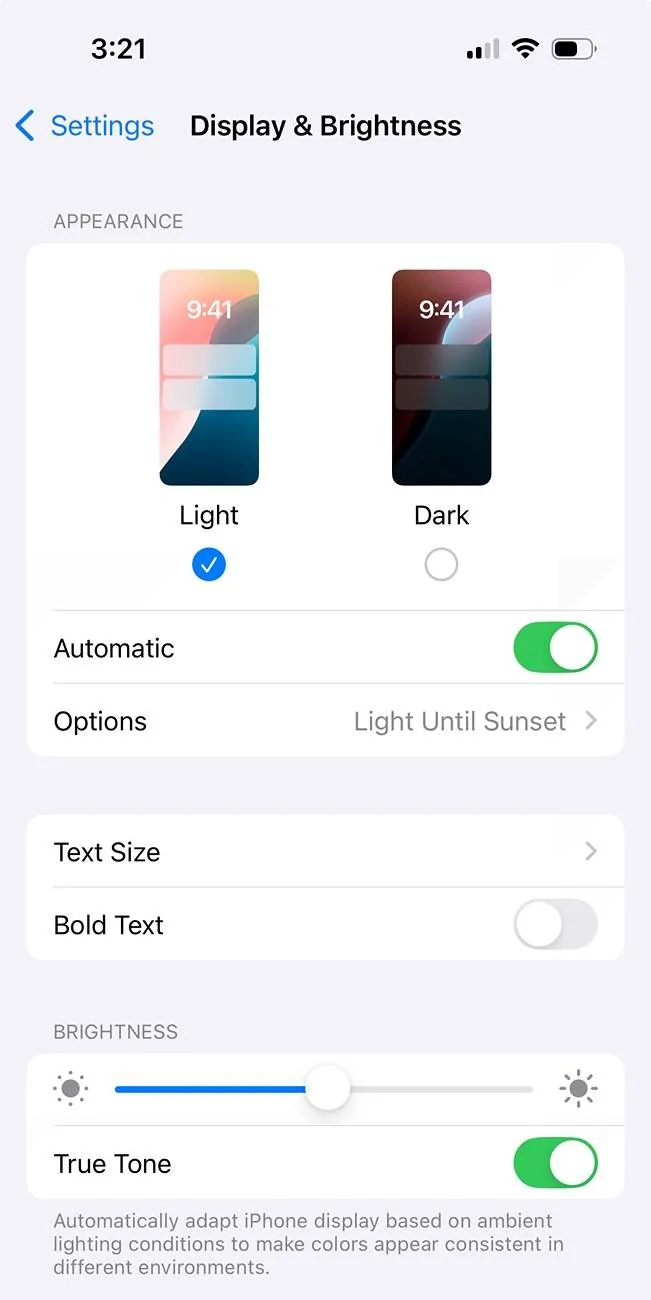
Light and dark mode can be configured in iOS settings. I personally have it set up to be light mode during the day and dark mode at night (automatic).

Ford Mustang Mach-E FordPass Update - Dark Mode/New Authorization IMG_0513


Ford Mustang Mach-E FordPass Update - Dark Mode/New Authorization IMG_0511
 

bdeweese

Well-Known Member
First Name
Bob
Joined
Feb 9, 2025
Threads
3
Messages
116
Reaction score
92
Location
WA, USA
Vehicles
24 Mach-E Premium
Agreed. Just to clarify, if an app relies on only the phone display settings, it limits your selection. For example, I have my phone set on auto dark/light mode - but have some apps I want to always be in dark mode. Can’t do that without a dark/light mode switch in the app. Not a deal breaker - and for sure there are a lot of other little items I’d prefer Ford work on ?
 

HuntingPudel

Well-Known Member
First Name
Steve
Joined
Mar 23, 2021
Threads
88
Messages
12,929
Reaction score
17,373
Location
Bay Area, CA
Vehicles
2024 MME GT with Performance Upgrade, 1979 Fire-Am, 1972 K/5 Blazer
Occupation
Engineering
Country flag
I don’t think I’m inviting the Borzoi up the street to drive my car. He can’t walk down the street without crashing into a tree or sign post. ??
 

GreaseMonkey

Well-Known Member
First Name
Steve
Joined
Oct 3, 2021
Threads
21
Messages
3,233
Reaction score
5,173
Location
Chicago, IL
Vehicles
24 Mach-E GT
Country flag
Hi Mustang Mach-E Owners –

We’ve rolled out the newly designed FordPass® app to help you better manage your vehicle remotely, and we are continuing to deliver new enhancements! We wanted to let you know about the most recent updates – ‘Dark Mode’ and a new way to invite additional drivers to access your vehicle!


‘Dark Mode’: Ford customers with iOS devices will enjoy a sleek, new visual experience in the FordPass app called ‘Dark Mode’. The app’s interface can switch to a dark color scheme, using dark grays, blacks and muted colors for the background and text.

New Authorization: Ford customers using FordPass can now invite additional drivers such as friends and family to access their vehicle straight from the app for a more seamless experience. Previously, friends and family had to request access. Once friends and family have access, they can lock/unlock the vehicle, start the vehicle and view fuel/battery levels. Here is what you need to know:  

To invite a new user to access your vehicle:

  1. Open the FordPass app and tap Settings on the home screen
  2. Tap Vehicle Access
  3. Tap Invite at the top of the Vehicle Access page
  4. Enter the new user’s email address and send the invite
For the friend/family receiving the invite, they just have to:
  1. Download FordPass mobile app
  2. Create an account with the same email that the invitation was sent to
  3. Tap “Accept Invitation” in the invitation email
Let us know what you think and if you have any questions about FordPass!

1739978077644-te.jpg

1739978102169-8l.jpg

1739978112296-6t.jpg


-Brian, Not AI, from Ford
Hey Brian, maybe add the 12v SoC for next update? That’d be swell. The bot “agent” is claiming that Ford is “unaware of 12v issues” with the Mach-Es. So I’d like to inform the human instead.
 

music_cities

Well-Known Member
Joined
Nov 7, 2023
Threads
53
Messages
671
Reaction score
679
Location
Calgary, Canada
Vehicles
Mach E 2022 GT
Country flag
Happy to see FordPass continuing to evolve. I just wish it would take a backwards step to where we can plan trips again, and send those trips to Connected Navigation. I really don't want to sit in my car in the garage just to plan out tomorrow's trip. I loved being able to do it from my phone, e.g. in my living room, bedroom, or hotel room.
 

G. Oliver

Member
First Name
Oliver
Joined
Jan 31, 2025
Threads
1
Messages
6
Reaction score
4
Location
NC
Vehicles
2024 Mach E
Happy to see FordPass continuing to evolve. I just wish it would take a backwards step to where we can plan trips again, and send those trips to Connected Navigation. I really don't want to sit in my car in the garage just to plan out tomorrow's trip. I loved being able to do it from my phone, e.g. in my living room, bedroom, or hotel room.
I agree with this request.


Top