
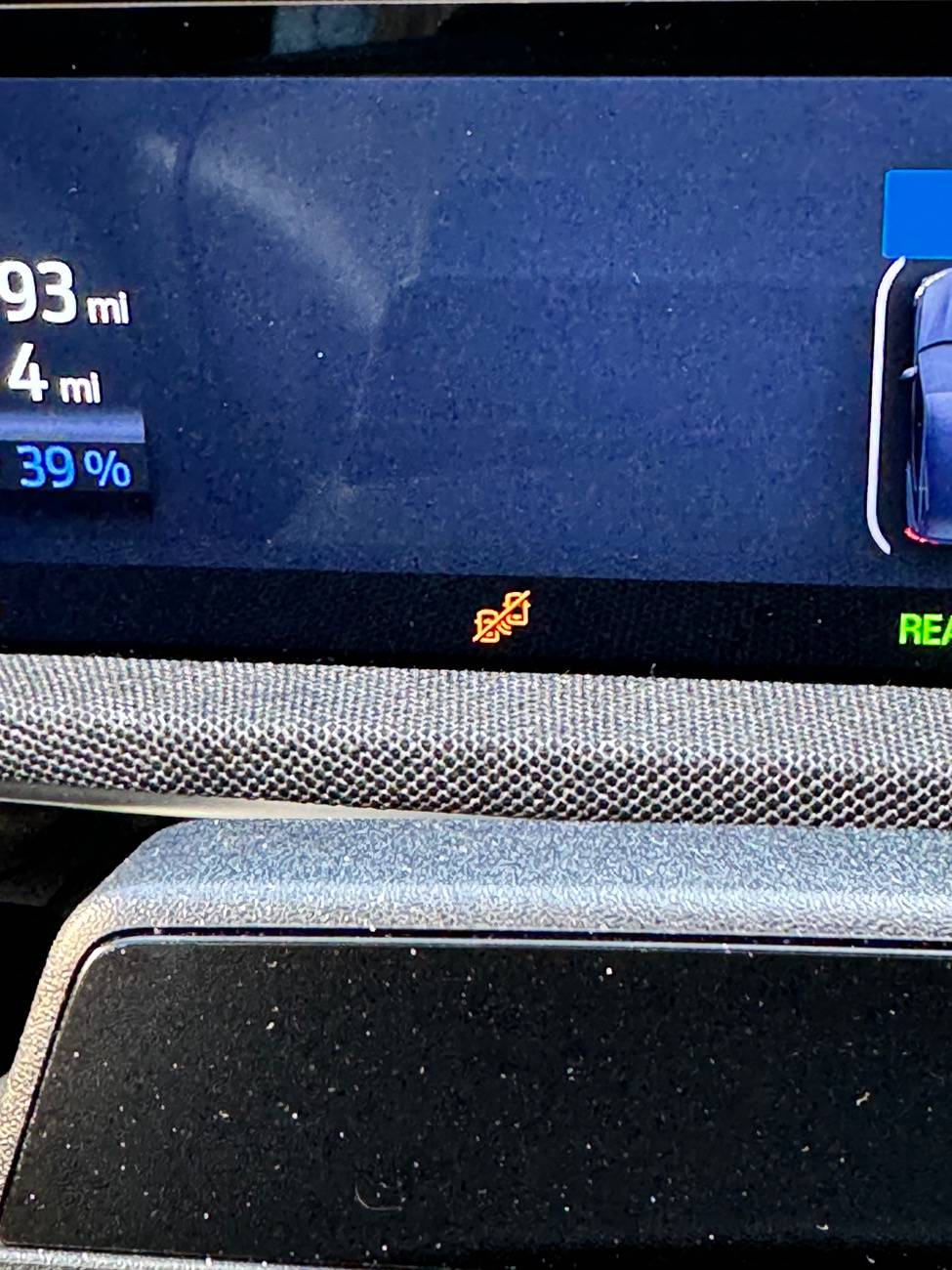
What do these icons mean? Do they suggest something dangerous? 2022 MME
kennelh
Well-Known Member
- First Name
- Louise and Ken
- Joined
- Nov 28, 2019
- Threads
- 13
- Messages
- 1,188
- Reaction score
- 1,378
- Location
- Northern California
- Vehicles
- J1 '21 Premium Ex RWD (Rapid Red)

Edit : It's for blind spot monitoring. Not sure if it means it's active or not
kennelh
Well-Known Member
- First Name
- Louise and Ken
- Joined
- Nov 28, 2019
- Threads
- 13
- Messages
- 1,188
- Reaction score
- 1,378
- Location
- Northern California
- Vehicles
- J1 '21 Premium Ex RWD (Rapid Red)
I edited my prior post. It may just indicate it's active. If it is, you'll see an indicator in the side mirrors when there's something in your blind spot.How can I enable it?

Kamuelaflyer
Well-Known Member
- First Name
- Bill
- Joined
- Feb 18, 2020
- Threads
- 11
- Messages
- 11,361
- Reaction score
- 22,950
- Location
- Hawaii
- Vehicles
- 2021 Premium Infinite Blue. ER AWD. 2020 Raptor, 2021 Ranger.
The slash should indicate it’s off.
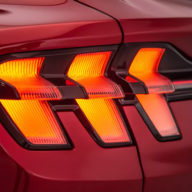
Go to the back of your car near the turn signals and look for the sensor on each side. Check for damage and clean them both (both sides). Then go to settings and look for blind spot monitoring in the driver assistance category. Turn them on if they’re off. If they’re on, turn them off, wait just a bit and turn them back on.
If all that fails, call a decent dealer.
Go to the back of your car near the turn signals and look for the sensor on each side. Check for damage and clean them both (both sides). Then go to settings and look for blind spot monitoring in the driver assistance category. Turn them on if they’re off. If they’re on, turn them off, wait just a bit and turn them back on.
If all that fails, call a decent dealer.
SLowe
Member
- Thread starter
- #6
Thank you. I’ll try that tomorrow.The slash should indicate it’s off.
Go to the back of your car near the turn signals and look for the sensor on each side. Check for damage and clean them both (both sides). Then go to settings and look for blind spot monitoring in the driver assistance category. Turn them on if they’re off. If they’re on, turn them off, wait just a bit and turn them back on.
If all that fails, call a decent dealer.

Babbit
Well-Known Member
- Joined
- Mar 10, 2024
- Threads
- 6
- Messages
- 159
- Reaction score
- 126
- Location
- West Michigan
- Vehicles
- 2023 Prem 4X
Click on their name in their profile. Then you can click "Start Conversation" that will start a private message.Thanks for the good advice.
I don’t know how to PM them..
SLowe
Member
- Thread starter
- #14
Thank you. I cleaned them.The slash should indicate it’s off.
Go to the back of your car near the turn signals and look for the sensor on each side. Check for damage and clean them both (both sides). Then go to settings and look for blind spot monitoring in the driver assistance category. Turn them on if they’re off. If they’re on, turn them off, wait just a bit and turn them back on.
If all that fails, call a decent dealer.
Checked the settings and It was turned off.
I turned it on and the icons went away.
Kamuelaflyer
Well-Known Member
- First Name
- Bill
- Joined
- Feb 18, 2020
- Threads
- 11
- Messages
- 11,361
- Reaction score
- 22,950
- Location
- Hawaii
- Vehicles
- 2021 Premium Infinite Blue. ER AWD. 2020 Raptor, 2021 Ranger.
By chance has the car received an OTA update? Perhaps just before this behavior sty?Thank you. I cleaned them.
Checked the settings and It was turned off.
I turned it on and the icons went away.
Sponsored
Similar threads


- Replies
- 14
- Views
- 3,402
