generaltso
Well-Known Member
- Joined
- Jun 24, 2020
- Threads
- 76
- Messages
- 15,389
- Reaction score
- 28,696
- Location
- Vermont
- Vehicles
- 2024 Kia EV9 GT-Line

Huh?The pre-sets seem impossible.
Sponsored
Huh?The pre-sets seem impossible.
Confirmed (except the last one).Can someone confirm 3 things for me:
1. 6 rows of Sirius do not hold and reset back to 3/default.
2. Audio settings for treble, bass and midrange default back to factory settings.
3. occasionally key not found message when I have my phone connected to the Mache through Bluetooth and Appleplay.
lastly, I always have to confirm on my phone that I’m not driving

I got around #2 by turning Personal Profiles OFF. Seems to be a problem with profiles not fully loading when starting the car. Turning them off just leaves all such settings where they last were (meaning they just stay that way and don't revert back).Can someone confirm 3 things for me:
1. 6 rows of Sirius do not hold and reset back to 3/default.
2. Audio settings for treble, bass and midrange default back to factory settings.
3. occasionally key not found message when I have my phone connected to the Mache through Bluetooth and Appleplay.
lastly, I always have to confirm on my phone that I’m not driving
I agree! You damn sure don’t do anything when driving. My only complaint on my Mach e is the cluster f**k interface screenthe skip forward and back function cycles through a bunch of stations I’ve no interest in. I wish I could delete them. I’ve had Sirius in my cars since 2007. This is the worst interface I’ve ever seen. Is there a way to clear memory?

I've got 3 rows set on mine. The Next/Prev buttons on the steering wheel rotate through all 3 lines (15 stations) just as expected. Including looping around from #15 to #1 at the end.What’s kind of crazy, is that even though i have 6 rows of presets programmed, if you use the next preset channel it only goes thru the rows you can see, would be nice if it went thru all them Even if it only shows 1 row on the screen.

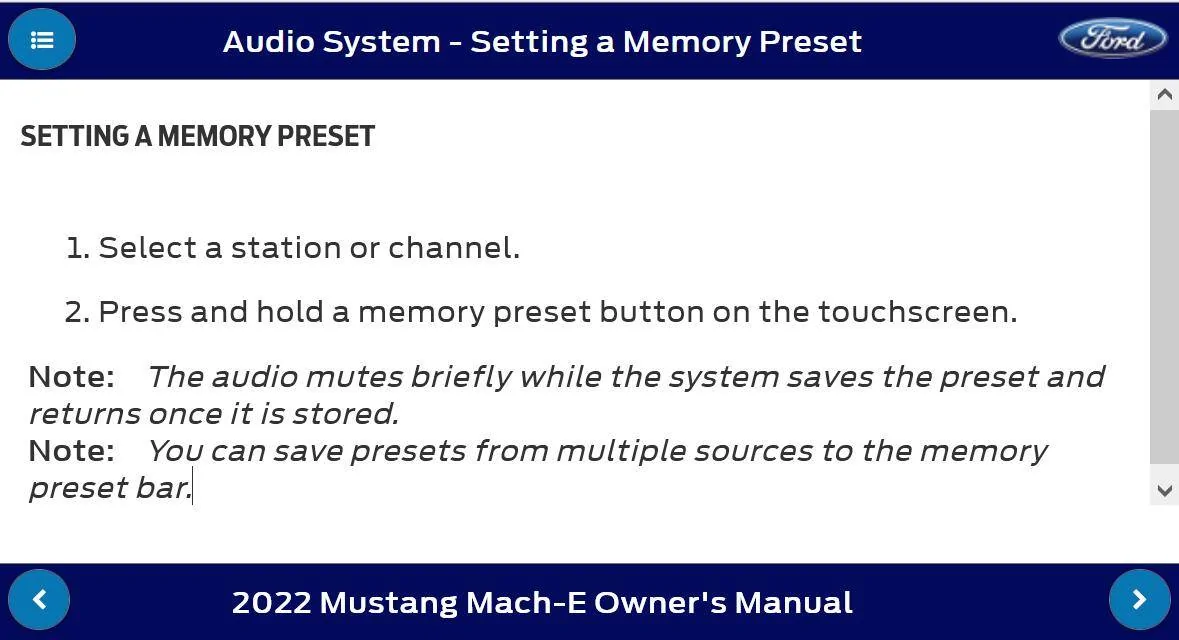
Thank you!! I was having difficulty figuring this out. Too bad it's not in the manual.Tune to the station you want and then hold in the preset location you want to save it to.

Turns out it is in the manual.Thank you!! I was having difficulty figuring this out. Too bad it's not in the manual.