
Update turns off connectivity

Recon228

New Member
First Name
Wallace
Joined
Aug 6, 2022
Threads
2
Messages
4
Reaction score
0
Location
Texas
Vehicles
22 Mach-e gt Performance
Country flag
I just got an Alexa update. FordPass says the update is successful but my vehicle says I need to turn on my connectivity. My WiFi is off and can’t be toggled on! Please advise.
Sponsored

 

SnBGC

Well-Known Member
First Name
Greg
Joined
Apr 20, 2020
Threads
46
Messages
5,962
Reaction score
9,778
Location
Phoenix
Vehicles
2021 Mach-E FE, 2021 Wrangler 4xe High Altitude
Occupation
Manager
Country flag
Hope you have your fob handy.
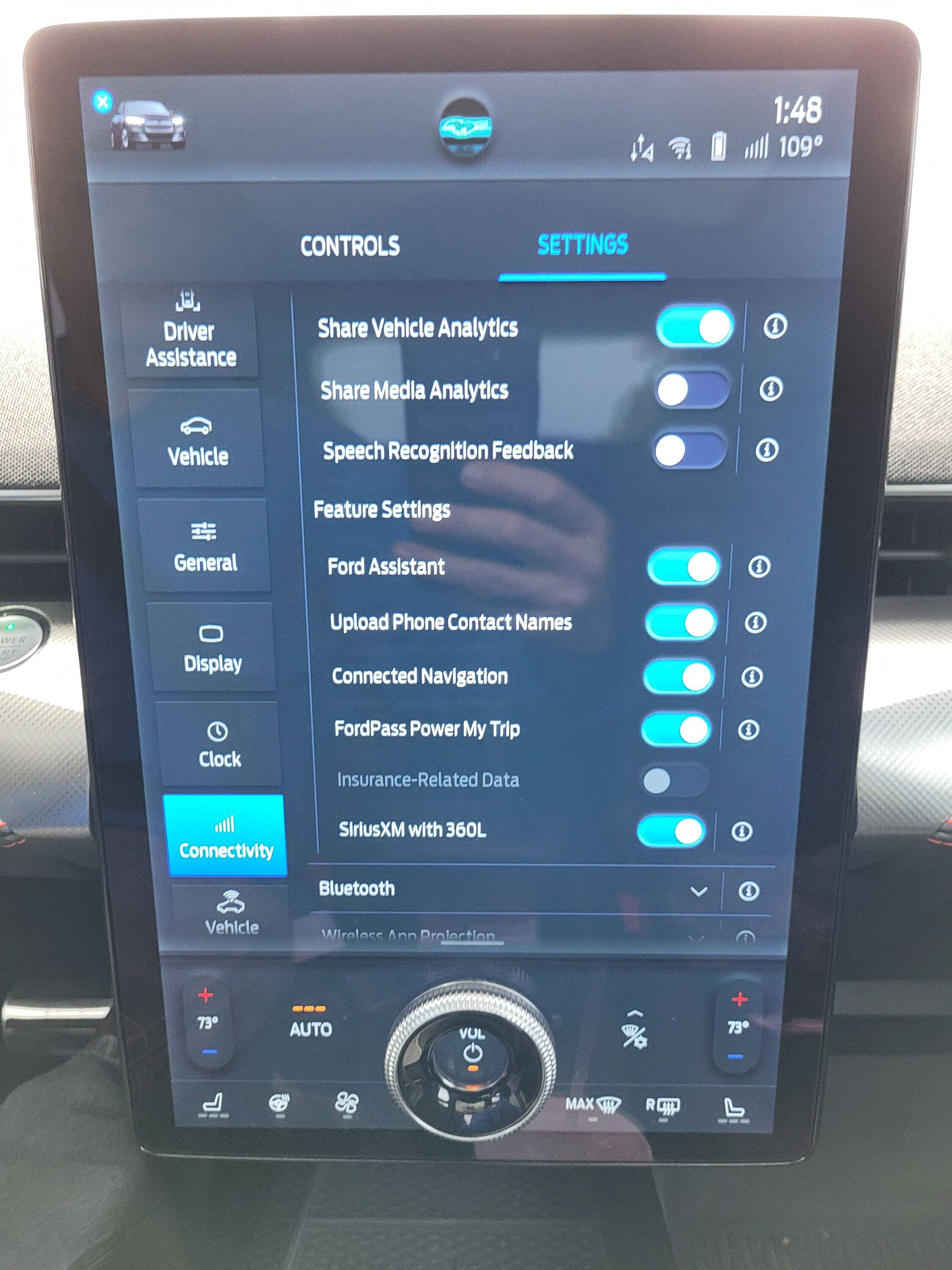
Go to the Sync screen and touch the little car in upper left. Then Settings and then drag the tiles on the left up until you see Connectivity. Then enable.
You may need to expand the list and enable each of the items in the sub menu one by one.

Ford Mustang Mach-E Update turns off connectivity 20220812_134808
 
OP
OP

Recon228

New Member
First Name
Wallace
Joined
Aug 6, 2022
Threads
2
Messages
4
Reaction score
0
Location
Texas
Vehicles
22 Mach-e gt Performance
Country flag
I have tried to toggle connectivity on and off, no go. Wi-Fi will not toggle on but I have the Wi-Fi icon at the upper right of my sync screen?
 

SnBGC

Well-Known Member
First Name
Greg
Joined
Apr 20, 2020
Threads
46
Messages
5,962
Reaction score
9,778
Location
Phoenix
Vehicles
2021 Mach-E FE, 2021 Wrangler 4xe High Altitude
Occupation
Manager
Country flag
I have tried to toggle connectivity on and off, no go. Wi-Fi will not toggle on but I have the Wi-Fi icon at the upper right of my sync screen?
Sounds stuck. Give it a bit. If your FordPass is communicating with the car then I presume it's connected.
 

Mach-Lee

Well-Known Member
First Name
Lee
Joined
Jul 16, 2021
Threads
262
Messages
11,344
Reaction score
24,965
Location
Wisconsin
Vehicles
2022 Mach-E Premium AWD
Occupation
Sci/Eng
Country flag
I just got an Alexa update. FordPass says the update is successful but my vehicle says I need to turn on my connectivity. My WiFi is off and can’t be toggled on! Please advise.
Reboot SYNC, that should fix that error.
Sponsored


Top
