What have you 3d Printed?

awp0

Well-Known Member
First Name
Aaron
Joined
Jul 23, 2022
Threads
13
Messages
973
Reaction score
1,216
Location
boston, ma
Vehicles
MME Premium AWD ER
Country flag
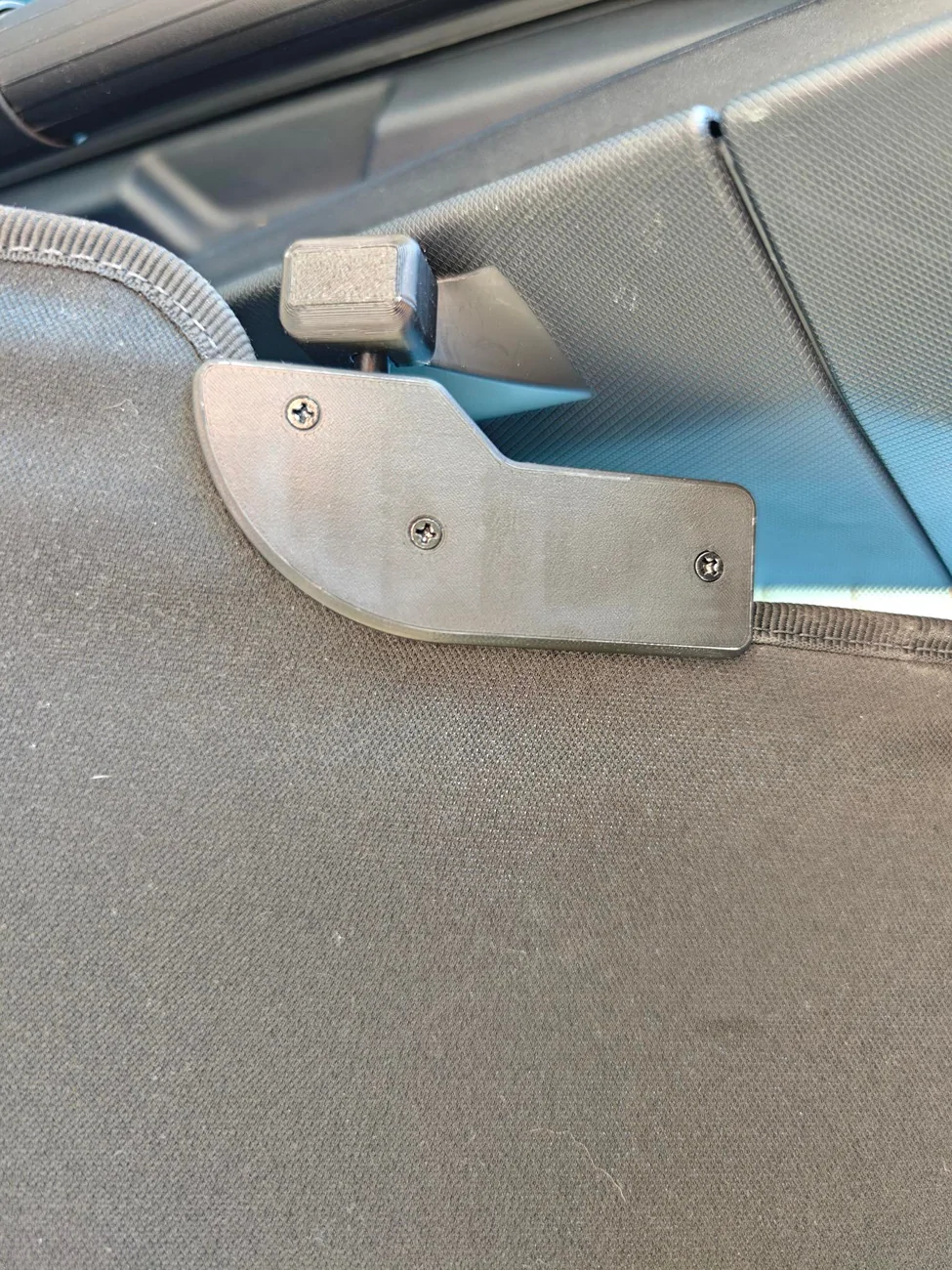
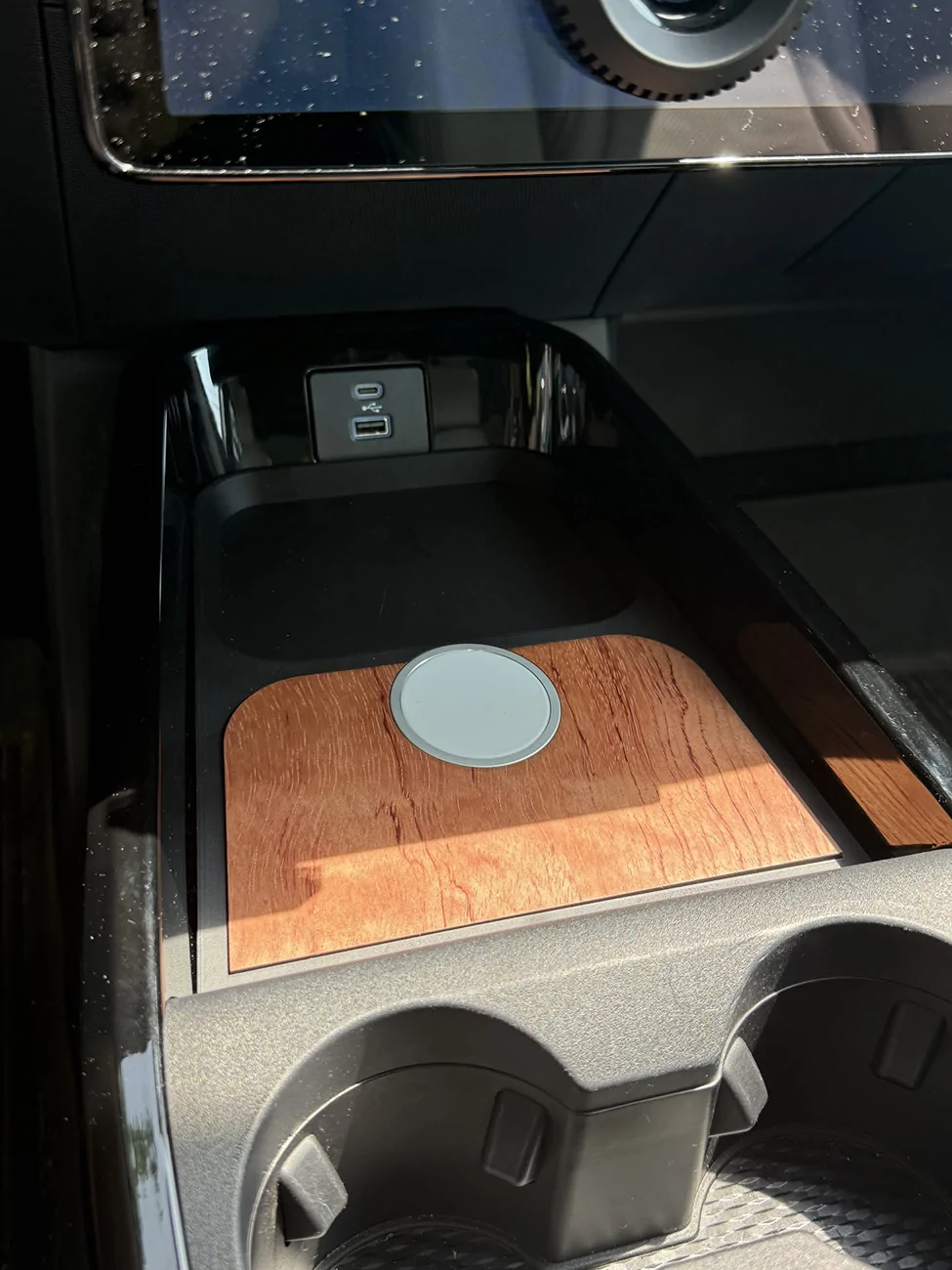
3D printed tray in ASA-GF, with a laser cut wood inlay. The wireless charger is quite fast with a very strong magnetic hold. Designed in OnShape, and assembled with double-sided tape. The USB-C charger connects into the console 12V accessory outlet harness (using a plug-and-play splitter and a cheap 12v-to-USBC module). I removed the factory wireless charger module altogether.

Ford Mustang Mach-E What have you 3d Printed? 1754945176650-gg
Sponsored


Creaky

Well-Known Member
Joined
Jul 23, 2021
Threads
5
Messages
123
Reaction score
166
Location
Netherlands
Vehicles
2025 MME RWD SR
Occupation
Anything with a plug on it...
Country flag

Creaky

Well-Known Member
Joined
Jul 23, 2021
Threads
5
Messages
123
Reaction score
166
Location
Netherlands
Vehicles
2025 MME RWD SR
Occupation
Anything with a plug on it...
Country flag

Creaky

Well-Known Member
Joined
Jul 23, 2021
Threads
5
Messages
123
Reaction score
166
Location
Netherlands
Vehicles
2025 MME RWD SR
Occupation
Anything with a plug on it...
Country flag
Thank you for this!

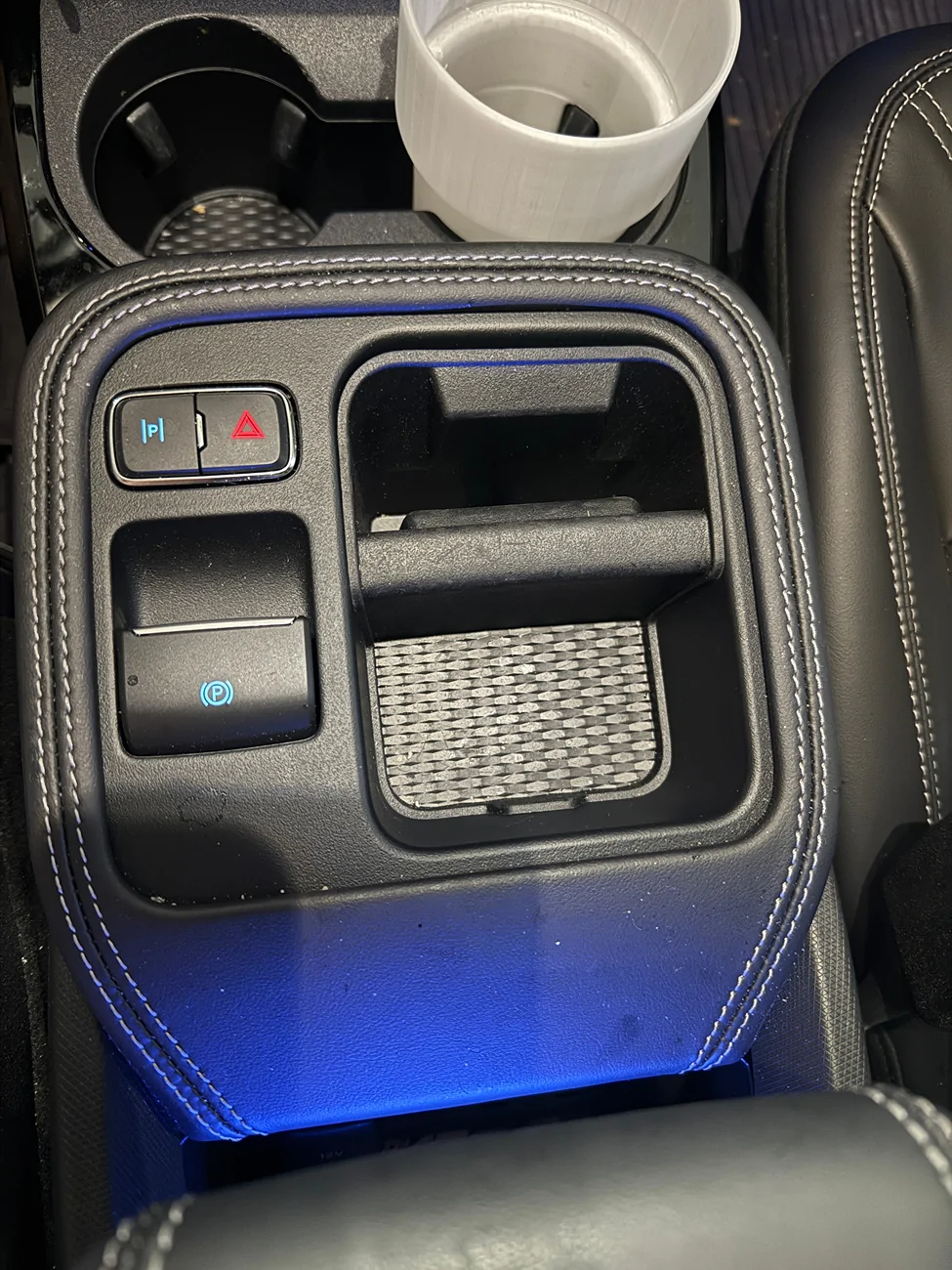
I am a new 25 Premium Mach E owner and new to 3D printing having recently bought a Bambu X1C. What I would to have is a spot for a 3rd bottle holder, specifically a 20 oz soda bottle holder. My idea is to design a holder that would fit in the front opening here, which I am not sure what this spot is suppose to be for, but its where I currently place my phone when its not on the mat charing. But I think this would be a great spot for my bottle of diet Coke :) I do not know where to begin to create my idea but would love suggestions. Below is the photo of hte location.
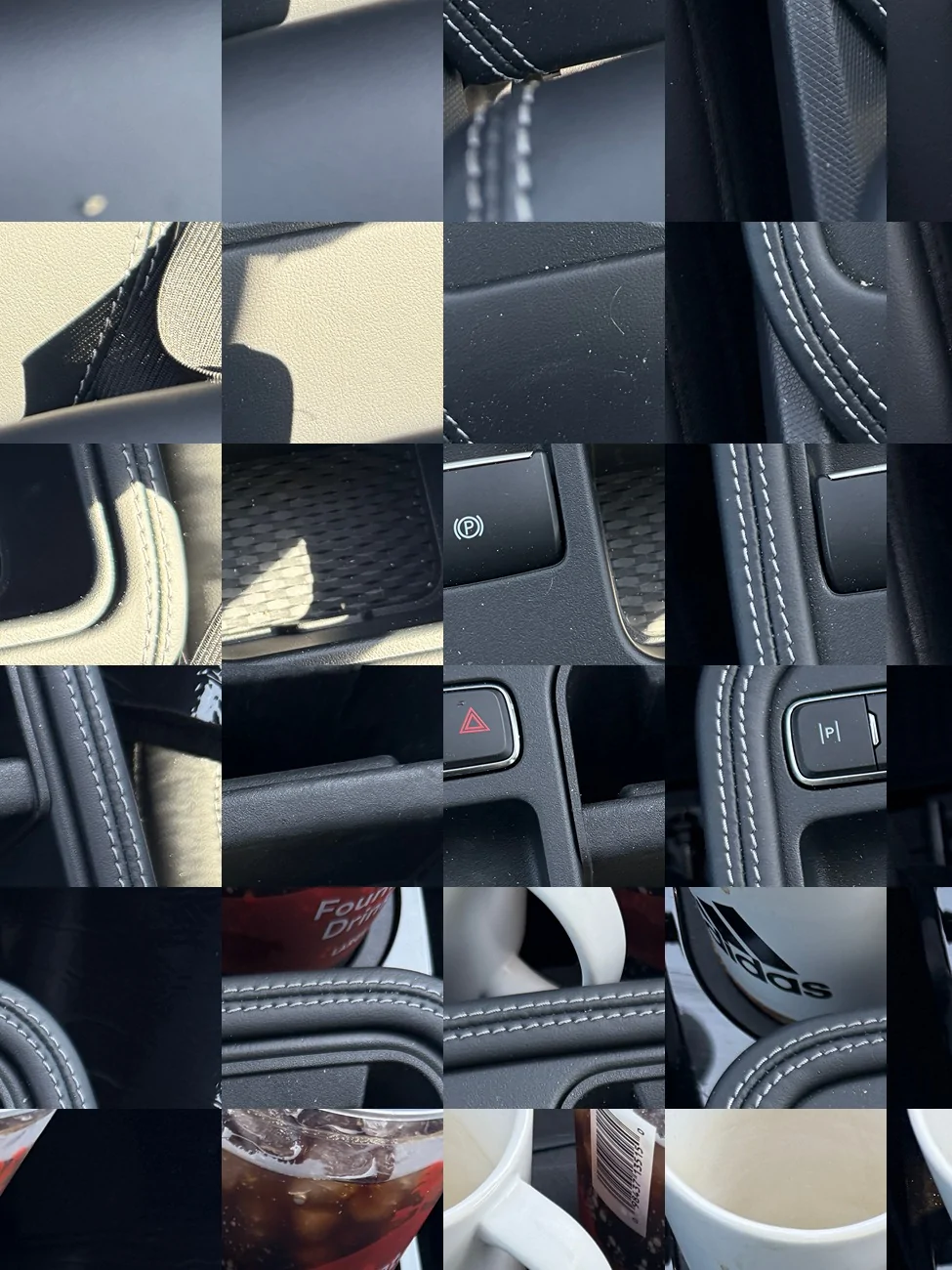
IMG_9901 (1).JPG
I will get my 2025 mme next week and will be able to take direct measurements and model stuff. But your photo is mangled so I have no idea what you need 😄
 

odrunr

Member
First Name
Wayne Gilmore
Joined
Apr 17, 2025
Threads
2
Messages
13
Reaction score
3
Location
Parsons, KS
Vehicles
Mach E Premium
Occupation
Optomtrist
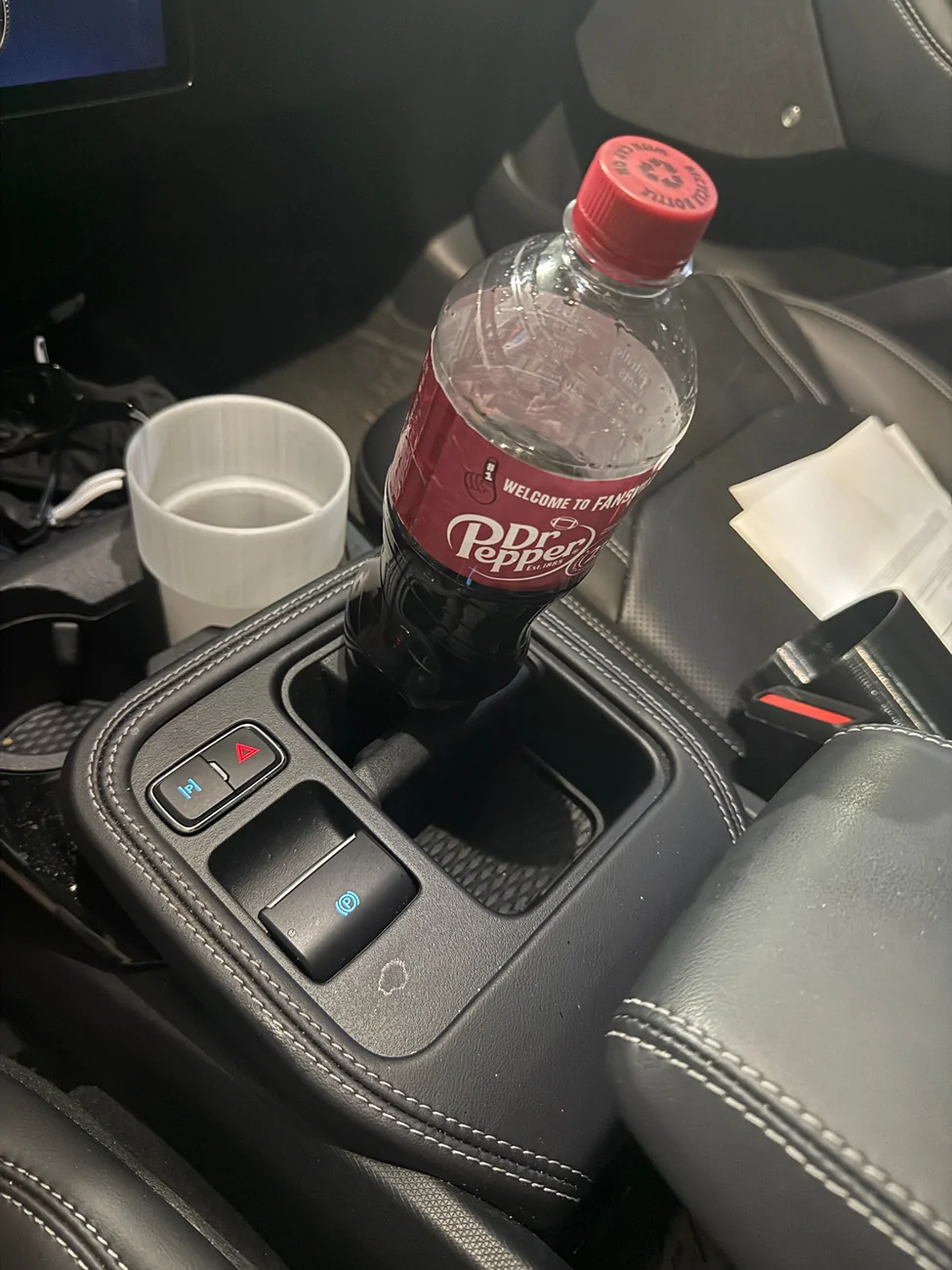
I designed and printed this front cupholder adapter for my Mach-E so that I could use my larger diameter Hydro Flask and Nalgene bottles. I've been using it for 2+ years without issue. This design allows for skinnier tall bottles and cups to still fit into the cupholder so you don't have to remove the adapter. You can also put the adapter in either side of the cupholder. The attached zip file contains the .stp file for this adapter.
1712076024190-qe.jpg
This is such an outstanding design. I printed the one I first say on Bambu and its ok, but this one is far superior, IMO. Thank you! However, i printed it in PLA initially because that is all I had.

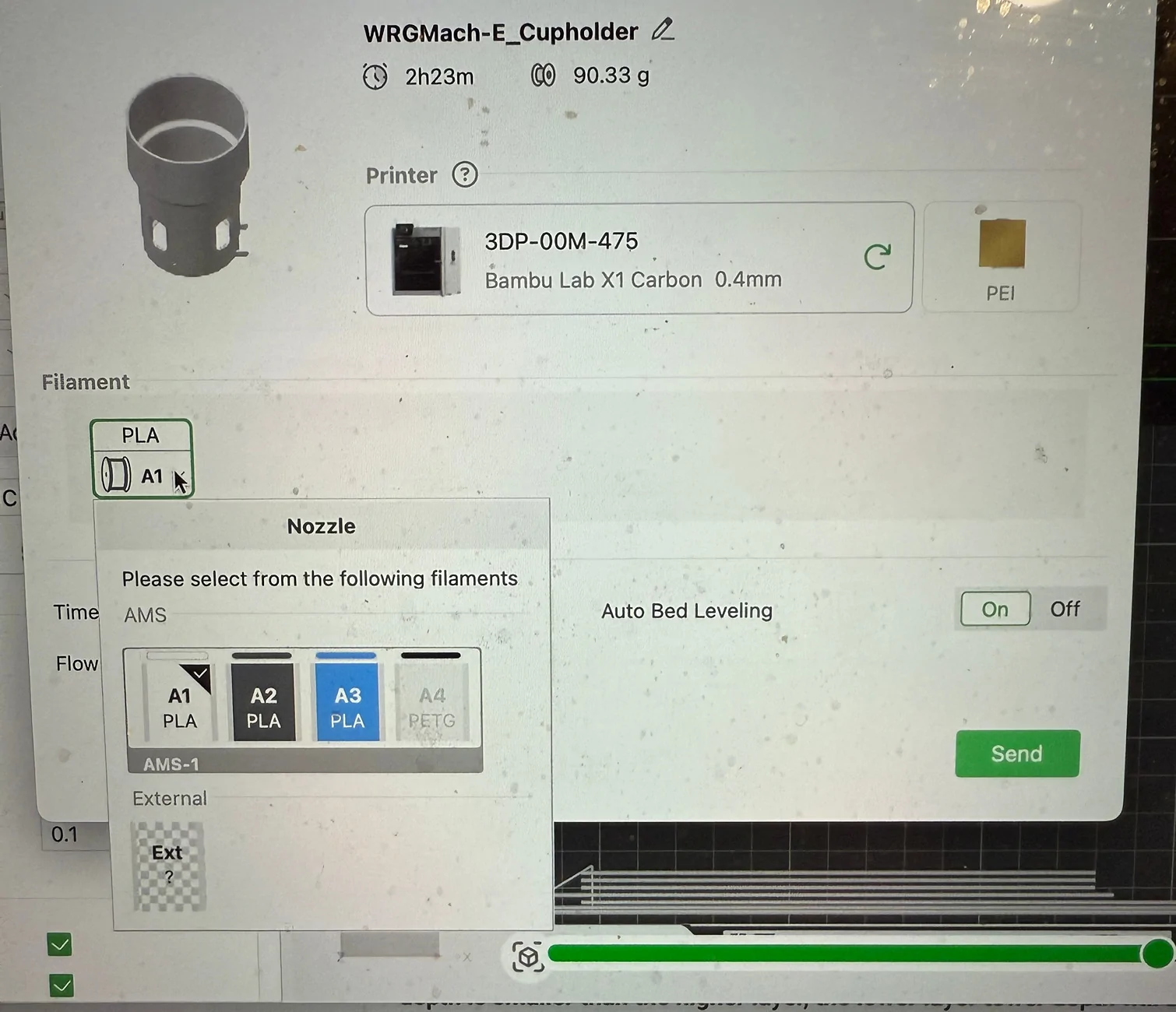
Nowi am wanting to print two in PETG, but for some reason when I am about to print and select my filament, it will only allow me to select PLY for my Bambu X1C. I am obviously a novice ,and am certain its some box not clicked but I cannot figure it out. I am using Bambu Studio, and have printed several items and this is the first time I have had this issue. Thank you.


Creaky

Well-Known Member
Joined
Jul 23, 2021
Threads
5
Messages
123
Reaction score
166
Location
Netherlands
Vehicles
2025 MME RWD SR
Occupation
Anything with a plug on it...
Country flag
Do you use an AMS?
Have you specified on the printer that you have loaded PETG in the slot in question?
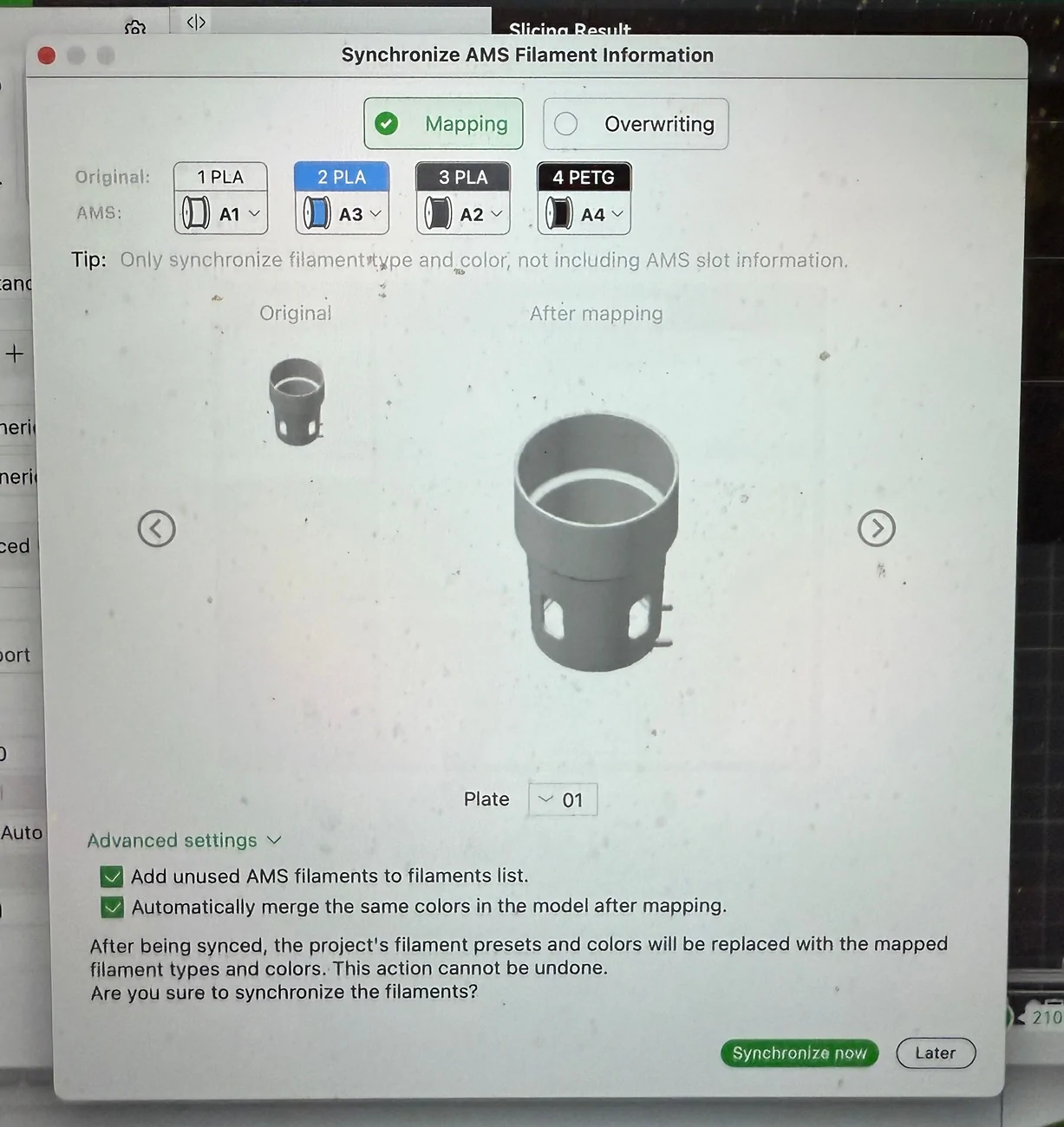
Also make sure that you have synchronized the AMS data in Studio.
 

odrunr

Member
First Name
Wayne Gilmore
Joined
Apr 17, 2025
Threads
2
Messages
13
Reaction score
3
Location
Parsons, KS
Vehicles
Mach E Premium
Occupation
Optomtrist
I will get my 2025 mme next week and will be able to take direct measurements and model stuff. But your photo is mangled so I have no idea what you need 😄
I am sorry -- I had no idea I messed up those photos. This is what I am talking about. something that will fit in this hole to hold a 20 oz soda bottle.

Ford Mustang Mach-E What have you 3d Printed? IMG_0477


Ford Mustang Mach-E What have you 3d Printed? IMG_0478
 

Creaky

Well-Known Member
Joined
Jul 23, 2021
Threads
5
Messages
123
Reaction score
166
Location
Netherlands
Vehicles
2025 MME RWD SR
Occupation
Anything with a plug on it...
Country flag
Ah now I see what you mean. I will have a look but I believe that when you pull out the rubber part that there might not be enough room to accommodate a soda bottle...
 

odrunr

Member
First Name
Wayne Gilmore
Joined
Apr 17, 2025
Threads
2
Messages
13
Reaction score
3
Location
Parsons, KS
Vehicles
Mach E Premium
Occupation
Optomtrist
Do you use an AMS?
Have you specified on the printer that you have loaded PETG in the slot in question?
Also make sure that you have synchronized the AMS data in Studio.
I do, and I have synced -- Hopefully these photos will show my error.

Ford Mustang Mach-E What have you 3d Printed? IMG_0479


Ford Mustang Mach-E What have you 3d Printed? IMG_0480


Ford Mustang Mach-E What have you 3d Printed? IMG_0481


Ford Mustang Mach-E What have you 3d Printed? IMG_0482
 

odrunr

Member
First Name
Wayne Gilmore
Joined
Apr 17, 2025
Threads
2
Messages
13
Reaction score
3
Location
Parsons, KS
Vehicles
Mach E Premium
Occupation
Optomtrist
Ah now I see what you mean. I will have a look but I believe that when you pull out the rubber part that there might not be enough room to accommodate a soda bottle...
There is but it not level ,etc.
 

Creaky

Well-Known Member
Joined
Jul 23, 2021
Threads
5
Messages
123
Reaction score
166
Location
Netherlands
Vehicles
2025 MME RWD SR
Occupation
Anything with a plug on it...
Country flag
I do, and I have synced -- Hopefully these photos will show my error.

IMG_0479.webp


IMG_0482.webp
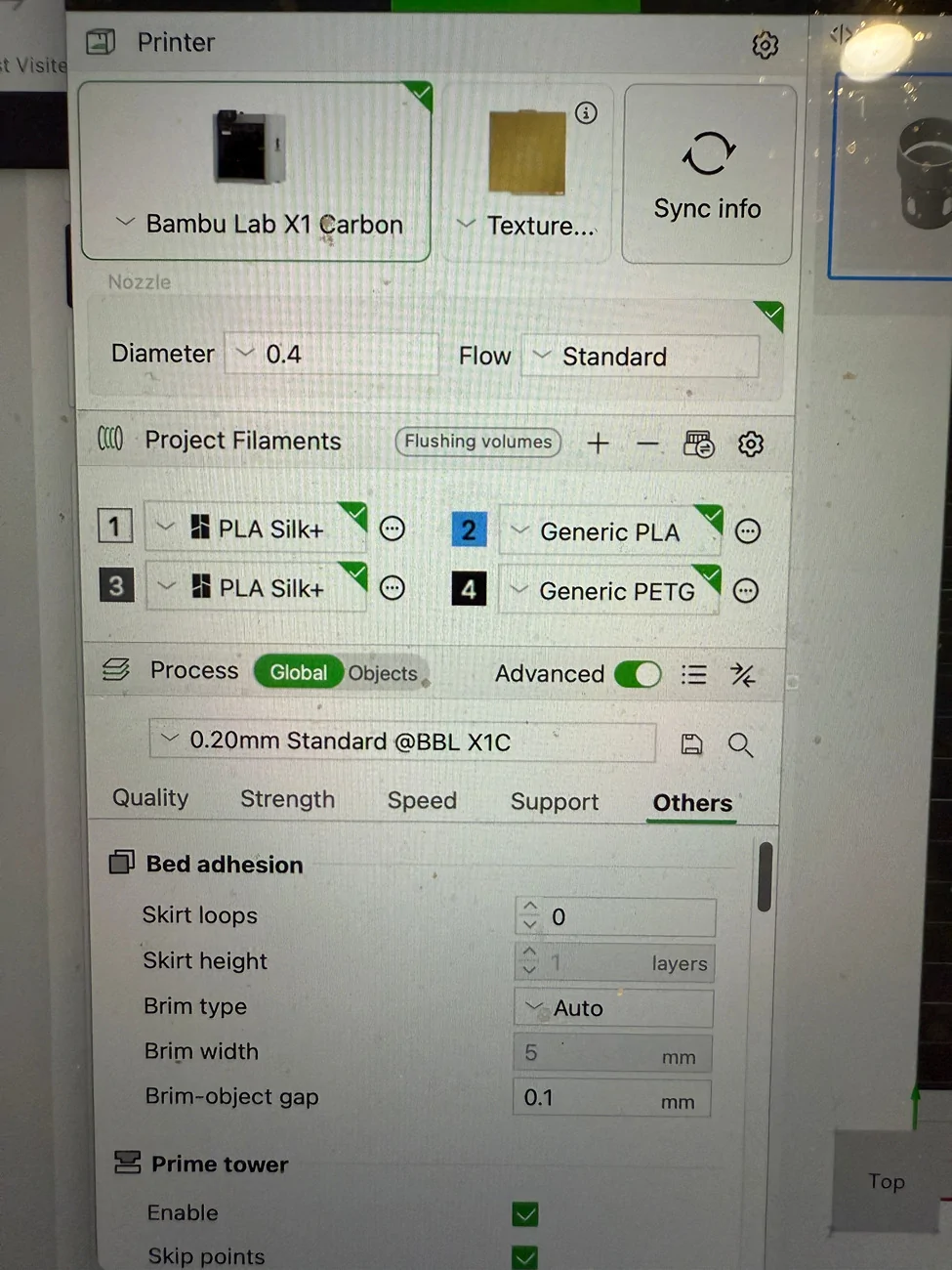
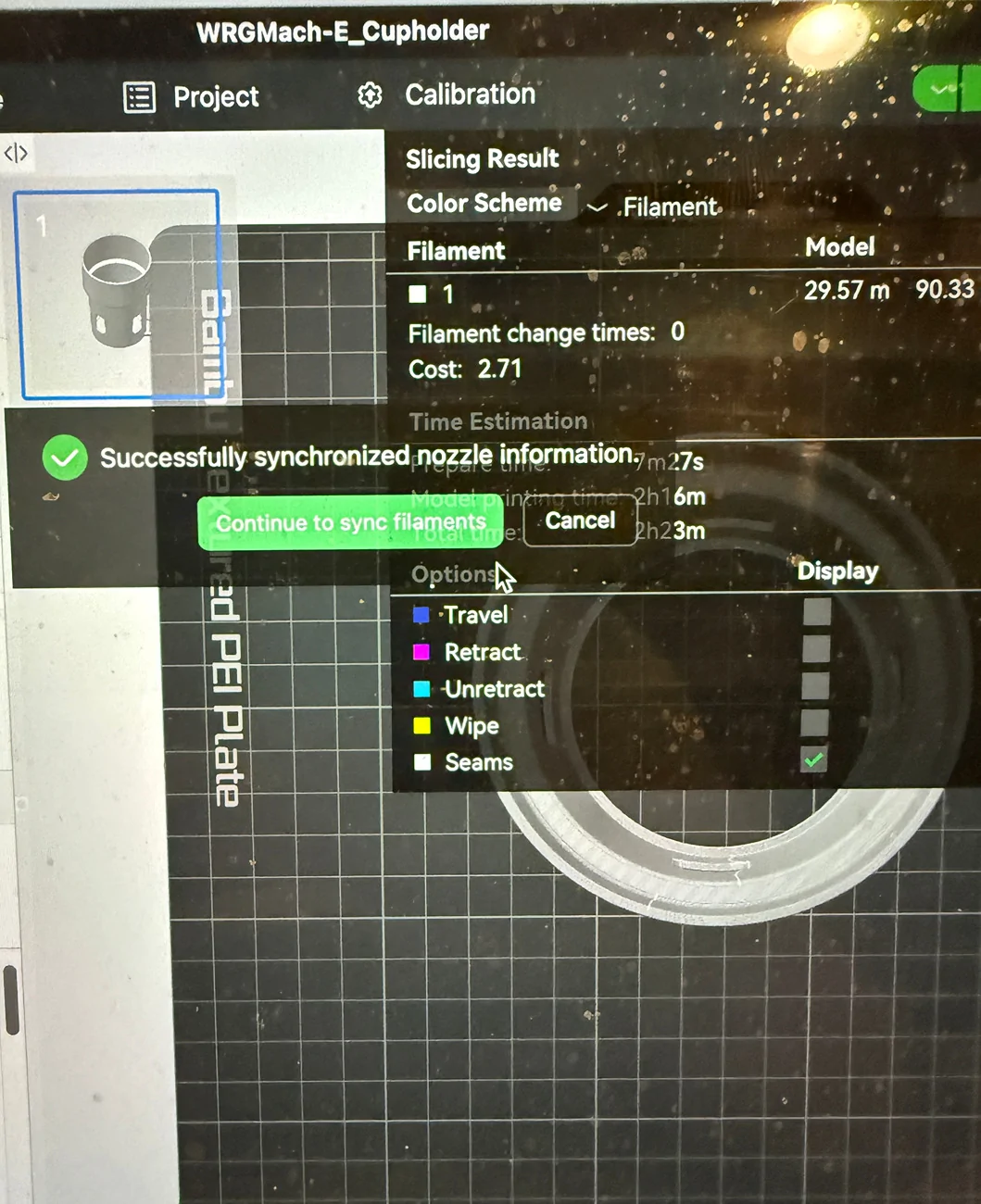
It looks like your object has material 1 "PLA Silk+" assigned instead of material 4 "Generic PETG" this also corresponds with the shown colors. So select the object and press the "4" key, that assigns the "Generic PETG" material to the object and allows you to chose PETG in the print dialog.

Oh and your screen can really use some cleaning! 😄
 

odrunr

Member
First Name
Wayne Gilmore
Joined
Apr 17, 2025
Threads
2
Messages
13
Reaction score
3
Location
Parsons, KS
Vehicles
Mach E Premium
Occupation
Optomtrist
It looks like your object has material 1 "PLA Silk+" assigned instead of material 4 "Generic PETG" this also corresponds with the shown colors. So select the object and press the "4" key, that assigns the "Generic PETG" material to the object and allows you to chose PETG in the print dialog.

Oh and your screen can really use some cleaning! 😄
Thank you! And yes it is! Will get it cleaned lol
Sponsored


Top