Mach-Lee
Well-Known Member
- First Name
- Lee
- Joined
- Jul 16, 2021
- Threads
- 263
- Messages
- 11,457
- Reaction score
- 25,314
- Location
- Wisconsin
- Vehicles
- 2022 Mach-E Premium AWD
- Occupation
- Sci/Eng

- Thread starter
- #1
The new Stingray Karaoke app just showed up on my screen last night, so I decided to give it a try. I'm going to apologize in advance for the crappy photos.

You need to be connected to WiFi or have the premium connectivity plan (it works just like YouTube). Homepage has a section of popular and trending songs to choose from:

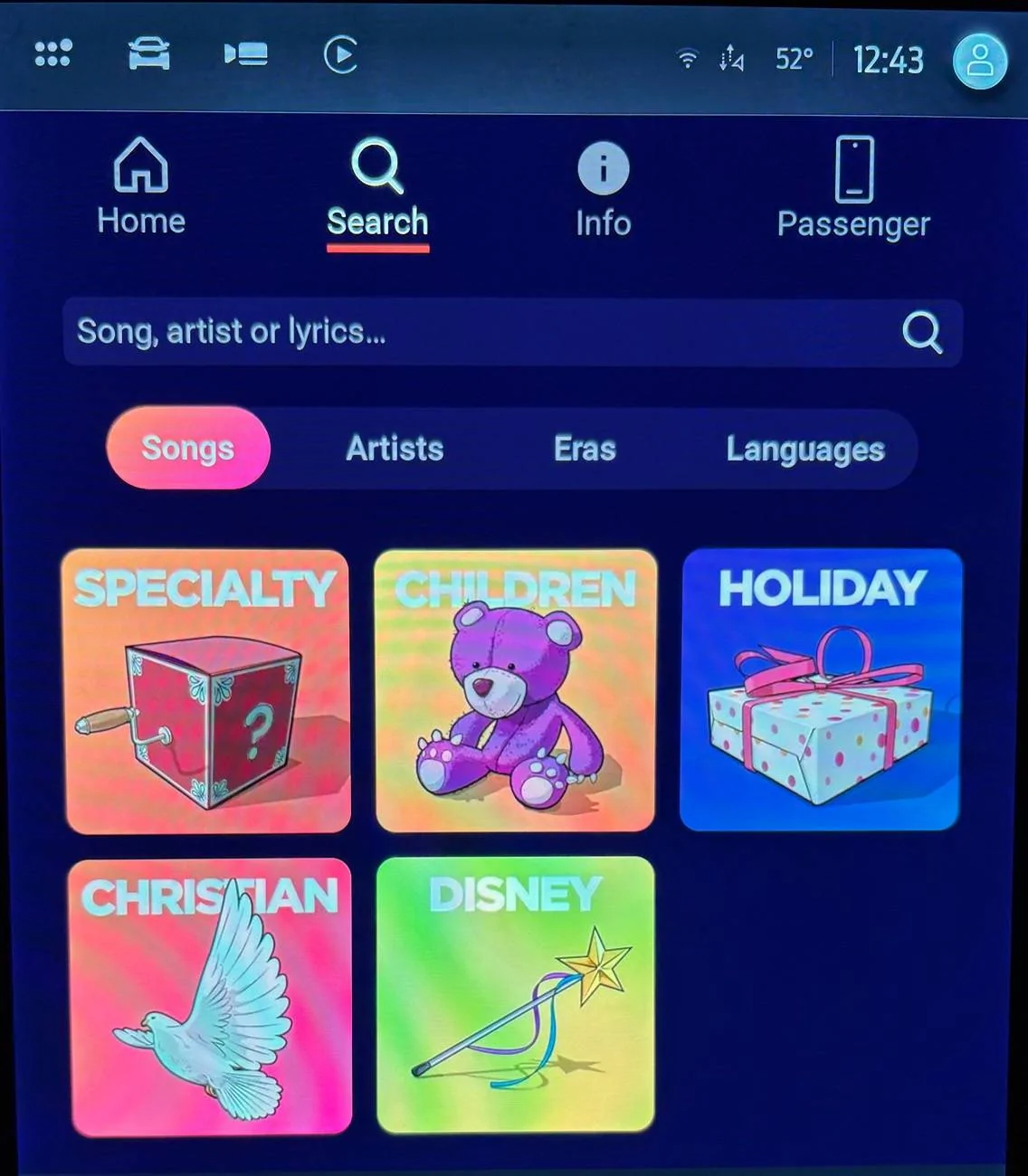
There are also lots of categories by genre, artist, decade, and by language:

Including Disney, which will be a huge hit with the kids (yes all the Frozen songs are in there).

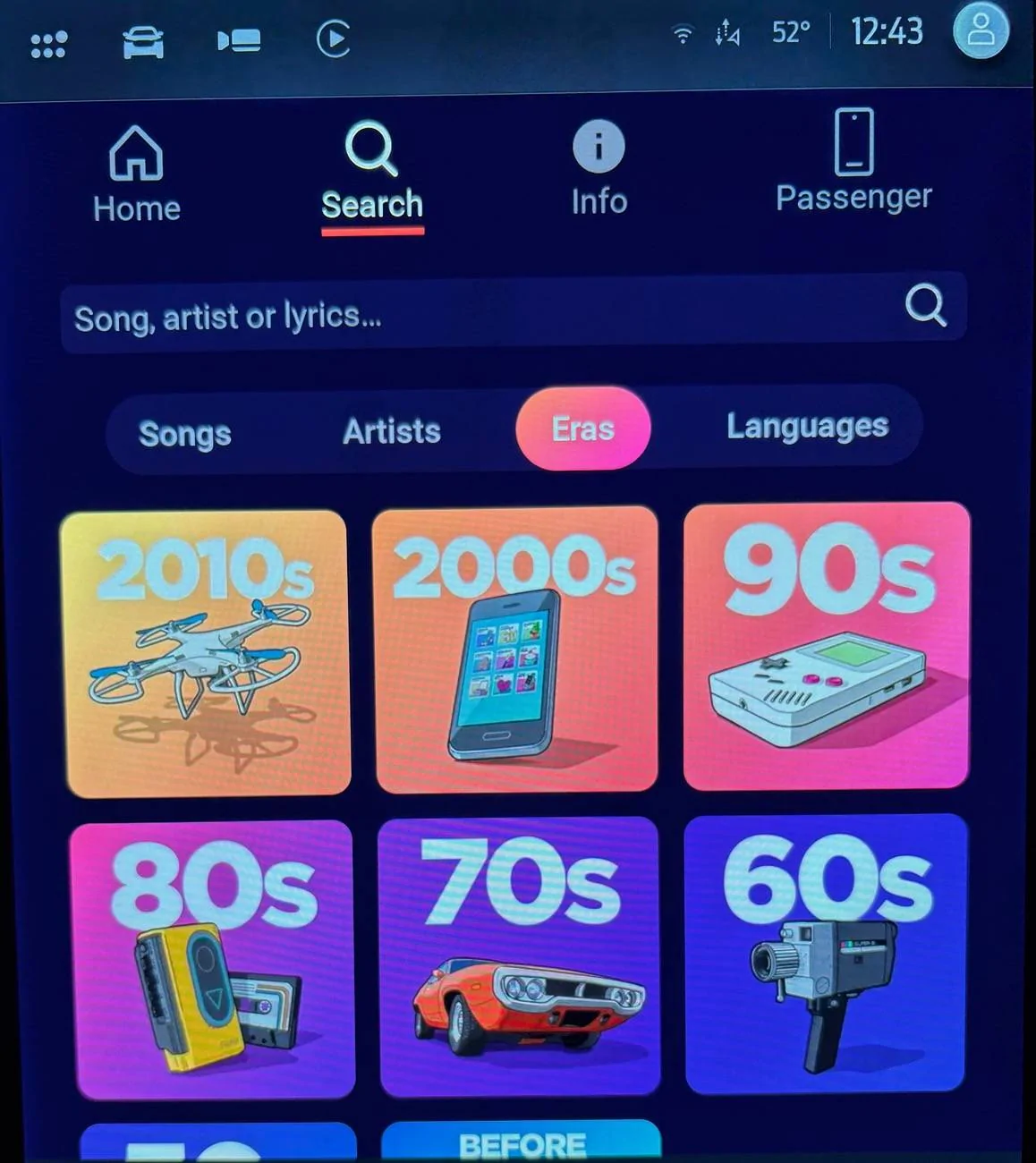
All the popular songs by decade are in there:

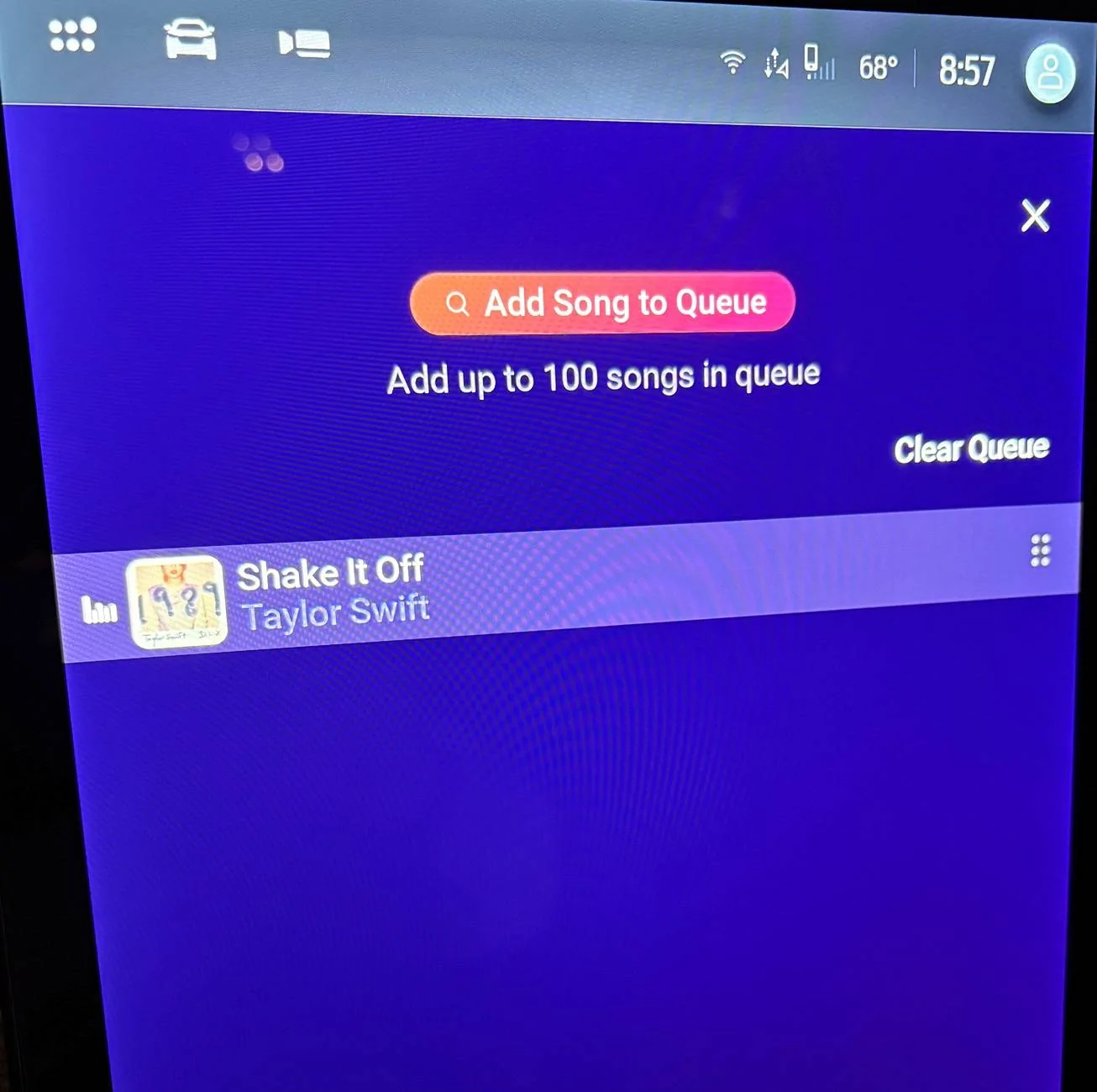
As you browse, you can play songs immediately or add them to the queue:

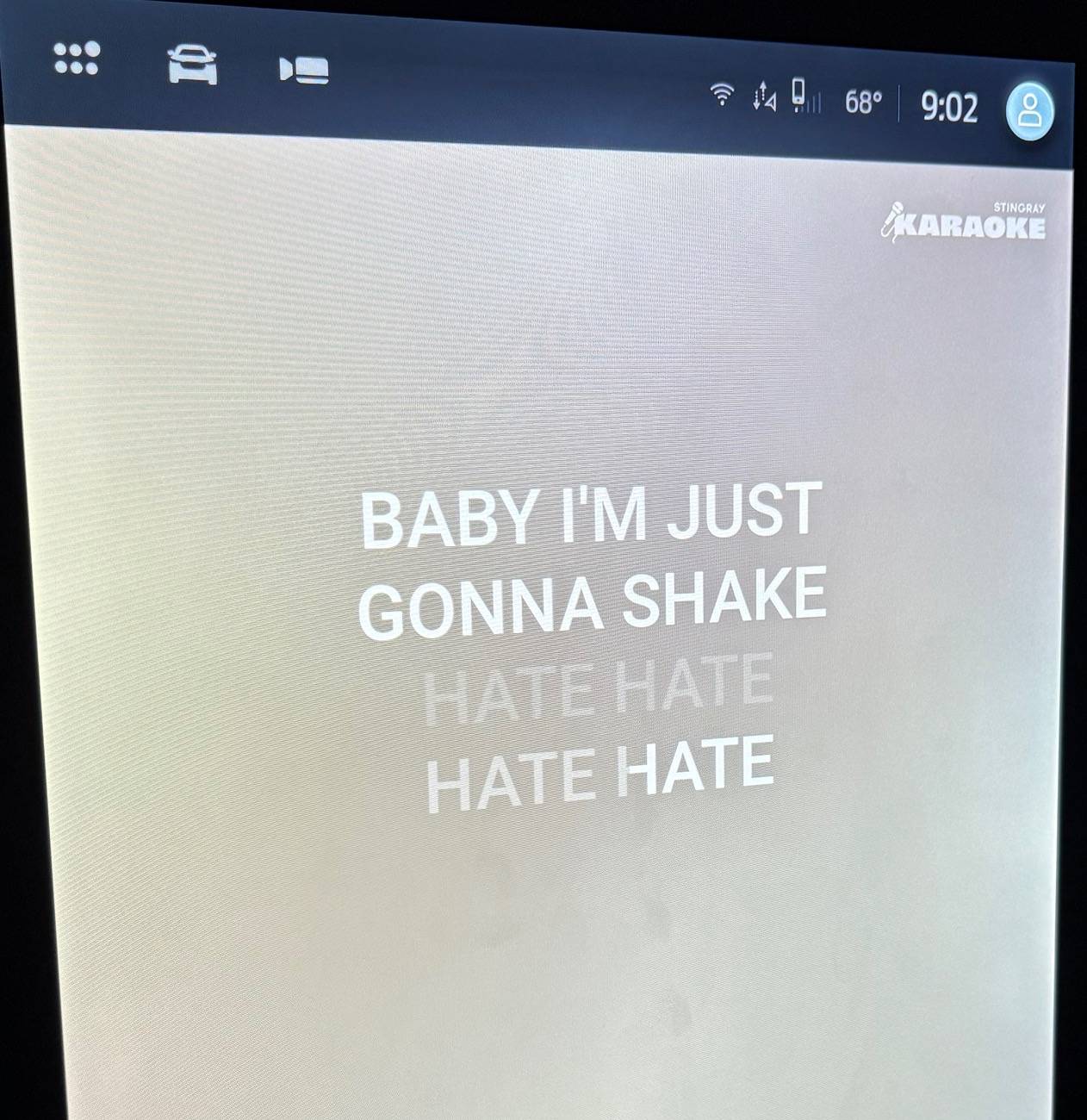
When you play a song, the lyrics show up and highlight like you'd expect:

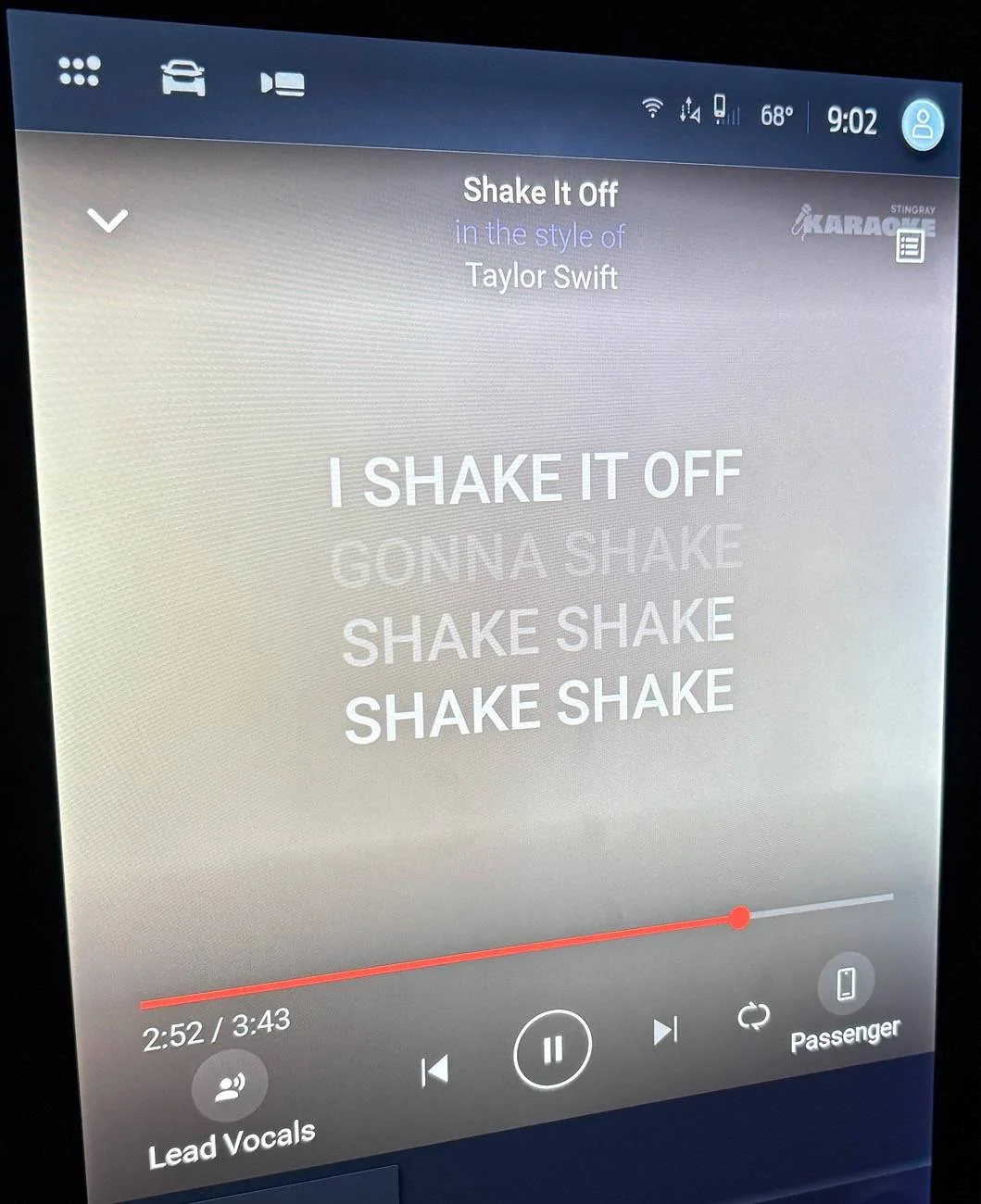
If you tap the screen, more options show up, including the ability to disable the lead singer voice, and switch to passenger control mode for driving. Upper right is the edit queue button.

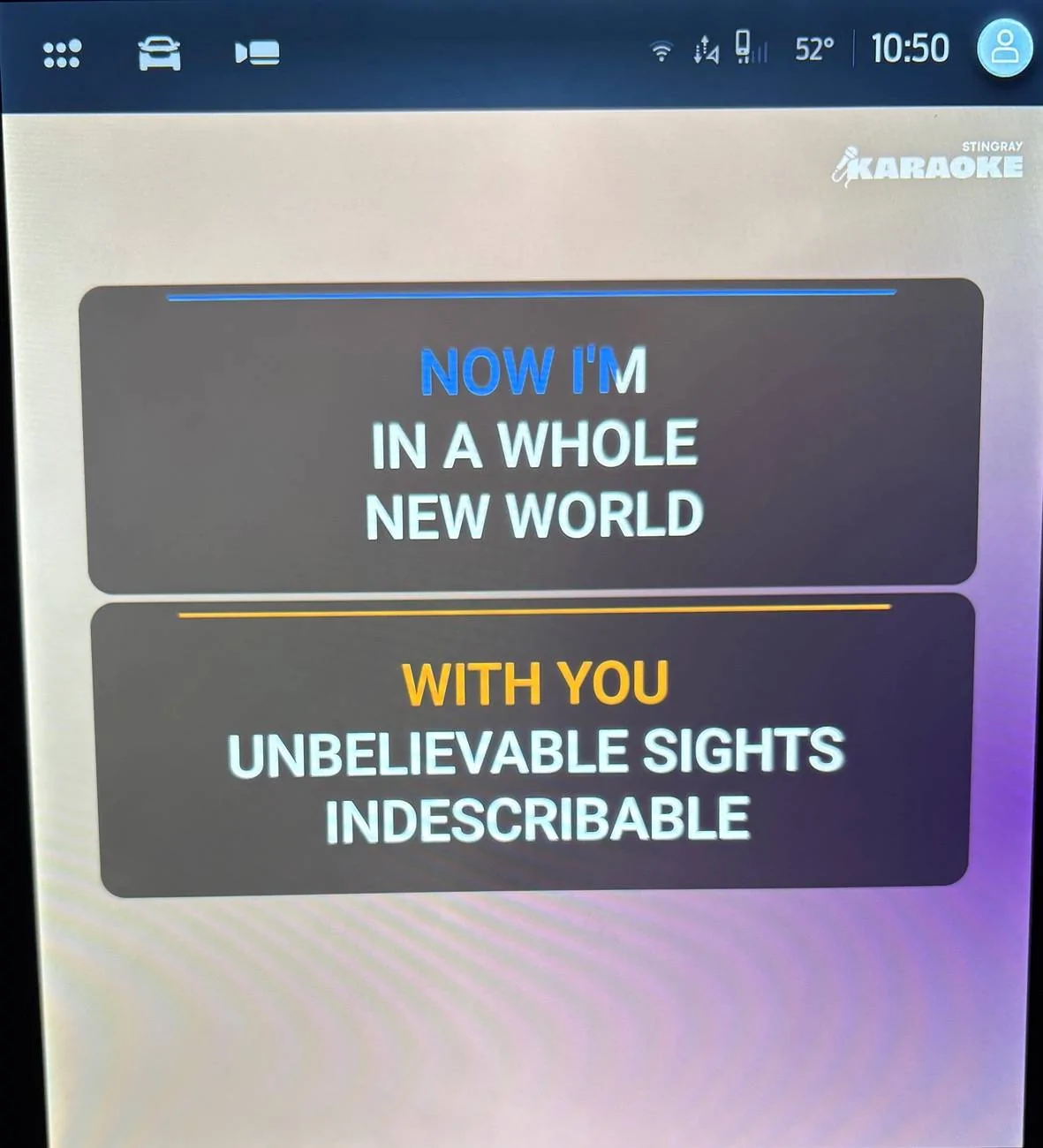
Some songs are duets, how fun!

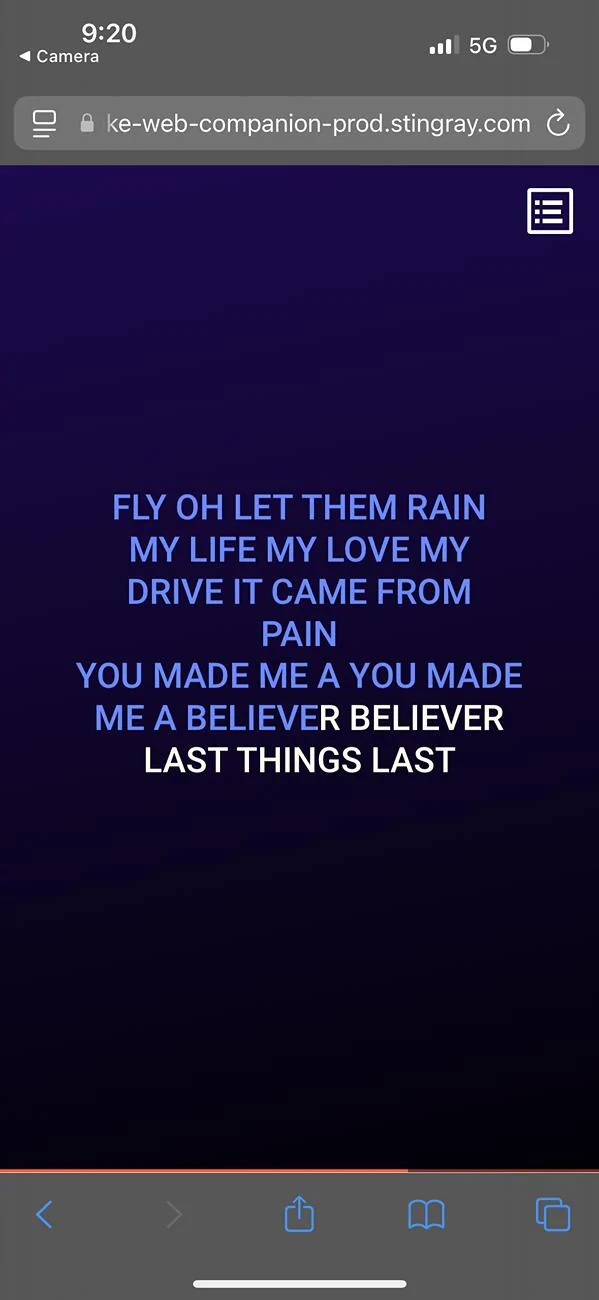
When you hit the passenger button, a QR code will show up that they scan with their phone, that will take you to a webpage to control your specific instance of Karaoke. You can add songs from the phone. When you shift into drive, the lyrics disappear on the screen and show up on the phone instead (the phone becomes the remote control). When you shift into park, they show up again.

FYI most of the songs are covers rather than the real thing. They're decent versions with good sound quality, but some of the singers are more true to the original than others (and of course you can disable the vocals if you'd like). The selection seems pretty good, they had everything I searched for. If you have young kids I think they will really like the Disney selection, even if you are just listening to the songs. If you have friends over, it would probably be a fun thing to try too.
Overall things worked pretty well and the app was easy to use and navigate. You could almost use this as a music app too if you don't mind cover versions. My only gripe is there is a bit of lag between the displayed lyrics and the sound (maybe like 0.5 sec lag). It becomes a problem when there are fast lyrics because you have to look a line ahead of the highlighting.
There does not appear to be any mention of an account/subscription model or any ads, so I think it's free on WiFi just like YouTube. If you want it to work off WiFi, you have to buy the Ford Premium Connectivity package for $10/mo.
Here are a couple videos:
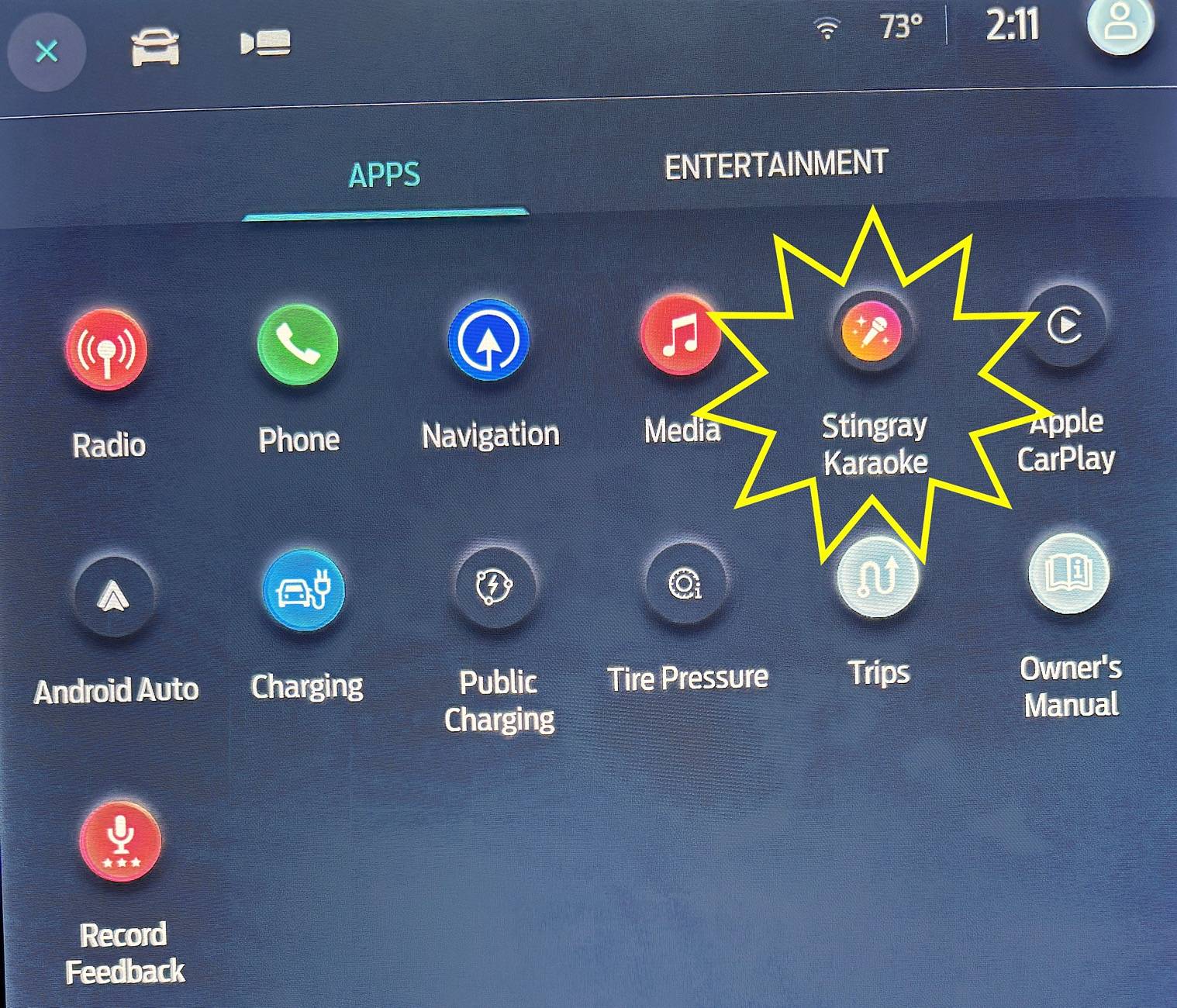
You need to be connected to WiFi or have the premium connectivity plan (it works just like YouTube). Homepage has a section of popular and trending songs to choose from:
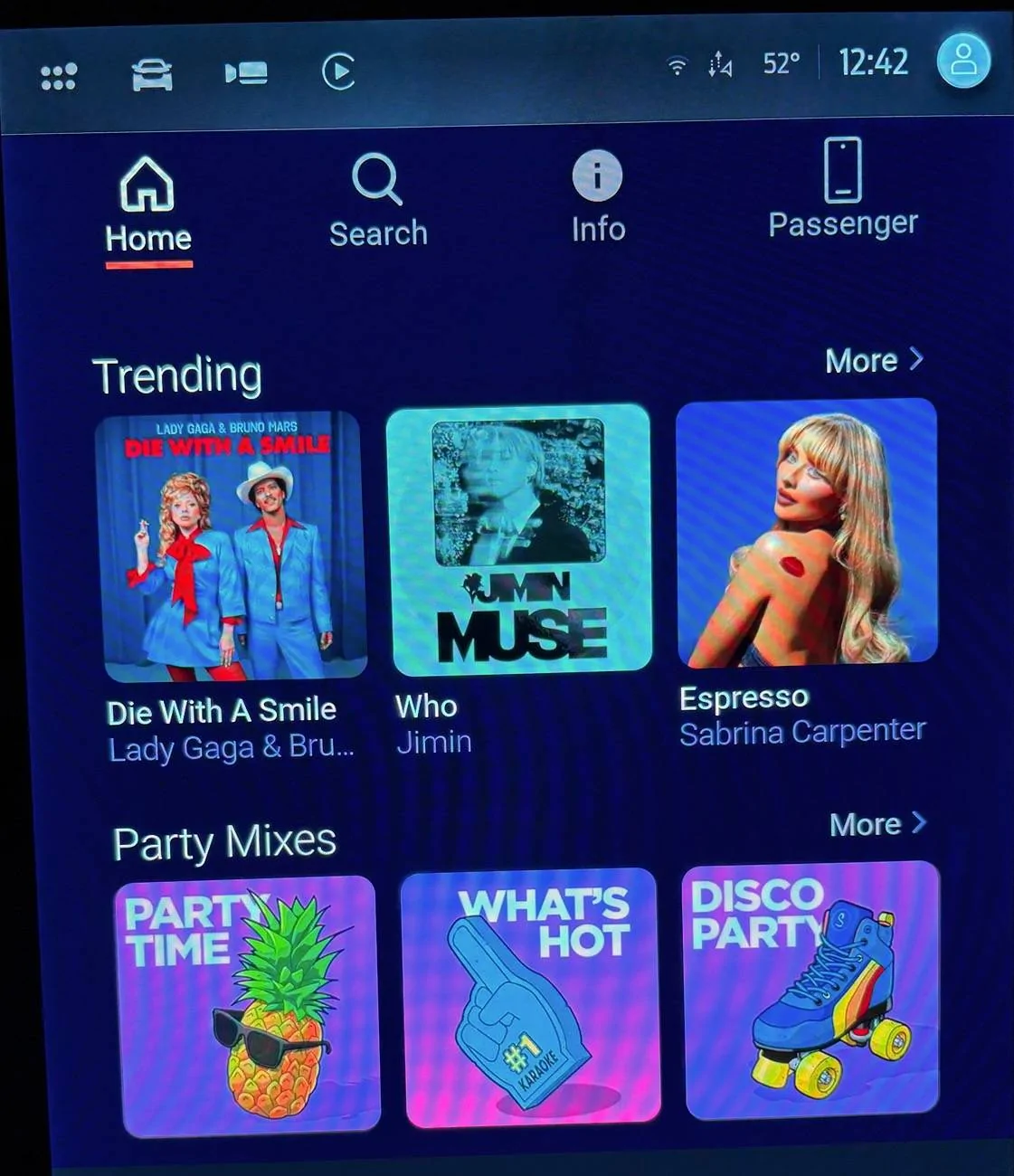
There are also lots of categories by genre, artist, decade, and by language:
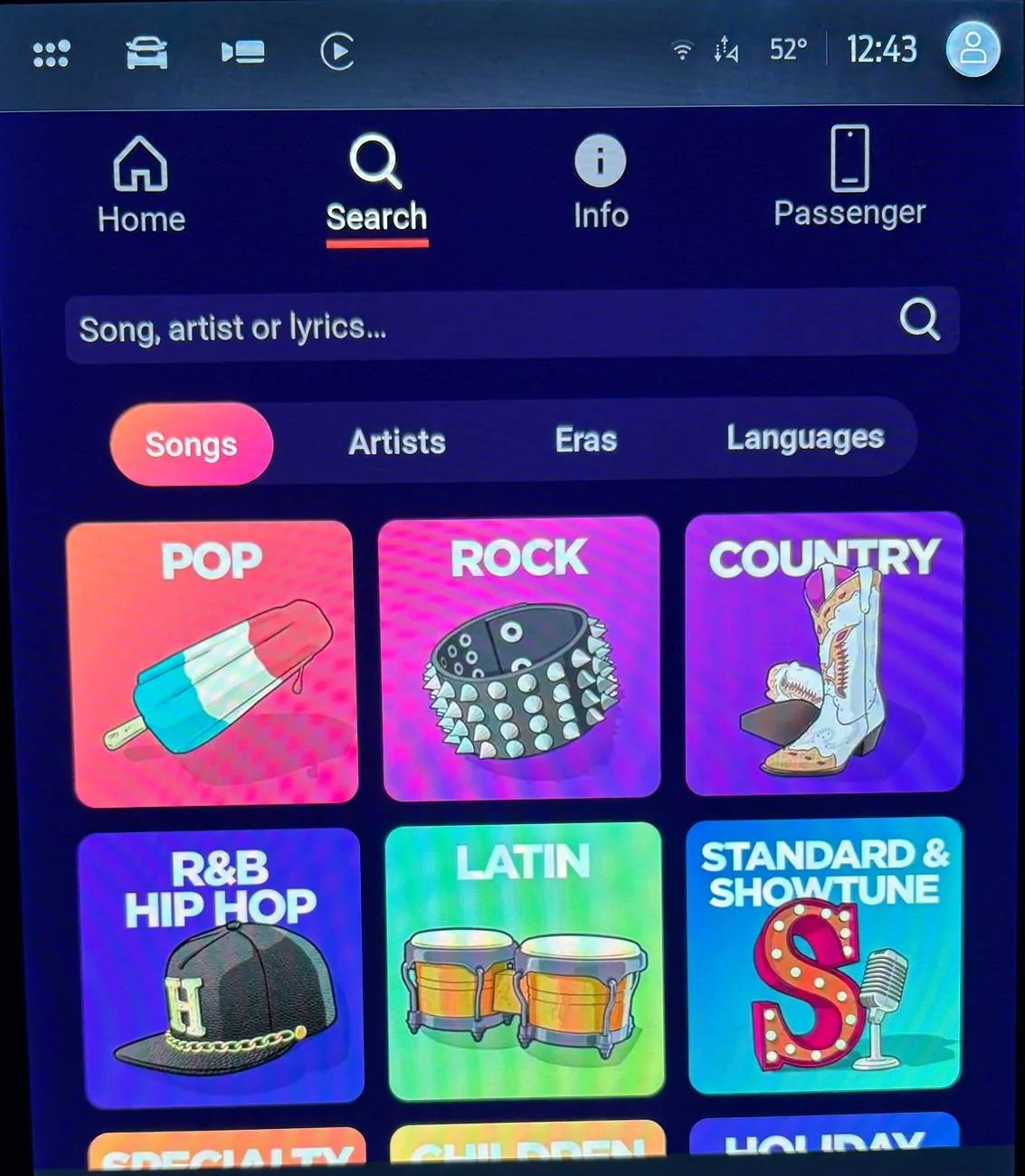
Including Disney, which will be a huge hit with the kids (yes all the Frozen songs are in there).
All the popular songs by decade are in there:
As you browse, you can play songs immediately or add them to the queue:
When you play a song, the lyrics show up and highlight like you'd expect:
If you tap the screen, more options show up, including the ability to disable the lead singer voice, and switch to passenger control mode for driving. Upper right is the edit queue button.
Some songs are duets, how fun!
When you hit the passenger button, a QR code will show up that they scan with their phone, that will take you to a webpage to control your specific instance of Karaoke. You can add songs from the phone. When you shift into drive, the lyrics disappear on the screen and show up on the phone instead (the phone becomes the remote control). When you shift into park, they show up again.
FYI most of the songs are covers rather than the real thing. They're decent versions with good sound quality, but some of the singers are more true to the original than others (and of course you can disable the vocals if you'd like). The selection seems pretty good, they had everything I searched for. If you have young kids I think they will really like the Disney selection, even if you are just listening to the songs. If you have friends over, it would probably be a fun thing to try too.
Overall things worked pretty well and the app was easy to use and navigate. You could almost use this as a music app too if you don't mind cover versions. My only gripe is there is a bit of lag between the displayed lyrics and the sound (maybe like 0.5 sec lag). It becomes a problem when there are fast lyrics because you have to look a line ahead of the highlighting.
There does not appear to be any mention of an account/subscription model or any ads, so I think it's free on WiFi just like YouTube. If you want it to work off WiFi, you have to buy the Ford Premium Connectivity package for $10/mo.
Here are a couple videos:
Sponsored
Last edited by a moderator: