

dtbaker61
Well-Known Member
- First Name
- Dan
- Joined
- May 11, 2020
- Threads
- 126
- Messages
- 4,822
- Reaction score
- 4,525
- Location
- santa fe,nm
- Website
- www.envirokarma.org
- Vehicles
- MME (delivered 2/26/21), DIY eMiata BEV
- Occupation
- Solar Sales/install

- Thread starter
- #1
'Save' your custom dashboard
'Restore' custom dashboard
Unfortunately, there is no way I am aware of to share/restore just one Dashboard screen. For instance, I have one screen that I like for general use, but if I share my file, and you Restore it on your phone, it will overwrite ALL your (17) dashboard screens. If someone knows how to Save, share, and Restore one screen, please post how!
as an example.... here is the demo snapshot of what I typically display on my dashboard screen (5/17):

and attached is the configuration file, with .txt tacked on the end so I can attach here on this forum. If you want to use it, you will need to download and rename to remove the .txt extension before attempting to 'Restore' it in Carscanner.
- open CarScanner
- Settings -> Dashboard , scroll to bottom, click 'Save' button
- This creates a file 'dashboard.json' ; Carscanner gives you options on where to save/share the configuration file. You can share to email, and email it to yourself or someone else, or you may be able to share directly to MyFiles app and put it directly into your Downloads folder.
'Restore' custom dashboard
- open CarScanner
- Settings -> Dashboard , scroll to bottom, click 'Restore' button
- Navigate to downloads folder, select 'dashboard.json', you will see a check
- click on 'Select' in upper-right
Unfortunately, there is no way I am aware of to share/restore just one Dashboard screen. For instance, I have one screen that I like for general use, but if I share my file, and you Restore it on your phone, it will overwrite ALL your (17) dashboard screens. If someone knows how to Save, share, and Restore one screen, please post how!
as an example.... here is the demo snapshot of what I typically display on my dashboard screen (5/17):
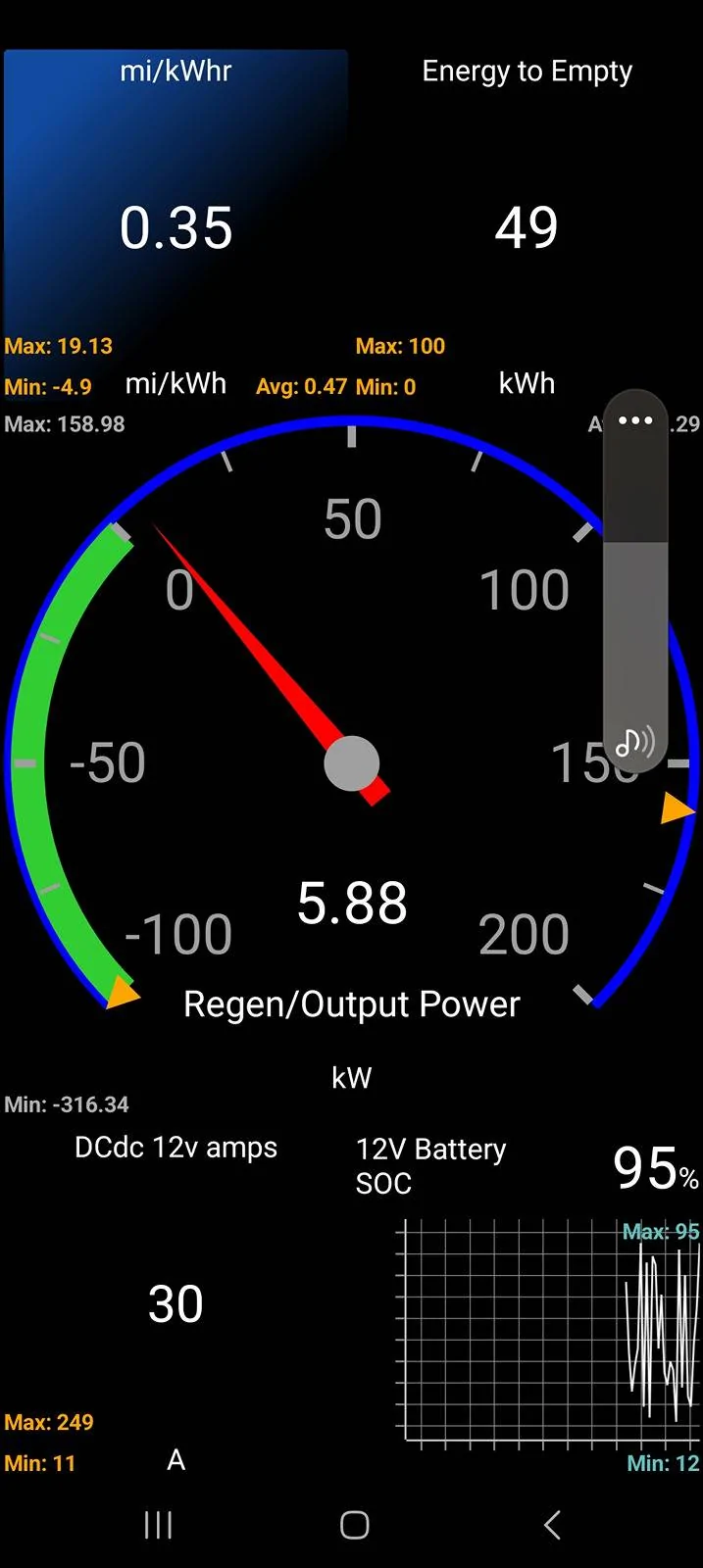
and attached is the configuration file, with .txt tacked on the end so I can attach here on this forum. If you want to use it, you will need to download and rename to remove the .txt extension before attempting to 'Restore' it in Carscanner.
Sponsored
Attachments
-
351.4 KB Views: 94
Last edited:


