B177y
Well-Known Member
- First Name
- Bill
- Joined
- Sep 17, 2023
- Threads
- 16
- Messages
- 418
- Reaction score
- 632
- Location
- Olympic Peninsula, WA
- Vehicles
- '23 J2 MME Premium, '24 Lightning Pro ER, '20 Bolt

- Thread starter
- #1
My Car Scanner for Android app updated a couple of days ago to version 1.111.5. I didn't think much of it and the "What's new" just says "Updated connection profiles database. Bugs fixed."
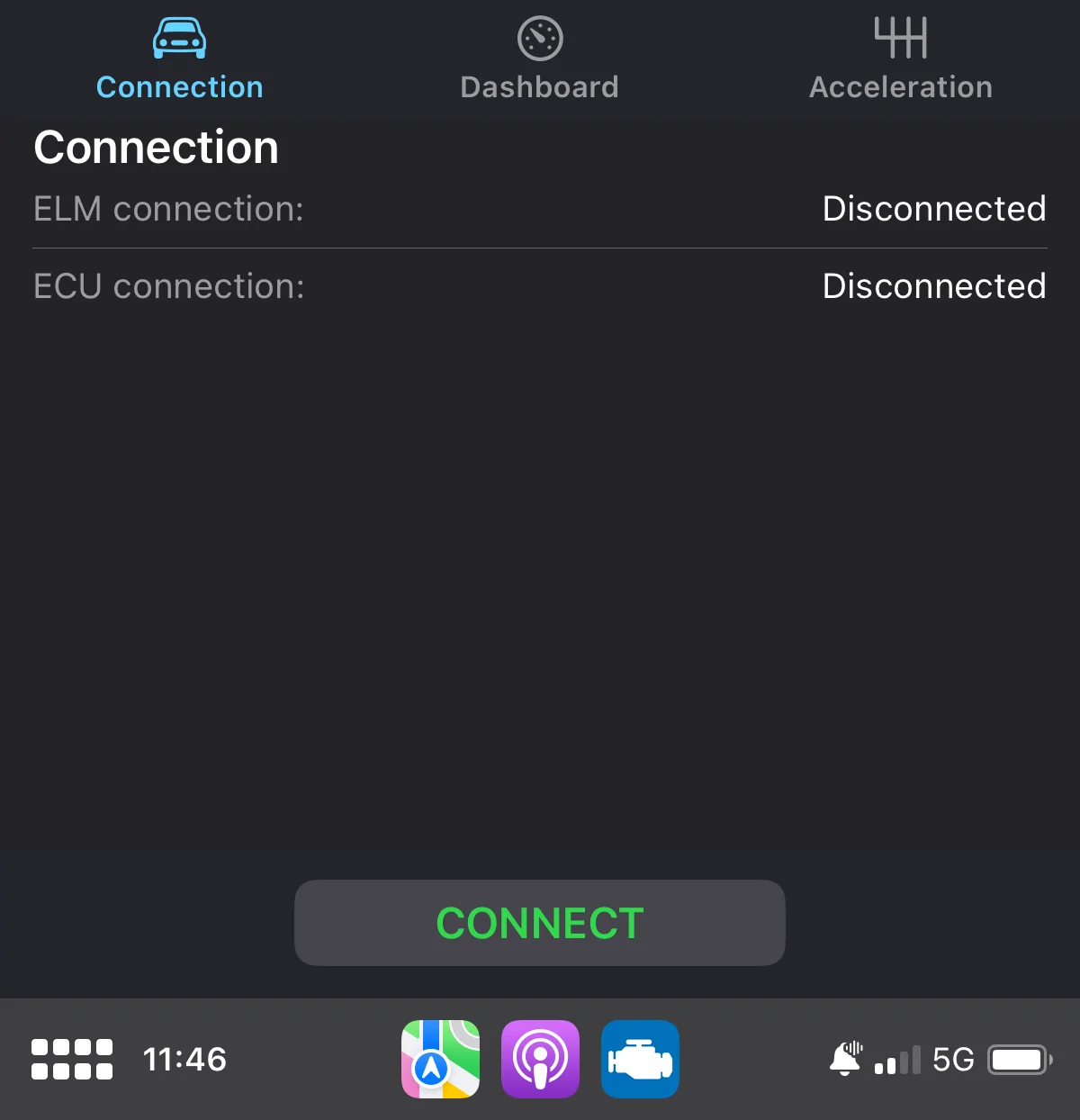
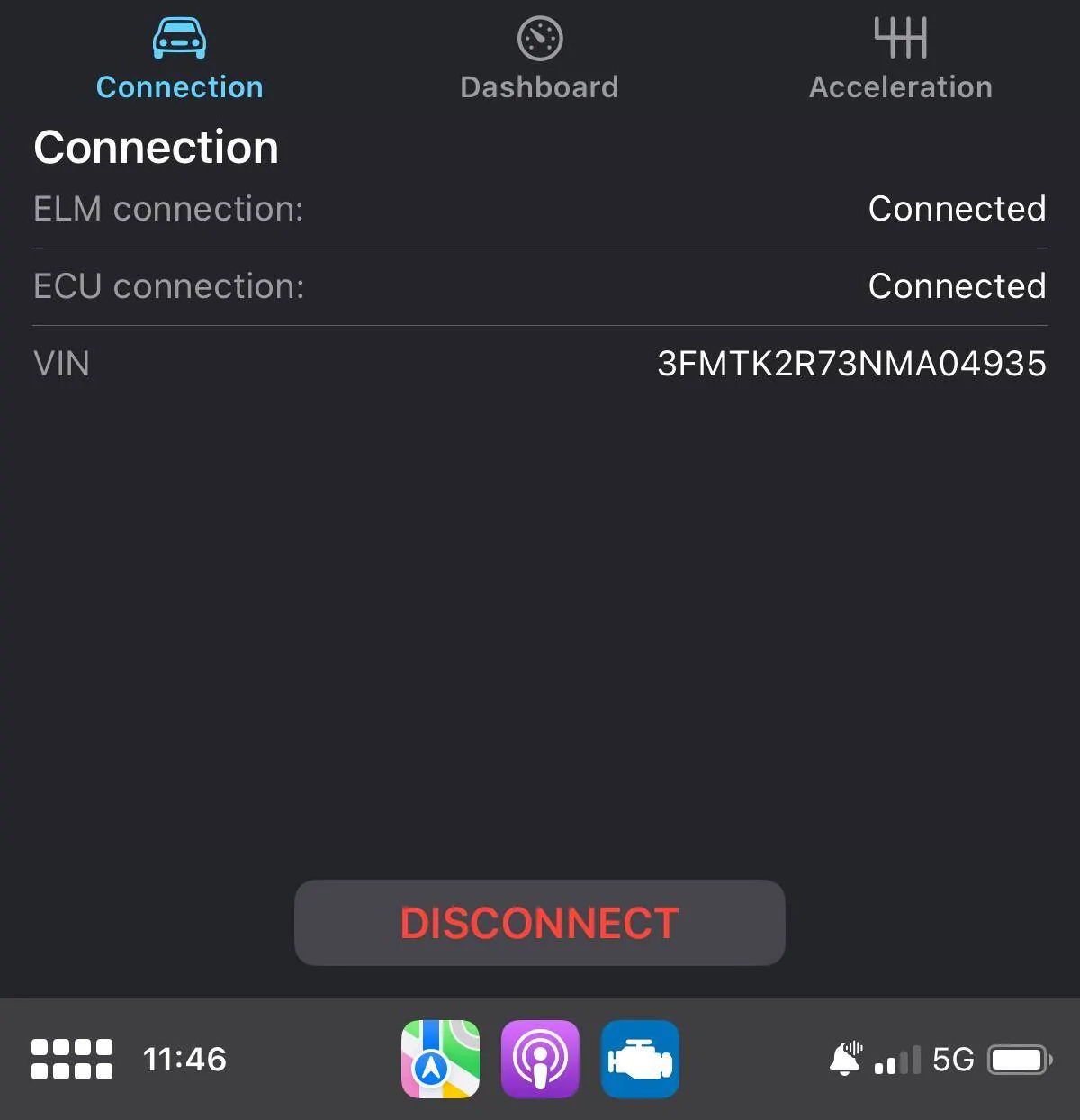
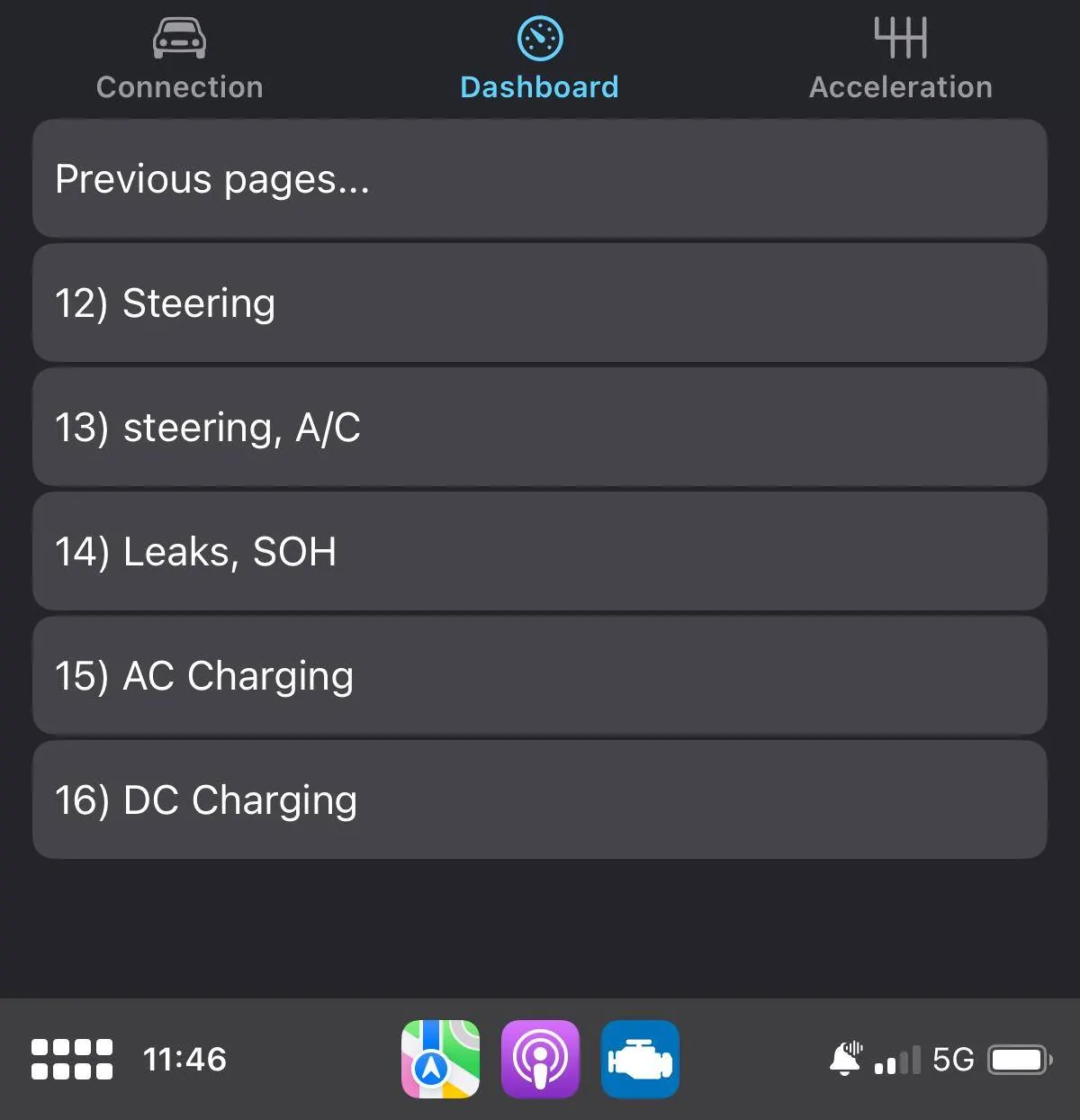
The big news however, is this morning on my way to work, I noticed the Car Scanner icon in my Android Auto as a native app. When I opened it from the MME screen, I was given a text menu with "Connection", "Dashboard" and ""Acceleration".

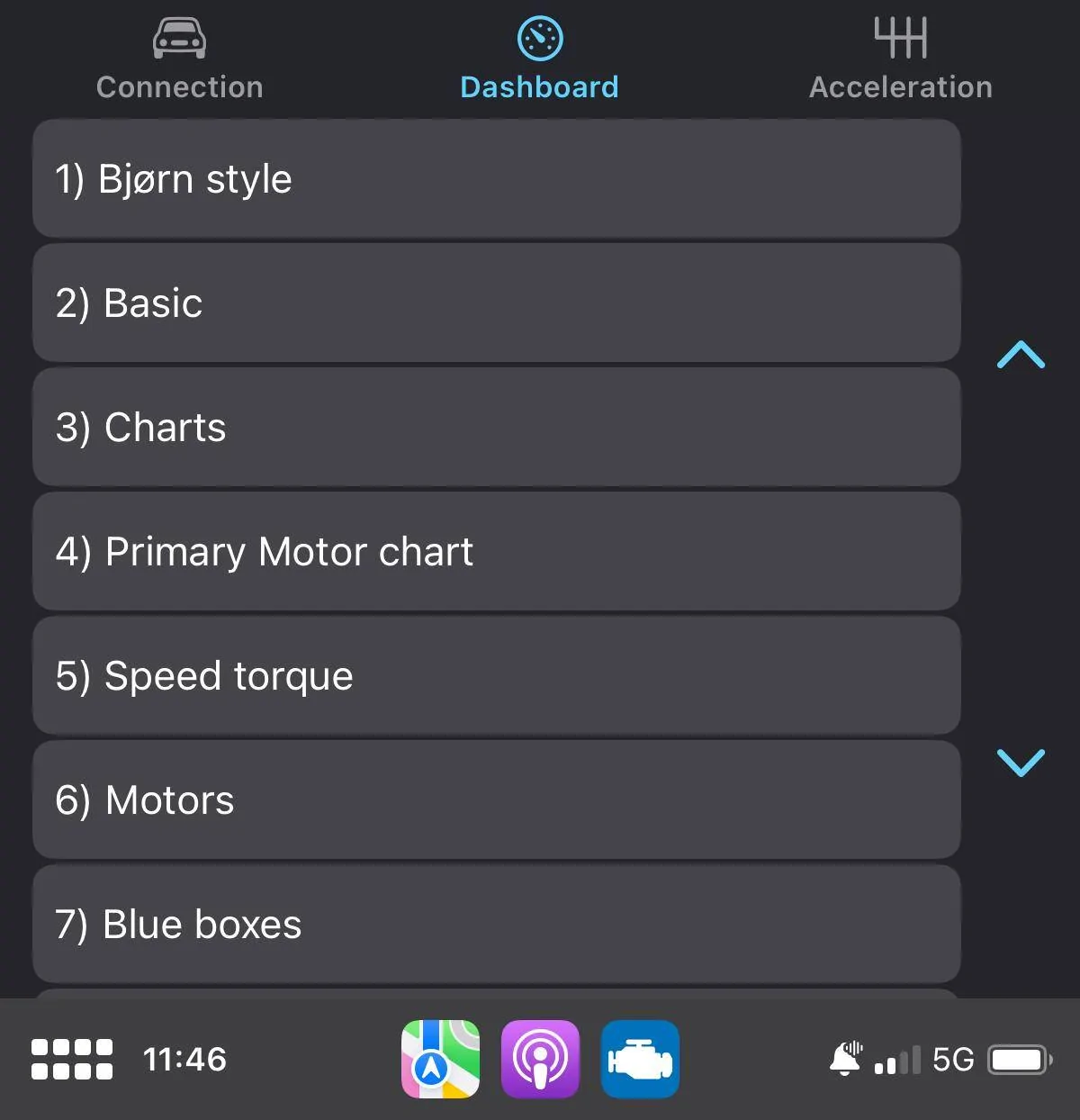
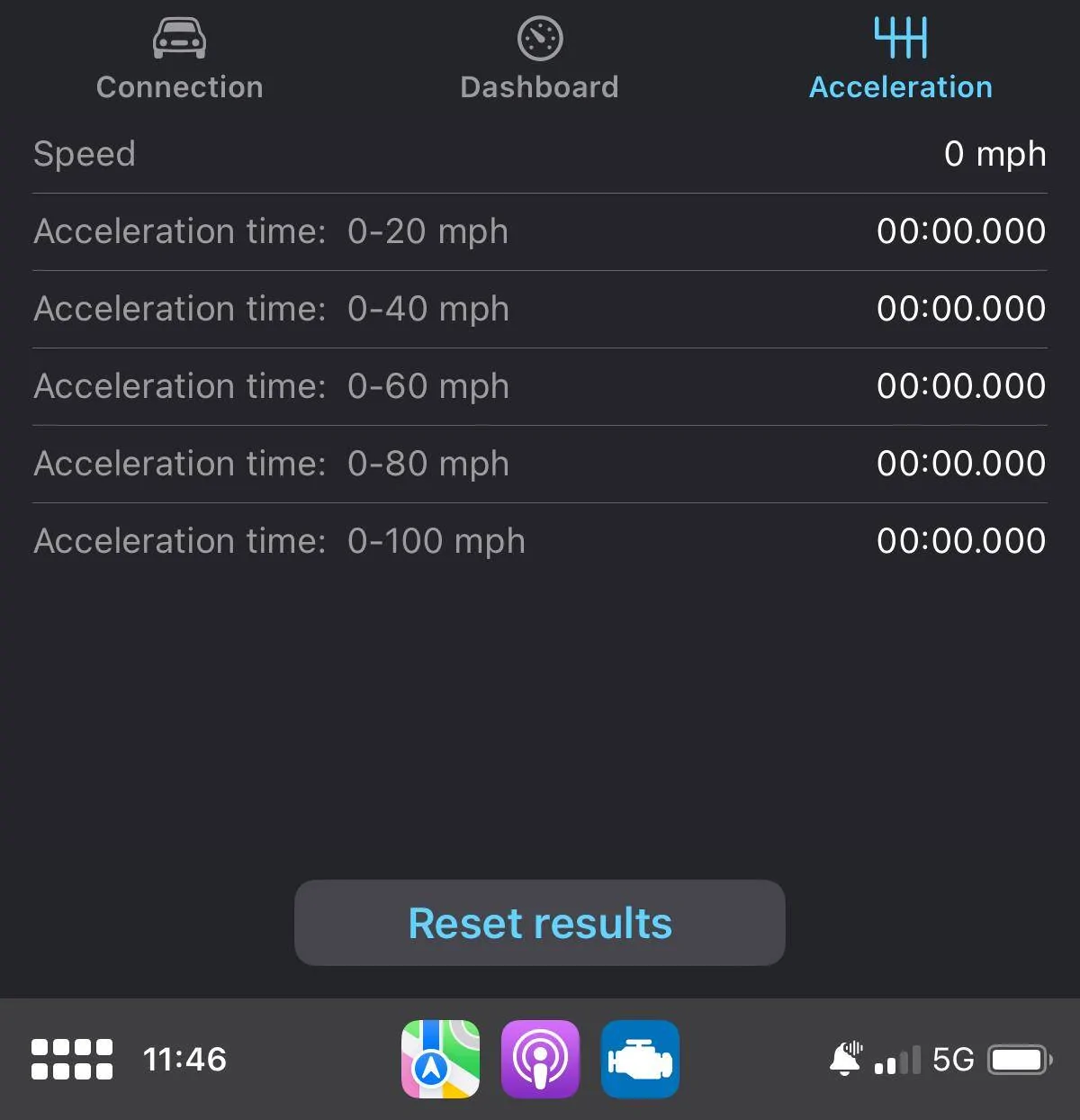
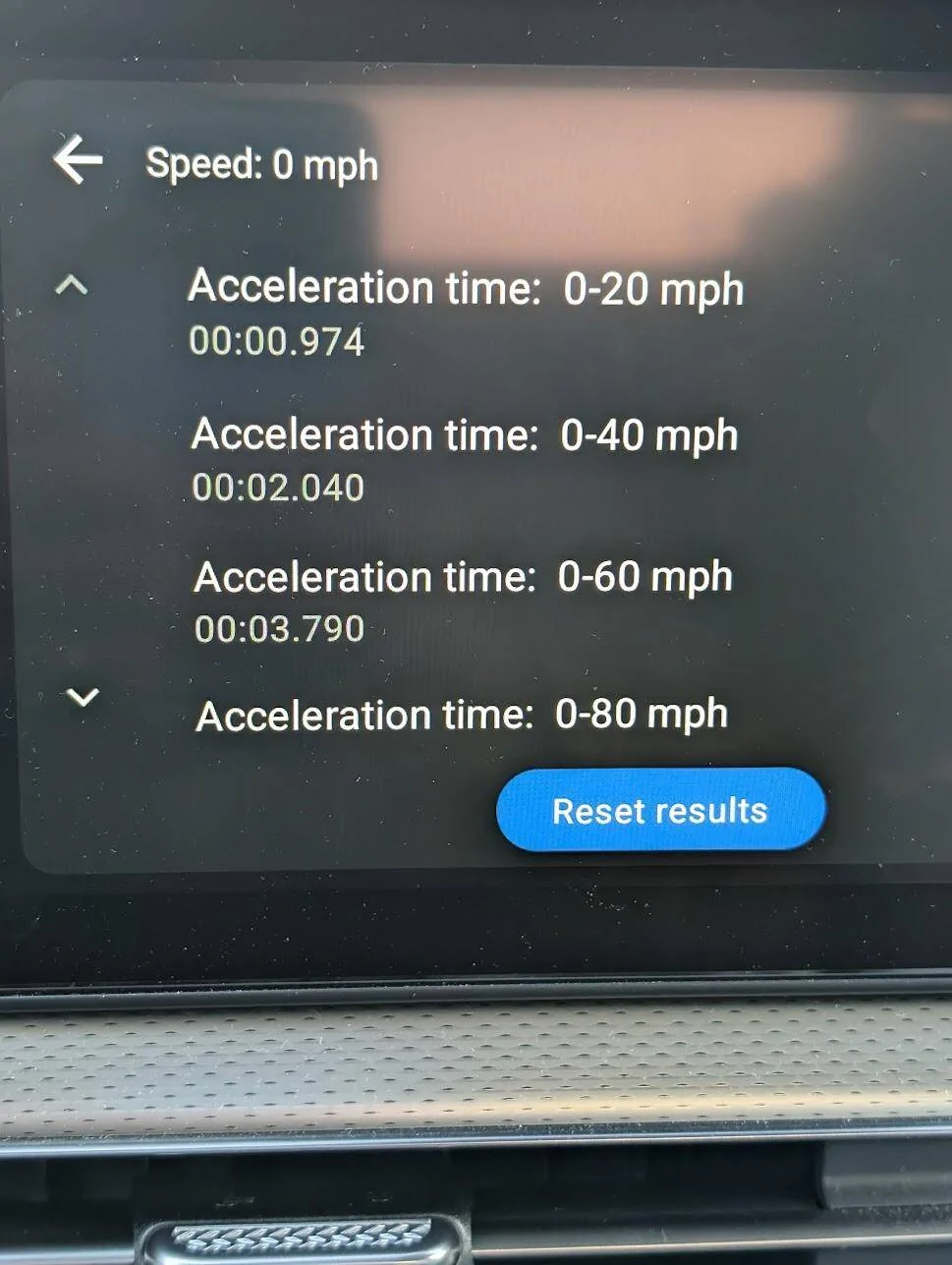
The "connection" screen allows the phone to connect to the OBD dongle. The "acceleration" screen goes to an acceleration test menu with different 0-whatever times, and the "dashboard" menu (I was the most excited about this) sends you to......

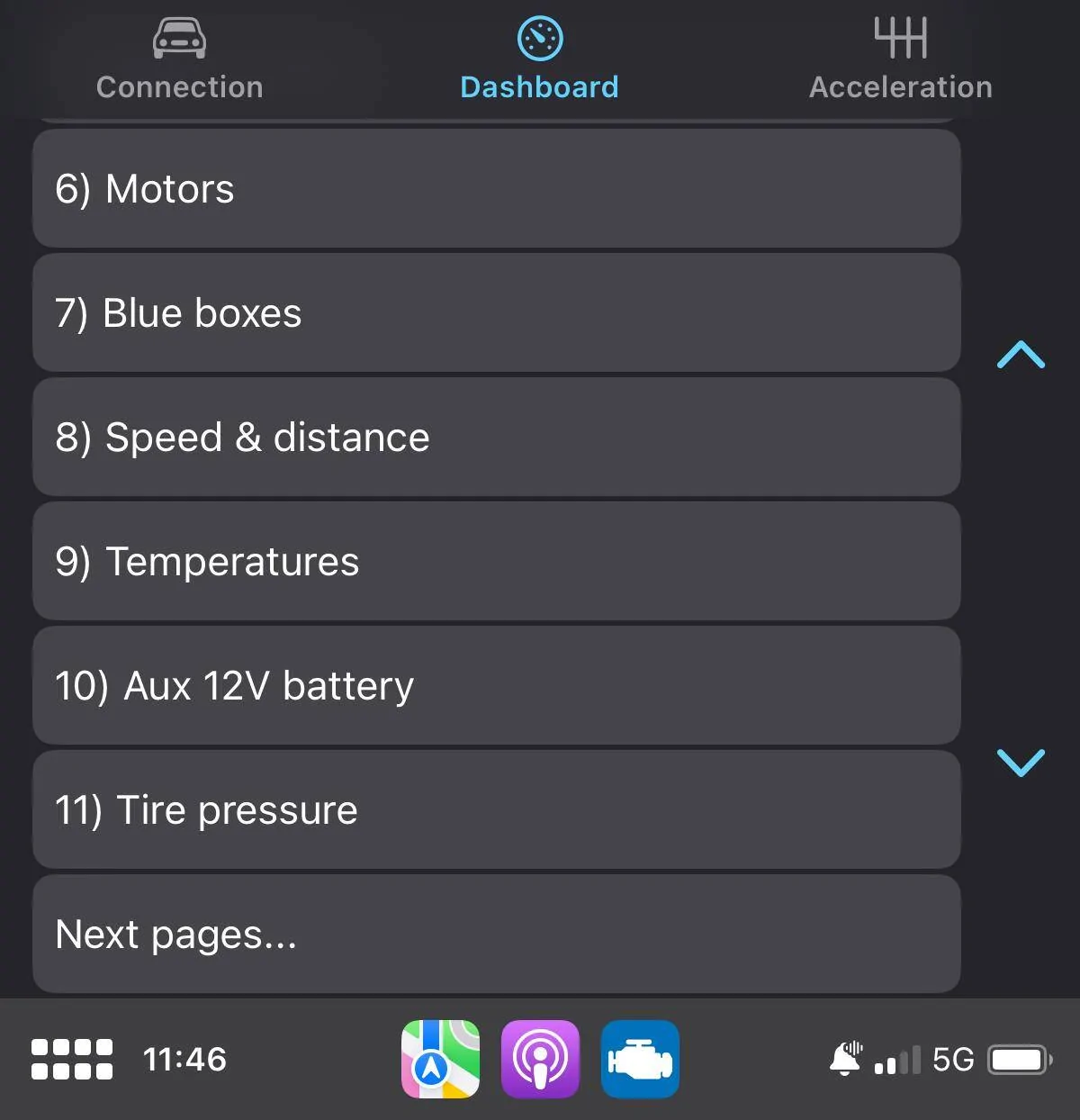
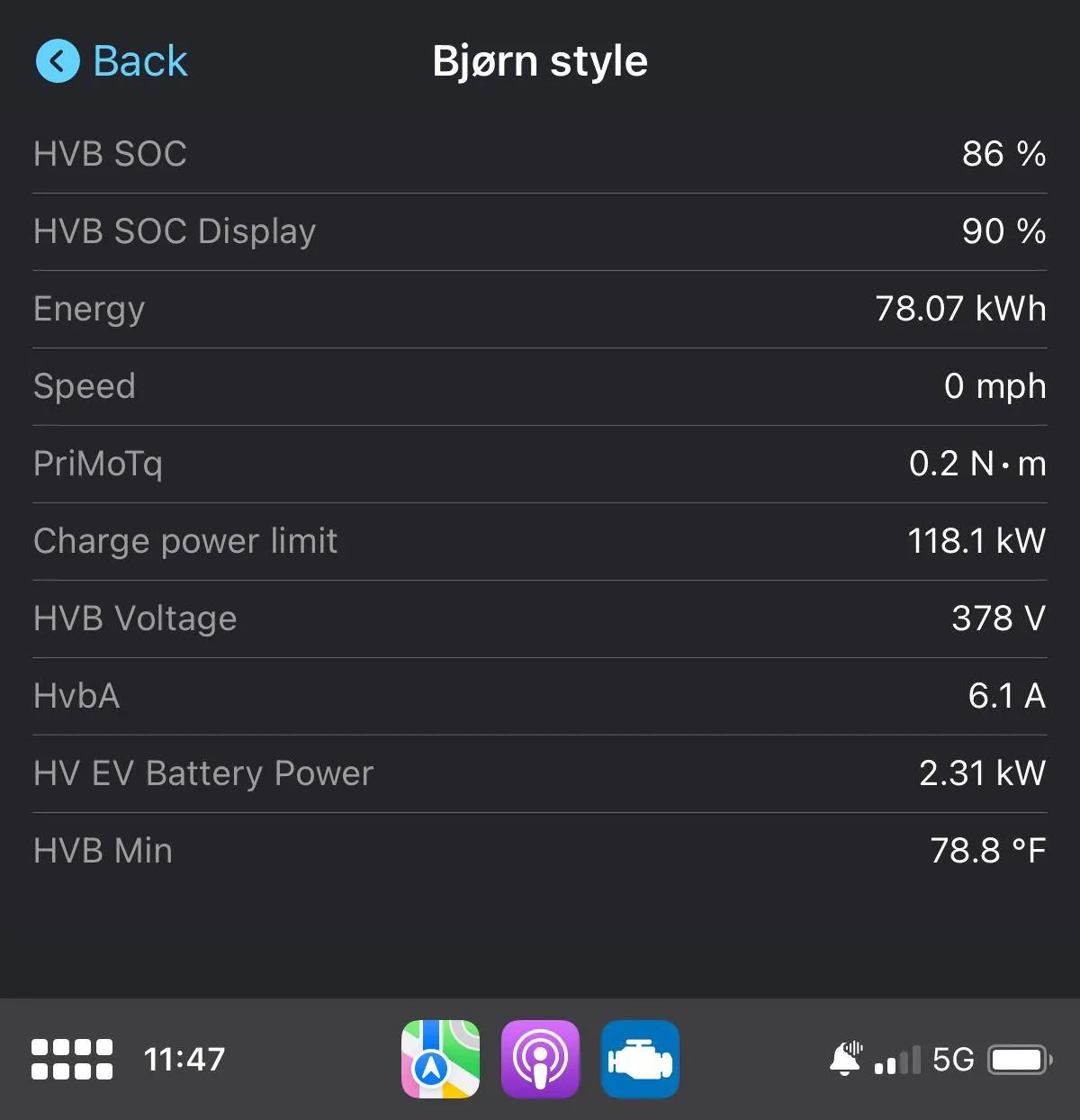
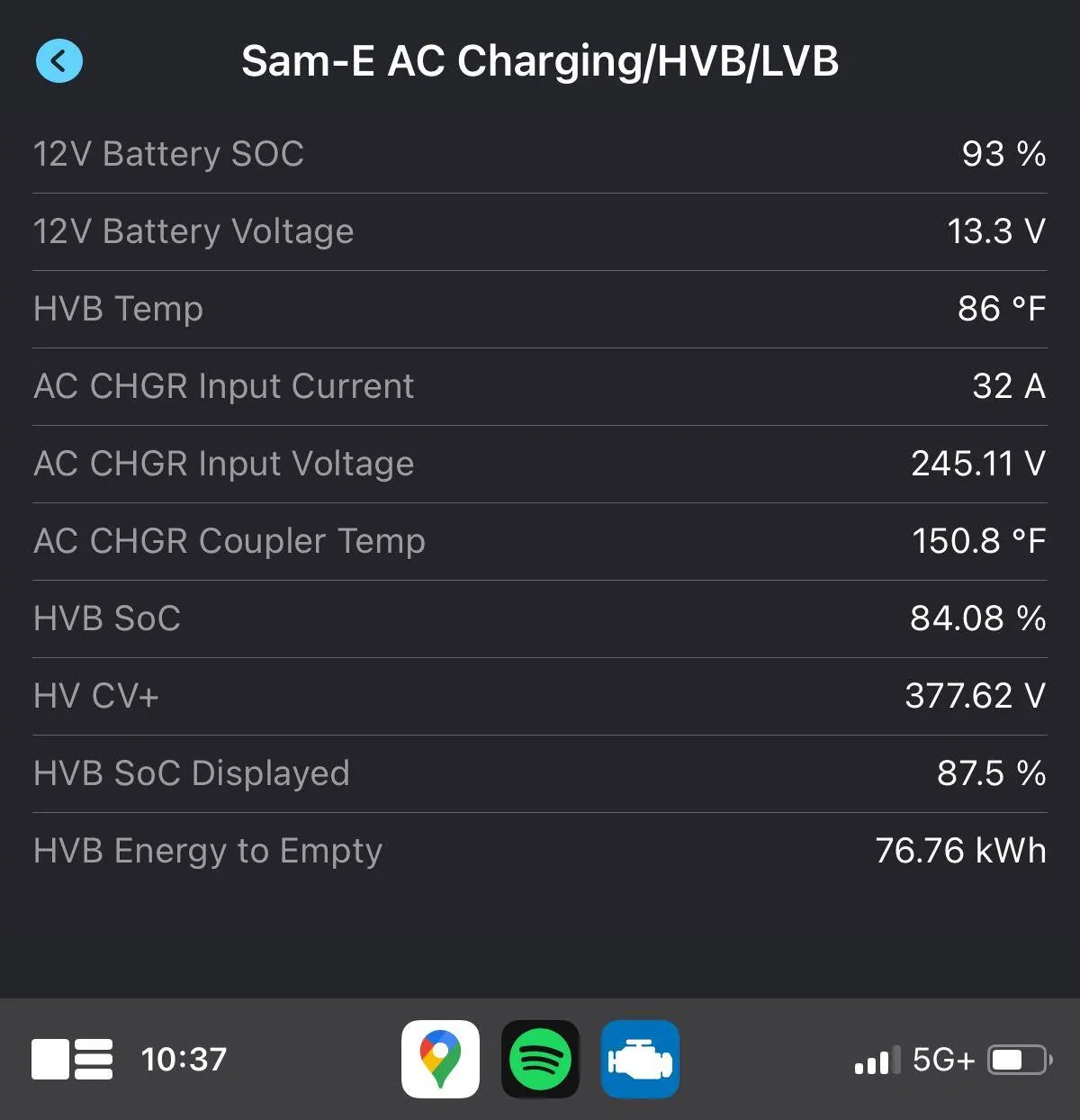
Well, I guess it's a work in progress.... But hey, it's a start! All of the different dashboards and custom dashboards just show as text, but the information is there and it's live. No need to use Screen2Auto or any of the other hacks to get the Car Scanner information on to the MME screen. I could only get it to show 3.5 parameters at a time, but you can scroll up and down if you are looking for information from a particular gauge.
If you have a different version or if your Car Scanner shows more or different information or has graphic gauges, please share!
Tagging @mkhuffman and @kennelh as you both seem to be working on apps or ABRP/Car Scanner/Android/Google Maps, etc...
The big news however, is this morning on my way to work, I noticed the Car Scanner icon in my Android Auto as a native app. When I opened it from the MME screen, I was given a text menu with "Connection", "Dashboard" and ""Acceleration".
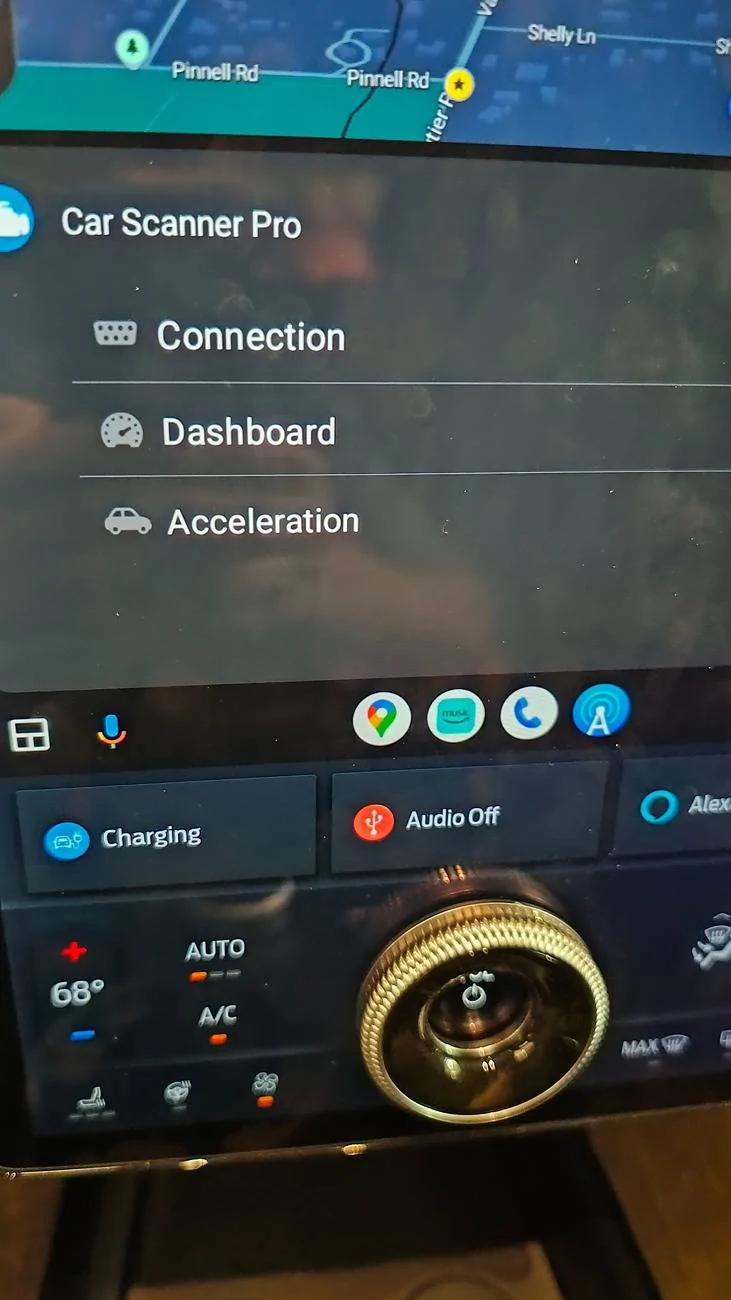
The "connection" screen allows the phone to connect to the OBD dongle. The "acceleration" screen goes to an acceleration test menu with different 0-whatever times, and the "dashboard" menu (I was the most excited about this) sends you to......
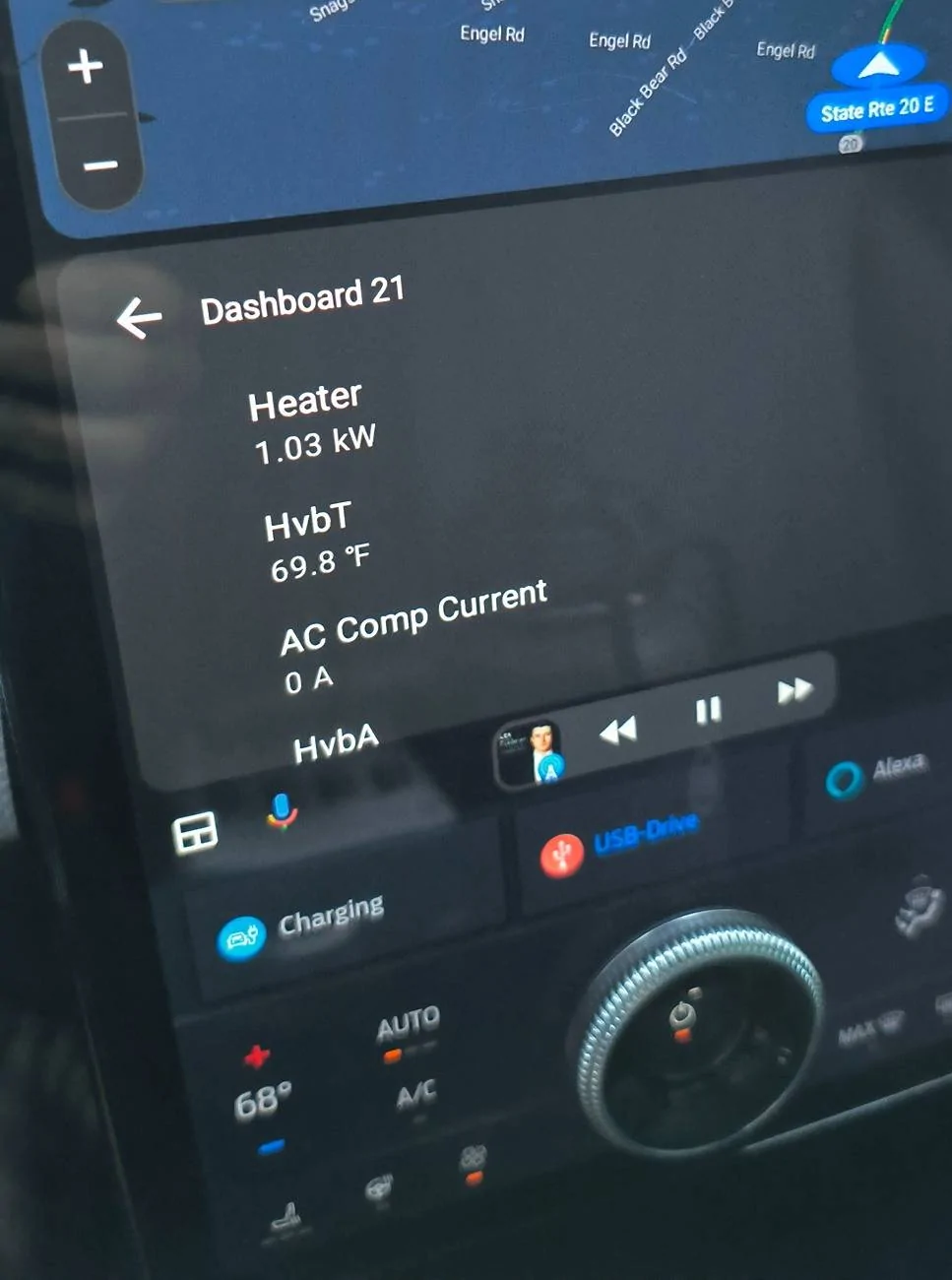
Well, I guess it's a work in progress.... But hey, it's a start! All of the different dashboards and custom dashboards just show as text, but the information is there and it's live. No need to use Screen2Auto or any of the other hacks to get the Car Scanner information on to the MME screen. I could only get it to show 3.5 parameters at a time, but you can scroll up and down if you are looking for information from a particular gauge.
If you have a different version or if your Car Scanner shows more or different information or has graphic gauges, please share!
Tagging @mkhuffman and @kennelh as you both seem to be working on apps or ABRP/Car Scanner/Android/Google Maps, etc...
Sponsored