RRL
Member
- First Name
- Roger
- Joined
- Apr 18, 2022
- Threads
- 0
- Messages
- 6
- Reaction score
- 16
- Location
- Ottawa
- Vehicles
- Mustang Mach-E Premium AWD

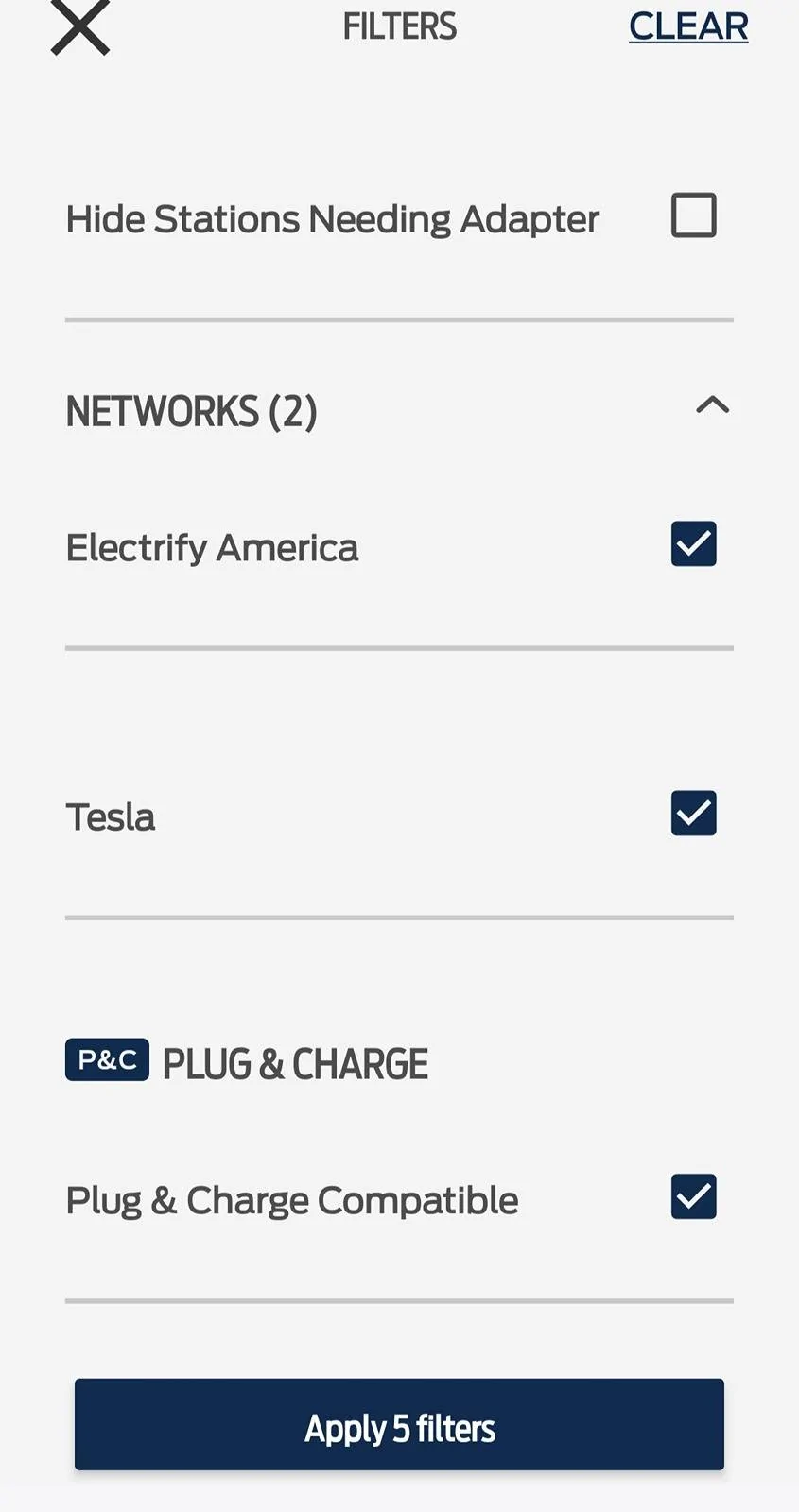
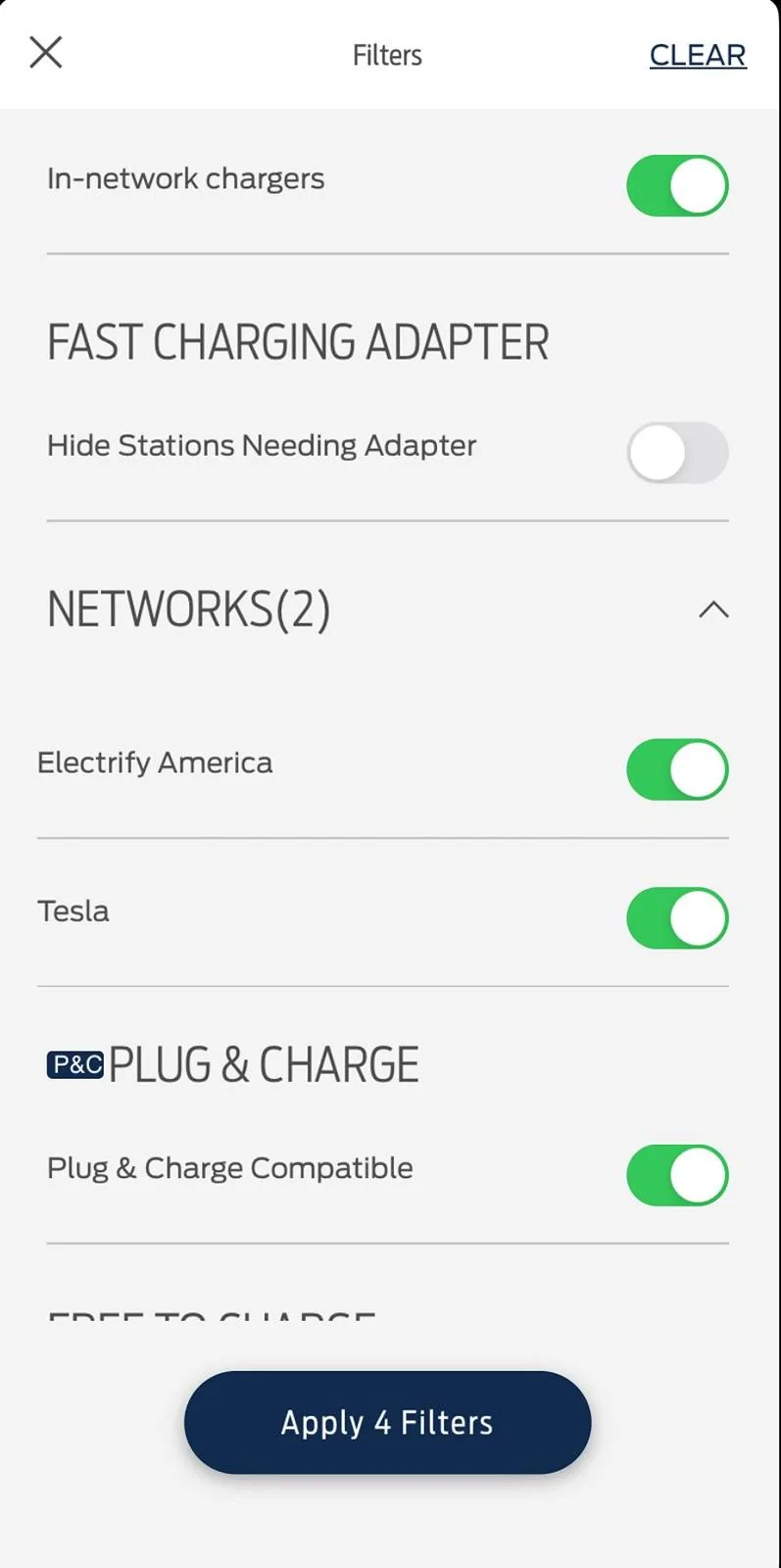
Go to your Ford Pass App> Map > Network and select filters.Last week on my way back to NJ From Florida, I used my A2Z adapter several times. I discovered that the best way was to push the adapter into the car charger port first. Then using both hands pushing the Tesla Supercharger plug into the adapter. As soon as it goes in fully, you'll hear the whirring from the mach-e charger.
When finished charging, unplug the adapter from the car and then flip it over to push the release slide to unlock and then pull the two apart.
That's the easy part! The hard part was finding Tesla Superchargers along my route back up I-95.
Ford navigation did not send me to any Tesla chargers. One instance it sent me to a "Go-Station EV..." station. It required a complicated phone app installation and sign up with credit card before use. It didn't allow me to charge, even after all the sign-up stuff was completed. Calling their 800 number was no help. They couldn't ID the problem and hung me up twice.
I looked on my phone for the nearest Tesla charging stations and was shocked to find one less than 1,000 feet away at a Deli stop! Drove to the other end of the parking lot, plugged into the Tesla Supercharger, and charging started right up. It would be nice if Ford navigation would include Tesla Superchargers.

Sponsored