Can’t program to stop charging at 80%?

dmur726

Well-Known Member
Joined
May 29, 2021
Threads
7
Messages
45
Reaction score
9
Location
ID
Vehicles
‘21 Job 2 Premium Mach-e AWD ER
Country flag
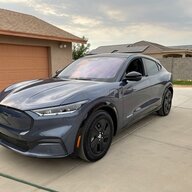
I picked Shadowfax up from the dealer just over a week ago. What an amazing ride!
I have, however, had a couple of tech glitches.

It took until yesterday until I had the option to activate PaaK. It seems to work now, though.

What I haven’t seen mention of elsewhere is this: car arrived with full charge, so my first charge at home was Wednesday. My phone (without PaaK) didn’t recognize the location (I assume because I had never charged there before) and so I wasn’t able to make any adjustments to the charge level or the time of charging from my phone. Would I have to get back in the car to do that?

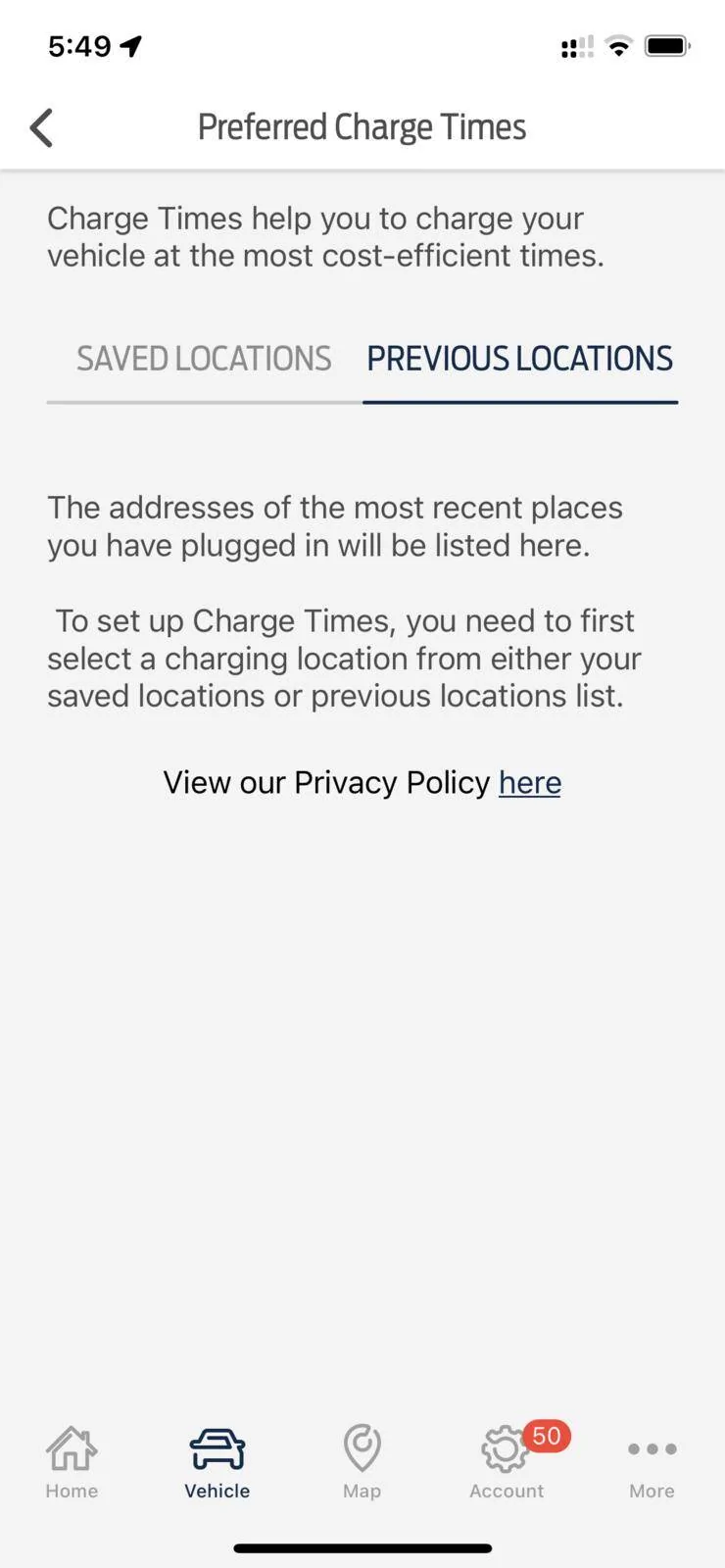
From the car I cannot set any charging preferences either, because that line in settings is greyed out. From my phone the charge session shows up in the logs but doesn’t show up as a previous charging session, so again, I can’t seem to adjust the level or time of charge session, or even set my home as a charging location. The screen with “Preferred charge times” doesn’t have any locations listed and says I need a location saved. Where do I go to set my home as a preferred location?

I appreciate any help anyone can offer!
Sponsored
 

Nklem

Well-Known Member
First Name
Norm
Joined
May 20, 2021
Threads
105
Messages
1,318
Reaction score
1,699
Location
Coast of Maine
Vehicles
Subaru Solterra
Occupation
Mechanical Engineer
Country flag
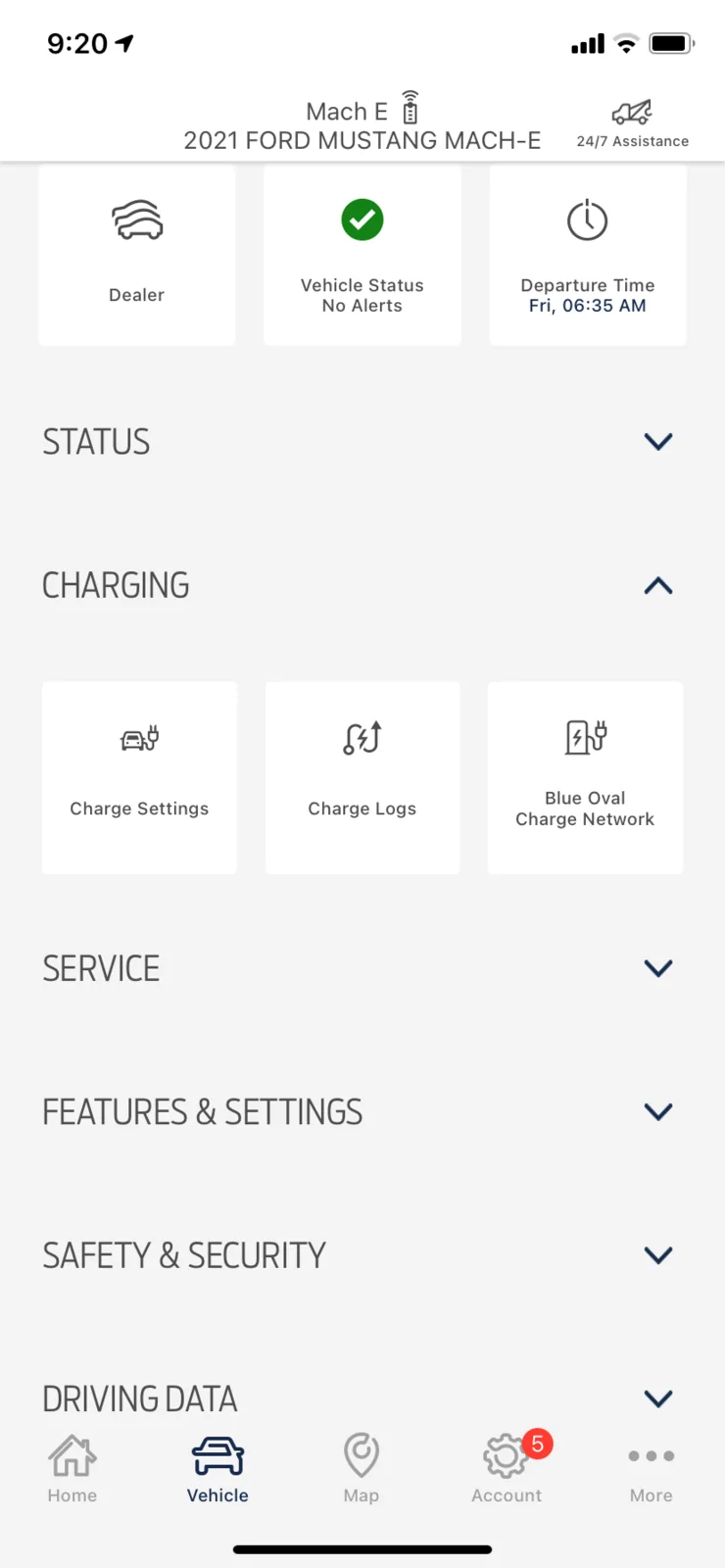
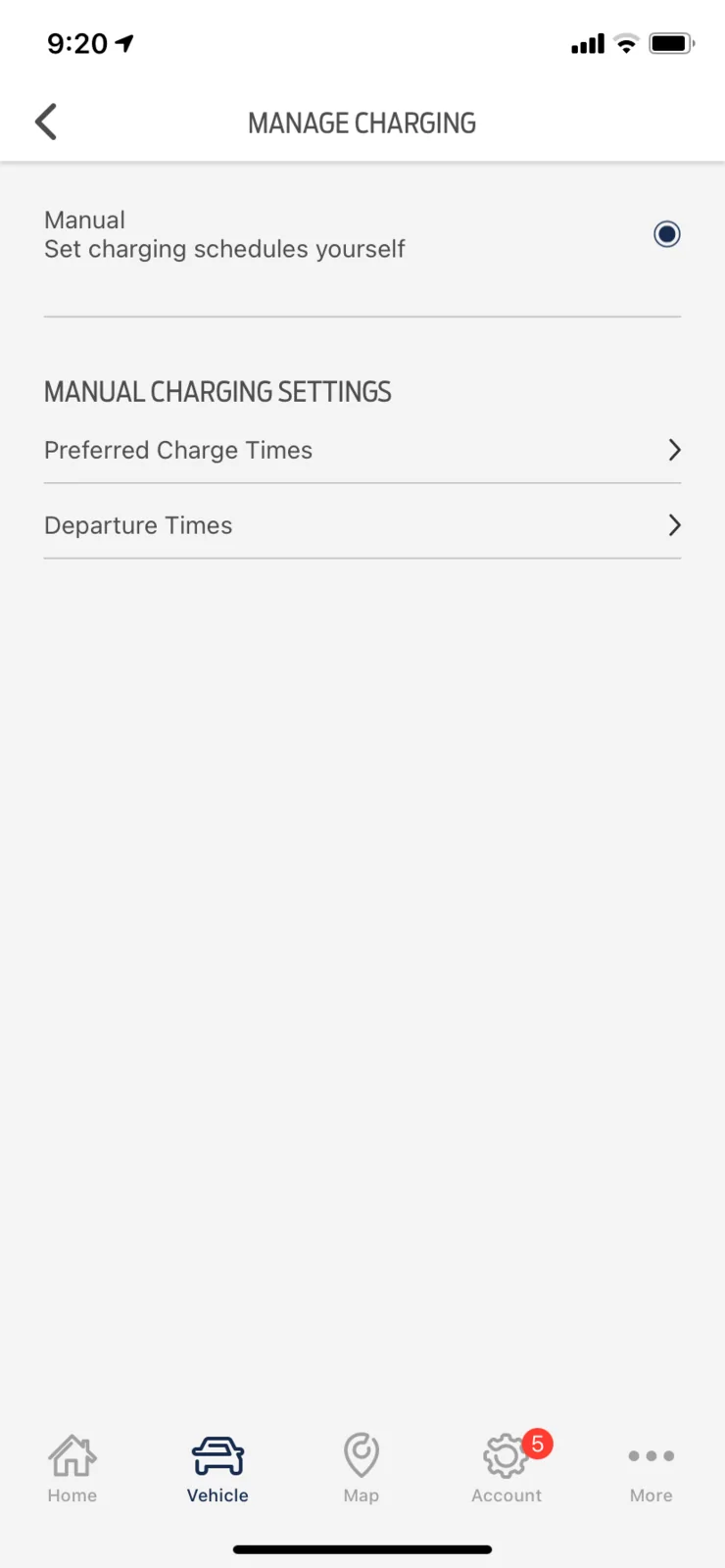
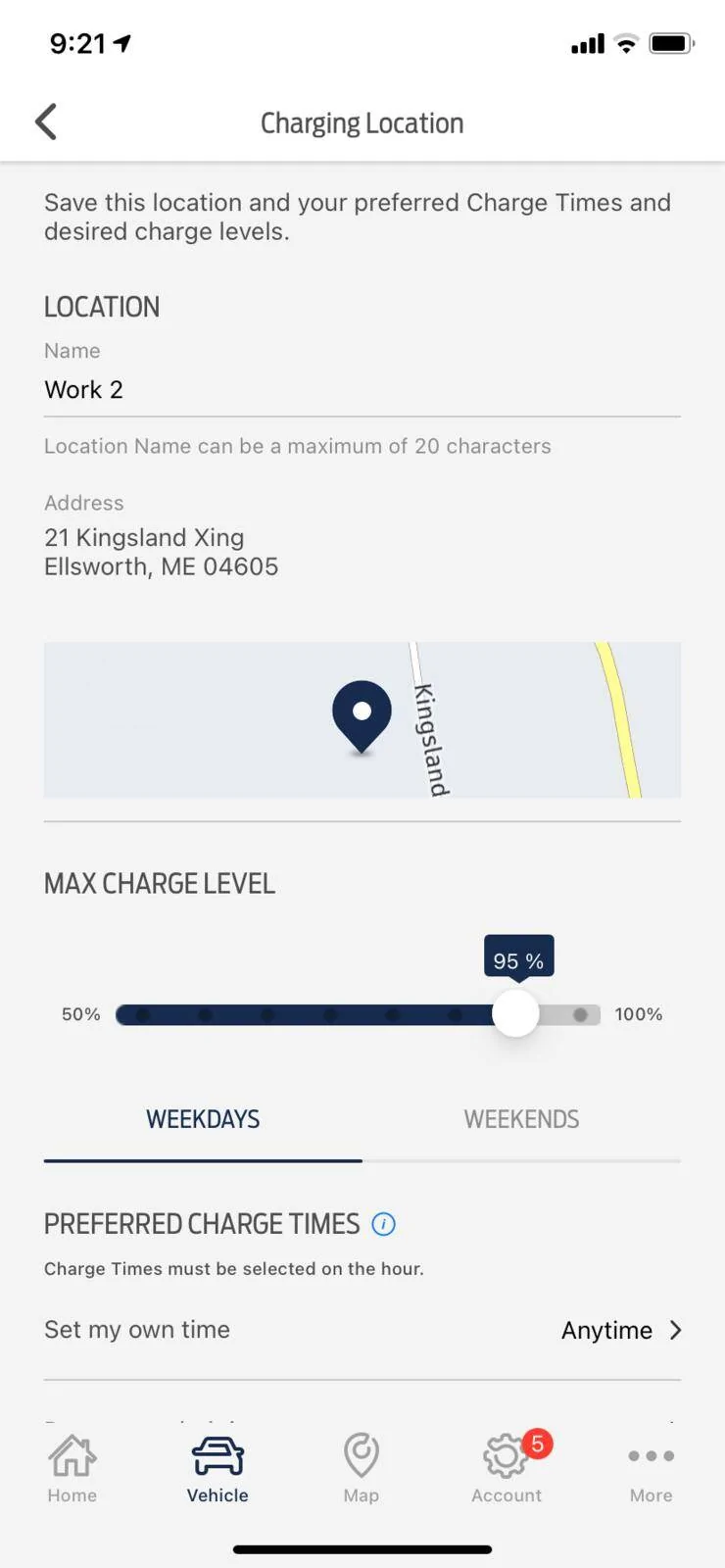
Use Fordpass on your phone to configure charging. It's quick and easy. Be sure to use preferred settings and SAVE the charging locations with names.

Ford Mustang Mach-E Can’t program to stop charging at 80%? charge 2.jpg


Ford Mustang Mach-E Can’t program to stop charging at 80%? charge 23


Ford Mustang Mach-E Can’t program to stop charging at 80%? charge 1.jpg
 
OP
OP
dmur726

dmur726

Well-Known Member
Joined
May 29, 2021
Threads
7
Messages
45
Reaction score
9
Location
ID
Vehicles
‘21 Job 2 Premium Mach-e AWD ER
Country flag
Thank you for your detailed reply! My problem is that I don’t have any locations to save. I charged last night, too, and I still get this:
Ford Mustang Mach-E Can’t program to stop charging at 80%? 124F9C2B-99FF-42B8-9A8C-EE35A33433D0

Again, the charging session shows in the log, but there isn’t, best I can tell, a way to make my home a charging location because it never shows up.
 

Nklem

Well-Known Member
First Name
Norm
Joined
May 20, 2021
Threads
105
Messages
1,318
Reaction score
1,699
Location
Coast of Maine
Vehicles
Subaru Solterra
Occupation
Mechanical Engineer
Country flag
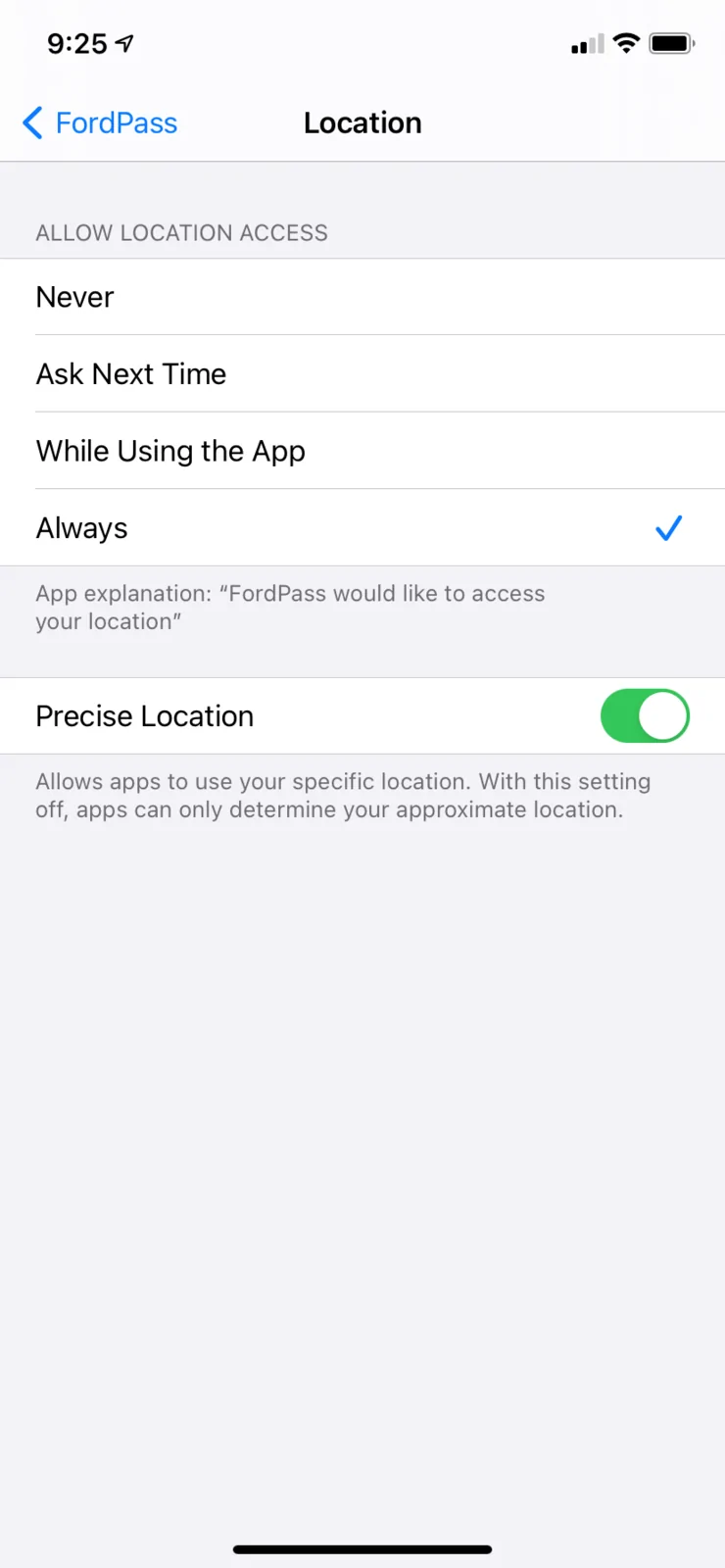
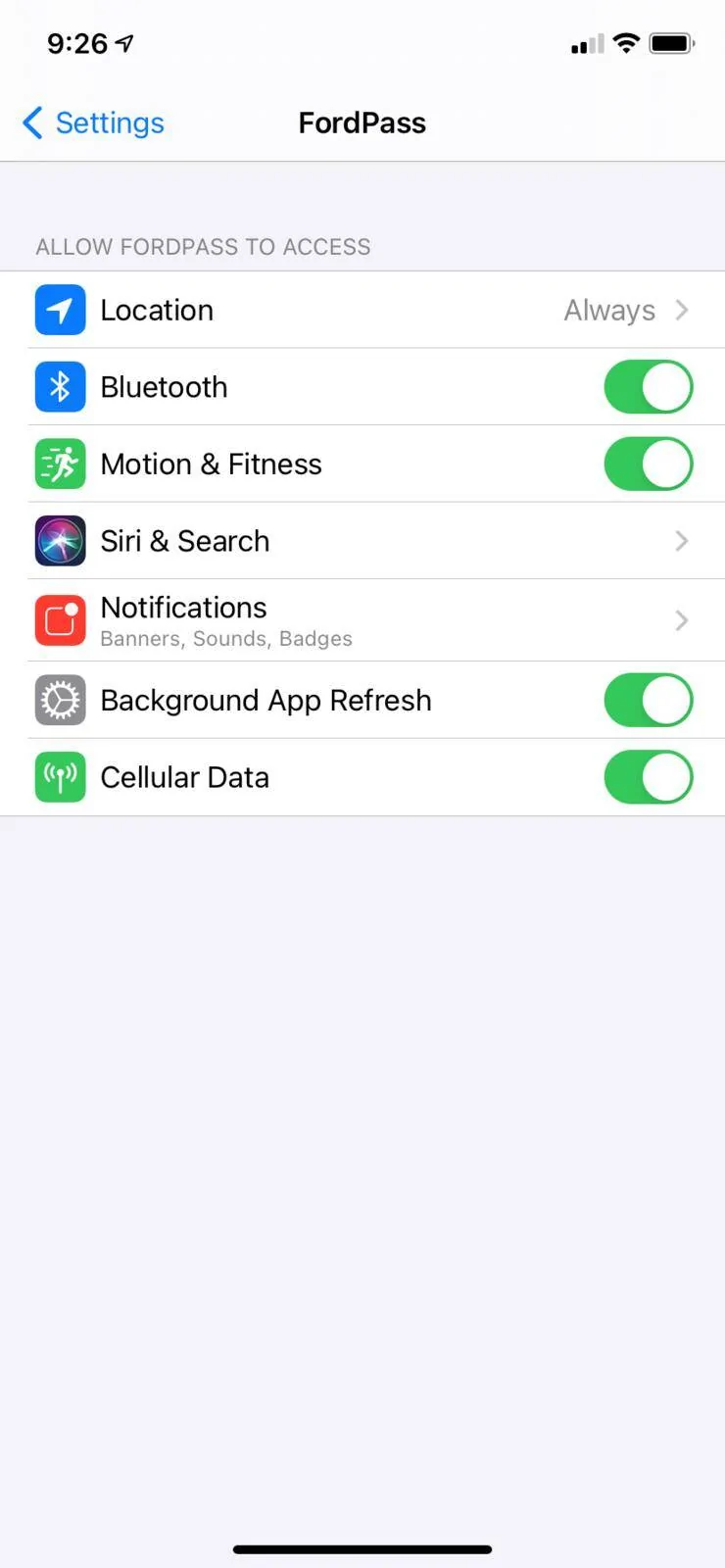
Is your "share locations" or “location services” turned on, on your phone for the Ford Pass ap? Everywhere I charge, I get the exact location listed.
 
Last edited:
OP
OP
dmur726

dmur726

Well-Known Member
Joined
May 29, 2021
Threads
7
Messages
45
Reaction score
9
Location
ID
Vehicles
‘21 Job 2 Premium Mach-e AWD ER
Country flag
Everything is turned on. I have notifications that tell me we are all charged and ready to go, but no way to save the charging location. I’m stumped.


ChasingCoral

Well-Known Member
First Name
Mark
Joined
Feb 3, 2020
Threads
502
Messages
14,318
Reaction score
28,680
Location
Maryland
Vehicles
2021 GB E4X FE, 2022 F-150 Lightning Lariat ER
Occupation
Retired oceanographer
Country flag
I've always found the controls work better on the car screen than the FordPass app. However, you can't set such preferences until after you have charged at that location.

After charging at home, park the car at the same location and navigate to the charging screen on the main screen. See if that works.
 

RickMachE

Well-Known Member
Joined
Jul 1, 2021
Threads
267
Messages
17,957
Reaction score
27,990
Location
SE MI
Vehicles
2022 Mach-E Premium 4X, 2022 Lightning Lariat ER
Country flag
I'd suggest sitting and reviewing your in-car settings. There are all sorts of options including for connected services. I don't have a list in front of me, but it's possible that you have a setting turned off that impacts getting offered a previous location.

Then try to pick the location in the car, not the app.
 

AZBill

Well-Known Member
First Name
Bill
Joined
May 26, 2021
Threads
12
Messages
1,999
Reaction score
2,327
Location
Arizona
Vehicles
MME CA Route 1, Hummer EV SUT, Escalade IQ
Occupation
Retired
Country flag
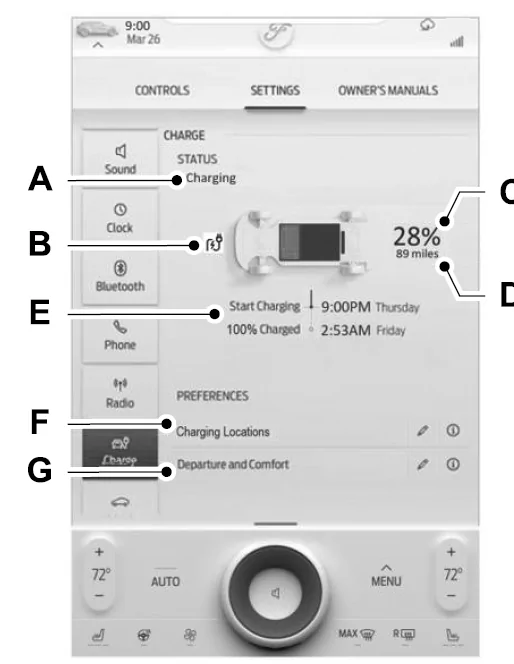
I wa able to set all this up in the car, using this page to create a home charging location (F).
Ford Mustang Mach-E Can’t program to stop charging at 80%? 1636553680485


Not sure why that would be grayed out for you. Also I found I had to create a Home location for the Navigation first, in order to reuse that name for home charging.
 

Nklem

Well-Known Member
First Name
Norm
Joined
May 20, 2021
Threads
105
Messages
1,318
Reaction score
1,699
Location
Coast of Maine
Vehicles
Subaru Solterra
Occupation
Mechanical Engineer
Country flag
Is your "share locations" or “location services” turned on, on your phone for the Ford Pass ap? Everywhere I charge, I get the exact location listed.
Ford Mustang Mach-E Can’t program to stop charging at 80%? location 2


Ford Mustang Mach-E Can’t program to stop charging at 80%? Location 1
 

Kevin P

Well-Known Member
Joined
Feb 7, 2020
Threads
6
Messages
436
Reaction score
707
Location
Burlington, KY, US
Vehicles
'21 MMEGT - sold, '23 BMW i4 M50, various others
Occupation
IT
Country flag
Several things I have found:

1. If I plugged in the car WHILE IT WAS TURNED ON, it immediately "found" the location and I could edit it from the car. Plugging in while it was turned off never seemed to make a location show up, even after turning the car on and waiting a while.
2. Many times, my car will ignore the settings, and will still attempt to charge to 100%, even though I have it set to 90% at that location. The car seems to know its at the location but ignores the settings.
3. Sometimes, the car will charge to 90% as defined, then some time later start charging again, with a target of 100%, as if it didn't recognize the location. Very bizarre and annoying.

I am going to set it up with available charge times next, rather than have it just charge when plugged in, to see if that matters.
 

Nklem

Well-Known Member
First Name
Norm
Joined
May 20, 2021
Threads
105
Messages
1,318
Reaction score
1,699
Location
Coast of Maine
Vehicles
Subaru Solterra
Occupation
Mechanical Engineer
Country flag
Several things I have found:

1. If I plugged in the car WHILE IT WAS TURNED ON, it immediately "found" the location and I could edit it from the car. Plugging in while it was turned off never seemed to make a location show up, even after turning the car on and waiting a while.
2. Many times, my car will ignore the settings, and will still attempt to charge to 100%, even though I have it set to 90% at that location. The car seems to know its at the location but ignores the settings.
3. Sometimes, the car will charge to 90% as described, then some time later start charging again, with a target of 100%, as if it didn't recognize the location. Very bizarre and annoying.

I am going to set it up with available charge times next, rather than have it just charge when plugged in, to see if that matters.
I have found if it charges to 100%, when your settings are less, you must delete the location and then add it again as a new location. For some reason the location gets corrupt. That has allowed the settings to work.. Its a bug in Ford Pass or related to app updates. I have some feedback from others that this has worked for them.
 

RickMachE

Well-Known Member
Joined
Jul 1, 2021
Threads
267
Messages
17,957
Reaction score
27,990
Location
SE MI
Vehicles
2022 Mach-E Premium 4X, 2022 Lightning Lariat ER
Country flag
Setting charging times often eliminates the problem of overcharging. If you have the same electric rate all the time, set the charging times for a 23 hour 55 minute period.
 

Kevin P

Well-Known Member
Joined
Feb 7, 2020
Threads
6
Messages
436
Reaction score
707
Location
Burlington, KY, US
Vehicles
'21 MMEGT - sold, '23 BMW i4 M50, various others
Occupation
IT
Country flag
I have found if it charges to 100%, when your settings are less, you must delete the location and then add it again as a new location. For some reason the location gets corrupt. That has allowed the settings to work.. Its a bug in Ford Pass or related to app updates. I have some feedback from others that this has worked for them.
I actually tried that first. No change in behavior. I will continue to test with charging times, etc, as suggested.
 
OP
OP
dmur726

dmur726

Well-Known Member
Joined
May 29, 2021
Threads
7
Messages
45
Reaction score
9
Location
ID
Vehicles
‘21 Job 2 Premium Mach-e AWD ER
Country flag
I tried all of the suggestions here to no avail: I added my home address to navigation, all of my phone settings were correct, FordPass app didn't have any previous sessions listed in manual charge settings. I charged an additional couple of times from home and nothing changed.

After reading a suggestion from another thread I finally had success: I turned the car on and THEN plugged it in. The car suddenly recognized the location and I was able to adjust my charge settings! My home finally showed up in the app, as well. Of course, I went through to set up my charge settings in my app, setting up preferred charge times and levels and...FordPass isn't responding...{sigh} {take baby steps, be happy for small advances, you didn't buy the car for perfect tech...}

So anyone able to get the hatch to CLOSE with their foot consistently?

Thank you all for your replies!
 
OP
OP
dmur726

dmur726

Well-Known Member
Joined
May 29, 2021
Threads
7
Messages
45
Reaction score
9
Location
ID
Vehicles
‘21 Job 2 Premium Mach-e AWD ER
Country flag
Several things I have found:

1. If I plugged in the car WHILE IT WAS TURNED ON, it immediately "found" the location and I could edit it from the car. Plugging in while it was turned off never seemed to make a location show up, even after turning the car on and waiting a while.
2. Many times, my car will ignore the settings, and will still attempt to charge to 100%, even though I have it set to 90% at that location. The car seems to know its at the location but ignores the settings.
3. Sometimes, the car will charge to 90% as defined, then some time later start charging again, with a target of 100%, as if it didn't recognize the location. Very bizarre and annoying.

I am going to set it up with available charge times next, rather than have it just charge when plugged in, to see if that matters.
Turning the car on before plugging it in was the trick. Thank you for the suggestion!
Sponsored


Top