Change in FordPass Functionality

Kabish

Well-Known Member
First Name
Bill
Joined
Jul 24, 2021
Threads
40
Messages
927
Reaction score
977
Location
San Diego
Vehicles
2021 Mach-E Mustang
Occupation
IT
Country flag
So I'm not sure if this is an iOS 15 thing or if this is something that Ford changed with the latest version of FordPass. I know a few people leave their phones in thier cars so I waned to pass this along.

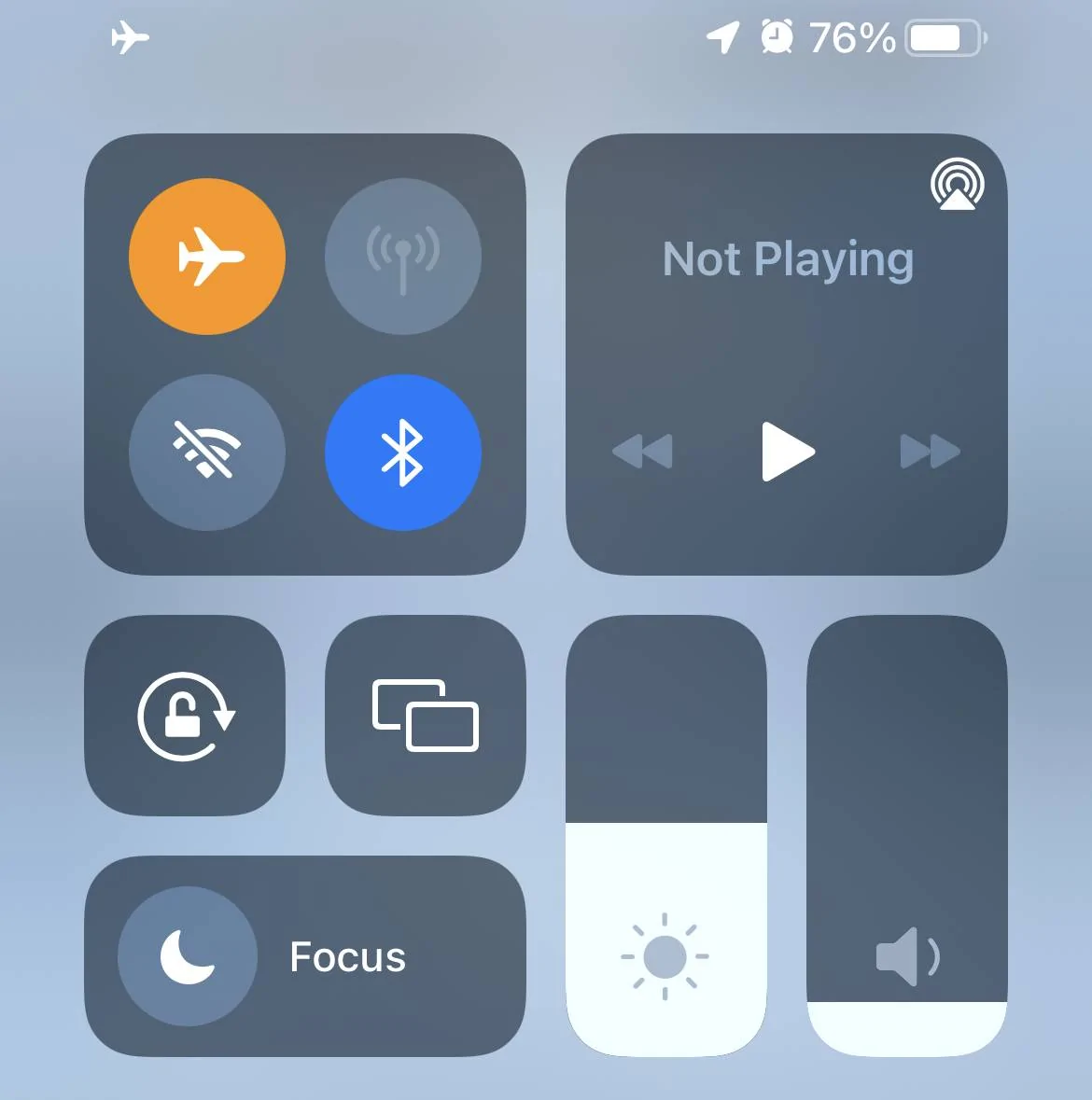
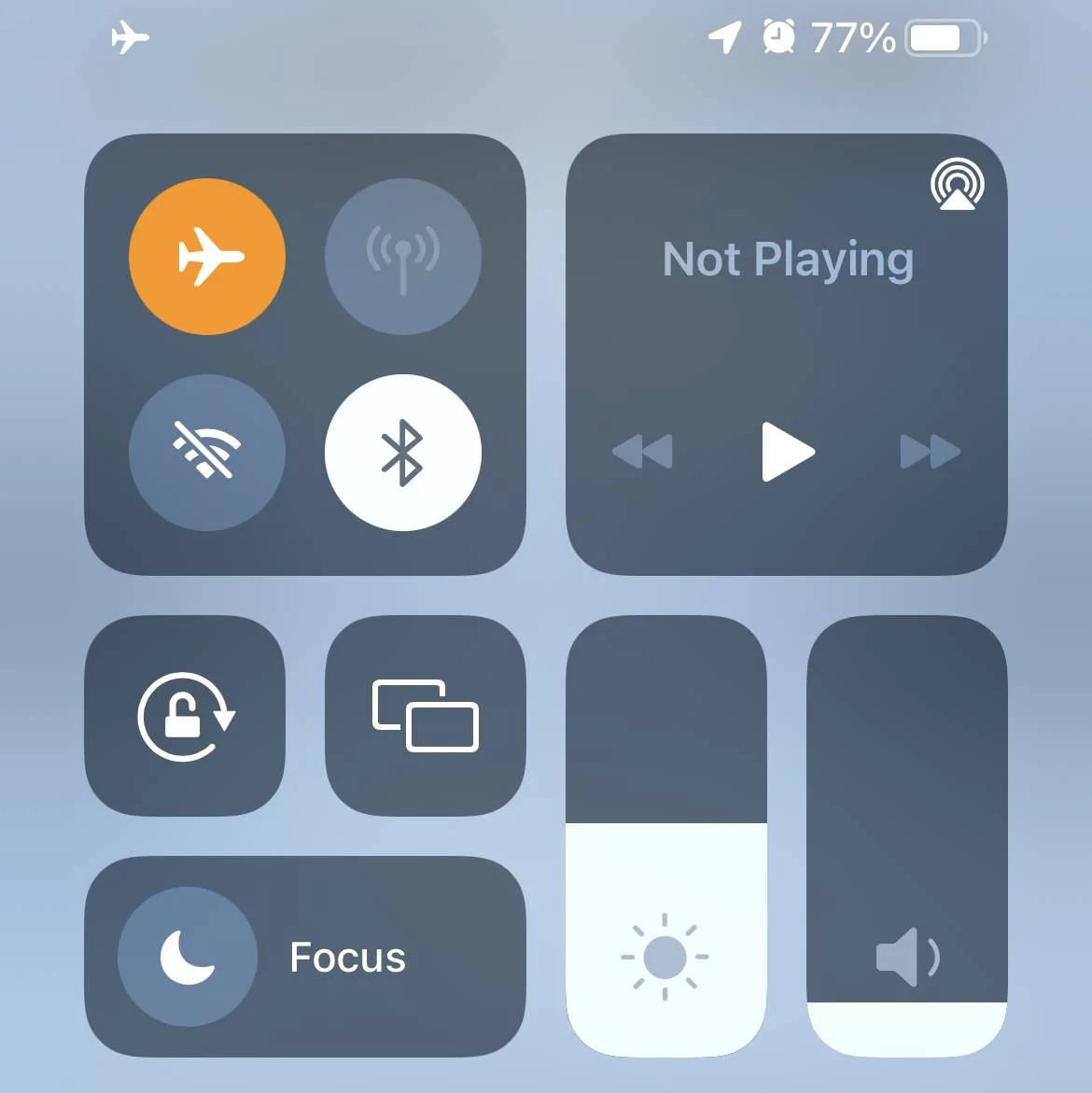
Apparently now when you turn on Airplane mode it no longer kills the connection between your phone and your car. Typically when I hit airplane mode I'll get the "key not detected" error pretty soon after. Today I happened to notice that I did not get the error when getting out of my car. I had already opened my door so I got back in and pushed the start button and imagen my surprise when the car turned on.. I double checked that Airplane mode did indeed turn on and it had bluetooth shut off (technically you can be in airplane mode with BT on). I ended up turning off my phone and then I got the key not detected error.

I know in the past even with my phone on and airplane mode OFF I could not unlock my doors if I manually locked them via 7-8 9-0 buttons even if my phone was still inside the car. I might have to test this out again to make sure its still functioning that way.

So, either FordPass 3.31 doing this to try to keep PAAK working, or its an iOS issue. I'm leaning towards it being FordPass as I noticed when 3.30 (one version back) when you closed the FordPass app it no longer comes up with that notification saying FordPass performs best when left opened. I also noticed even with FordPass "closed" that the PAAK still worked... That said, I believe iOS has had some past history with airplane mode flaking out with new release. Guess the only way to know is if still still has iOS 14.8 that can test it /shrug
Sponsored

 
Last edited:

breeves002

Well-Known Member
First Name
Sam
Joined
Feb 21, 2021
Threads
90
Messages
1,734
Reaction score
3,593
Location
St. Louis, MO
Vehicles
2021 Mach-E GT PE
Country flag
You should be able to lock it with the 78/90 buttons even if the fob/paak is inside the car and connected. Should unlock too with your code no problem. I have done this before. I did have to reset my code after the BCM update though.
 
OP
OP
Kabish

Kabish

Well-Known Member
First Name
Bill
Joined
Jul 24, 2021
Threads
40
Messages
927
Reaction score
977
Location
San Diego
Vehicles
2021 Mach-E Mustang
Occupation
IT
Country flag
Its an iOS 15 thing regarding bluetooth. Apple has made it so turning airplane mode on now only turns off WiFi and cellular but leaves bluetooth on.
Correct to an extent. When you do a major OS upgrade it will default to Airplane mode with BT on. However if you push the BT button it turns it off, and any other times you push Airplane mode BT will be off. It works the same way in Android, been that way for as long as I can remember.
Ford Mustang Mach-E Change in FordPass Functionality IMG_1298
Ford Mustang Mach-E Change in FordPass Functionality IMG_1297

Bluetooth ON - - Bluetooth OFF

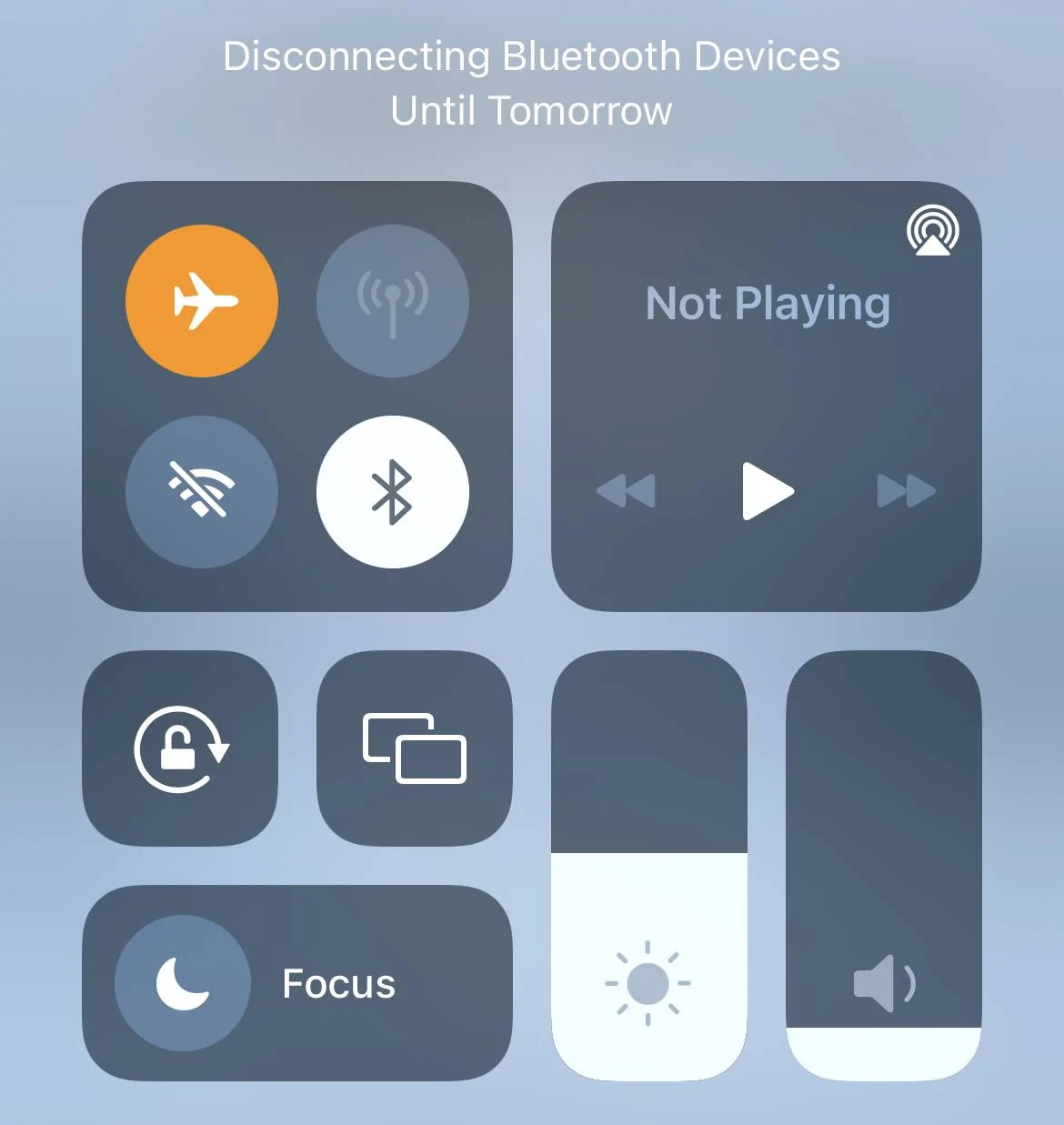
And I toggled it here just so you can see it does "apparently" shut off.
Ford Mustang Mach-E Change in FordPass Functionality IMG_1299


You should be able to lock it with the 78/90 buttons even if the fob/paak is inside the car and connected. Should unlock too with your code no problem. I have done this before. I did have to reset my code after the BCM update though.
Ya, last I checked just leaving it in the car and locking it from the outside requires it to be unlocked from the outside to get in. I just always liked having that safety buffer knowing my PAAK was not connected and I locked it iwth 78/90.

People already find our doors amazing, just takes a person being curious and pushing the button and it popping open.
 

TheVirtualTim

Well-Known Member
First Name
Tim
Joined
Oct 11, 2020
Threads
26
Messages
1,366
Reaction score
2,469
Location
Dearborn, MI
Vehicles
‘21 Mach-E First Edition, ‘23 Mach-E GT Performance
Country flag
It has been this way for a LONG time in iOS ... I don't know how many years back they switched it. Airplane mode used to disable ALL radios. But the FAA relaxed the rule and allows both Bluetooth and WiFi to remain on since a lot of aircraft have WiFi in flight and they allow people to use Bluetooth headphones.

When you turn on Airplane mode ... all it turns off is the cellular radio. It's not a recent change.


OP
OP
Kabish

Kabish

Well-Known Member
First Name
Bill
Joined
Jul 24, 2021
Threads
40
Messages
927
Reaction score
977
Location
San Diego
Vehicles
2021 Mach-E Mustang
Occupation
IT
Country flag
When you turn on Airplane mode ... all it turns off is the cellular radio. It's not a recent change.
By default yes, but as I mentioned my airplane mode is setup to turn off all the radios.

Airplane mode is disconnecting my AirPods, so this change seems like it’s due to FordPass keeping ahold somehow.
 

TheVirtualTim

Well-Known Member
First Name
Tim
Joined
Oct 11, 2020
Threads
26
Messages
1,366
Reaction score
2,469
Location
Dearborn, MI
Vehicles
‘21 Mach-E First Edition, ‘23 Mach-E GT Performance
Country flag
By default yes, but as I mentioned my airplane mode is setup to turn off all the radios.

Airplane mode is disconnecting my AirPods, so this change seems like it’s due to FordPass keeping ahold somehow.
It simply remembers your last 'airplane mode' state.

Do the following experiment and you'll see how it works:

1. Toggle airplane mode ON
2. Without turning Airplane mode OFF manually toggle WiFi and Bluetooth back ON while still in Airplane mode.
3. Toggle Airplane mode OFF (so the phone turns on the cellular radio).
4. Toggle Airplane mode back ON again (to disconnect cellular radio) and you'll notice that Bluetooth and WiFi remain ON (because you manually turned them on in Step 2 and iOS "remembers" that you wanted those things 'on' when in Airplane mode.

It simply remembers what you normally have on/off when in Airplane mode. It has worked this way for years -- it isn't new to iOS 15.

One more thing... disabling Bluetooth in the Control Center menu (where you normally go to toggle Airplane mode on/off) is NOT the same as going into the Settings system and disabling Bluetooth there. For some reason the Control Panel doesn't really shut down the Bluetooth radio ... more like it puts into a paused state. I have noticed connections that were previously open remain open. If I am having problems with Bluetooth I have to go into the Settings panel to switch it off ... wait several seconds ... then switch back on. That will reset Bluetooth services on the phone (without rebooting the whole phone). Doing the same thing via Control Panel ... doesn't actually reset the Bluetooth services ... so if something was wedged and I was hoping to fix it ... it will still be broken UNLESS I do it via Settings menu.
Sponsored


Top