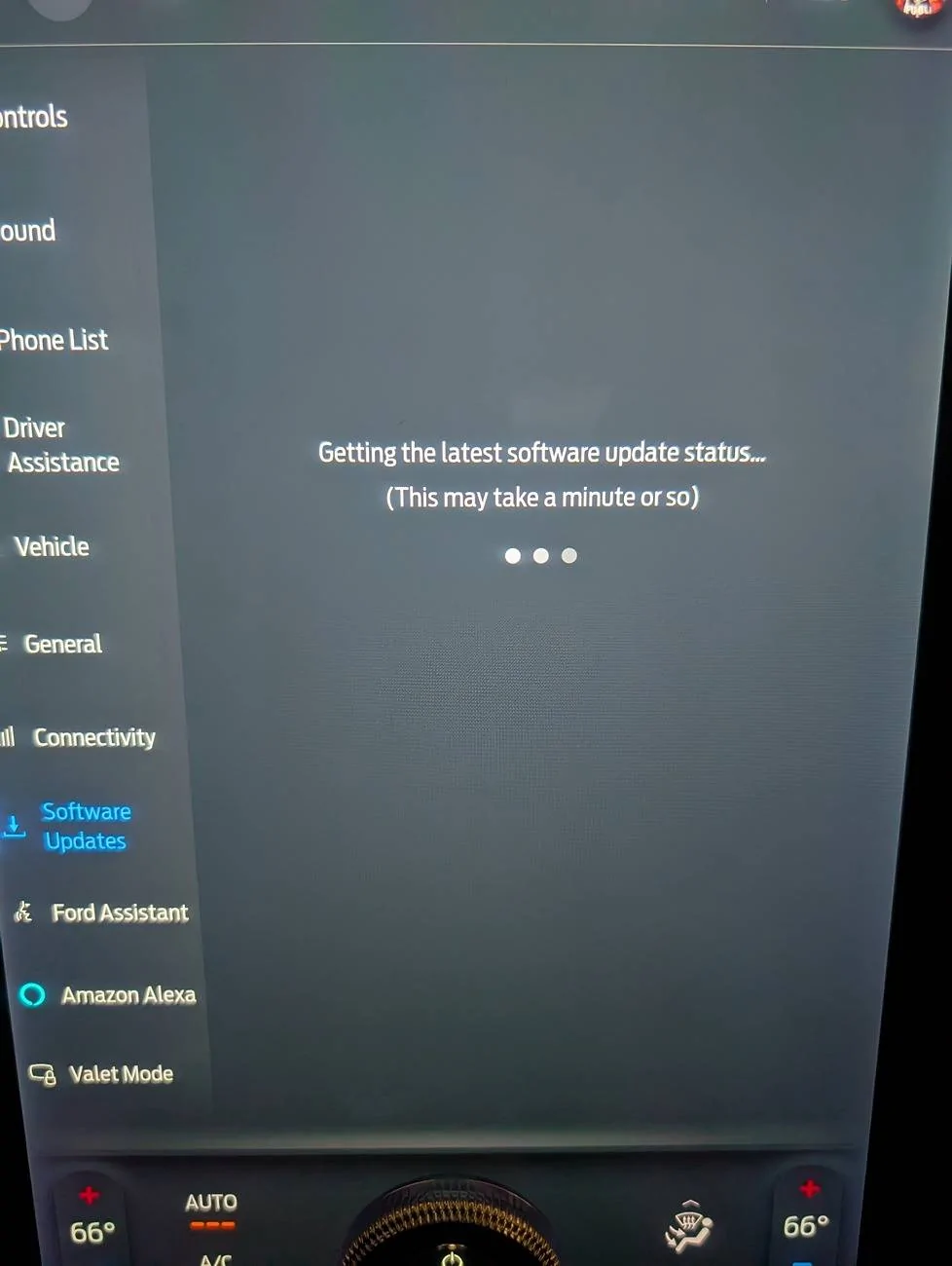
Stuck on "Getting the latest software update status..."

aggiepm

Active Member
First Name
Scott
Joined
Apr 8, 2024
Threads
6
Messages
39
Reaction score
90
Location
West Sacramento, CA
Vehicles
2023 Select Standard Range RWD
Occupation
CAD Engineer
Country flag
When you click on the Software Updates section usually it says its getting the lastest update status for a few seconds then comes back and says you are up to date, or there is a new update, whatever.

For a few weeks now, if I go to Software Update, it just says its getting the lastest software update status, but it never comes back. I think the longest I've waited so far is about 5 minutes. Even on my homes WiFi.

Any ideas? Has this happened to anyone else?

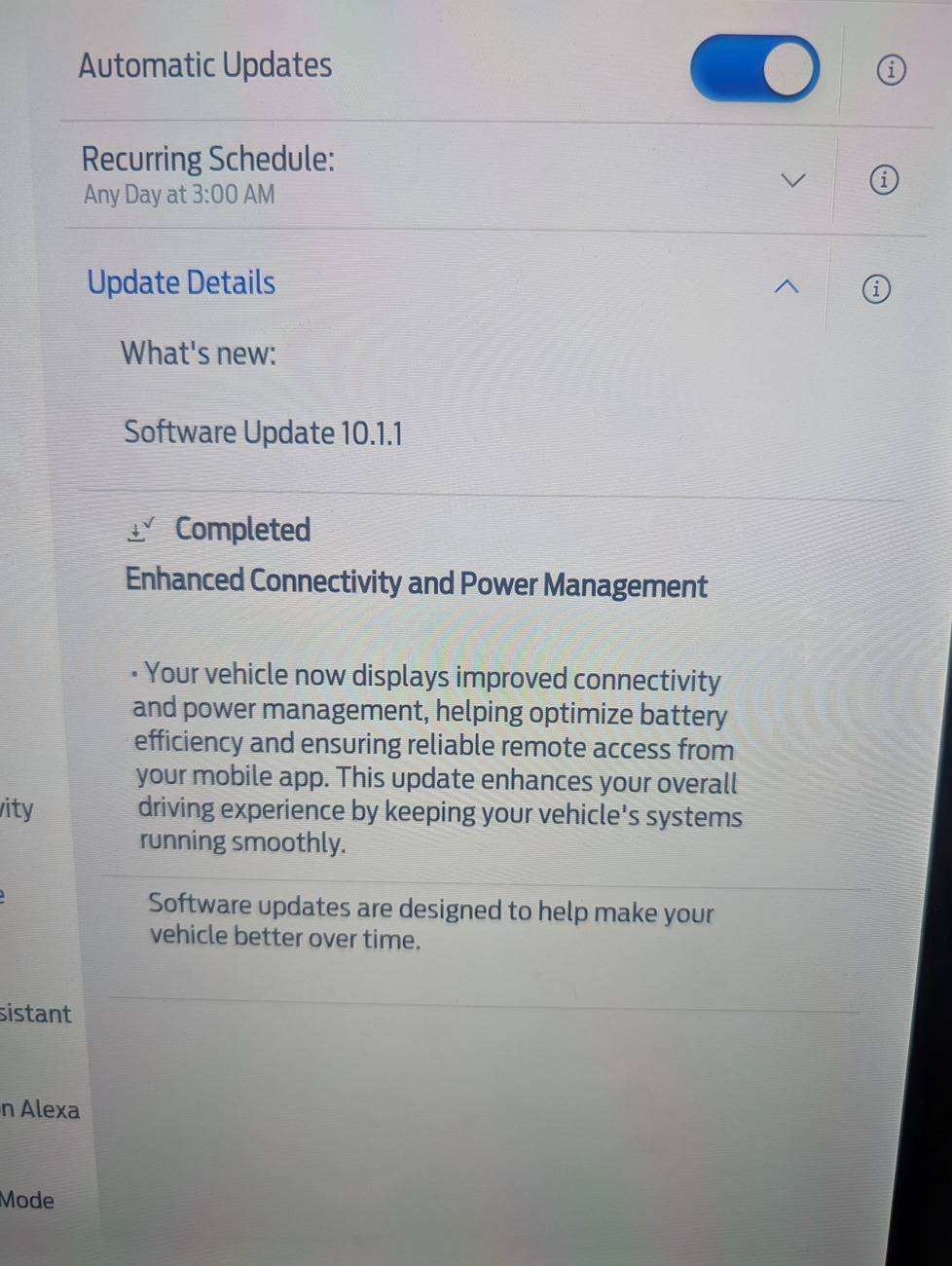
The last update I got was 10.1.0

Ford Mustang Mach-E Stuck on "Getting the latest software update status..." PXL_20241219_153931527
Sponsored


Mache_Nor

Well-Known Member
Joined
Feb 12, 2022
Threads
22
Messages
528
Reaction score
716
Location
Norway
Vehicles
MachE LR RWD
Country flag
Interesting, I actually experienced this for the first time myself today morning. It solved itself by the time I was done at work, but it was refreshing to get some new error for a change :)
 

RonTCat

Well-Known Member
First Name
Ron
Joined
Jul 21, 2020
Threads
27
Messages
1,135
Reaction score
2,979
Location
USA
Vehicles
Mach-E wannabuy
Country flag
Your vehicle lost connectivity with the cloud. You can check that by comparing FordPass to the vehicle, such as the battery charge percentage. They should match. If not, one of the SET modules is hung. You will probably have to remove one of the 12v battery cables for 30 seconds.
 
OP
OP
aggiepm

aggiepm

Active Member
First Name
Scott
Joined
Apr 8, 2024
Threads
6
Messages
39
Reaction score
90
Location
West Sacramento, CA
Vehicles
2023 Select Standard Range RWD
Occupation
CAD Engineer
Country flag
Your vehicle lost connectivity with the cloud. You can check that by comparing FordPass to the vehicle, such as the battery charge percentage. They should match. If not, one of the SET modules is hung. You will probably have to remove one of the 12v battery cables for 30 seconds.
Oh interesting idea. before this happened it did say that 10.1.1 had failed to install. But I don't want to disconnect my battery until I don't need my car :crackup:
 

UConnPony

Member
Joined
Oct 29, 2024
Threads
0
Messages
5
Reaction score
9
Location
Oregon
Vehicles
2024 Mach-E GT with Performance Upgrade
Your vehicle lost connectivity with the cloud. You can check that by comparing FordPass to the vehicle, such as the battery charge percentage. They should match. If not, one of the SET modules is hung. You will probably have to remove one of the 12v battery cables for 30 seconds.
This happened to me once when my modem was no longer working. See this post for how I reset the modem and regained connectivity. It is easier IMO than disconnecting the 12v battery.

https://www.macheforum.com/site/thr...-pass-is-useless-fix.40335/page-2#post-872192


jetermeyer

Well-Known Member
First Name
Jeff
Joined
Oct 25, 2020
Threads
4
Messages
197
Reaction score
187
Location
MA
Vehicles
Lexus NX 300H, Acura TLX
Occupation
Retired
Country flag
I've had this happen multiple times. Never figured out exactly when but it always resolved itself without me doing anything.
 

rugedraw

Well-Known Member
First Name
Javier
Joined
Nov 13, 2023
Threads
0
Messages
2,633
Reaction score
2,390
Location
Miami, FL
Vehicles
2021 Ford F150 Platinum FX4 EB/2023 Bronco Sport Badlands/1991 Mustang 5.0 coupe
Occupation
Auto Sales
Country flag

daggerNC

Member
First Name
David
Joined
Jan 17, 2025
Threads
0
Messages
11
Reaction score
12
Location
North Carolina
Vehicles
2024 Mach-E Select
Restarting this thread, as I am getting the same screen when I hit Software Updates and it stays on a constant loop of "Getting the latest software update status.." and it just stays there. Been that way for a week now - even left it on for at least 20 minutes. What's a little different is I pulled fuse #21 for 15 minutes but that didn't work/fix it. My new 2024 Mach-E (1 month old) did sit for a couple of weeks so likely what triggered this to happen. However, my FordPass app has never lost communication with the vehicle (which is different than many other users posted). Fuse #21 is for the Gateway Module. I see someone else noted they pulled fuse #11 which resets the Telematics Control Unit (but it wasn't exactly clear if they had this same Software Updates loop issue), so should I try that one (or is that the correct one for my situation)? Really don't want to tear apart the frunk to disconnect the battery (a stupid design flaw IMHO) but will if that's they only solution here. Thanks!
 

DugthePug Dad

Well-Known Member
First Name
Pat
Joined
Aug 7, 2023
Threads
38
Messages
850
Reaction score
1,660
Location
California
Vehicles
2023 Mach E premium
Occupation
Retired
Country flag
I just went through this.

I took it to the dealership because I wanted the first service done at the same time. they updated 5 modules and did a master reset. All of which didn’t fix the problem.

At the end of the day they disconnected the 12v and it worked…

The last message I got before it wouldn’t load was 10.1.1 had failed to load.
 
OP
OP
aggiepm

aggiepm

Active Member
First Name
Scott
Joined
Apr 8, 2024
Threads
6
Messages
39
Reaction score
90
Location
West Sacramento, CA
Vehicles
2023 Select Standard Range RWD
Occupation
CAD Engineer
Country flag
I just did the fuse pull thing this weekend (yes I'm slow). It did not work for me either.

I really don't wanna pull apart the frunk but I think pulling the battery is my only other option.


Restarting this thread, as I am getting the same screen when I hit Software Updates and it stays on a constant loop of "Getting the latest software update status.." and it just stays there. Been that way for a week now - even left it on for at least 20 minutes. What's a little different is I pulled fuse #21 for 15 minutes but that didn't work/fix it. My new 2024 Mach-E (1 month old) did sit for a couple of weeks so likely what triggered this to happen. However, my FordPass app has never lost communication with the vehicle (which is different than many other users posted). Fuse #21 is for the Gateway Module. I see someone else noted they pulled fuse #11 which resets the Telematics Control Unit (but it wasn't exactly clear if they had this same Software Updates loop issue), so should I try that one (or is that the correct one for my situation)? Really don't want to tear apart the frunk to disconnect the battery (a stupid design flaw IMHO) but will if that's they only solution here. Thanks!
 

rugedraw

Well-Known Member
First Name
Javier
Joined
Nov 13, 2023
Threads
0
Messages
2,633
Reaction score
2,390
Location
Miami, FL
Vehicles
2021 Ford F150 Platinum FX4 EB/2023 Bronco Sport Badlands/1991 Mustang 5.0 coupe
Occupation
Auto Sales
Country flag
If the fuse trick doesn't work, you gotta do the battery pull for 20 minutes.
 

daggerNC

Member
First Name
David
Joined
Jan 17, 2025
Threads
0
Messages
11
Reaction score
12
Location
North Carolina
Vehicles
2024 Mach-E Select
Curious as to which fuse you guys are pulling - #21, or #11, or both? I'll do #11 next and then the Frunk. I'll send a $180 bill to Ford too....
 

daggerNC

Member
First Name
David
Joined
Jan 17, 2025
Threads
0
Messages
11
Reaction score
12
Location
North Carolina
Vehicles
2024 Mach-E Select
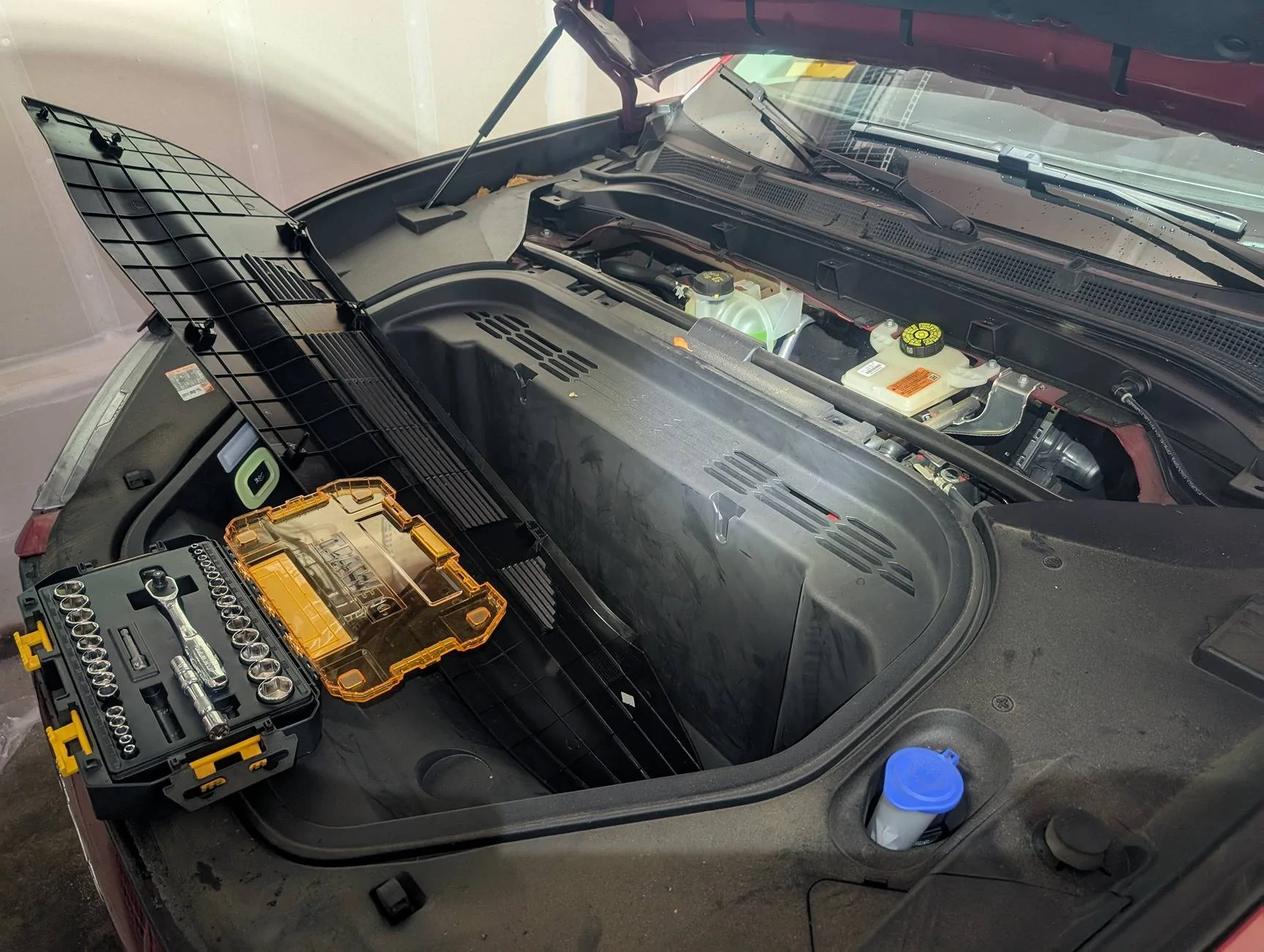
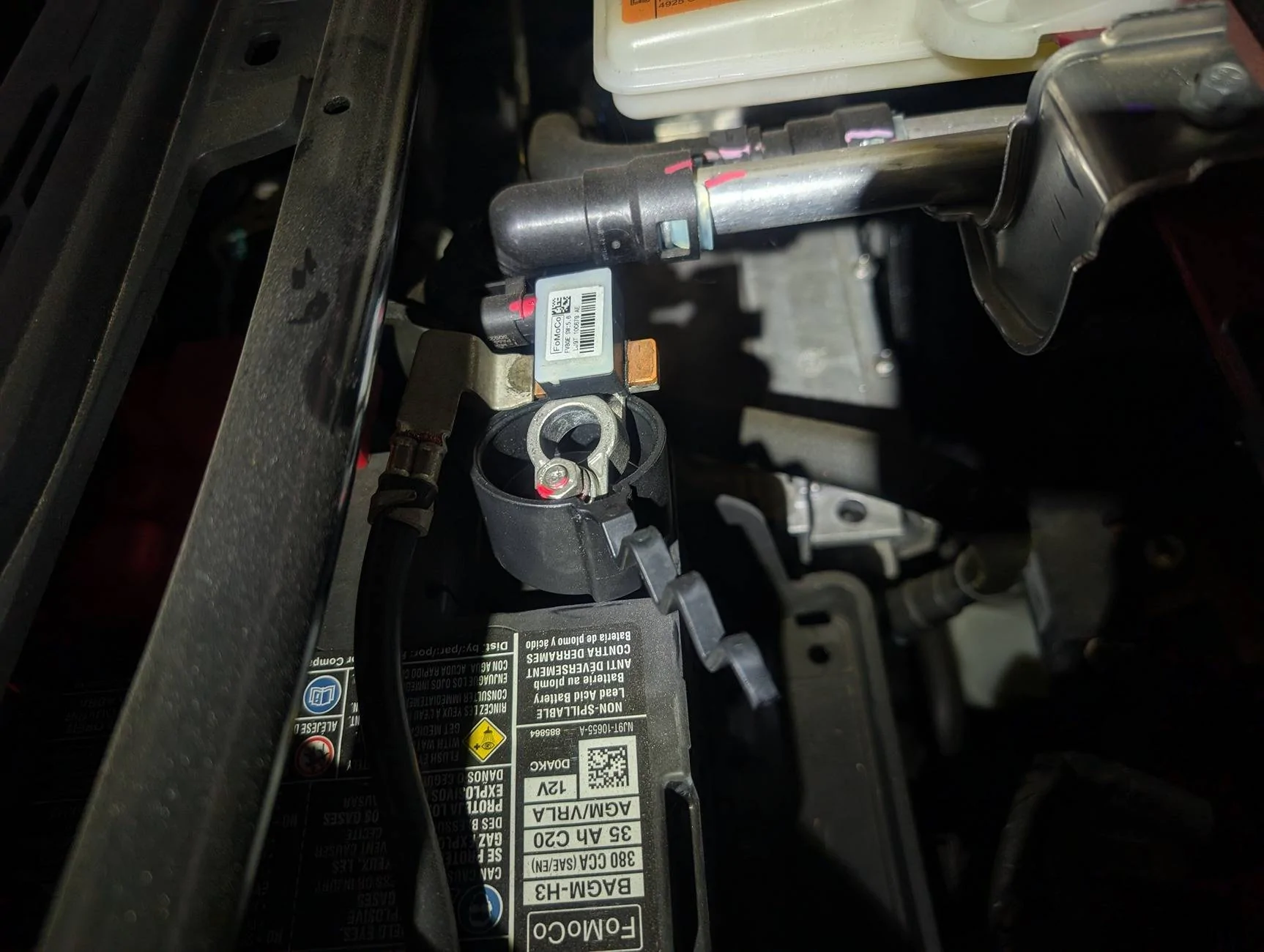
Well, it's "fixed". I pulled both #11 and #21 for about 30 minutes, and NADA, no change. So last option is the disconnect the negative battery terminal. Popped the frunk, and started pulling up the two plastic cover sections: first the upper/cowl area and then the right side. NOTE: on my 2024 you do NOT have to pull the right panel up at all! Just remove the top/cowl panel and you then have easy access to the negative terminal. Disconnected and left for about an hour (yes, overkill but I was hungry by then :) ), and when I reconnected it and brought up the Software Update screen option it took all of 2 seconds to display I have no updates and the other options on that window!! Yay, but what a pain.... Thanks to everyone before me that had to do this and for sharing the procedure.

Cheers!
 
OP
OP
aggiepm

aggiepm

Active Member
First Name
Scott
Joined
Apr 8, 2024
Threads
6
Messages
39
Reaction score
90
Location
West Sacramento, CA
Vehicles
2023 Select Standard Range RWD
Occupation
CAD Engineer
Country flag
Yay mine "fixed" too! That was pretty easy. You only need to remove the top panel, and of course I lost 2 clips in the process ?‍♂. Now hopefully 10.1.1 does not fail again and land it in the stuck phase again. I left mine disconnected for 60 minutes out of abundance of caution.
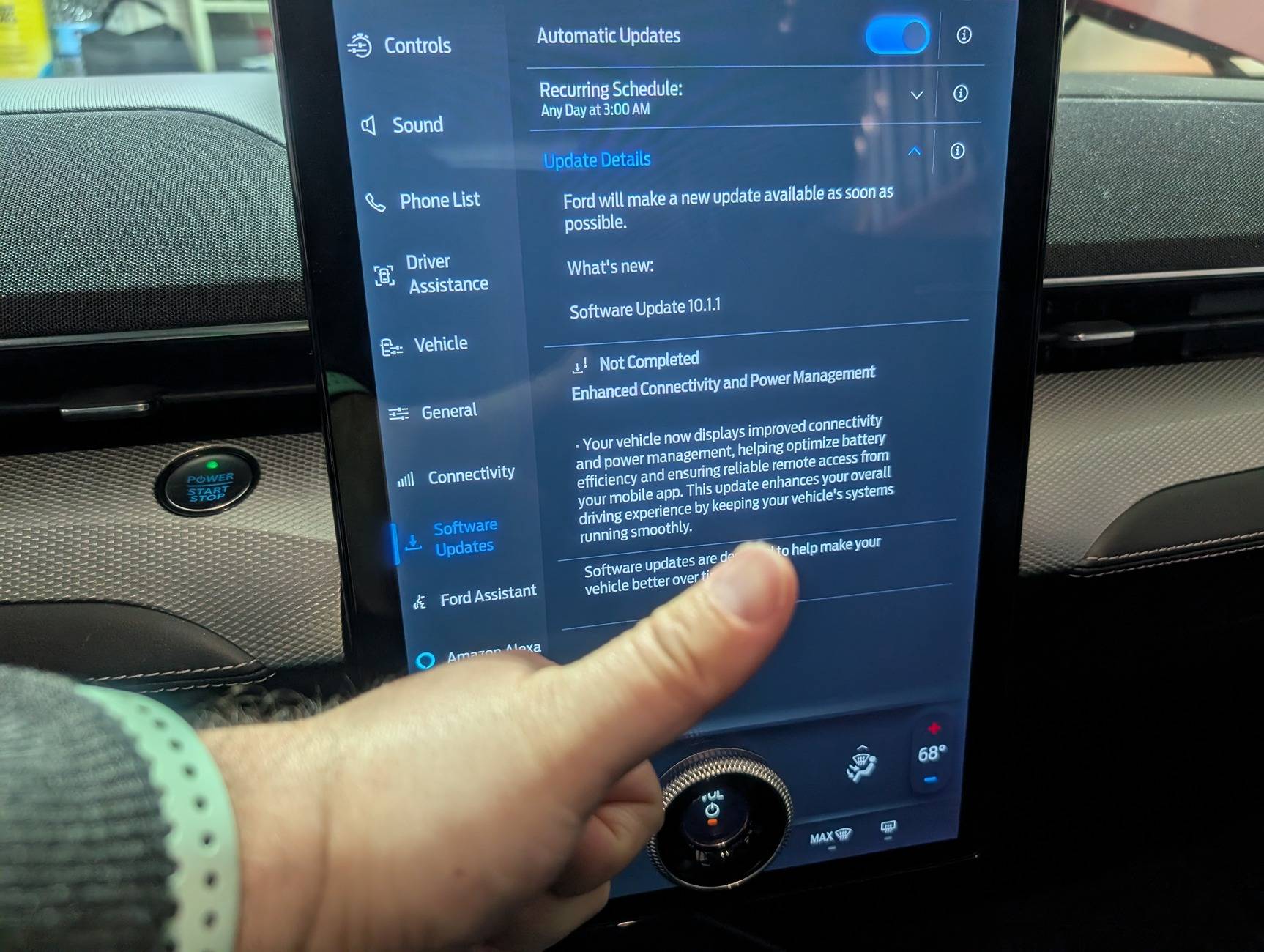
Ford Mustang Mach-E Stuck on "Getting the latest software update status..." PXL_20250201_200140272
Ford Mustang Mach-E Stuck on "Getting the latest software update status..." PXL_20250201_200154771
Ford Mustang Mach-E Stuck on "Getting the latest software update status..." PXL_20250201_210709300


Well, it's "fixed". I pulled both #11 and #21 for about 30 minutes, and NADA, no change. So last option is the disconnect the negative battery terminal. Popped the frunk, and started pulling up the two plastic cover sections: first the upper/cowl area and then the right side. NOTE: on my 2024 you do NOT have to pull the right panel up at all! Just remove the top/cowl panel and you then have easy access to the negative terminal. Disconnected and left for about an hour (yes, overkill but I was hungry by then :) ), and when I reconnected it and brought up the Software Update screen option it took all of 2 seconds to display I have no updates and the other options on that window!! Yay, but what a pain.... Thanks to everyone before me that had to do this and for sharing the procedure.

Cheers!


Top