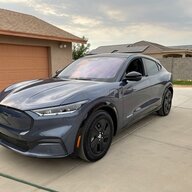
Week 1 with Mach E Cali Route 1

Fradav

Member
Joined
Jun 8, 2021
Threads
1
Messages
5
Reaction score
1
Location
RSM
Vehicles
Route 1
Country flag
I love the car no doubt but there's a few things that I'm struggling to solve.

1. Lane assist turns off : " cancelled" is all that comes on screen, I can't find any reason why based on the road or speed. I reduced the intensity to medium today she haven't seen it since, but this could be a short term fix.
Anyone know what is causing this?

2. Trunk won't open: if I walk up to the locked car and press the button on the trunk, it won't open and simply flashes yellow rear lights (no noise). So I can't get into the trunk unless I open the car with the fob.

3. Settings don't stick:
For example, I've turned on rear camera delay twice today and it doesn't stay turned on!

4. Not always recognizing me as driver: I have PaaK set up but I've only always carried the key fob (mainly due to trust issue because of all the above!).
Sometimes it calls me guest, sometimes it just blinks with no Avatar at all at the top for the whole trip.

5. Car doesn't always lock on walk away!!:
This is a big one, I loved this feature on my volt. I want to know when I leave my car it will lock.. It randomly doesn't (mirrors give it away).

Any help would be appreciated!
Sponsored

 

macchiaz-o

Well-Known Member
First Name
Jonathan
Joined
Nov 25, 2019
Threads
171
Messages
8,579
Reaction score
15,987
Location
}not/A/gr8'Place.2.store-mEyePassword{
Vehicles
MY21 J1 Premium RWD SR
Country flag
Seems like more than one of your issues is related to the wrong profile being loaded, or a guest profile. Maybe you paired your phone to a profile and the key fob to a different one (or none)? Just guessing here.

Trunk should open if your key fob is in the proximity area behind the trunk. Or if your PaaK phone is there and "connected" with the car. It doesn't always work for me, either, while using phone as a key. There are updates you can have the dealer install to make this more reliable. I'm waiting for those same updates to be delivered over the air, so I don't have to waste time with the dealer.

The Cancelled message you're seeing (and the associated tone that it plays) are indicating that lane centering is unavailable while you're in cruise control. This will happen if the car's confidence in determining where the lane is located isn't high enough, or if you're changing lanes. It should automatically reenable once the lane change is complete and sufficient confidence is restored.

I've never seen a cancelled message while using Lane Keep Assist, which instead will provide status to you by making small counter adjustments to the wheel to help you stay in your lane (though not necessarily centered), vibrating the wheel (if you leave the lane without signalling), and color coding and reshaping the bars shown to the left and right of the vehicle on your instrument cluster display.
 
OP
OP

Fradav

Member
Joined
Jun 8, 2021
Threads
1
Messages
5
Reaction score
1
Location
RSM
Vehicles
Route 1
Country flag
Seems like more than one of your issues is related to the wrong profile being loaded, or a guest profile. Maybe you paired your phone to a profile and the key fob to a different one (or none)? Just guessing here.

Trunk should open if your key fob is in the proximity area behind the trunk. Or if your PaaK phone is there and "connected" with the car. It doesn't always work for me, either, while using phone as a key. There are updates you can have the dealer install to make this more reliable. I'm waiting for those same updates to be delivered over the air, so I don't have to waste time with the dealer.

The Cancelled message you're seeing (and the associated tone that it plays) are indicating that lane centering is unavailable while you're in cruise control. This will happen if the car's confidence in determining where the lane is located isn't high enough, or if you're changing lanes. It should automatically reenable once the lane change is complete and sufficient confidence is restored.

I've never seen a cancelled message while using Lane Keep Assist, which instead will provide status to you by making small counter adjustments to the wheel to help you stay in your lane (though not necessarily centered), vibrating the wheel (if you leave the lane without signalling), and color coding and reshaping the bars shown to the left and right of the vehicle on your instrument cluster display.
Thanks for the quick response.
I have no problem opening doors with the key or PaaK just the trunk. If I manually click unlock,I can then press the trunk button and it opens fine.

I will probably delete PaaK and use the fob for a few days to see if I can rule out that being an issue, then try to narrow down the issue with the profile that way.

My issue with the lane assist was that it would not re-enable at all until I stopped and repressed the button.
 

Ma9573

Well-Known Member
First Name
Matt
Joined
Oct 28, 2020
Threads
2
Messages
365
Reaction score
438
Location
San Francisco
Vehicles
Current: Mach E CA Rte1
Occupation
Sales
Country flag
5. Car doesn't always lock on walk away!!:
This is a big one, I loved this feature on my volt. I want to know when I leave my car it will lock.. It randomly doesn't (mirrors give it away).
I'm super paranoid about this, ever since my wife and I went to dinner in her BMW X1 and it didn't lock. Came back to the car to find that the dry cleaning we'd picked up on the way to dinner had been stolen. Not normally a huge deal, but she'd picked up a couple of items for friends from the cleaners too, a couple of which were expensive ball gowns (or some other expensive fancy clothes). Caused a bit of tension amongst the friend group for a bit.

Luckily my Mach E has been about 99% accurate with auto lock - which I only know because I double check. EVERY. TIME. Lol


Jscotty

Active Member
First Name
Josh
Joined
Apr 10, 2021
Threads
3
Messages
33
Reaction score
21
Location
Ca
Vehicles
mach e
Country flag
I love the car no doubt but there's a few things that I'm struggling to solve.

1. Lane assist turns off : " cancelled" is all that comes on screen, I can't find any reason why based on the road or speed. I reduced the intensity to medium today she haven't seen it since, but this could be a short term fix.
Anyone know what is causing this?

2. Trunk won't open: if I walk up to the locked car and press the button on the trunk, it won't open and simply flashes yellow rear lights (no noise). So I can't get into the trunk unless I open the car with the fob.

3. Settings don't stick:
For example, I've turned on rear camera delay twice today and it doesn't stay turned on!

4. Not always recognizing me as driver: I have PaaK set up but I've only always carried the key fob (mainly due to trust issue because of all the above!).
Sometimes it calls me guest, sometimes it just blinks with no Avatar at all at the top for the whole trip.

5. Car doesn't always lock on walk away!!:
This is a big one, I loved this feature on my volt. I want to know when I leave my car it will lock.. It randomly doesn't (mirrors give it away).

Any help would be appreciated!
Were you able to find a solution to opening your trunk while being locked? I’m having the same issue while using paak. It is such a nuisance to have to walk around unlock the door first and walk back to my trunk to open it
 

AZBill

Well-Known Member
First Name
Bill
Joined
May 26, 2021
Threads
12
Messages
1,987
Reaction score
2,314
Location
Arizona
Vehicles
MME CA Route 1, Hummer EV SUT, Escalade IQ
Occupation
Retired
Country flag
Were you able to find a solution to opening your trunk while being locked? I’m having the same issue while using paak. It is such a nuisance to have to walk around unlock the door first and walk back to my trunk to open it
I have had my route 1 for one week now and did not enable PAAK. The FOB does seem to be unreliable and I have had the issue with the trunk and the doors not unlocking at times. I end up having to push the unlock button on the FOB. I have been trying to figure out if the scenario is that I use the lock button on the FOB when I walk away, then it does not do the unlock when I walk back up. I think that may explain a couple of the cases I saw, but not all of them.

I have also seen the lane keeping get cancelled, even with my hands on the wheel. Every time this has happened, there has been a car passing me on the driver side. I suspect if that car gets too close to my lane the system doesn't know what to do. But after taking control for a few seconds, and the car going past me, the lane keeping comes right back on.
 

JamieGeek

Well-Known Member
Joined
Dec 29, 2019
Threads
82
Messages
3,589
Reaction score
6,823
Location
Southeastern Michigan
Website
spareelectrons.wordpress.com
Vehicles
Escape PHEV, old: Mach-E, Bolt, C-Max Energi, Focus Electric
Country flag
I have had my route 1 for one week now and did not enable PAAK. The FOB does seem to be unreliable and I have had the issue with the trunk and the doors not unlocking at times. I end up having to push the unlock button on the FOB. I have been trying to figure out if the scenario is that I use the lock button on the FOB when I walk away, then it does not do the unlock when I walk back up. I think that may explain a couple of the cases I saw, but not all of them.

I have also seen the lane keeping get cancelled, even with my hands on the wheel. Every time this has happened, there has been a car passing me on the driver side. I suspect if that car gets too close to my lane the system doesn't know what to do. But after taking control for a few seconds, and the car going past me, the lane keeping comes right back on.
When you try to open the doors have you tried hitting the door button multiple times? I've come across that after using the trunk the car doesn't want to unlock but after a few button presses it relents (very rarely do I have to use the FOB to get the door to open--I do have PAAK enabled but never use it and also have a Route 1).

Does your lane keeping cancel at the same spot every time? Mine does, regardless of a car passing or not it just seems to lose the lanes.
Sponsored


Top