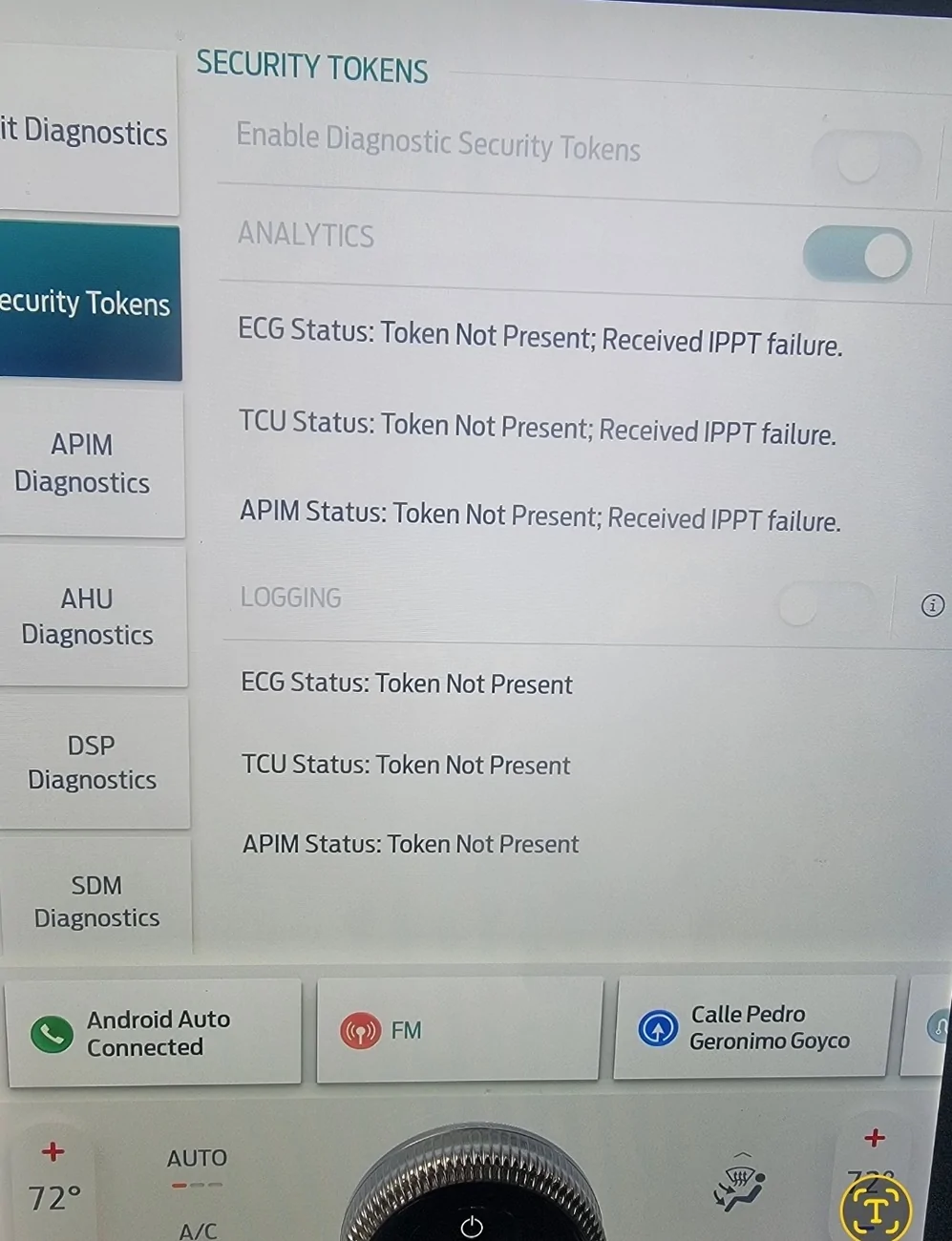
Gemini says this - worth a shot. Nothing specific comes up on a search for those specific errors, so no idea if this is right.
——————————————————
This error usually indicates a communication or provisioning failure between your Mach-E's modem, Ford's servers, and your FordPass app. The "ippt failure" and missing "ecg status token" mean the vehicle's telemetry cannot securely authenticate or sync its data with the cloud.
Troubleshooting Steps
Try these fixes in order to restore connectivity:
1. Force a Telematics Reboot: The quickest fix is to reset the vehicle's cell modem (TCU) by pulling the correct fuse (often Fuse 11 or 12 depending on your model year) in the passenger-side footwell. Leave it out for 10 minutes to allow the module to fully reset, then plug it back in.
2. Hard Reset the 12V Battery: If the fuse pull doesn't work, perform a hard reset by disconnecting the negative terminal of the 12V (LVB) battery for 10-15 minutes. This reboots the vehicle's network and communication modules.
3. Verify Data Sharing: Ensure your in-car SYNC settings haven't toggled off. Go to Settings > Connectivity > Connected Vehicle Features in your car's screen and make sure data sharing is toggled "ON".
4. App and Account Refresh: Log out of the FordPass app, force close it, and clear your cache. If you're still locked out, remove the vehicle from your FordPass app, uninstall the app, restart your phone, and re-add the car. [6, 7, 8, 9]
If these steps fail to re-establish the connection, your TCU (Telematics Control Unit) may have a corrupted token or require a firmware flash by a technician. [2, 4]