methorian
Well-Known Member
- Joined
- Nov 18, 2019
- Threads
- 18
- Messages
- 1,558
- Reaction score
- 2,437
- Location
- Roanoke, VA
- Vehicles
- 2021 Mach-E First Edition, 2025 Kia EV6 GT-Line
- Occupation
- IT Admin

Calendar should display when you have an upcoming appointment/event scheduled (for that day).Just curious how did you get the calendar to also display on that screen? Mine only shows music and the next direction. The only difference is that I use spotify for my music. I really like that calendar displayed.
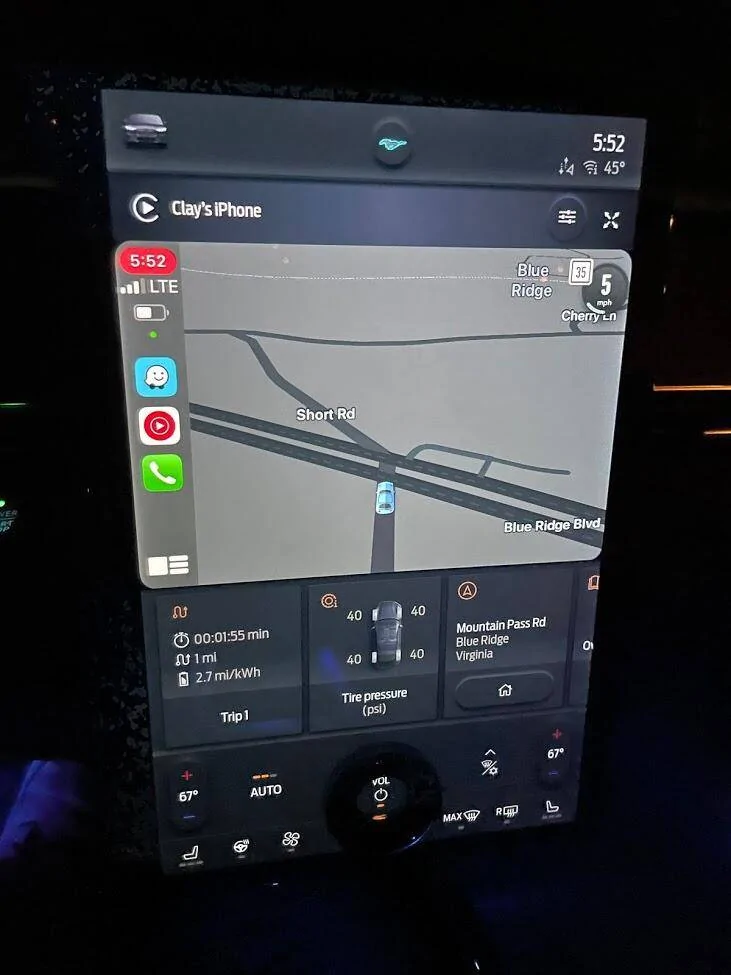
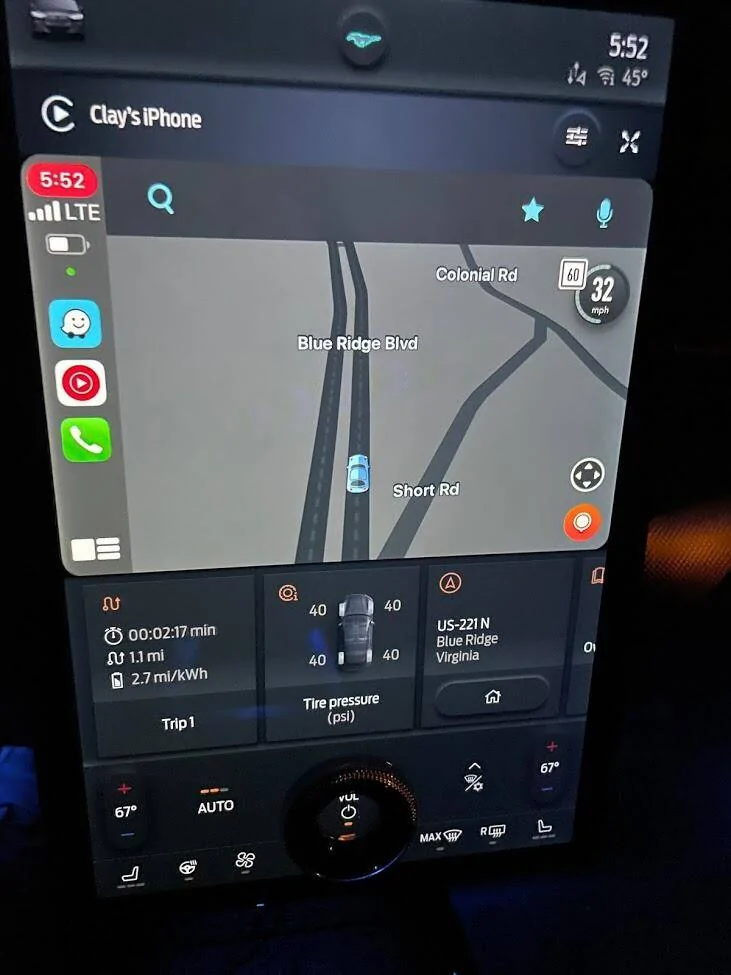
As other's have already shown - Waze should show the typical Carplay display with all info when you have Waze open in "full-view", BUT there does seem to be some bugs with Waze starting up in Carplay. I experience this on my i3 and my Mach-E on occasion. Waze will start and show the map, but I won't be able to interact with it to input destinations/see route info/etc. Opening Waze on my iPhone and force closing it will cause it to immediately reopen and work as it normally does in Carplay. This bug just started for me a few weeks ago, so I believe it's an issue as a whole with Waze/Carplay and not specific to the Mach-E.
EDIT: It just so happens the Waze bug caught me this AM when I left for work....
Here's Waze full-screen with the bug, only get the Speed on top right. Tapping doesn't give any way to interact to input destinations/etc....
And after opening Waze on my iPhone and then force-closing (swiping up from the App switcher), it'll automatically re-open and start back up on Carplay, and voila! I can interact with it again!
Sponsored
Last edited: