Basic Cable
Active Member
- First Name
- John
- Joined
- Jan 18, 2021
- Threads
- 3
- Messages
- 38
- Reaction score
- 62
- Location
- Alabama
- Vehicles
- 2021 Mach E FE
- Occupation
- Software Developer

Well that's disconcerting!!!
Sponsored

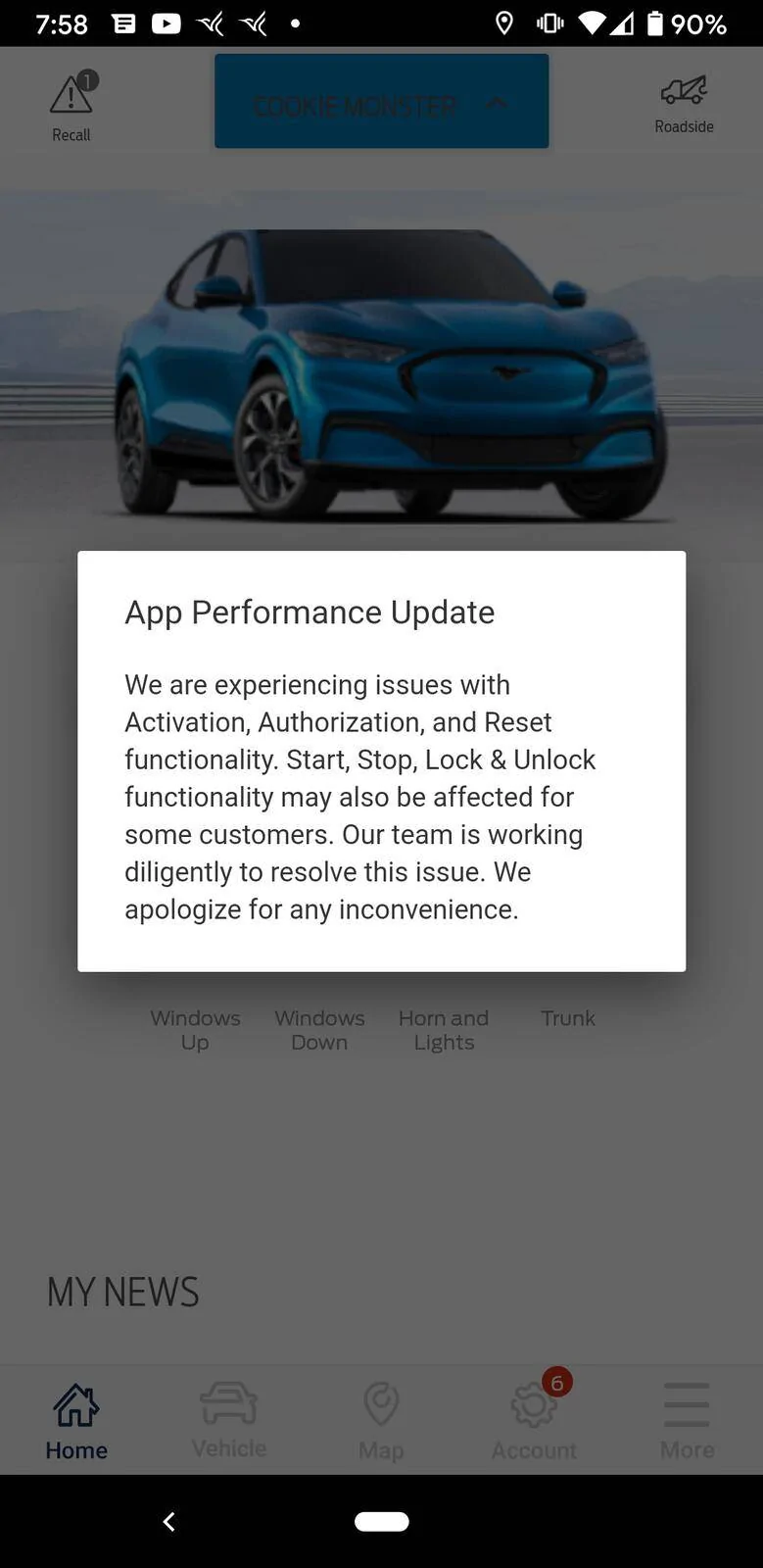
Which is exactly what would happen.I sent a PM to the Ford team on here, and the end result of that was them telling me to go to a dealer. Pretty disappointing, I was hoping for some real updates or clue as to what was happening, not to go to a dealer and waste hours of my time for them to tell me they can't do anything.
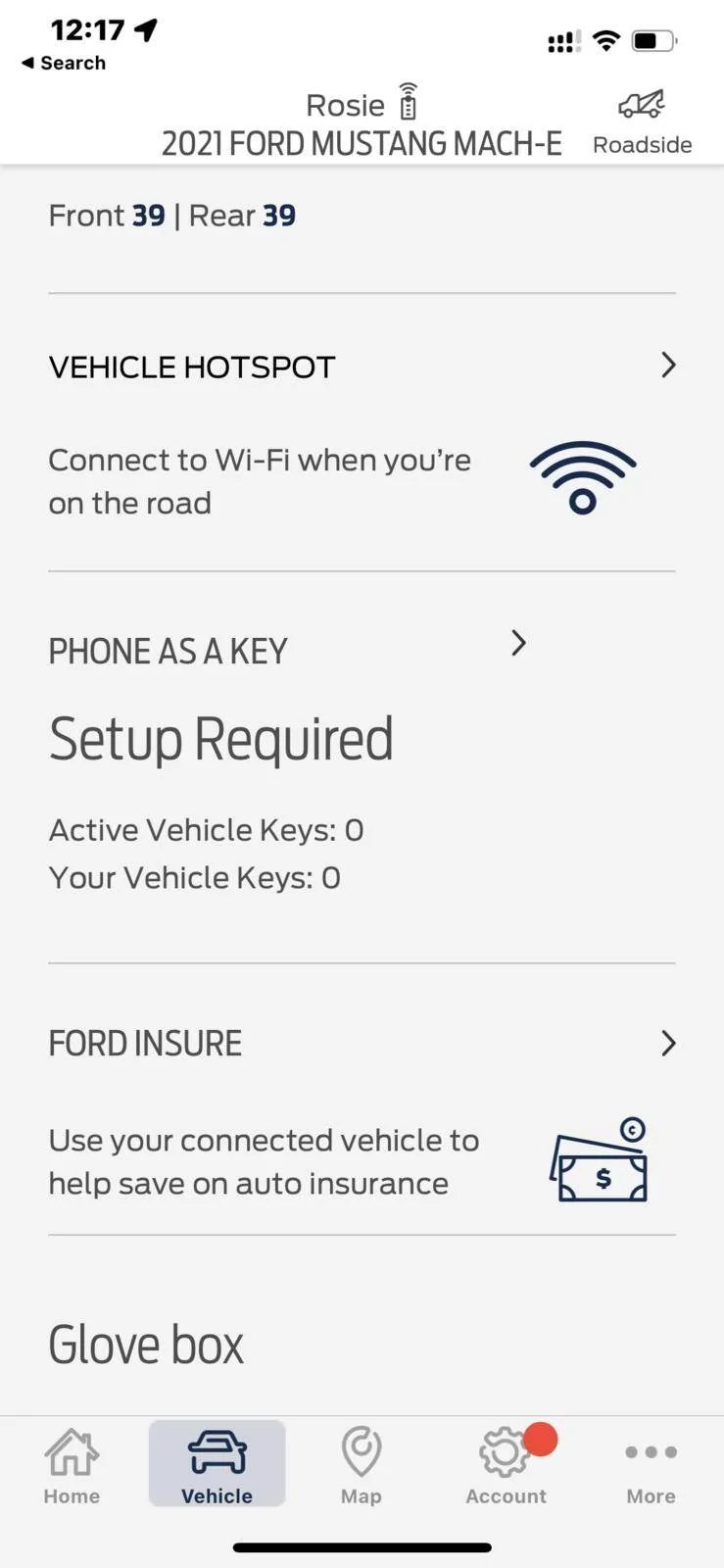
Agreed, my PaaK setup didn't show up for 2 hours. It is there now.After deleting the car from FordPass and re-adding it, I was able to activate it and get most functions working again. I don't have the option to set up PaaK yet, though I seem to remember it takes a bit before that option is available.


Had same issue.
Well that's disconcerting!!!
Maybe someone with more software expertise can answer this, why not just save all of the key info on the car after set up?Had same issue.
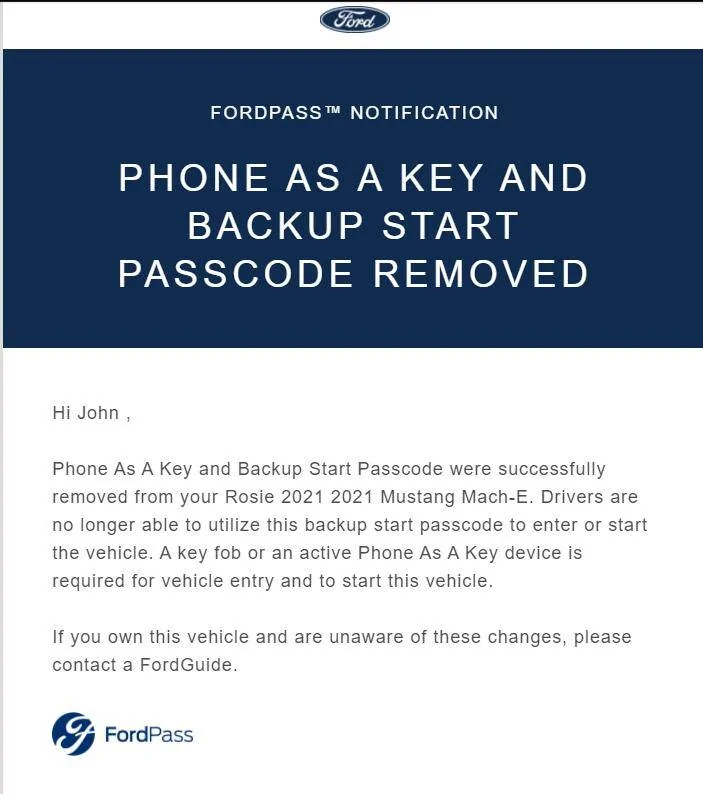
I called "Fordguide" and though it seemed like she knew the car and software/app well, she had to text an engineer through their internal system for any meaningful answers. Basically, I didn't get an answer as to why it happened. She mentioned they are having some backend server issues. I explained that while removing keys from the phone may happen, removing backup codes is problematic because it can leave you stranded. She said she would escalate for whatever that is worth. I was told it happened to several people that day.
This raises the issue that the cloud and server are needed for PAAK keys and backup codes. So any hacks or cloud server issues can leave you stranded if you solely rely on PAAK. It is not stored in the car as I expected once you set it up.
Removed vehicle from the app and entered it again by entering VIN. It allowed me to setup PAAK again and set up new codes. It hasn't deleted itself for over 2 days. Let's see. For now, I am carrying FOB just in case.
Unfortunately, that won't work. PaaK is tied to a device ID (your phone). Each phone has it's own unique device ID. The car does not have that device ID nor can it. When you're using PaaK, and approach your car, the car picks up the device ID which is encrypted and transmitted via a low power Bluetooth connection and NFC (Near Field Communication). Your phone is authorized to be a Key via the App and only that phone with that device ID.Maybe someone with more software expertise can answer this, why not just save all of the key info on the car after set up?