RMacon808

Member
First Name
Robert
Joined
Oct 9, 2023
Threads
0
Messages
23
Reaction score
12
Location
Seattle, WA
Vehicles
2023 Mach E Premium ER AWD
Occupation
Engineer
Country flag
Location -- map seems to update once every 24 hours if it does - Same. It is also frequently just a dead button that does nothing.
Main Status -- totally wrong always. Car has been off and parked for 5 hours today and still shows "Vehicle is On" - Same. It doesn't update this well.
Range -- also updates completely randomly throughout the day if at all. Same
Departure Times --- cannot delete or edit existing ones before app update, won't allow me to create new ones. Same. Also, my kids ended school, so I no longer need my departure times but my changes do not stick. The app just turns them back on each time I change it, and overrides changes I make in the car itself. I'm stuck with wasted power while the car conditions a cabin that isn't needed.
Charge status -- new app has never shown status if the car is plugged in or charging. The car charges to the correct limit per previous settings (80%) but won't let me change that or provide the "Charge to 100%" button that it previously did. This one is actually working for me, weirdly enough.

All in all, this is not a good change, and actually breaks more than it helps.
A quick update on the issues I ranted about --- I would say in last 36 hours there was a slow incremental improvement in app availability. Started with a good update maybe twice a day, then would update charge state and GPS location every time I powered car on, and last night unsolicited I got the iOS prompt for "Always Allow, Allow Once" etc. that I got when I reinstalled the app several days ago. After choosing "Always Allow" the app now seems to be working ok. Perhaps this is the source of the bug here. All my rant issues appear to be mitigated as long as the app is communicating with the car. Have to say my confidence is pretty much shot on this -- I fully expect the phone app to not be working now every time I try to interact with it.
Sponsored


geeklifer

Well-Known Member
Joined
Oct 19, 2023
Threads
8
Messages
206
Reaction score
252
Location
Southern IL
Vehicles
2023 CR1, 2020 Niro EV, 2025 Equinox RS
Country flag
A quick update on the issues I ranted about --- I would say in last 36 hours there was a slow incremental improvement in app availability. Started with a good update maybe twice a day, then would update charge state and GPS location every time I powered car on, and last night unsolicited I got the iOS prompt for "Always Allow, Allow Once" etc. that I got when I reinstalled the app several days ago. After choosing "Always Allow" the app now seems to be working ok. Perhaps this is the source of the bug here. All my rant issues appear to be mitigated as long as the app is communicating with the car. Have to say my confidence is pretty much shot on this -- I fully expect the phone app to not be working now every time I try to interact with it.
Not so lucky here. I'm on Android, and my issues are more or less the same as when I last posted.
 

leeman

Well-Known Member
Joined
Jun 6, 2021
Threads
73
Messages
716
Reaction score
239
Location
Outer space
Vehicles
2021 Mach E GT
Occupation
Engineer
Country flag
A quick update on the issues I ranted about --- I would say in last 36 hours there was a slow incremental improvement in app availability. Started with a good update maybe twice a day, then would update charge state and GPS location every time I powered car on, and last night unsolicited I got the iOS prompt for "Always Allow, Allow Once" etc. that I got when I reinstalled the app several days ago. After choosing "Always Allow" the app now seems to be working ok. Perhaps this is the source of the bug here. All my rant issues appear to be mitigated as long as the app is communicating with the car. Have to say my confidence is pretty much shot on this -- I fully expect the phone app to not be working now every time I try to interact with it.
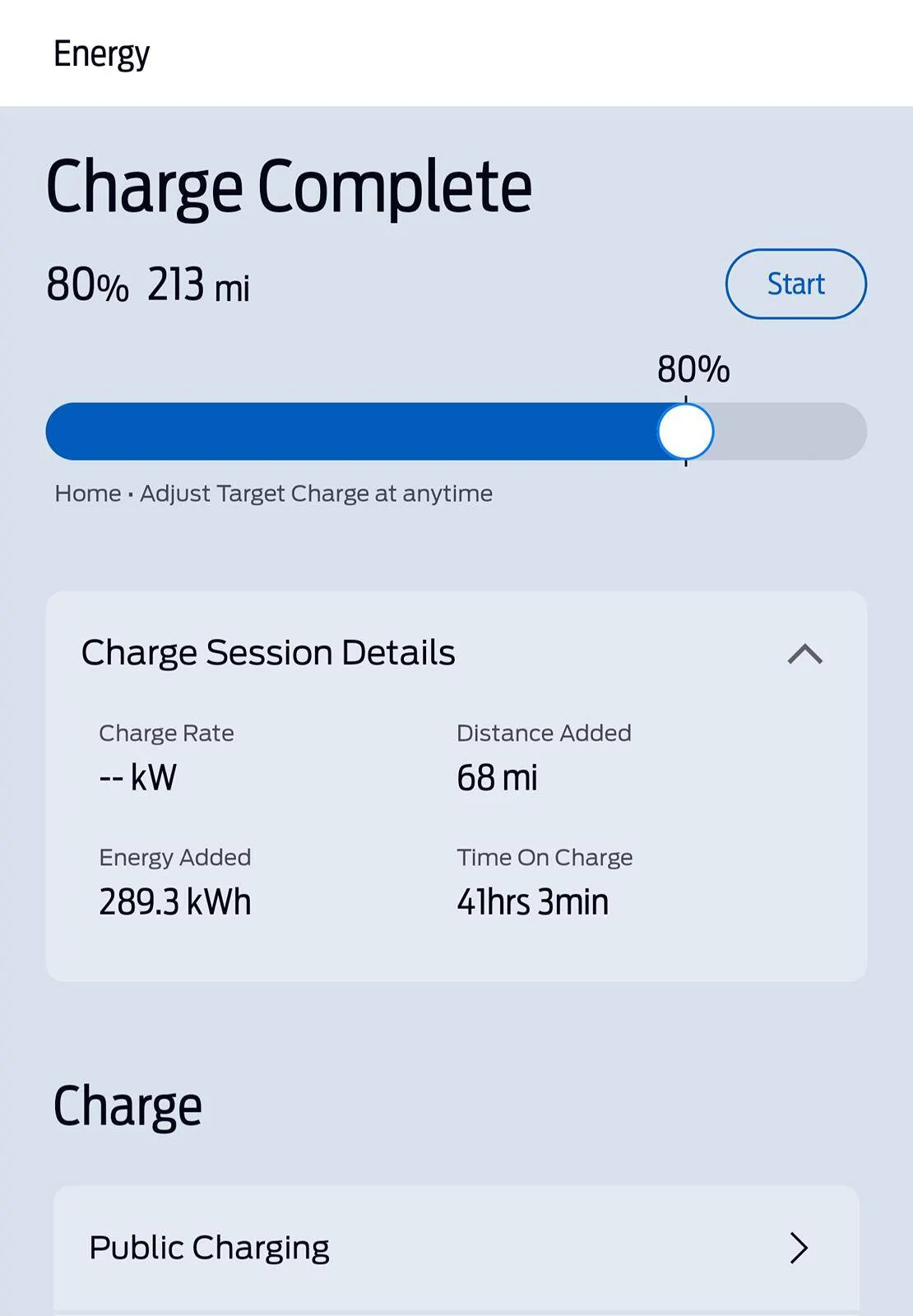
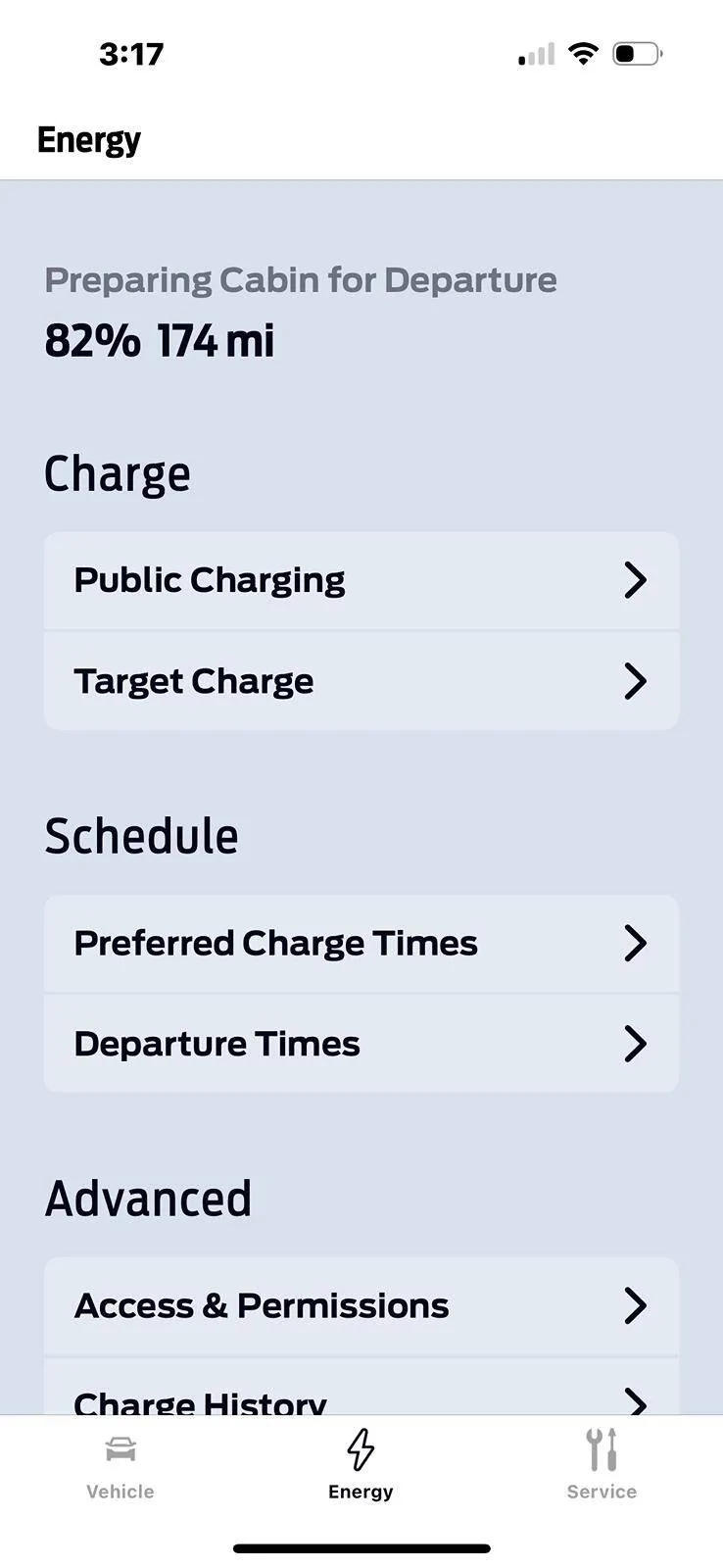
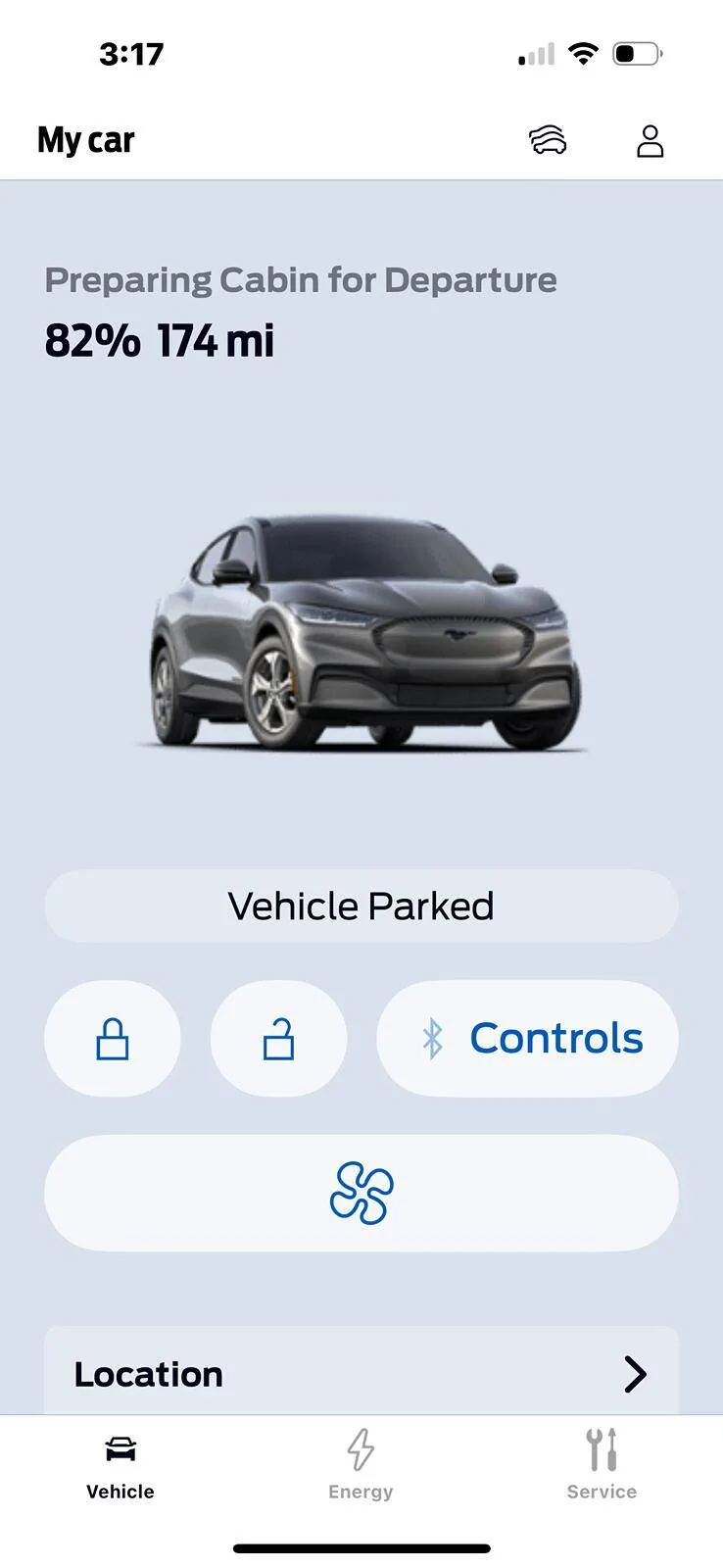
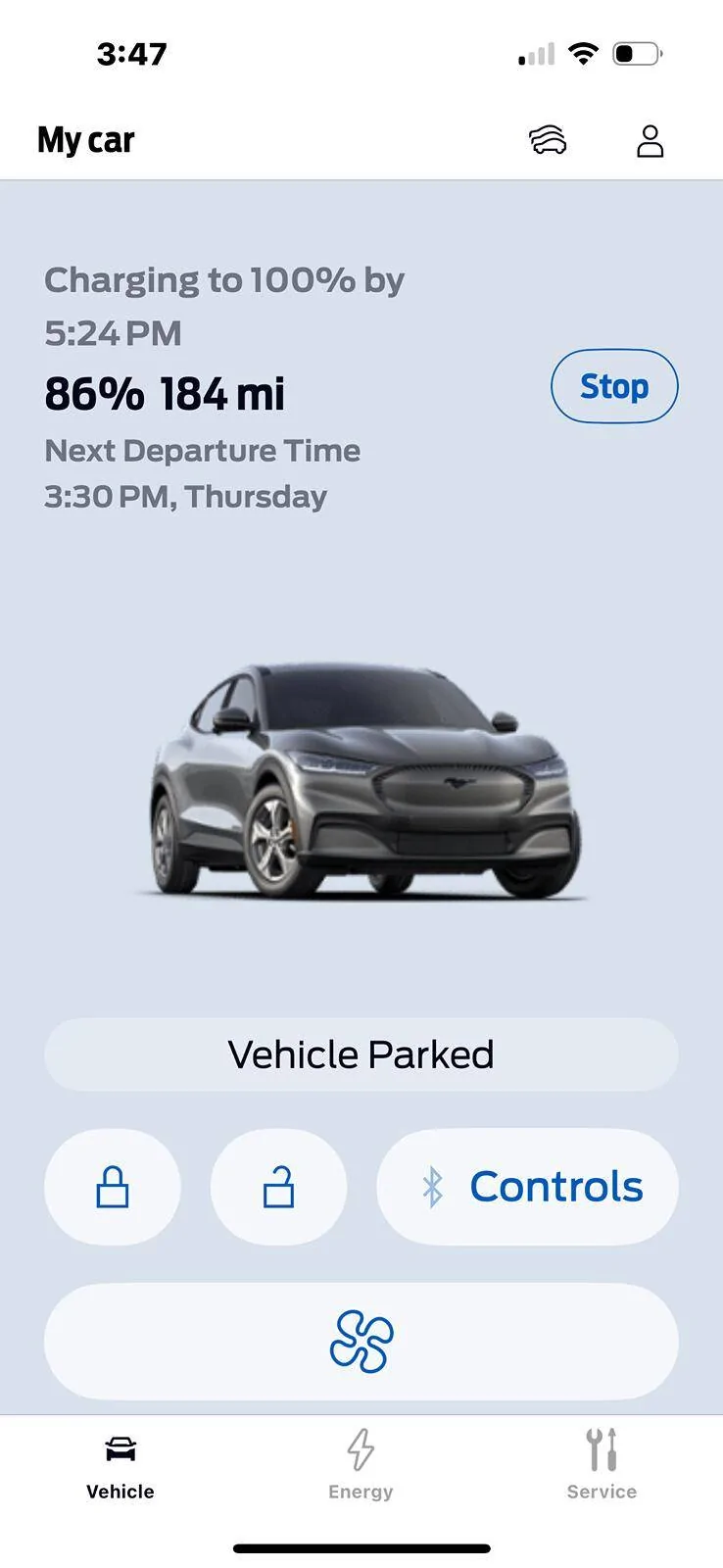
Yes I believe that their developers are broken and they only built what they could because they're so limited on their skill set am going to post a bunch of files here that may help people with one thing that was driving bananas but first I'd like to state that when you have that new app it gets pushed automatically if you're on an iPhone unfortunately you still have to delete the app and reinstall it and once you do you lose all the features you set up in your car and you have to redo them all the tech person told me to do this without telling me that would happen not that big deal but just be advised they remove several features from the app because of performance issues I'm sure infrastructure cause and other things are probably apart to simplify certain things and they are stating that people didn't care about a start button or anything like that but here's where we go from here here are some screenshots and I wanted to highlight some things with the plug and play thing you now look at all of that information no longer in the FordPass app you look at it in the service part of their website which you can access through the Ford app here are some screenshots of what to expect when you're trying to plug in charge after you reset up your as a key. Please note that Ford will be sundown in the old app very soon I think within a matter of a month or so they'll be sundowning that older app and it will not work at all for anyone

Ford Mustang Mach-E Newly Designed FordPass 5.0 App®: What to Know image 3


Ford Mustang Mach-E Newly Designed FordPass 5.0 App®: What to Know image 4


Ford Mustang Mach-E Newly Designed FordPass 5.0 App®: What to Know image 2
 

Space_Pony

Well-Known Member
Joined
Jun 7, 2023
Threads
4
Messages
1,712
Reaction score
1,442
Location
Indiana
Vehicles
2023 Premium Mach-E awdX
Country flag
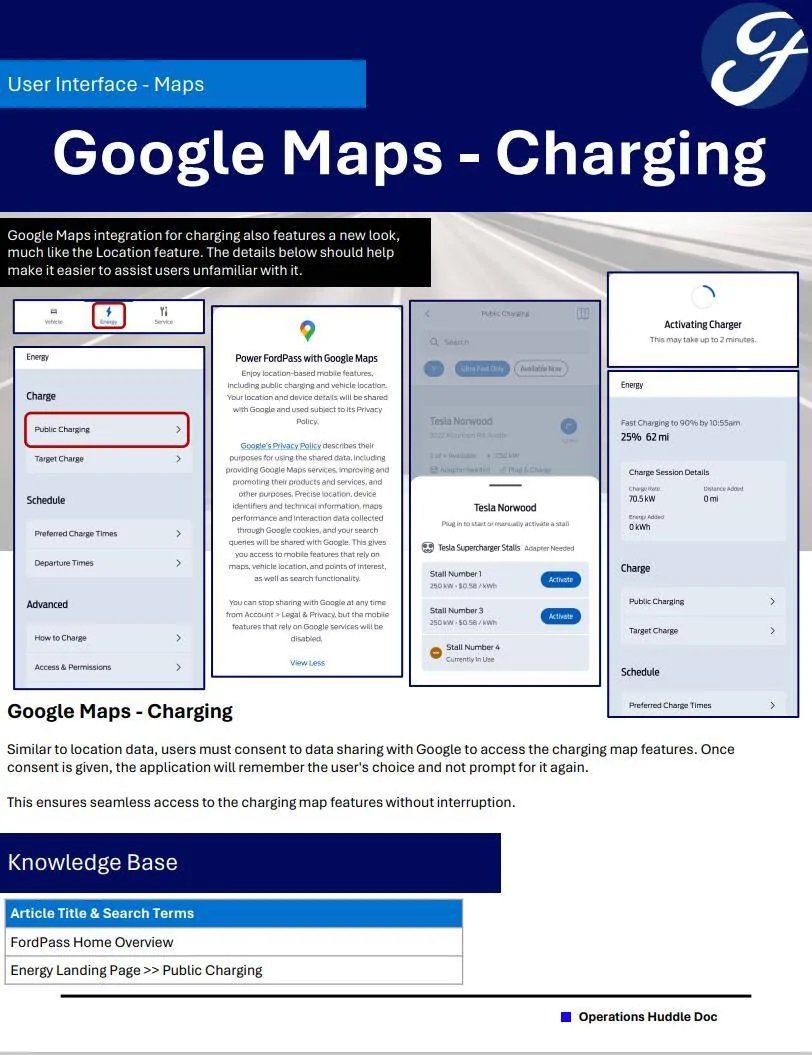
When I saw that dropdown arrow next to Electrify America-250 kw of complimentary charging, I thought surely the balance of complimentary charging would be displayed. After all that info was displayed previously. After searching, I concluded logic left the building when they developed this app.
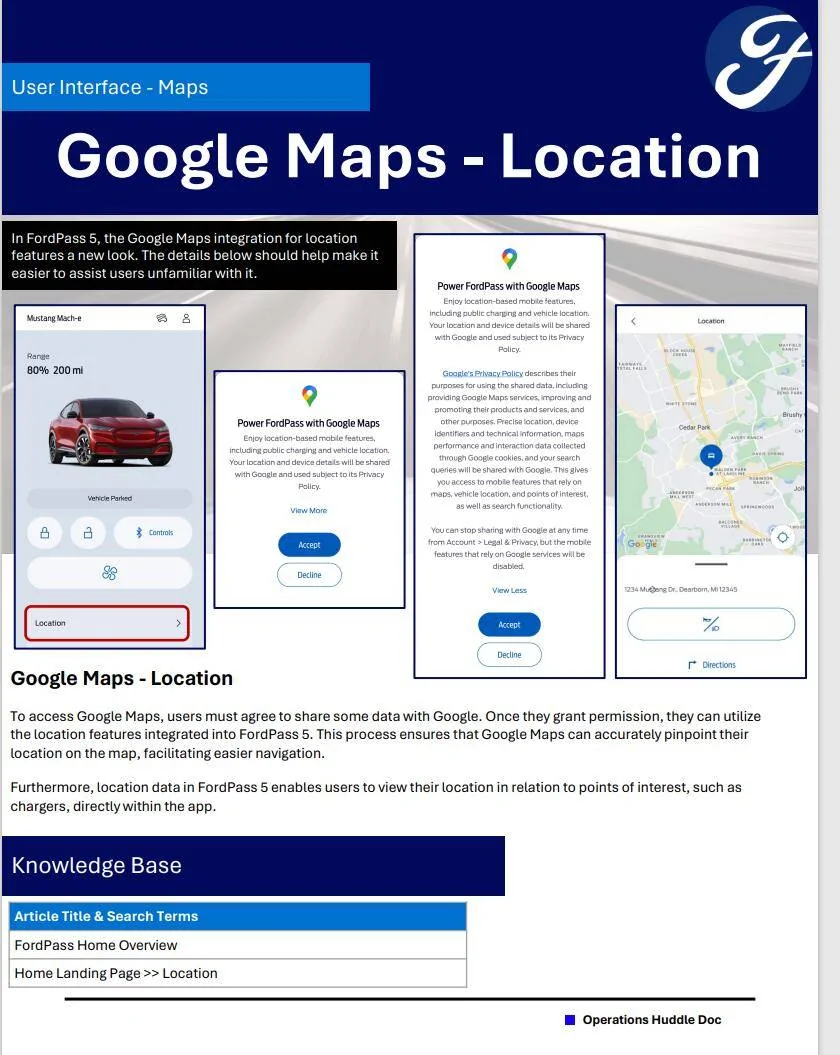
The screenshot about the location maps is a joke because the current location and public charging maps don't even display when i select those buttons.
We could be waiting until next summer for a fix for the Android Apps if it goes like Bluecruise.
 

BillPitman

Well-Known Member
First Name
Bill
Joined
May 10, 2021
Threads
22
Messages
388
Reaction score
211
Location
Pa.
Vehicles
Ford Escape, ‘21 J2 Mach e, 2024 Maverick Hybrid
Occupation
Retired
Country flag
So…….
Apparently setting a departure time does not work……
I created a departure of 8:50am today, saved it(which only took about 2 seconds)……..
Still shows a past departure time, on the vehicle home page……
Note- vehicle is plugged in.
Another “ work in progress” from the software people at Ford?! Bill P
 
Last edited:


BillPitman

Well-Known Member
First Name
Bill
Joined
May 10, 2021
Threads
22
Messages
388
Reaction score
211
Location
Pa.
Vehicles
Ford Escape, ‘21 J2 Mach e, 2024 Maverick Hybrid
Occupation
Retired
Country flag
Also……
This has been forever….
the lock & unlock icons, just how hard would it be to have them turn green, to show the status of the locks, with just a look?! Bill P
 

SpeedRacer72

Well-Known Member
Joined
Feb 16, 2022
Threads
9
Messages
166
Reaction score
274
Location
California
Vehicles
2018 Mustang, 2024 Tesla Model Y Performance
Country flag
Here is another weird quirk about FP 5
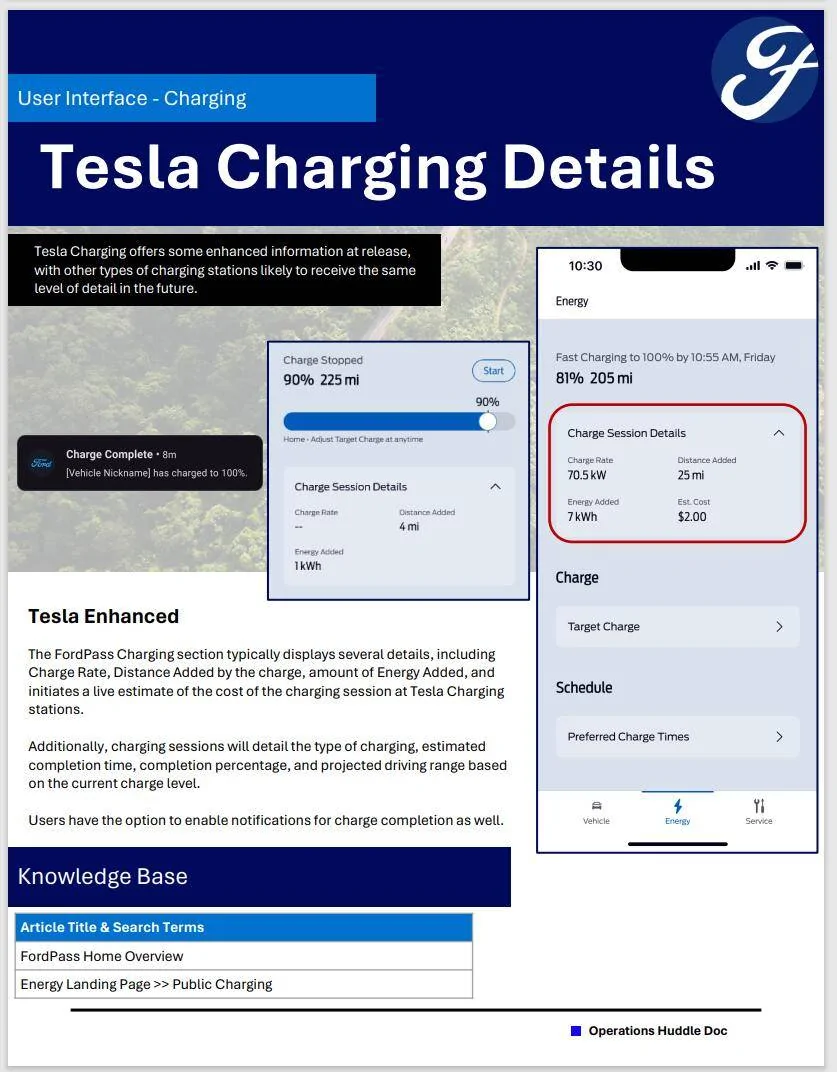
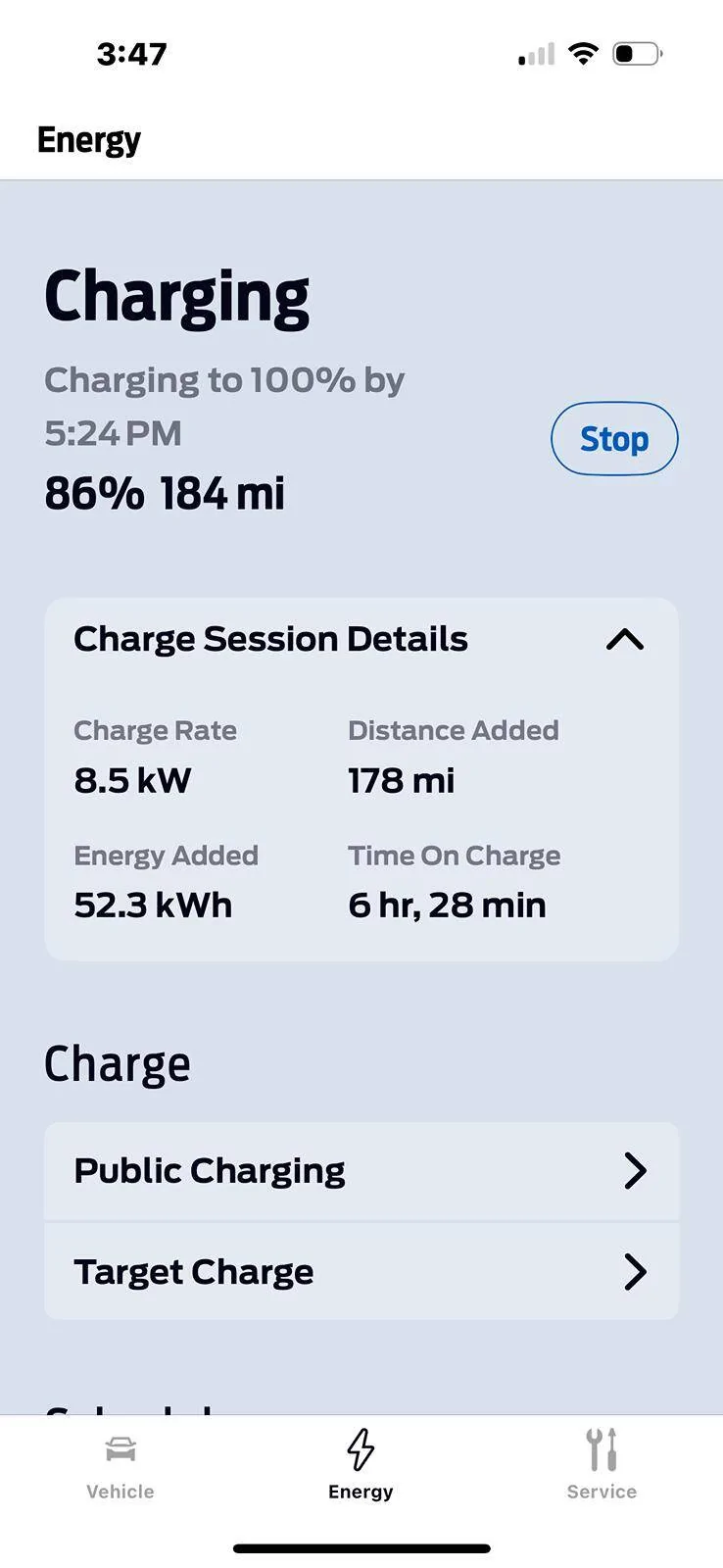
When it begins cabin conditioning for a departure time, it stops showing the charging data
Why?
Ford Mustang Mach-E Newly Designed FordPass 5.0 App®: What to Know IMG_6957
Ford Mustang Mach-E Newly Designed FordPass 5.0 App®: What to Know IMG_6958


Ford Mustang Mach-E Newly Designed FordPass 5.0 App®: What to Know IMG_6959


Ford Mustang Mach-E Newly Designed FordPass 5.0 App®: What to Know IMG_6960
 

Babbit

Well-Known Member
Joined
Mar 10, 2024
Threads
6
Messages
159
Reaction score
126
Location
West Michigan
Vehicles
2023 Prem 4X
Country flag
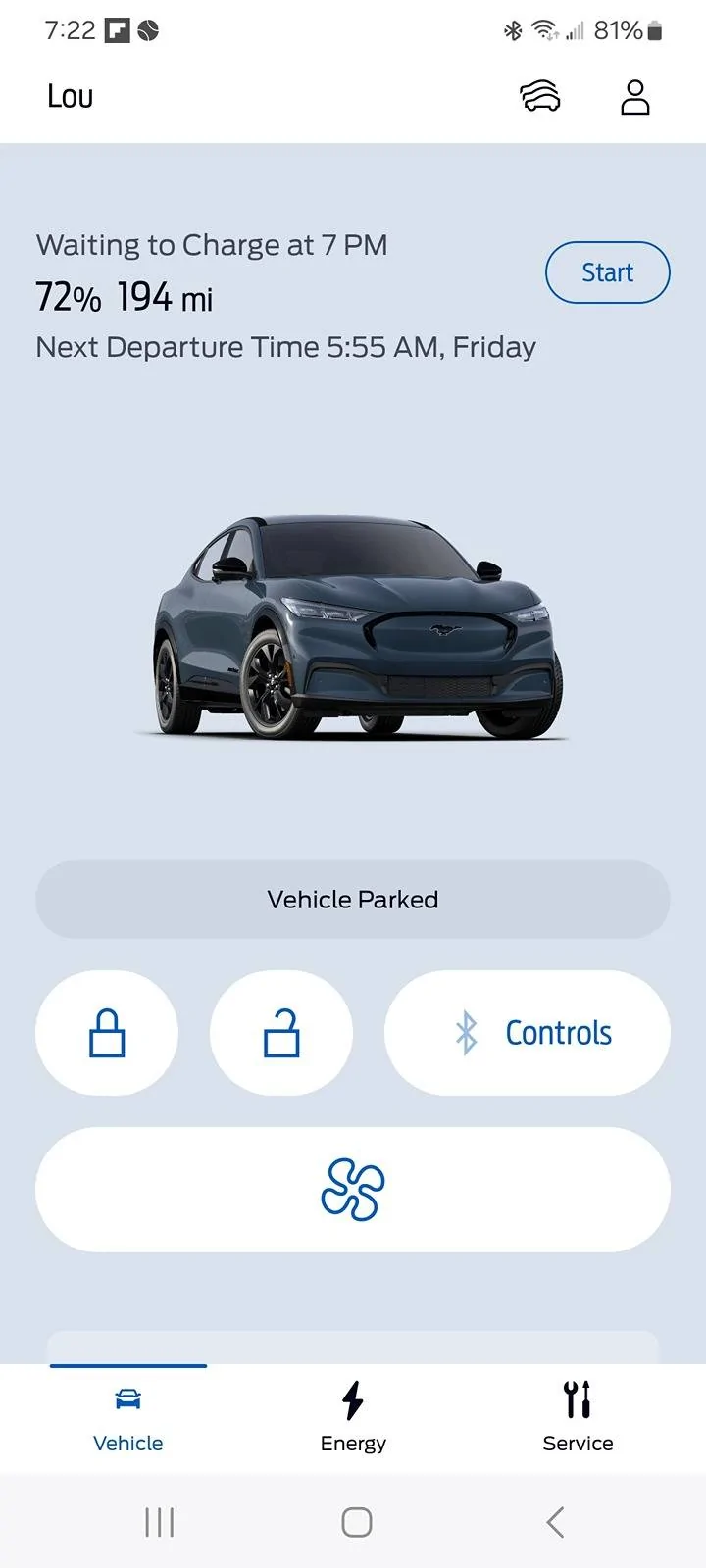
Scheduled to charge at 11pm eastern. Says "Waiting to Charge at 7pm" must be a timezone issue ford's side? Screenshot shows it's past 7pm.

Ford Mustang Mach-E Newly Designed FordPass 5.0 App®: What to Know Screenshot_20240530_192237_FordPass
 

67 Stang Convertible

Well-Known Member
First Name
Rich
Joined
Jan 27, 2021
Threads
51
Messages
1,695
Reaction score
2,457
Location
Georgia, USA
Vehicles
1967 Mustang, 2013 Kia Optima, 2018 Kia Sportage
Occupation
Physician
Country flag
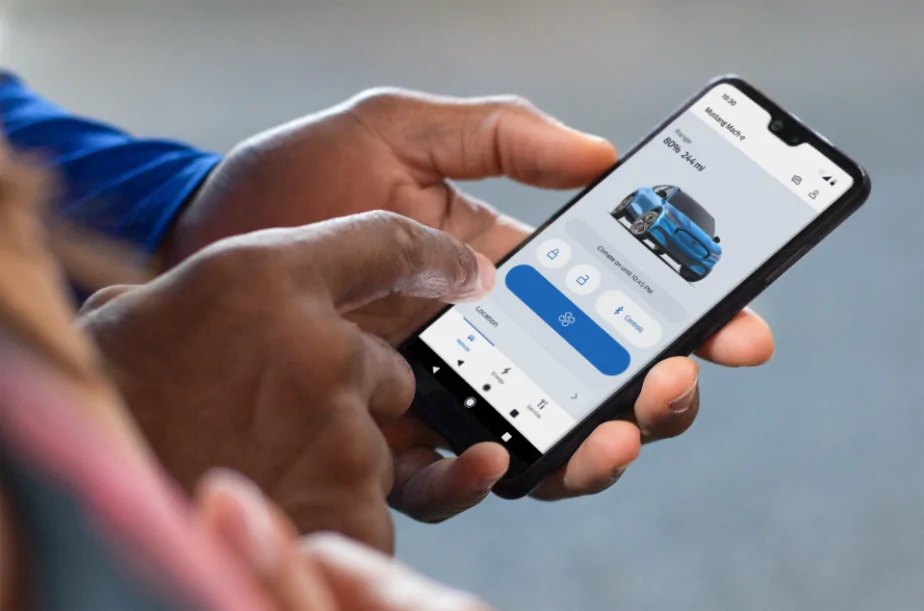
Hi Mustang Mach-E owners! If you recently updated your FordPass® app, you may have noticed it looks a little different. We are pleased to share that we have rolled out a newly designed app that is easy to use and efficient, to help you better manage your vehicle remotely. Here is what is new:
  • Simplified Experience: We have reduced the number of steps it takes to access functions and made it easier to find them. As an EV owner, you can enjoy a simplified slider for target charge. Also, instead of having to press and hold to turn the vehicle ‘on’, it is now a simple tap.
  • Apple Watch Integration: If you have an Apple Watch, in addition to lock/unlock and remote start/stop, you will also be able to use the following features from your wrist:
    • View battery level and range
    • View charging status, including: Charging speed, next departure time based on when desired charge is reached, current preferred charging window
    • View vehicle location
    • Activate horn and lights remotely
We are also continuing to improve the in-app experience with this latest version. If you notice a feature you previously used before is no longer there, don’t worry. The feature can still be accessed via your in-vehicle touchscreen.

We love to hear from our owners so let us know what you think and if you have any questions about FordPass!

EDIT (5/28/24):
Many of you had additional questions, so we wanted to provide some supplemental information about the newly designed FordPass app. Some of your exact features may vary depending on your vehicle model.
  • All about service: To reach the service dashboard, click the tool icon on the bottom right of your screen. You will find a vehicle health status list that includes the odometer reading and tire pressure. If you’d like to add your vehicle service history, this can be done via Ford.com.
  • Trip Planning: While there’s no trip planning feature in FordPass right now, you can still use your in-vehicle touchscreen to access this feature. We’re exploring a simpler, more reliable version of this feature for FordPass.
  • Google Maps: To turn your Google Maps consent on or off, go to your Account settings, then Legal & Privacy, then Privacy.
  • Beep Beep: To reach the horn and lights feature, go to the location section right on the front screen.
  • Lock from anywhere: To tell if the vehicle is locked or unlocked, just click on your desired lock/ unlock state. The vehicle will then confirm “locked” or “unlocked” with a green check.
  • Tailgate party: Depending on your vehicle’s capability, Phone As A Key™ Bluetooth controls for the windows, trunk/frunk, and tailgate are found in the "Bluetooth Controls" menu right alongside all your other primary controls.
  • Add a friend: If your Ford vehicle is already connected in FordPass, you can find and manage any new vehicle user access requests by selecting your vehicle in the app, then selecting Vehicle Details. From there, you can approve or deny any new user access requests.
Please note: FordPass® App, compatible with select smartphone platforms, is available via a download. Message and data rates may apply. 

524242.png
Hey Ford, taking my 1st Road Trip today using the Tesla Adapter. With the new 5.0 Ford Pass App, how do I know if "Plug & Charge" is turned on? I'm not downloading the Tesla App, so I'm counting on simple roll up to the V3 charger and let it do it's thing. Thx
 

Space_Pony

Well-Known Member
Joined
Jun 7, 2023
Threads
4
Messages
1,712
Reaction score
1,442
Location
Indiana
Vehicles
2023 Premium Mach-E awdX
Country flag
Hey Ford, taking my 1st Road Trip today using the Tesla Adapter. With the new 5.0 Ford Pass App, how do I know if "Plug & Charge" is turned on? I'm not downloading the Tesla App, so I'm counting on simple roll up to the V3 charger and let it do it's thing. Thx
What does it show at Energy-Access & Permissions on FP 5?
 

rtway

New Member
First Name
Richard
Joined
Apr 12, 2024
Threads
0
Messages
4
Reaction score
2
Location
Toronto, Ontario
Vehicles
Mach E Long Range Premium AWD
Occupation
Engineer
Country flag
Has the trip planner been removed from the app? I found that useful. Also used the charge to 100% option regularly and now it is gone and you have to temporarily change the charge up to 100 manually and then remember to set it back again. Both would be appreciated features to have back.
 

slambertr

Well-Known Member
First Name
Scott
Joined
Sep 14, 2020
Threads
6
Messages
87
Reaction score
135
Location
Pennsylvania
Vehicles
Lucid Air Touring / Mach E Premium
Country flag
As a Job 1 owner, I'm impressed by all of Ford's recent roll-outs. 6.14! Frunk button! New App! And - I actually like the new App. Are some buttons poorly named? OK. But it only took once to know "Start" charges to 100%. Got it. On I go. Thank you, Ford!
 

Space_Pony

Well-Known Member
Joined
Jun 7, 2023
Threads
4
Messages
1,712
Reaction score
1,442
Location
Indiana
Vehicles
2023 Premium Mach-E awdX
Country flag
As a 23 owner, I haven't seen any updates for 3 months including 6.14. Fordpass 5 would be tolerable if the Public Charging and Location maps worked.
Sponsored


Top