MrLoganRoss

Well-Known Member
First Name
Chris
Joined
Dec 11, 2023
Threads
47
Messages
506
Reaction score
452
Location
Seattle
Vehicles
Mach E
Country flag
Awesome. I will try that. Can you remind me of the first few steps on PMI, and whether I need to use the power supply (I use the power supply when doing updates of course).
Sponsored
 

B177y

Well-Known Member
First Name
Bill
Joined
Sep 17, 2023
Threads
16
Messages
423
Reaction score
641
Location
Olympic Peninsula, WA
Vehicles
'23 J2 MME Premium, '24 Lightning Pro ER, '20 Bolt
Country flag
Follow up to my Java error post:
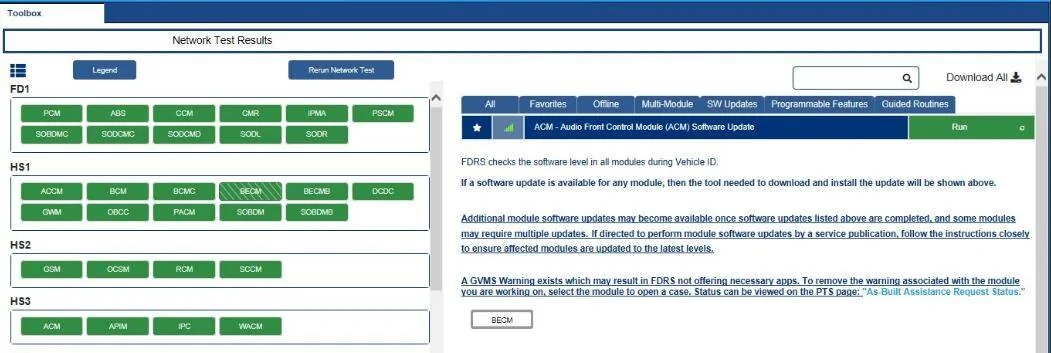
I cleared the cache and reloaded my MME into FDRS when I got home from work today. Ran a self-test and cleared all DTC's. Went to the toolbox and have a new message:

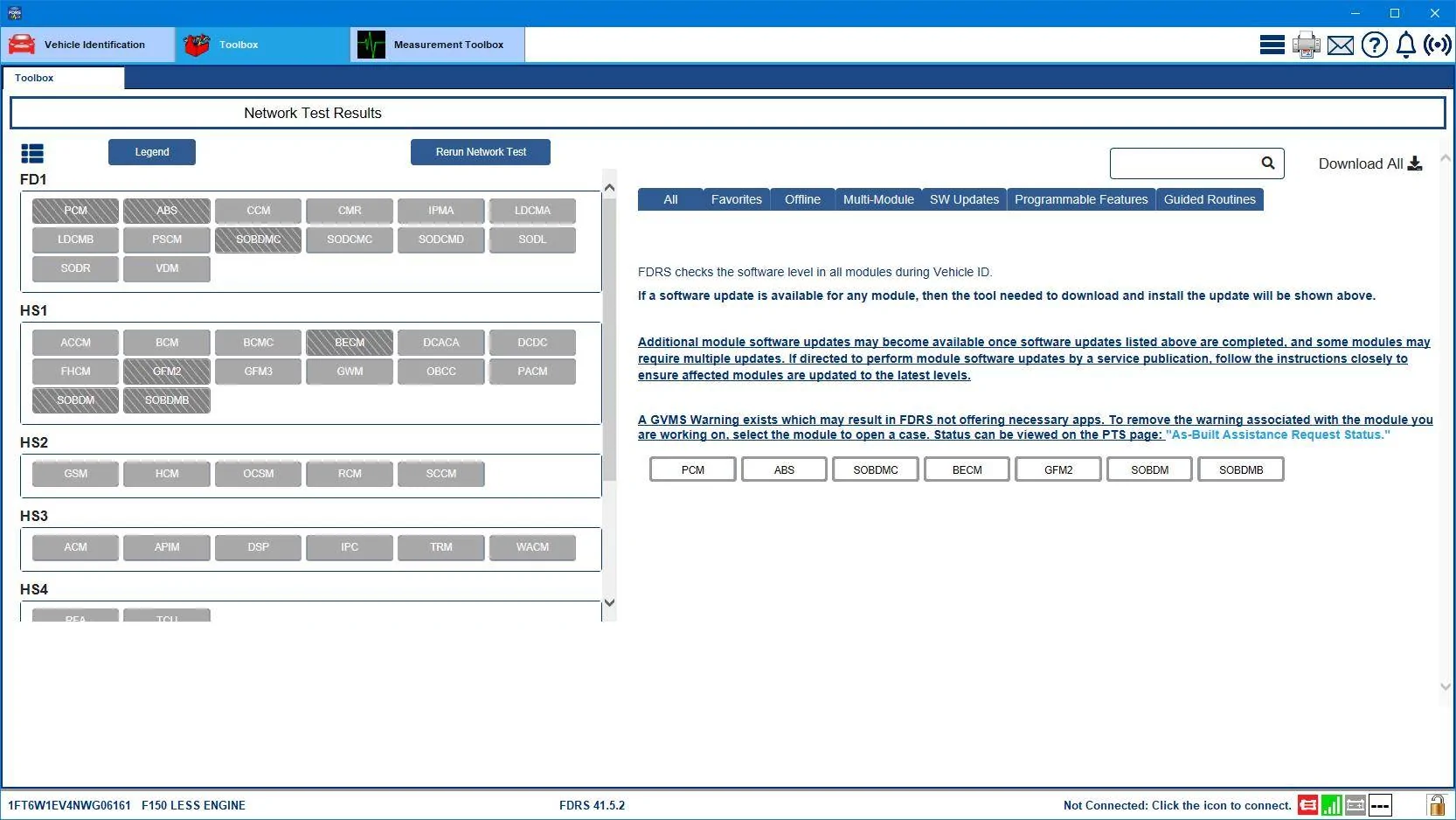
A GVMS Warning exists which may result in FDRS not offering necessary apps. To remove the warning associated with the module you are working on, select the module to open a case. Status an be viewed on PTS page "As-Built Assistance Request Status"

Ford Mustang Mach-E The Complete DIY Guide to Updating Your Mach-E with FDRS shot


I clicked on the white BECM box and it popped up a window asking if I wanted to open a case with (I forgot what). I hit cancel or close, as I didn't even know who would be getting my "case". The BECM box on the left side is green with white bars.

I tried the ACM update again now that the cache was cleared and the update was re-downloaded. It still had the "java.lang.NullPointerException" error.

I tried power cycling the MME and clearing the DTC's again, but I still get the GVMS warning for the BECM.

I stopped here and decided to ask the FDRS collective. I will also post my VIN to the VIN thread to see if they can see what PTS says.

Any help or advice appreciated.

No DTC's visible on the DTC page and I drove about 50 miles today with no issues.

I DID A SIMILAR THREAD CROSS-POSTED IN https://www.macheforum.com/site/thr...-to-look-up-info-for-others.10230/post-839719 TO SOLICIT HELP WITH A VIN LOOKUP AND INTERPRETATION OF THIS ERROR
 
Last edited:

DeusEx

Well-Known Member
Joined
Apr 17, 2024
Threads
10
Messages
611
Reaction score
746
Location
New York
Vehicles
2023.5 Mach-E Premium ER AWD
I believe all you can do is open a case. I had a similar issue with the BECM.

My posts are a few replies up from this message, but your issue seems to match what happened to me when I last used FDRS.

https://www.macheforum.com/site/thr...fdrs-alternative-to-forscan.10217/post-832806

Sorry to hear that you're still having issues with the ACM module. Maybe try to uninstall FDRS, delete the cache, and then reinstall FDRS?

The other option is to call support at 1-888-354-7558, which I found on the Helminc site.
 

B177y

Well-Known Member
First Name
Bill
Joined
Sep 17, 2023
Threads
16
Messages
423
Reaction score
641
Location
Olympic Peninsula, WA
Vehicles
'23 J2 MME Premium, '24 Lightning Pro ER, '20 Bolt
Country flag
I believe all you can do is open a case. I had a similar issue with the BECM.

My posts are a few replies up from this message, but your issue seems to match what happened to me when I last used FDRS.

https://www.macheforum.com/site/thr...fdrs-alternative-to-forscan.10217/post-832806

Sorry to hear that you're still having issues with the ACM module. Maybe try to uninstall FDRS, delete the cache, and then reinstall FDRS?

The other option is to call support at 1-888-354-7558, which I found on the Helminc site.
Thank you! I will give these a try.
 

Mike G

Well-Known Member
First Name
Mike
Joined
Mar 27, 2022
Threads
25
Messages
6,458
Reaction score
5,298
Location
N. AL, USA
Vehicles
'23(J1) Mach-E GT-PE, '22 F-150 Lightning, '24 Bronco HLE 2Dr
Country flag
I posted in the other thread in response to the BECM GVMS warning issue.

It will go away when Ford figures out whatever it is they are concerned about with the BECM module and pushes out an update to address it. There's no reason to be concerned if the car is running fine. Just wait it out.

This BECM GVMS warning exists on most if not all 23.5 cars I check in FDRS.


Mike G

Well-Known Member
First Name
Mike
Joined
Mar 27, 2022
Threads
25
Messages
6,458
Reaction score
5,298
Location
N. AL, USA
Vehicles
'23(J1) Mach-E GT-PE, '22 F-150 Lightning, '24 Bronco HLE 2Dr
Country flag
Reminder, when doing FDRS updates;
1) view and clear CMDTCs before starting (you don't want to try to update a module that's in an error state),

2) after you've done a module update (FDRS may show that all modules are still 'green' but they probably aren't due to the 'stop communicating' message sent over the network just before the module updating session starts),

3) and after you're finished doing all your updates (to confirm there are no current issues and to leave the car in an error-free state before disconnecting).
 

B177y

Well-Known Member
First Name
Bill
Joined
Sep 17, 2023
Threads
16
Messages
423
Reaction score
641
Location
Olympic Peninsula, WA
Vehicles
'23 J2 MME Premium, '24 Lightning Pro ER, '20 Bolt
Country flag
I posted in the other thread in response to the BECM GVMS warning issue.

It will go away when Ford figures out whatever it is they are concerned about with the BECM module and pushes out an update to address it. There's no reason to be concerned if the car is running fine. Just wait it out.

This BECM GVMS warning exists on most if not all 23.5 cars I check in FDRS.
Thanks again.

I don't know if the GVMS was there while I did all of the other updates and I didn't notice it, or if it arrived after I had already finished everything, but I thought it was something that I had caused while trying to get the ACM update to work.
 

Mike G

Well-Known Member
First Name
Mike
Joined
Mar 27, 2022
Threads
25
Messages
6,458
Reaction score
5,298
Location
N. AL, USA
Vehicles
'23(J1) Mach-E GT-PE, '22 F-150 Lightning, '24 Bronco HLE 2Dr
Country flag
Thanks again.

I don't know if the GVMS was there while I did all of the other updates and I didn't notice it, or if it arrived after I had already finished everything, but I thought it was something that I had caused while trying to get the ACM update to work.
Could be worse. Could look like the 22/23 Lightnings right now.
Ford Mustang Mach-E The Complete DIY Guide to Updating Your Mach-E with FDRS Lightning_GVMS_Blocks
 

B177y

Well-Known Member
First Name
Bill
Joined
Sep 17, 2023
Threads
16
Messages
423
Reaction score
641
Location
Olympic Peninsula, WA
Vehicles
'23 J2 MME Premium, '24 Lightning Pro ER, '20 Bolt
Country flag
Reminder, when doing FDRS updates;
1) view and clear CMDTCs before starting (you don't want to try to update a module that's in an error state),

2)after you've done a module update (FDRS may show that all modules are still 'green' but they probably aren't due to the 'stop communicating' message sent over the network just before the module updating session starts),

3) and after you're finished doing all your updates (to confirm there are no current issues and to leave the car in an error-free state before disconnecting).
When I run the CMDTC test and clear codes, everything shows as green and passed. I'm thinking that I will try the ACM again today and maybe clear and downgrade my FDRS version to see if I get any success with the installation that way.
 

MrLoganRoss

Well-Known Member
First Name
Chris
Joined
Dec 11, 2023
Threads
47
Messages
506
Reaction score
452
Location
Seattle
Vehicles
Mach E
Country flag
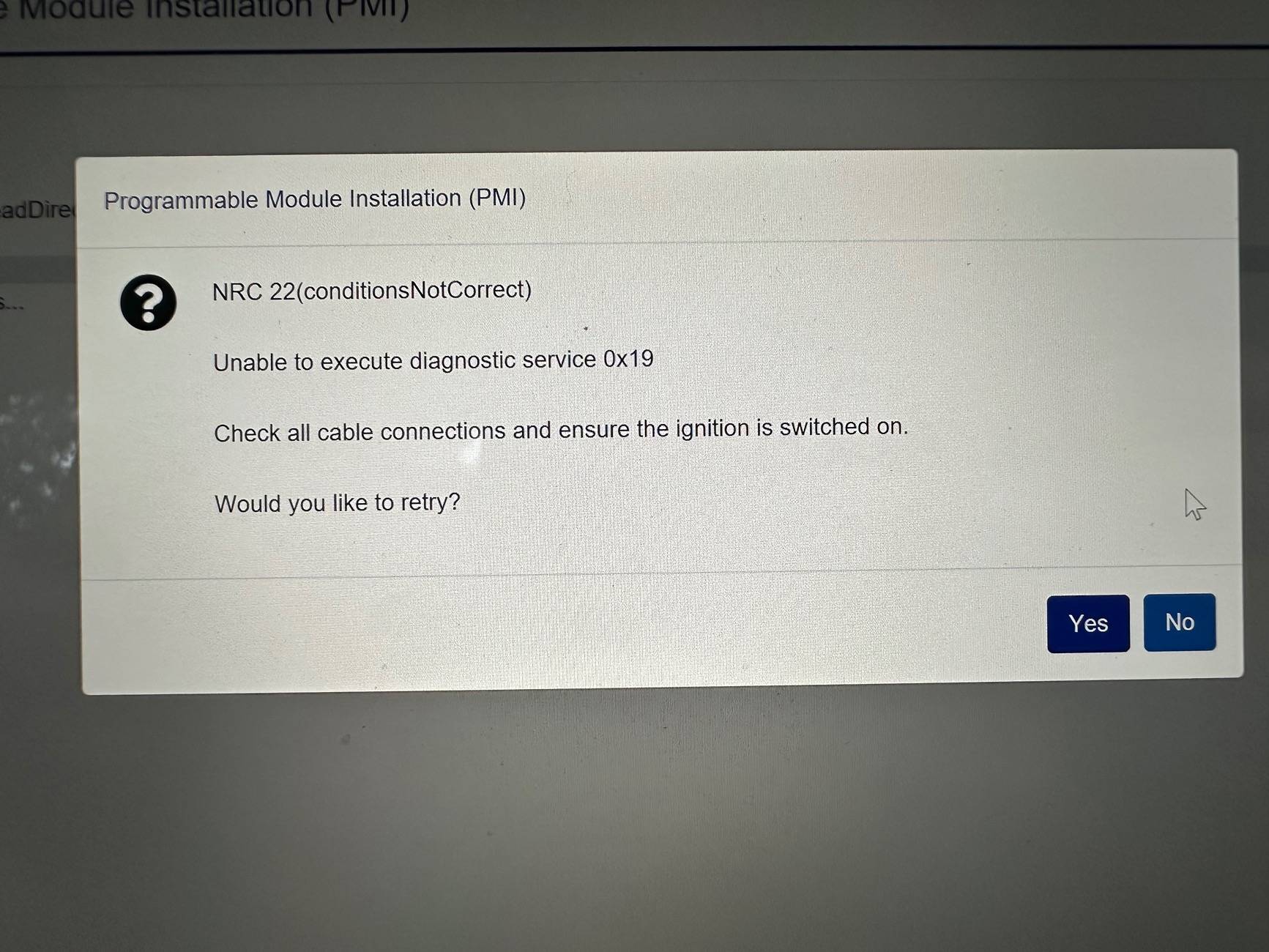
I thought I would take a different tact. Run the configuration on the ACM. It’s been 15 minutes so far and not done. I thought it would be done quickly :(
 

MrLoganRoss

Well-Known Member
First Name
Chris
Joined
Dec 11, 2023
Threads
47
Messages
506
Reaction score
452
Location
Seattle
Vehicles
Mach E
Country flag
I am going to assume after a half hour that it is not working but FDRS does not want to let me quit. Any ideas?
 

Mike G

Well-Known Member
First Name
Mike
Joined
Mar 27, 2022
Threads
25
Messages
6,458
Reaction score
5,298
Location
N. AL, USA
Vehicles
'23(J1) Mach-E GT-PE, '22 F-150 Lightning, '24 Bronco HLE 2Dr
Country flag
I am going to assume after a half hour that it is not working but FDRS does not want to let me quit. Any ideas?
Force close FDRS.

Disconnect from the car,., turn the car off, Turn it back on and start a new FDRS session, Clear all DTCs.

Try the ACM again.
 

B177y

Well-Known Member
First Name
Bill
Joined
Sep 17, 2023
Threads
16
Messages
423
Reaction score
641
Location
Olympic Peninsula, WA
Vehicles
'23 J2 MME Premium, '24 Lightning Pro ER, '20 Bolt
Country flag
I tried clearing the FDRS data, uninstalling the newest version and installing an older version, rebooting the computer, turning the car off and back on, updating my Java software, etc...

I still get the java.lang.NullPointerException error each time I try to update the ACM. As that is the only module that won't update for me and I need to get on with the rest of my day, I am done until the next time I decide to buy a 2-day license.

Thank you all for the suggestions and assistance!
 

MrLoganRoss

Well-Known Member
First Name
Chris
Joined
Dec 11, 2023
Threads
47
Messages
506
Reaction score
452
Location
Seattle
Vehicles
Mach E
Country flag
Force close FDRS.

Disconnect from the car,., turn the car off, Turn it back on and start a new FDRS session, Clear all DTCs.

Try the ACM again.
Thank you. I gave up and brought it to the dealer :). It is a brand new car, and so I thought it was appropriate for them to sort it out. Ford reached out to me via the forums, so perhaps they can help expedite! Thank you to all again!!
Sponsored


Top