Removing Visor Warning Stickers-UPDATE: Illuminated HomeLink Buttons

OP
OP
markboris

markboris

Well-Known Member
First Name
Mark
Joined
Nov 13, 2019
Threads
43
Messages
5,731
Reaction score
16,371
Location
Sonora, CA
Vehicles
Currently: '20 Shelby GT500 FPB '24 Mach-E GTP GGM
Occupation
Retired
Country flag
I haven't had the time to work on that but hopefully will in a month or so. I did illuminate them in my F-150 quite a few years back but it had a different wiring setup in the visor compared to the one in the Mach-E so it will take a bit more time to figure out.
This is one of those mods I wouldn't normally post and didn't think it needed its own thread. I like doing mods like this not because I need illuminated buttons but because I wanted to see if it could even be done and also had a friend/member want this. If you don't really need illuminated HomeLink buttons, I wouldn't do it. It's a bit time consuming and you may break a mounting clip (or two).

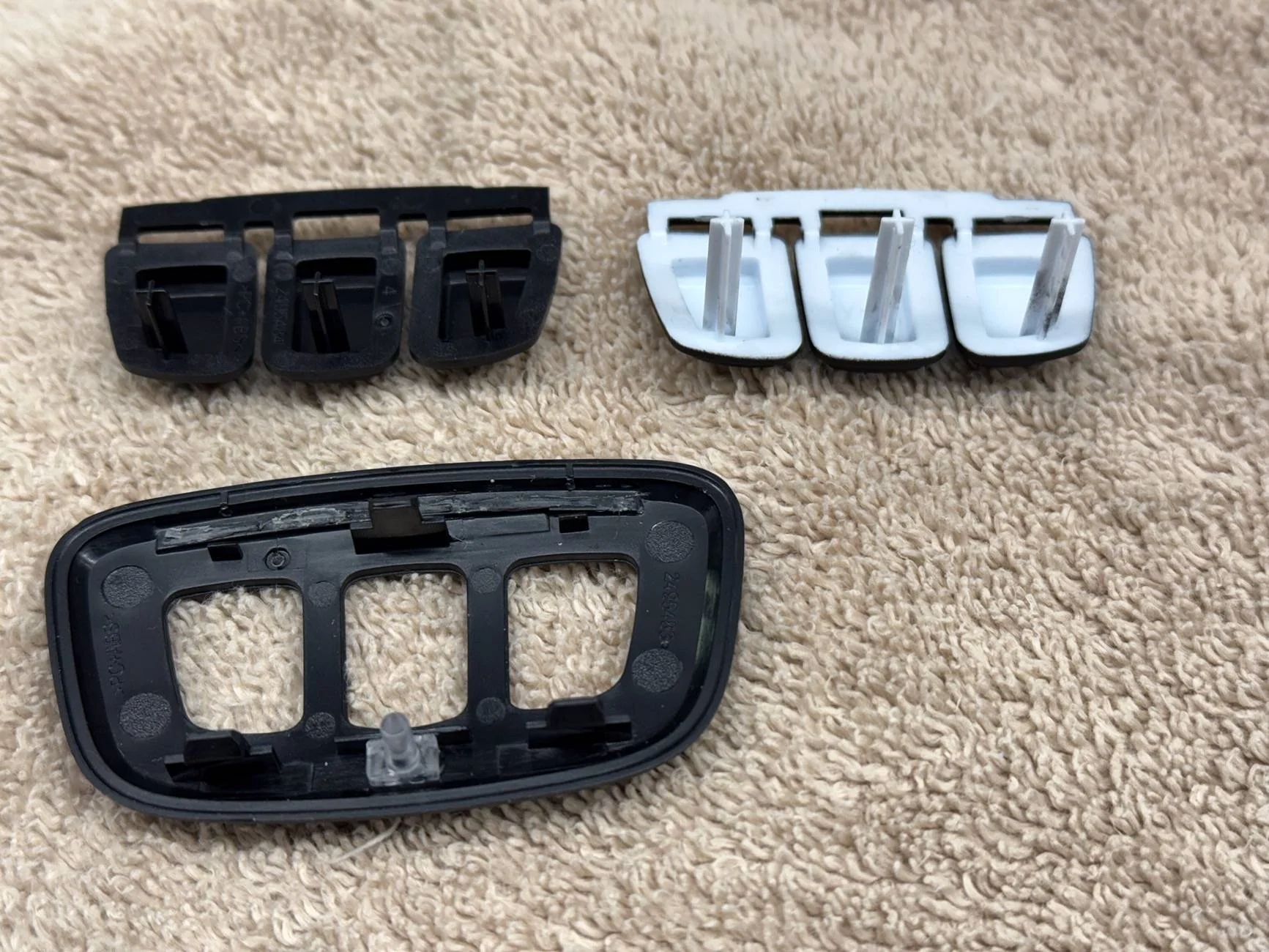
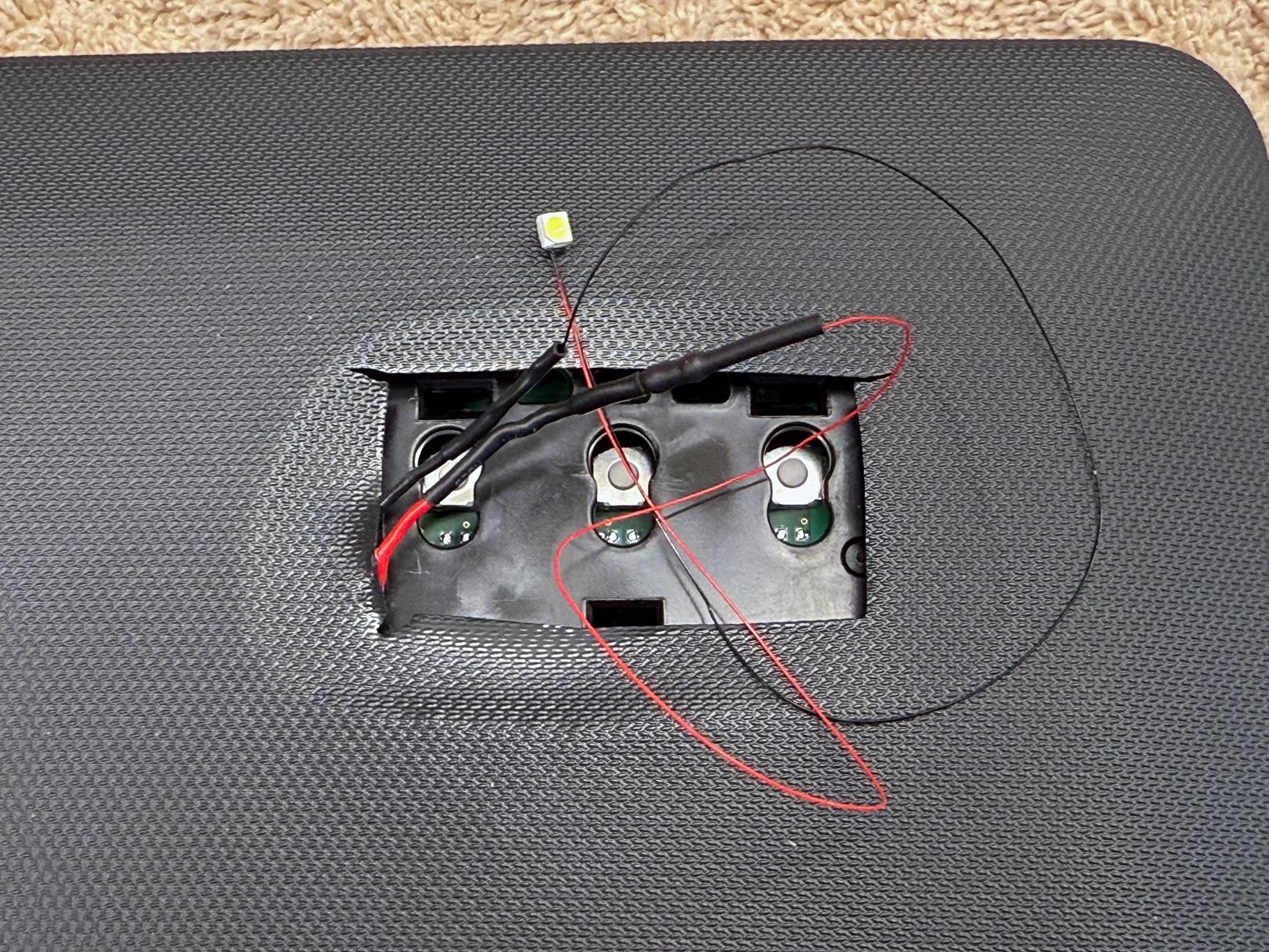
I removed the visor mirror and bezel. It has 6 mounting clips around it. I broke one taking it off but the mirror/bezel snaps back in and is tight just fine with only 5 clips. You only need a 12V+ and ground to illuminate the LED's. On the back of the mirror is a red wire/terminal that that I tapped into for the 12V+ and one of the black wires on the circuit board for ground. I bought tiny 12V LED's in cool white and wired three of them in series so that they would not be as bright. Placed each one with double stick foam tape on the circuit board of the HomeLink behind each button just like how the HomeLink's that have illuminated buttons. Had to replace the buttons in our HomeLink which do not have the little dots with ones that do. The posts that hit/activate the switch when the button is pushed were too long on the illuminated buttons so had to trim them down to be the same length last the non illuminated buttons I removed from the OEM bezel. If anyone wants more detailed info on this, let me know.

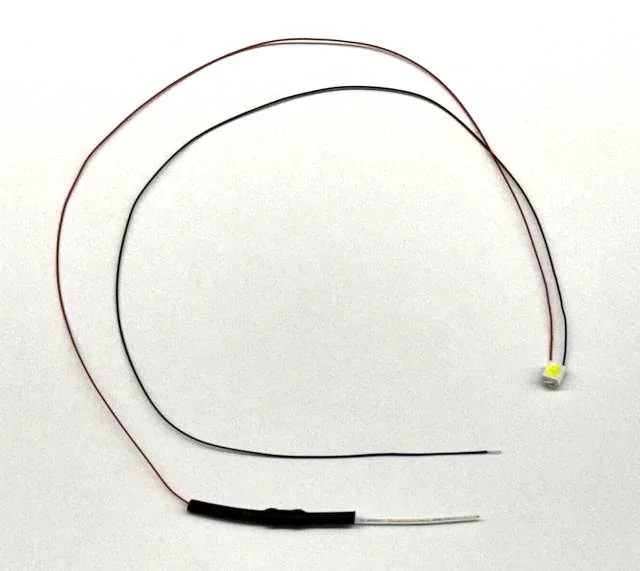
The LED's I used are these. They are $1 each.
https://lighthouseleds.com/plcc2-3528-smd-wide-angle-12v-pre-wired-led-white-ultra-bright.html

On left our HomeLink buttons, on right buttons with backlit dots. You can find them on eBay for around $10.
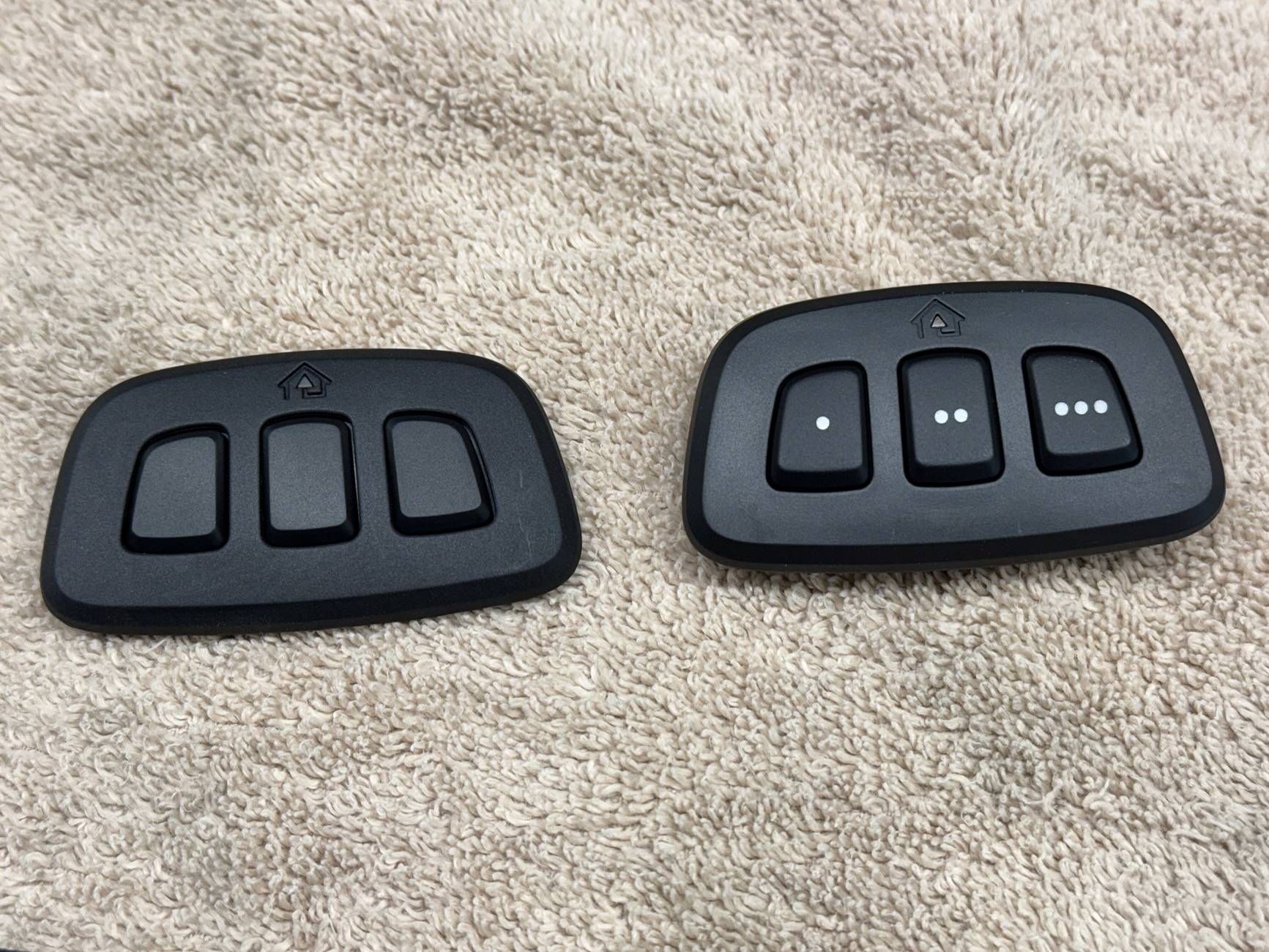
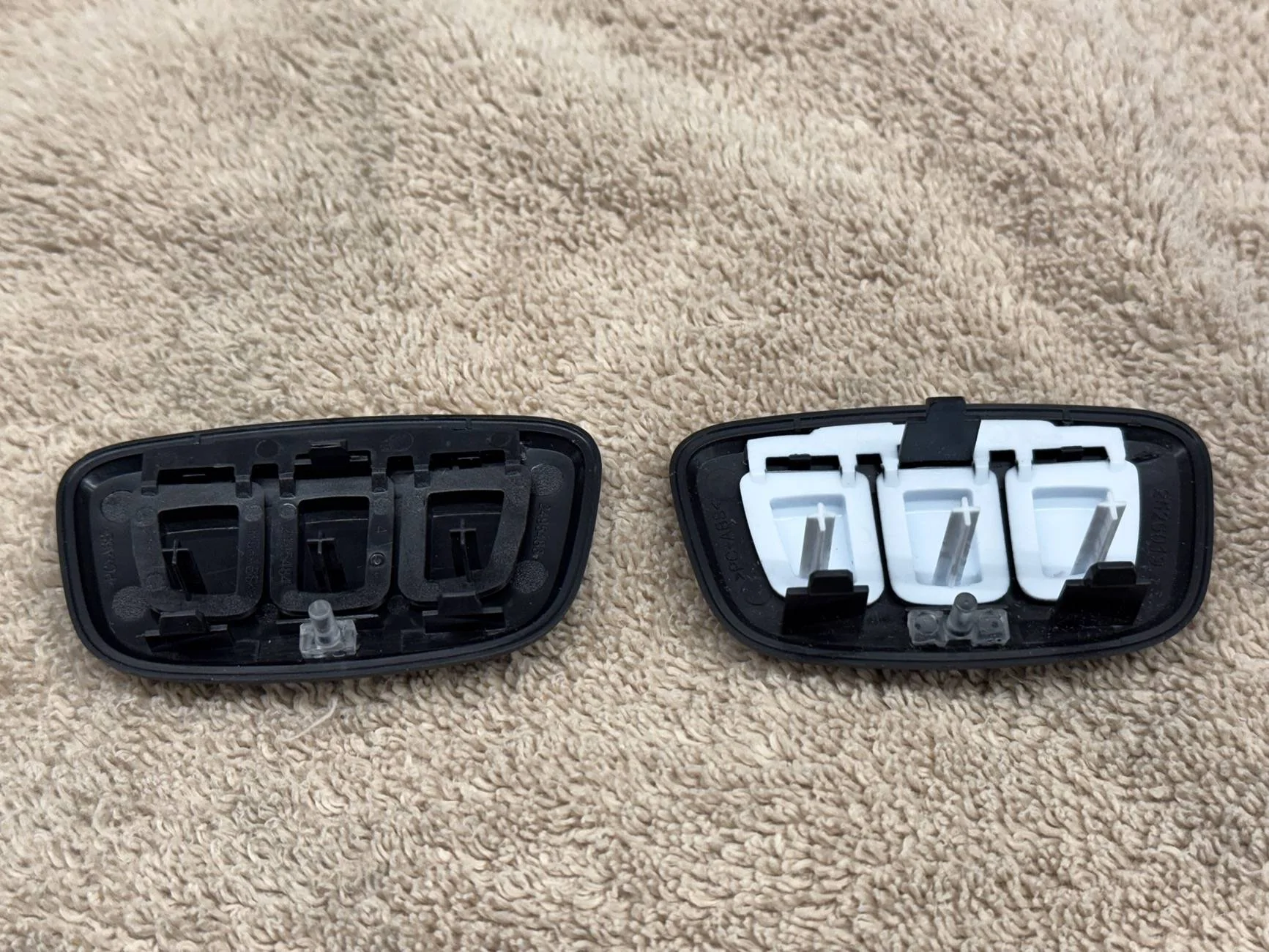
Ford Mustang Mach-E Removing Visor Warning Stickers-UPDATE: Illuminated HomeLink Buttons IMG_3774


Ford Mustang Mach-E Removing Visor Warning Stickers-UPDATE: Illuminated HomeLink Buttons IMG_3775


Ford Mustang Mach-E Removing Visor Warning Stickers-UPDATE: Illuminated HomeLink Buttons IMG_3776


Mirror/bezel removed and grabbed the 12V+ from the larger red wire/terminal on the left side. Ground from the circuit board on the left side.
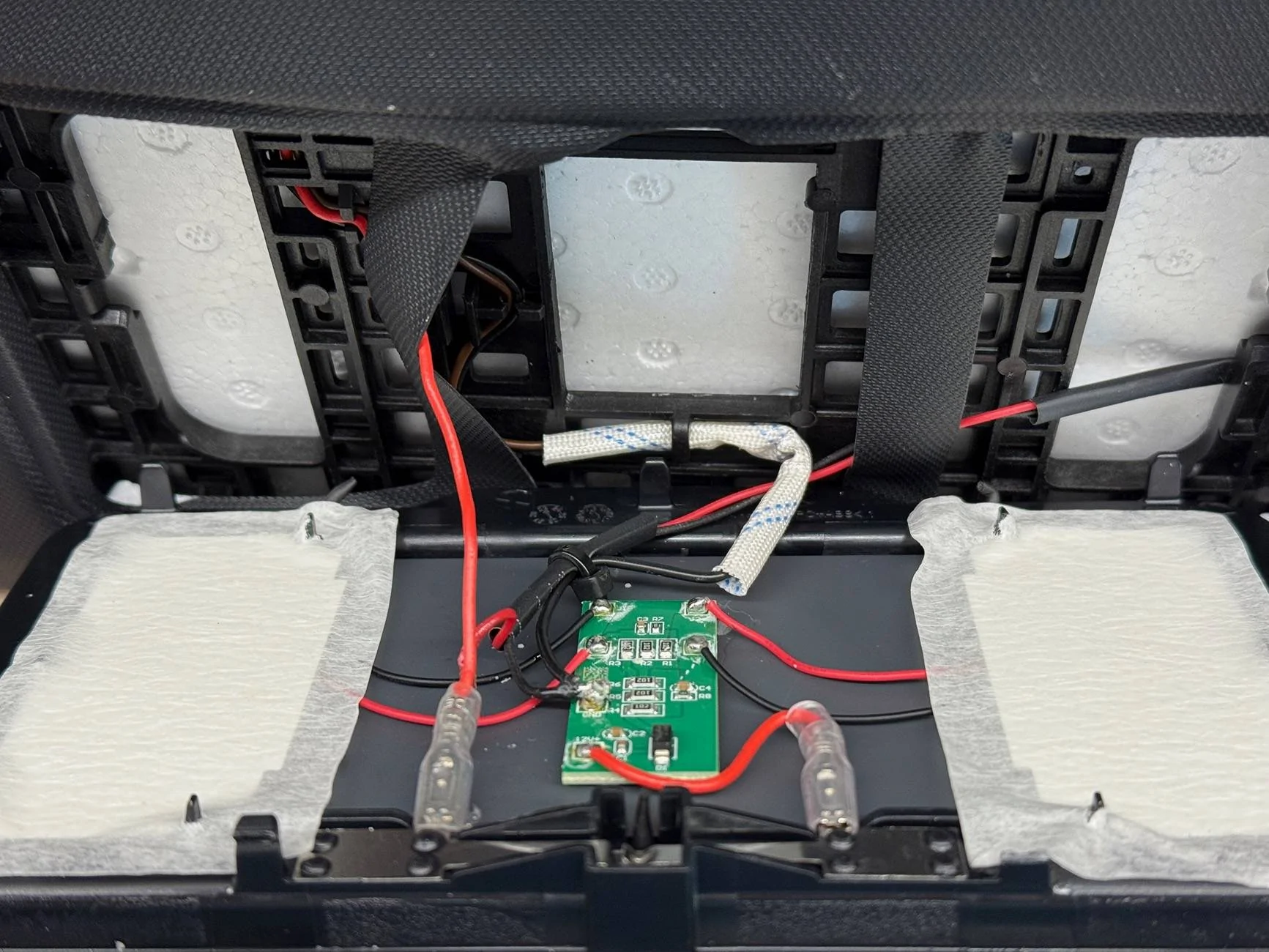
Ford Mustang Mach-E Removing Visor Warning Stickers-UPDATE: Illuminated HomeLink Buttons IMG_3778


One of the three LED's

Ford Mustang Mach-E Removing Visor Warning Stickers-UPDATE: Illuminated HomeLink Buttons IMG_3782


You can see the three LED's below the switches.
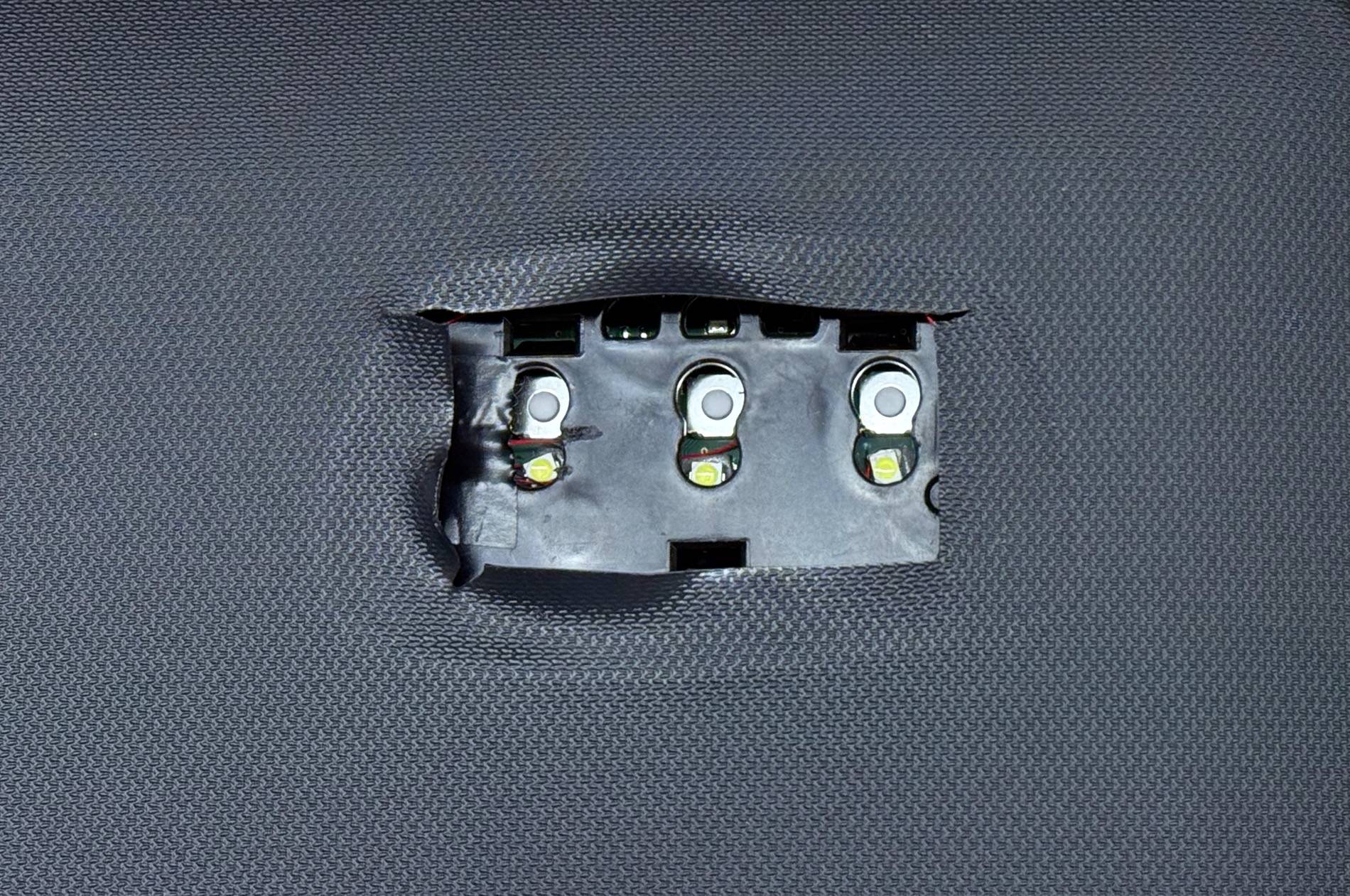
Ford Mustang Mach-E Removing Visor Warning Stickers-UPDATE: Illuminated HomeLink Buttons IMG_3785


Ford Mustang Mach-E Removing Visor Warning Stickers-UPDATE: Illuminated HomeLink Buttons IMG_3786


They are not this bright in person. This photo from the camera makes them look much brighter than they are. They are a soft glow. The buttons are lit all the time the car is on since it is a constant 12V that is supplied to the visor, however once you turn off the car, about 10 min later, power is cut to the mirror and they go off.

Ford Mustang Mach-E Removing Visor Warning Stickers-UPDATE: Illuminated HomeLink Buttons IMG_4327
Sponsored

 
Last edited:

phil

Well-Known Member
Joined
Jun 6, 2021
Threads
13
Messages
3,160
Reaction score
4,211
Location
USA
Vehicles
LS400
Country flag
Well, here it is, close to three years later and finally got around to illuminating the Homelink buttons on the visor.
I think this one is good. It can be hard to quickly find the buttons in the dark.

I just put a glow-in-the-dark sticker on the middle button and called it a day....
 

HuntingPudel

Well-Known Member
First Name
Steve
Joined
Mar 23, 2021
Threads
88
Messages
12,927
Reaction score
17,370
Location
Bay Area, CA
Vehicles
2024 MME GT with Performance Upgrade, 1979 Fire-Am, 1972 K/5 Blazer
Occupation
Engineering
Country flag
Well, here it is, close to three years later and finally got around to illuminating the Homelink buttons on the visor. This is one of those mods I wouldn't normally post and didn't think this needed its own thread. I like doing mods like this not because I really need illuminated buttons but because I wanted to see if it could even be done. If you don't really need illuminated Homelink buttons, I wouldn't do it. It's a bit time consuming and you may break a mounting clip (or two). That said, I know I will be doing it again for a friend of mine that has been begging me to get this done for a couple of years. ?

I removed the visor mirror and bezel. It has 6 mounting clips around it (I broke one). You only need a 12V+ and ground to illuminate the LED's. On the back of the mirror is a red wire/terminal that that I tapped into for the 12V+ and one of the black wires on the circuit board for ground. I bought tiny 12V LED's in cool white and wired three of them in series so that they would not be as bright. Placed each one with double stick foam tape on the circuit board of the Homelink behind each button just like how the Homelink's that have illuminated buttons. Had to replace the buttons in our Homelink which does not have the little dots with ones that do. The posts that hit/activate the switch when the button is pushed were too long on the illuminated buttons so had to trim them down to be the same length last the non illuminated buttons I removed from the OEM bezel. If anyone wants more detailed info on this, let me know.

IMG_3774.jpeg


IMG_3775.jpeg


IMG_3776.jpeg


I grabbed the 12V+ from the larger red wire/terminal on the left side. Ground from the circuit board on the left side.

IMG_3778.jpeg


One of the three LED's

IMG_3782.jpeg


You can see the three LED's below the switches.
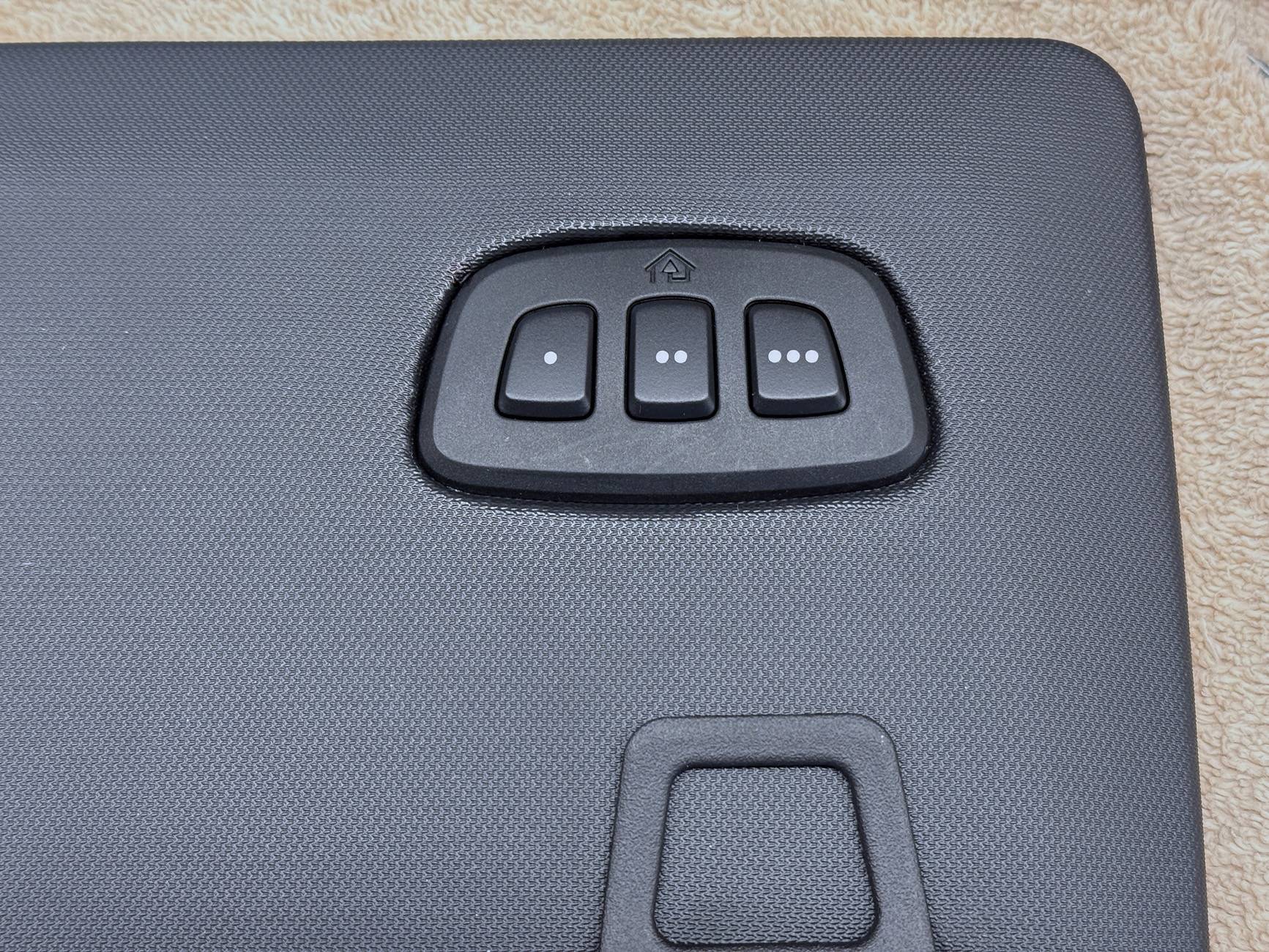
IMG_3785.jpeg


IMG_3786.jpeg


They are not this bright in person. This photo from the camera makes them look much brighter than they are. They are a soft glow. The home button (above the middle garage door button) is very dimly lit because of the light spillover from the middle LED. It does not interfere with the programming of the Homelink buttons. You still get a bright flashing red light when you are programming. The buttons are lit all the time the car is on since it is a constant 12V that is supplied to the visor, however once you turn off the car, about 10 min later, power is cut to the mirror and they go off.
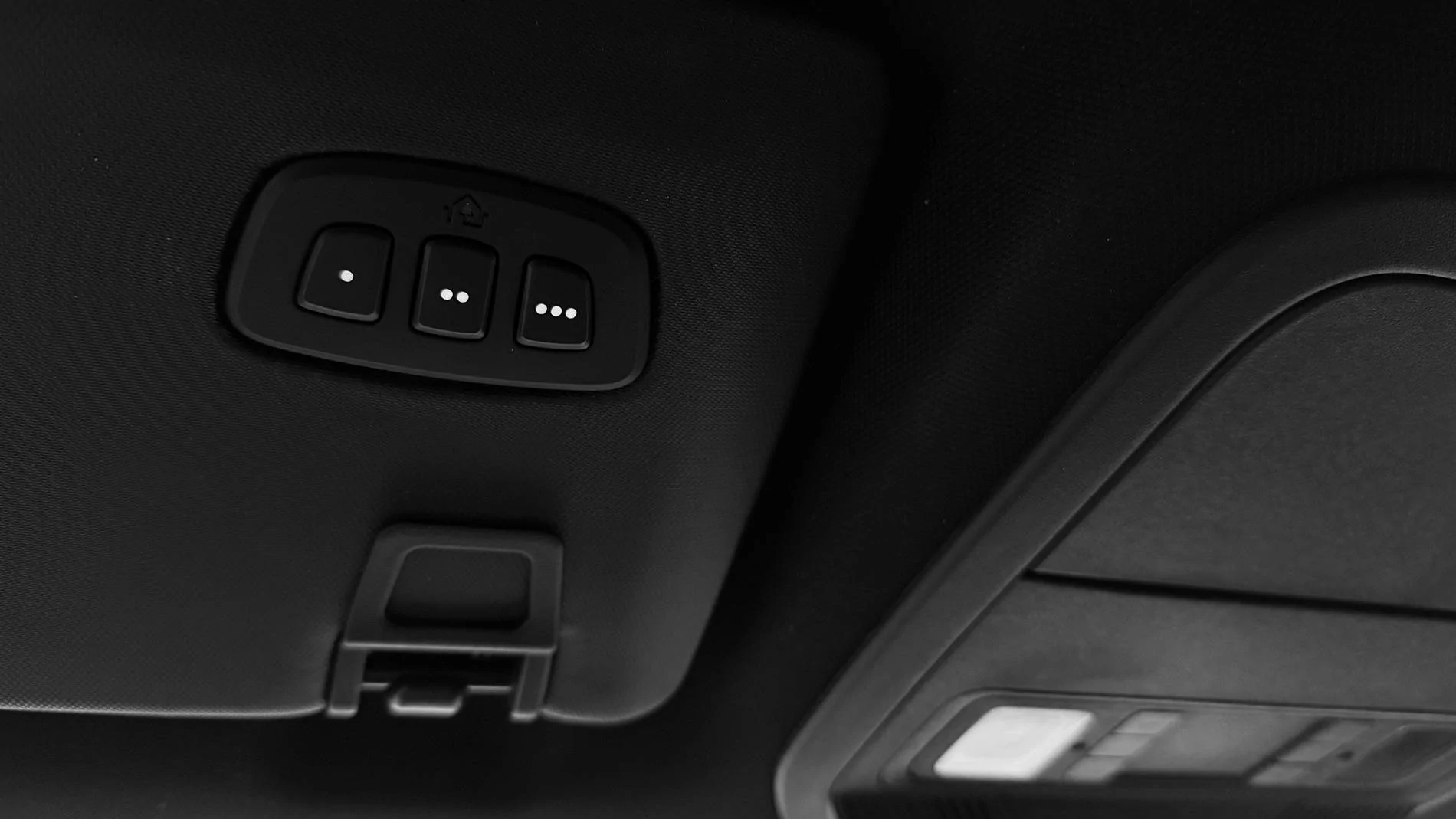
View attachment 140312
At least the buttons are the same size and shape and the posts are too long (rather than too short). Neat idea., although since I don’t use HomeLink I would just prefer the switch array wasn’t there. ??
 
OP
OP
markboris

markboris

Well-Known Member
First Name
Mark
Joined
Nov 13, 2019
Threads
43
Messages
5,731
Reaction score
16,371
Location
Sonora, CA
Vehicles
Currently: '20 Shelby GT500 FPB '24 Mach-E GTP GGM
Occupation
Retired
Country flag
At least the buttons are the same size and shape and the posts are too long (rather than too short). Neat idea., although since I don’t use HomeLink I would just prefer the switch array wasn’t there. ??
Thing is Steve, I don't use HomeLink either even though I do have it programmed for my doors.

I use Siri to open and close my garage doors. Had a bit of time so thought I would tackle this project for a friend that wants it for his Mach-E. I may just swap visors with him so I won't have to do it again. ?
 
Last edited:

HuntingPudel

Well-Known Member
First Name
Steve
Joined
Mar 23, 2021
Threads
88
Messages
12,927
Reaction score
17,370
Location
Bay Area, CA
Vehicles
2024 MME GT with Performance Upgrade, 1979 Fire-Am, 1972 K/5 Blazer
Occupation
Engineering
Country flag
Thing is Steve, I don't use HomeLink either even though I do have it programmed for my doors.

I use Siri to open and close my garage doors. Had a bit of time so thought I would tackle this project for a friend that wants it for his MME. I may just swap visors with him so I won't have to do it again. ?
Yep, I use Siri also. My opener doesn’t work with HomeLink so my watch opens the door. ??


nicholsjon

Well-Known Member
First Name
Jon
Joined
Apr 5, 2024
Threads
1
Messages
46
Reaction score
44
Location
Texas
Vehicles
2023 Mach e ER RWD Premium, 1965 Mustang Fastback, 2019 Subaru Crosstrek
Country flag
This is great! I tried searching ebay for the buttons, but no luck so far. Is there a link you can post for them - or which vehicle they came from? So far my search has brought up entire visors - without illuminated buttons. Thanks!

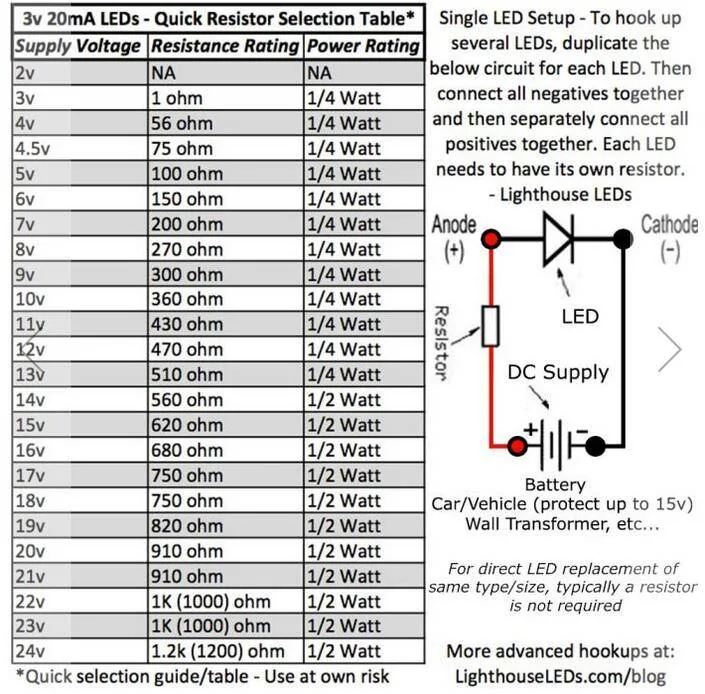
One more question; The LED link said to add a resistor to the wire - you mentioned putting the three in series - so no resistor used?
Ford Mustang Mach-E Removing Visor Warning Stickers-UPDATE: Illuminated HomeLink Buttons 1735668973267-qi
 
Last edited:

grein002

Well-Known Member
First Name
Scott
Joined
Mar 5, 2024
Threads
9
Messages
266
Reaction score
409
Location
Durham, NC
Vehicles
2023 Mach-E GTPE, Red w/Gray interior
Country flag
I'd like a link for the LEDs as well, if you could...
 
OP
OP
markboris

markboris

Well-Known Member
First Name
Mark
Joined
Nov 13, 2019
Threads
43
Messages
5,731
Reaction score
16,371
Location
Sonora, CA
Vehicles
Currently: '20 Shelby GT500 FPB '24 Mach-E GTP GGM
Occupation
Retired
Country flag
This is great! I tried searching ebay for the buttons, but no luck so far. Is there a link you can post for them - or which vehicle they came from? So far my search has brought up entire visors - without illuminated buttons. Thanks!

One more question; The LED link said to add a resistor to the wire - you mentioned putting the three in series - so no resistor used?
1735668973267-qi.webp
Here is a link to an eBay listing for the backlit buttons:
https://www.ebay.com/itm/256658194291?gQT=2

I have a couple of extra buttons only if you want one. Can ship to you. DM me if you want.

The LED I used from LighthouseLED's comes with a resistor already attached to the 12V+ lead. I did not use any other resistors. Just wired the three in series and the light coming from the backlit switches is perfect. If you wanted to darken them, I would just put a piece of window tint on the back side of the switch. I don't think they need darkening though once they are in series.

Ford Mustang Mach-E Removing Visor Warning Stickers-UPDATE: Illuminated HomeLink Buttons IMG_3814
 
Last edited:
OP
OP
markboris

markboris

Well-Known Member
First Name
Mark
Joined
Nov 13, 2019
Threads
43
Messages
5,731
Reaction score
16,371
Location
Sonora, CA
Vehicles
Currently: '20 Shelby GT500 FPB '24 Mach-E GTP GGM
Occupation
Retired
Country flag

nicholsjon

Well-Known Member
First Name
Jon
Joined
Apr 5, 2024
Threads
1
Messages
46
Reaction score
44
Location
Texas
Vehicles
2023 Mach e ER RWD Premium, 1965 Mustang Fastback, 2019 Subaru Crosstrek
Country flag
Here is a link to an eBay listing for the backlit buttons:
https://www.ebay.com/itm/256658194291?gQT=2

I have a couple of extra buttons only if you want one. Can ship to you. DM me if you want.

The LED I used from LighthouseLED's comes with a resistor already attached to the 12V+ lead. I did not use any other resistors. Just wired the three in series and the light coming from the backlit switches is perfect. If you wanted to darken them, I would just put a piece of window tint on the back side of the switch. I don't think they need darkening though once they are in series.

IMG_3814.jpeg
Thank you!
I've ordered buttons and LED's!
 

HuntingPudel

Well-Known Member
First Name
Steve
Joined
Mar 23, 2021
Threads
88
Messages
12,927
Reaction score
17,370
Location
Bay Area, CA
Vehicles
2024 MME GT with Performance Upgrade, 1979 Fire-Am, 1972 K/5 Blazer
Occupation
Engineering
Country flag
This is great! I tried searching ebay for the buttons, but no luck so far. Is there a link you can post for them - or which vehicle they came from? So far my search has brought up entire visors - without illuminated buttons. Thanks!

One more question; The LED link said to add a resistor to the wire - you mentioned putting the three in series - so no resistor used?
1735668973267-qi.jpg
eBay item 256658194291 came up when I typed “HomeLink Button.” ??
 

snowdoggie

Well-Known Member
First Name
Hal
Joined
Mar 28, 2022
Threads
7
Messages
404
Reaction score
257
Location
Walnut Creek, CA
Vehicles
Volvo, Nissan, Audi 2017 SQ5, MME GT, M3
Occupation
IT Operations Manager
Country flag
I wouldn’t use a scraper, flat blade or any other tool on this visor. The vinyl is very thin (but strong) and you will run the risk of poking or stretching it while it's hot. The sticker comes off very easy and fast if it is heated properly. Remember, if it does not come off easy (about 60-90 seconds for the entire sticker) it’s not hot enough.

Most of my mods are in my signatures below but there are some that I never mentioned and some that I may have but in another member’s thread. Off the top of my head, these are the only ones I can think of right now.

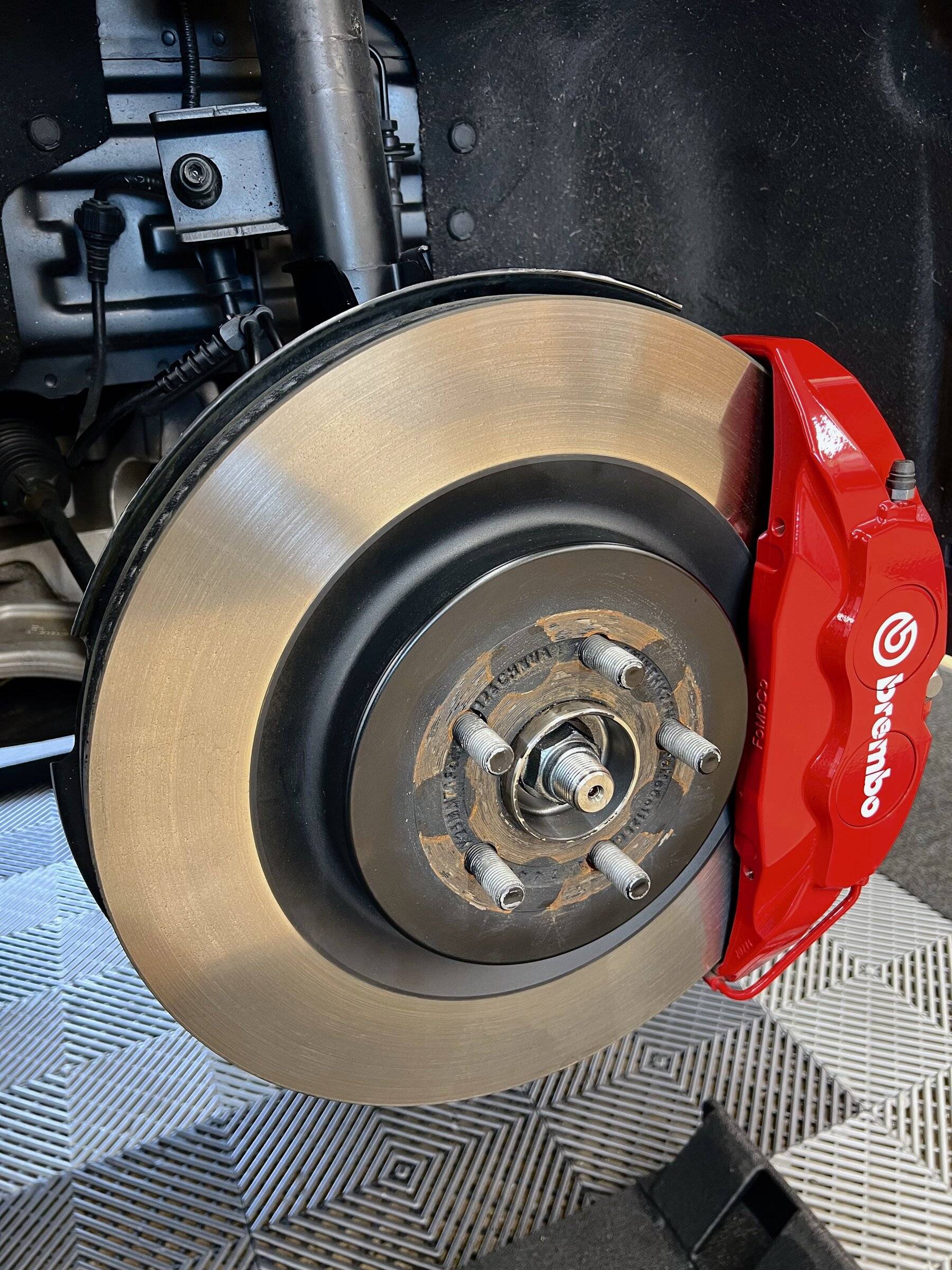
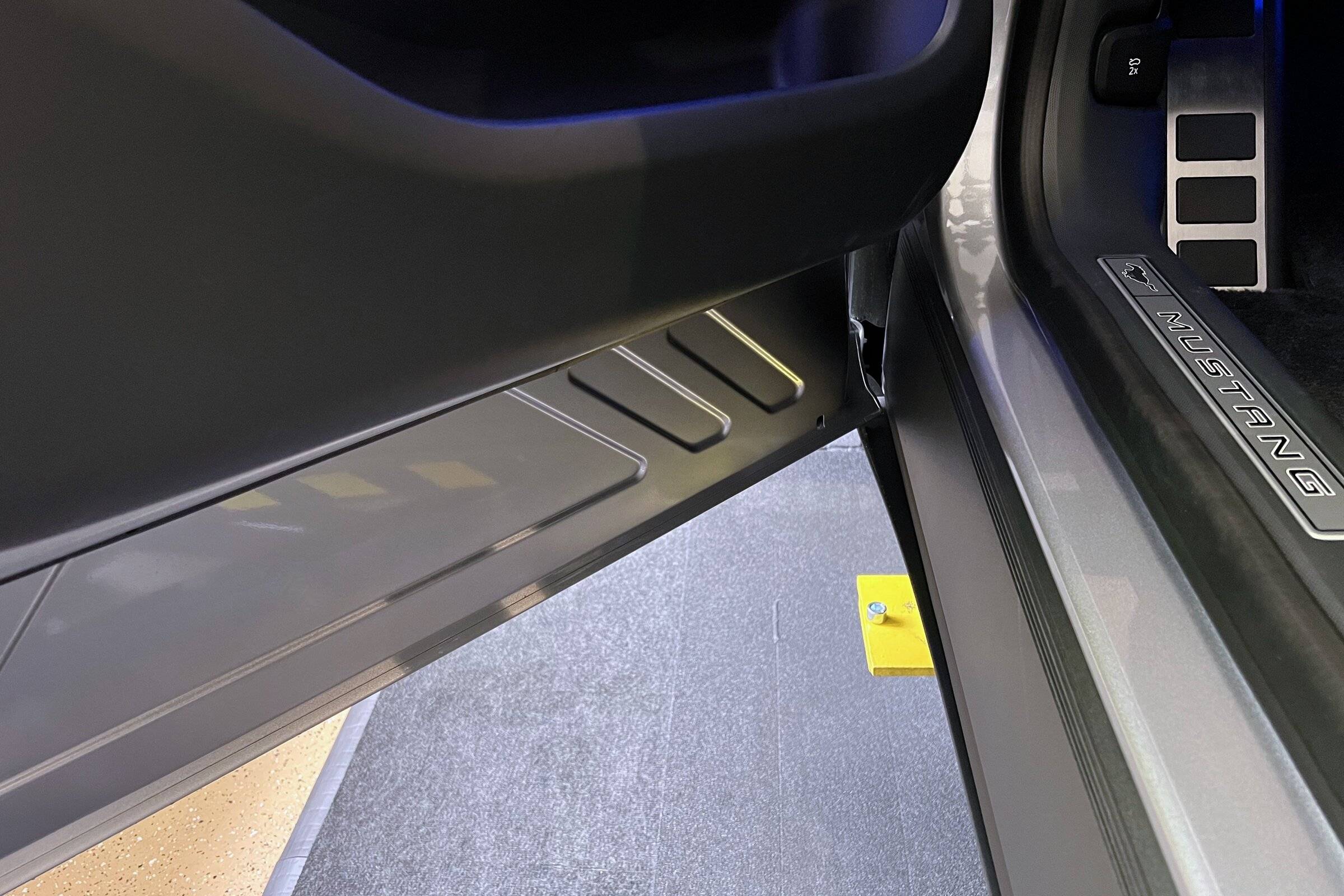
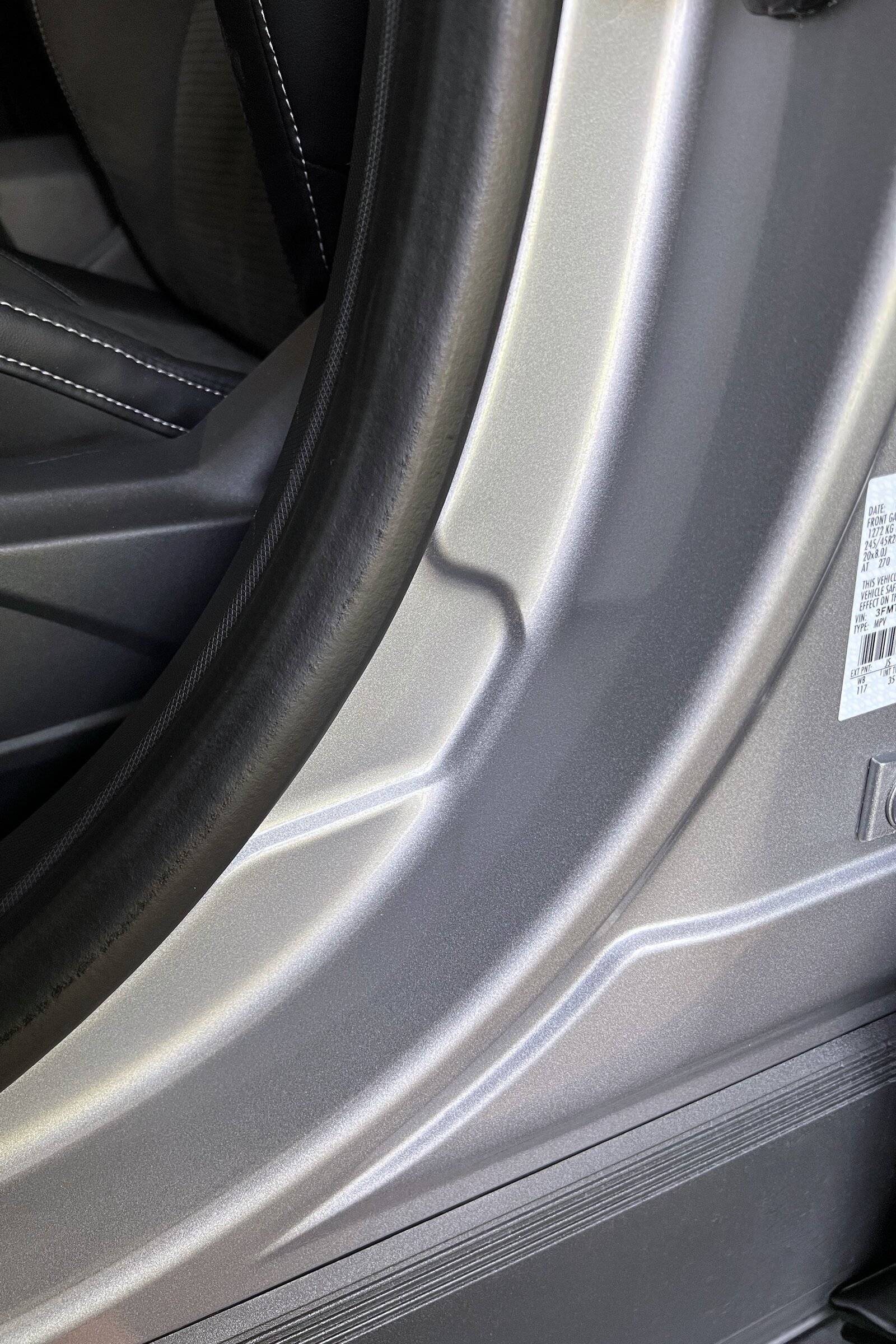
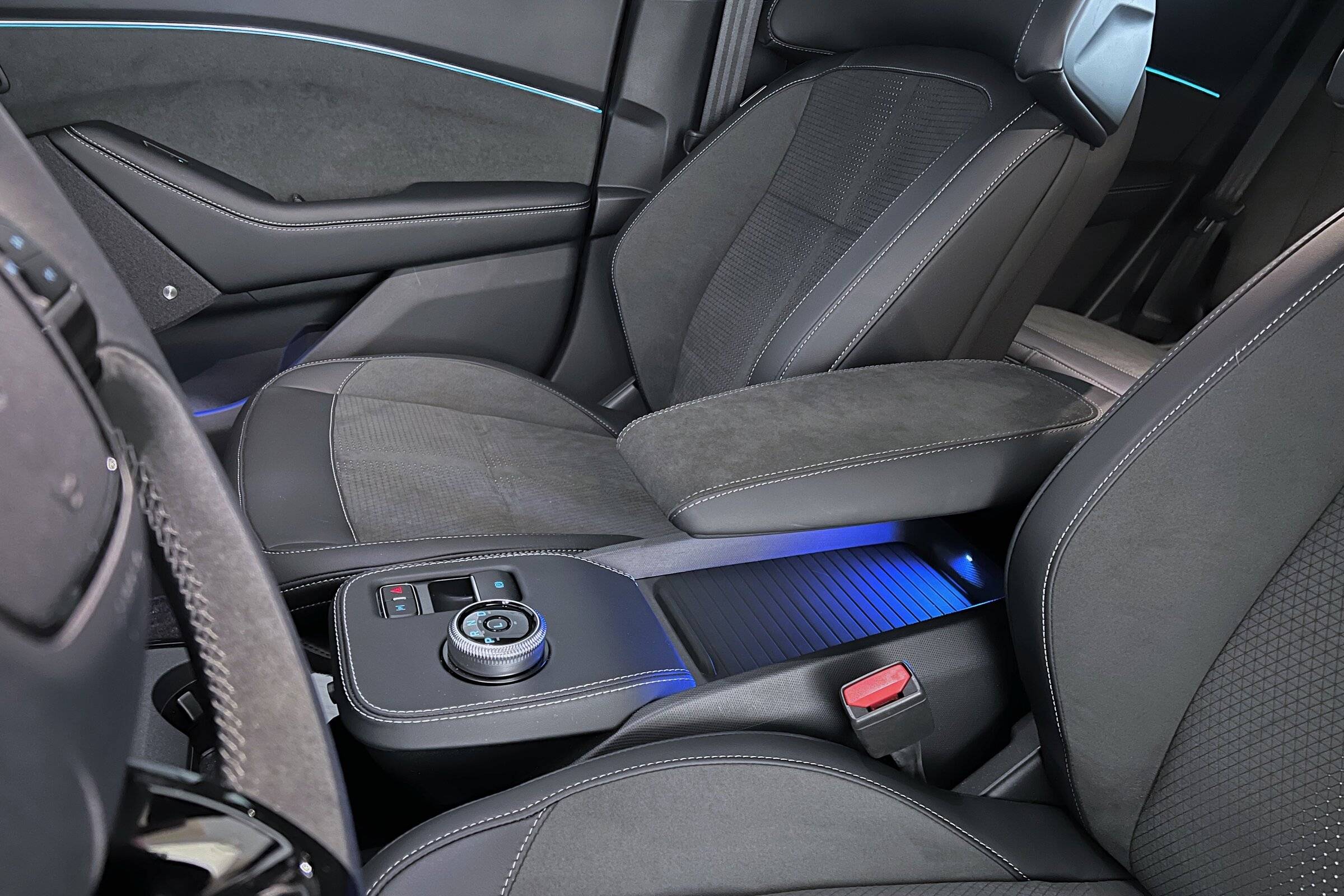
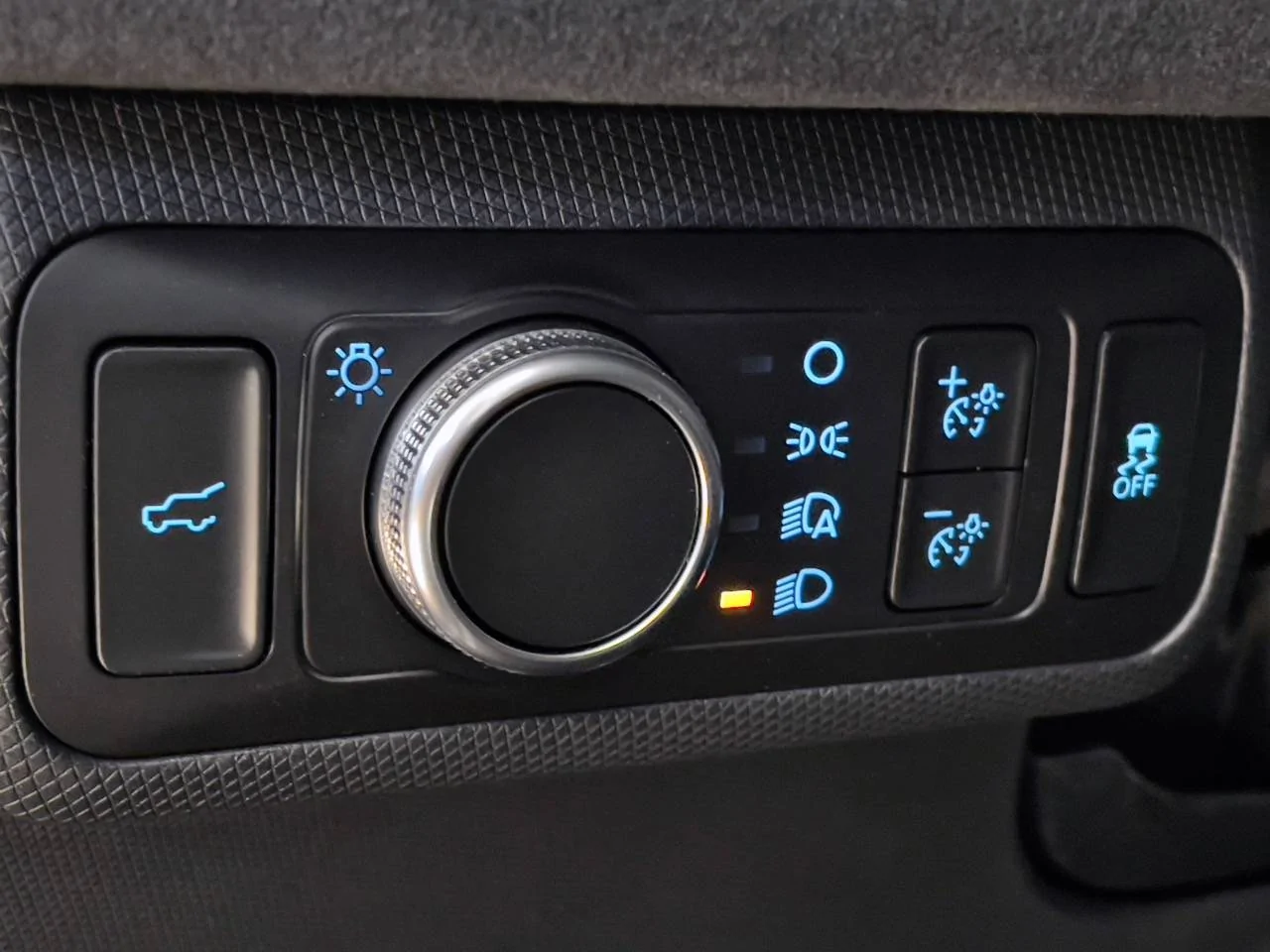
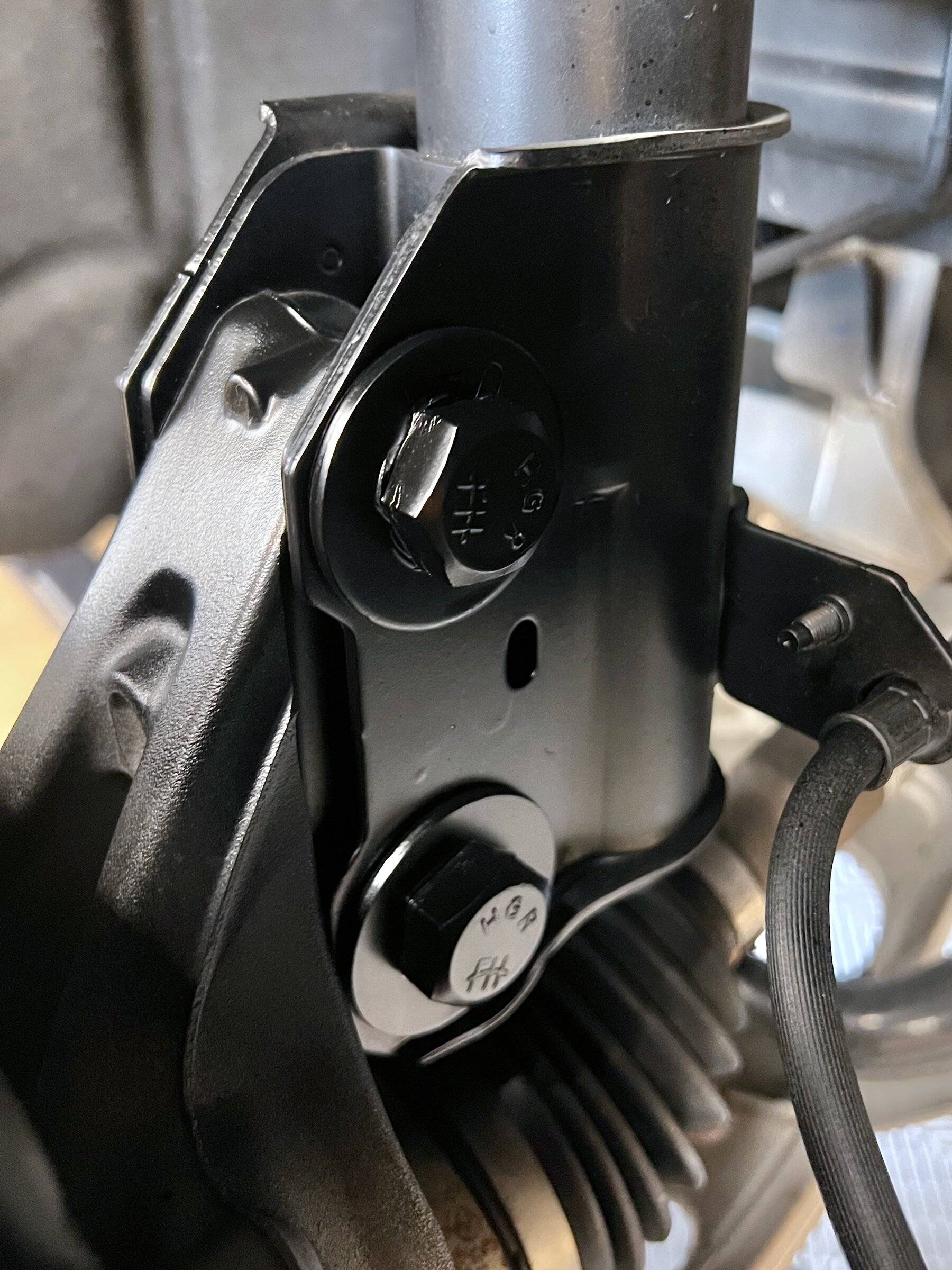
Painted the light gray front hat part of the rotors black plus the rear dust shields so they would look better behind my open designed black wheels. Removed all the little white VIN stickers that were on the lower part of every door, in the frunk area, etc. Removed the tire pressure and some other sticker that was close to the build sticker on the lower part of the B pillar (you can tell l don’t like stickers). Had my console armrest partially covered in Alcantara and silver stitching to match the custom steering wheel (I did post that) and rest of the interior. Replaced the Max Defrost button with a liftgate release button from an Explorer light switch assembly and wired it to open/close the liftgate (I posted this in someone else’s thread). Replaced the splined bots that attach the front struts to the wheel knuckles with regular bolts (and painted them black). This gives you a bit of play when tightening the bolts to add a bit more negative camber.

IMG_1231.jpeg


IMG_1226.jpeg


IMG_1227.jpeg


IMG_1224.jpeg


IMG_6528.jpeg


IMG_1232.jpeg
There's a light under the armrest?
 
OP
OP
markboris

markboris

Well-Known Member
First Name
Mark
Joined
Nov 13, 2019
Threads
43
Messages
5,731
Reaction score
16,371
Location
Sonora, CA
Vehicles
Currently: '20 Shelby GT500 FPB '24 Mach-E GTP GGM
Occupation
Retired
Country flag

grein002

Well-Known Member
First Name
Scott
Joined
Mar 5, 2024
Threads
9
Messages
266
Reaction score
409
Location
Durham, NC
Vehicles
2023 Mach-E GTPE, Red w/Gray interior
Country flag
Here is a link to an eBay listing for the backlit buttons:
https://www.ebay.com/itm/256658194291?gQT=2

I have a couple of extra buttons only if you want one. Can ship to you. DM me if you want.

The LED I used from LighthouseLED's comes with a resistor already attached to the 12V+ lead. I did not use any other resistors. Just wired the three in series and the light coming from the backlit switches is perfect. If you wanted to darken them, I would just put a piece of window tint on the back side of the switch. I don't think they need darkening though once they are in series.

IMG_3814.jpeg
Is this it?

https://lighthouseleds.com/3mm-flat-top-wide-angle-12v-pre-wired-led-white-ultra-bright.html


Top