
John Perry
Member
- First Name
- John
- Joined
- Feb 9, 2025
- Threads
- 1
- Messages
- 21
- Reaction score
- 8
- Location
- San Antonio TX
- Vehicles
- 2024 Mach-e Premium RWD
That would be first base, and it will not let me get that far.Not so!
“Please Note: When planning a route that includes Tesla Superchargers, you may see a warning that the route requires your Fast Charging Adapter – make sure you have it with you”
My profile does not give me an option to select vehicle. That would be first base, and I cannot get there yet. I have been using CarPlay regularly without a hitch, but this feature I cannot access. iPhone 15 up to date IOS.Do you already have a “vehicle” set up in Apple Maps? (Click on your profile pic in maps and look in settings). If so, try deleting and re-adding. If not, go to Apple map settings and add it. Once added, pick the Tesla network. It “should” be that simple.
Note: I believe I had to connect my phone to the Mach-e CarPlay initially to get the “vehicle” option to show up in Apple Maps - but not 100% sure of that.
p.s. I have 24 MME Premium and Apple iPhone 15 pro max, iOS 18.3.1.
Sponsored


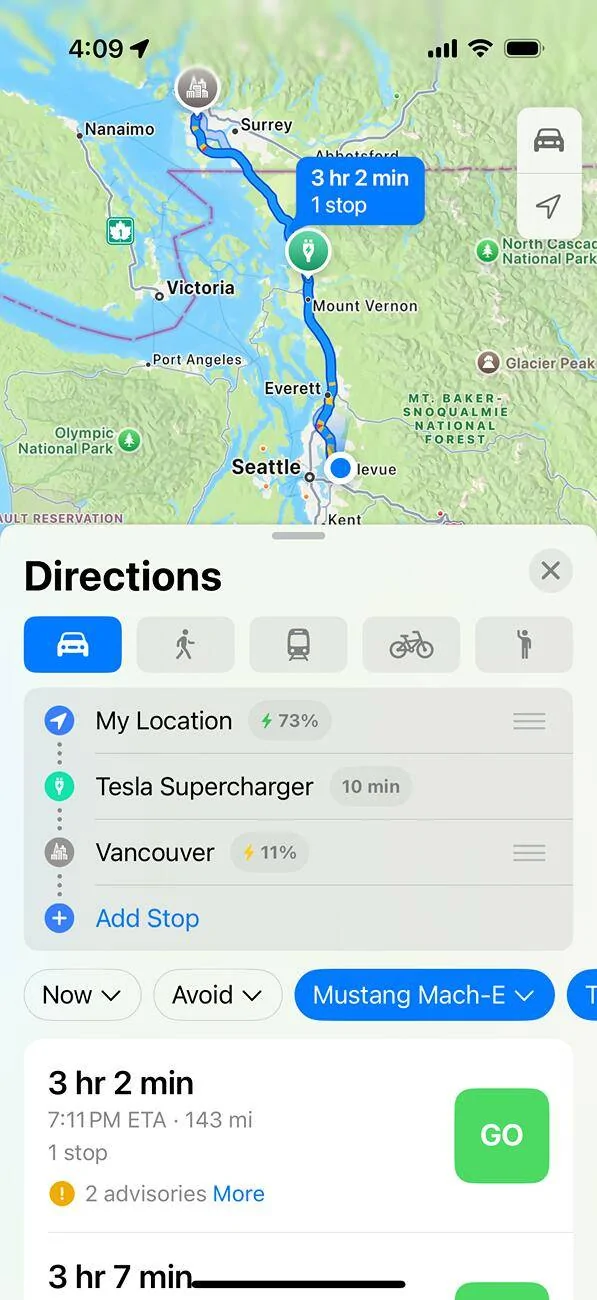
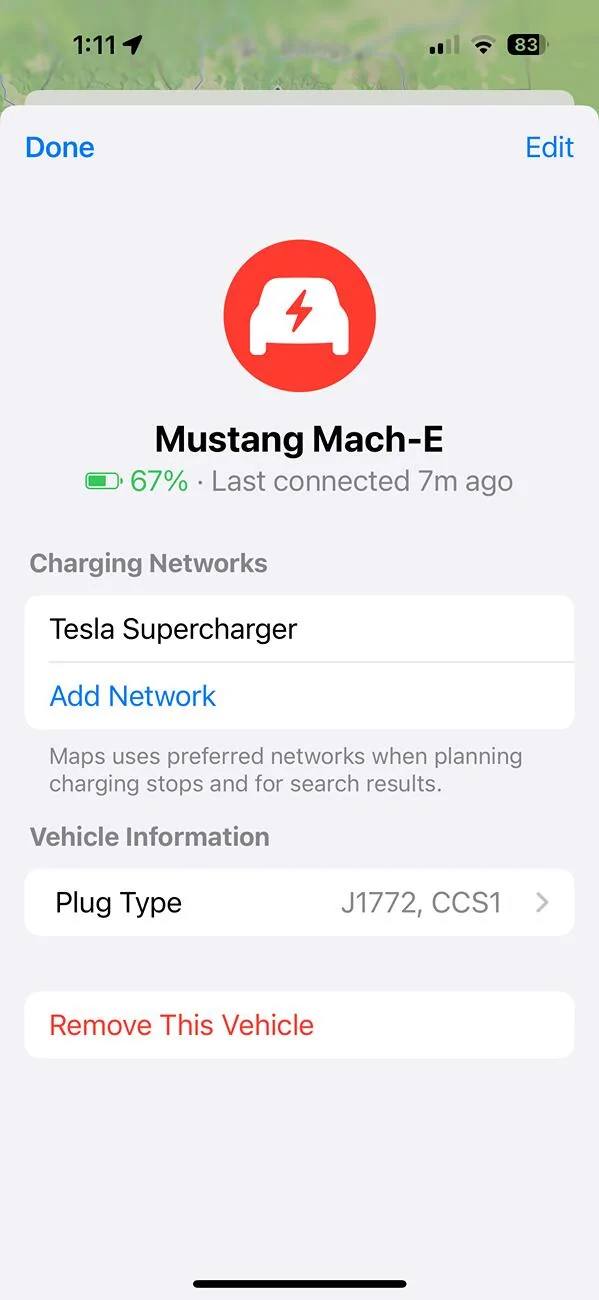
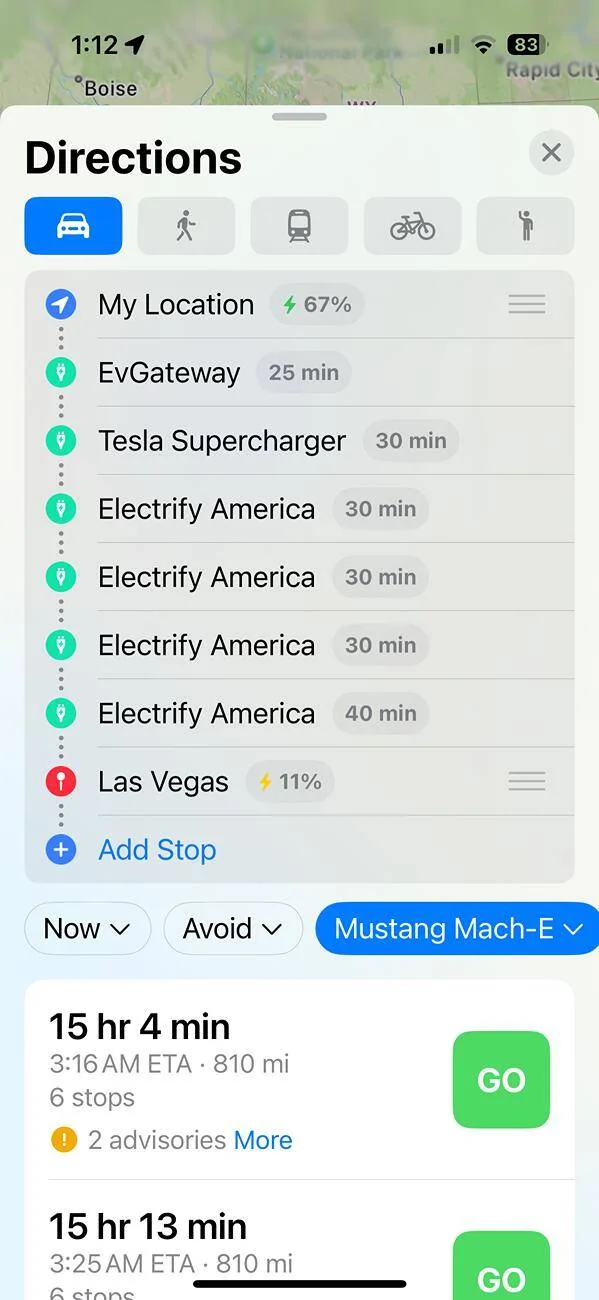
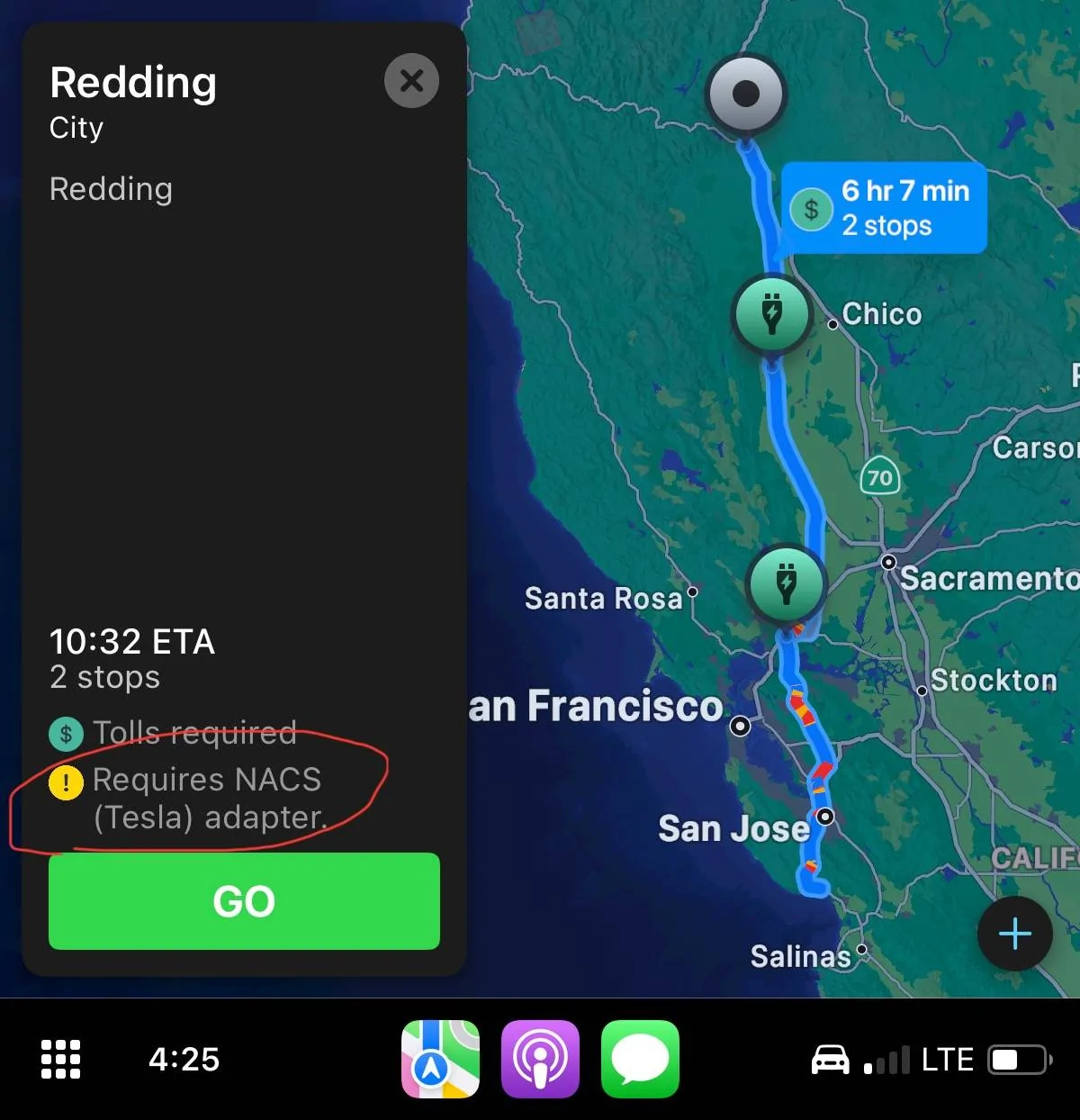
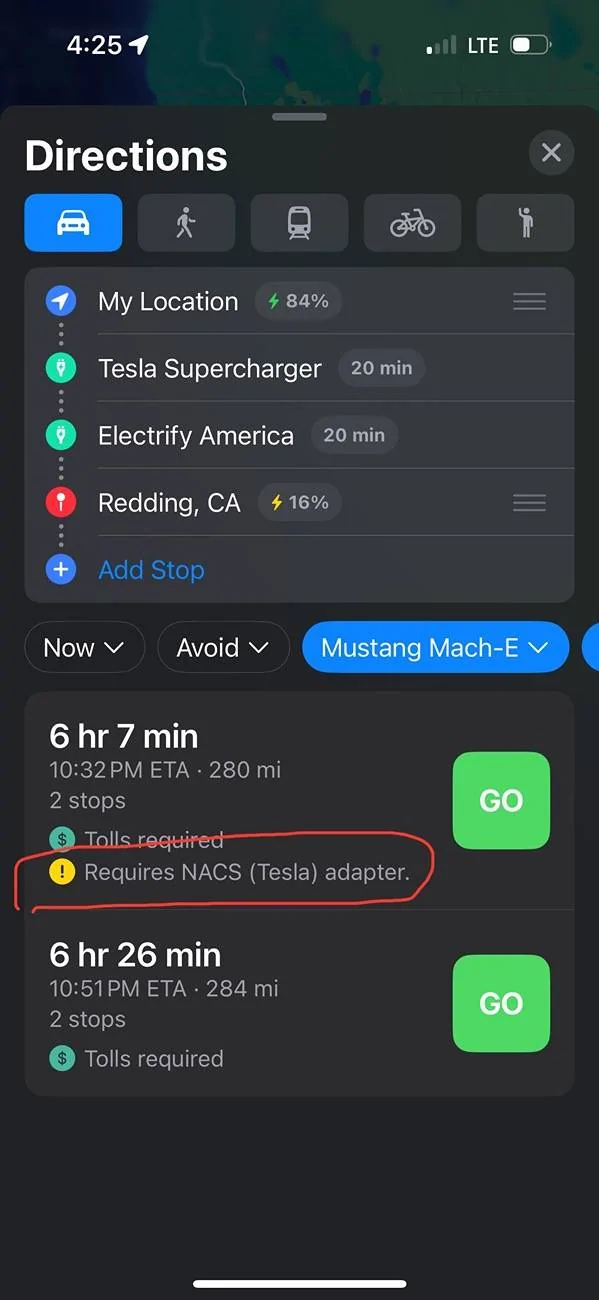

 don't know... i added Tesla Superchargers and Electrify America while in there.


