BMT1071

Well-Known Member
First Name
Mike
Joined
Mar 21, 2021
Threads
65
Messages
3,197
Reaction score
4,377
Location
Glendale, AZ
Vehicles
21 MME SR RWD, 23 MME GTPE
Occupation
EV Technical Trainer
Country flag
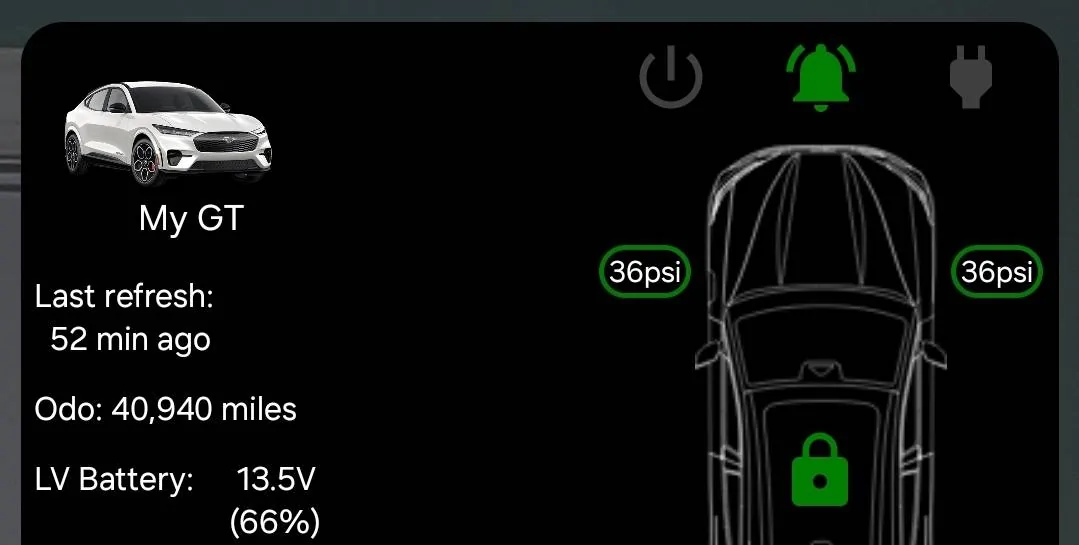
My car is currently turned on in my garage to charge the LVB from the 36% it was at so that it can install this update to keep my LVB charged. ???
Sponsored


 

Mach-Lee

Well-Known Member
First Name
Lee
Joined
Jul 16, 2021
Threads
262
Messages
11,344
Reaction score
24,963
Location
Wisconsin
Vehicles
2022 Mach-E Premium AWD
Occupation
Sci/Eng
Country flag
I left my dash cam plugged in overnight, the charge was 85% last night and is 59% this morning. I'm not sure this is a sufficient charge for OTAs to install. I expected more...
I’m in the process of working out specific changes, but leaving the dashcam on is still going to drain the battery down when the car is off, the update won’t change that. 59% won’t install some OTAs.

I’m just hoping we don’t see 35% anymore.
 

AFVolt

Well-Known Member
First Name
Gene
Joined
Dec 29, 2019
Threads
19
Messages
113
Reaction score
95
Location
Winter Haven, FL
Vehicles
Volt
Country flag
Great. An OTA to ensure that the 12V SoC is high enough so that OTAs can be applied. What happens when the 12V SoC is too low to apply this OTA?
This exactly! It has failed 4 times trying to install now.

In December last year I had this issue with 6.4 installing. Brought it to the dealership to fix, this January, along with HVBJB Recall. They also replaced the LV battery.

Since then 6.4, 24-PU0102-SVD-FX, and the Tesla updates installed.

Checked my LV level in the website last night before installing, and it was at 89%. Message this morning it failed again.

How can I get an update to fix OTA updates, if that update fails?! Lol

Frustrating!
 

Mach-Lee

Well-Known Member
First Name
Lee
Joined
Jul 16, 2021
Threads
262
Messages
11,344
Reaction score
24,963
Location
Wisconsin
Vehicles
2022 Mach-E Premium AWD
Occupation
Sci/Eng
Country flag
This exactly! It has failed 4 times trying to install now.

In December last year I had this issue with 6.4 installing. Brought it to the dealership to fix, this January, along with HVBJB Recall. They also replaced the LV battery.

Since then 6.4, 24-PU0102-SVD-FX, and the Tesla updates installed.

Checked my LV level in the website last night before installing, and it was at 89%. Message this morning it failed again.

How can I get an update to fix OTA updates, if that update fails?! Lol

Frustrating!
It's failing on bad BMS data quality. Are you using some kind of battery charger or something that's affecting the 12V system voltage while parked?
 

Jeffvisor

Well-Known Member
First Name
Jeff
Joined
Feb 24, 2021
Threads
35
Messages
851
Reaction score
807
Location
Harrisburg, PA
Vehicles
Ford Mustang Mach-e
Occupation
Retired
Country flag
how do we look at 12V state of charge is it in the app or inside screen or do you need a special tool to see it?


AFVolt

Well-Known Member
First Name
Gene
Joined
Dec 29, 2019
Threads
19
Messages
113
Reaction score
95
Location
Winter Haven, FL
Vehicles
Volt
Country flag
It's failing on bad BMS data quality. Are you using some kind of battery charger or something that's affecting the 12V system voltage while parked?
Nope, nothing is connected or plugged into any ports. At any time. I even moved the key fob to the other side of the house last night to get it out of range of the car.

I’m in the middle of doing the “Blower Charge” method right now. If that doesn’t work, I’ll be able to do the “30 Minute” and “Long Charge” methods tonight.

-Update-
“Blower Charge” method also failed. Even though website reported LV battery at 94% charge. All other conditions were true. Parked, car off, Lights off, not charging, all doors closed. Nothing plugged into ports.

I’m out running errands, and just drove 45 minutes straight. Essentially that is the “30 Minute” method. I manually started the update, so will see how it goes.

-Update 2-
“30 Minute” has failed too. Now doing “Long Charge” method

Now starting to think the failures have nothing to do with the mentioned “conditions”
 
Last edited:

Guy

Well-Known Member
First Name
Guy
Joined
Dec 7, 2020
Threads
0
Messages
276
Reaction score
356
Location
Canada
Vehicles
Premium AWD Long Range
Country flag
Mine installed on the second try yesterday. Had to plug in and charge the main battery from 80 to 90% for the LVB to get high enough to allow the install.
 

Guy

Well-Known Member
First Name
Guy
Joined
Dec 7, 2020
Threads
0
Messages
276
Reaction score
356
Location
Canada
Vehicles
Premium AWD Long Range
Country flag
I received this update yesterday and now I noticed that while charging, after reaching the target level of 90%, I received the notification on FordPass ”Charging completed” and charging stopped. But then a few minutes later my charging station comes back on, the lights near the charging gun turn blue with the fifth one flashing, yet the main battery remains at 90% and the range stays at 369 km even 30 minutes later. No “preparing for drive” notice on FordPass either.
I conclude that the car is busy charging the LVB.
 

HuntingPudel

Well-Known Member
First Name
Steve
Joined
Mar 23, 2021
Threads
88
Messages
12,927
Reaction score
17,370
Location
Bay Area, CA
Vehicles
2024 MME GT with Performance Upgrade, 1979 Fire-Am, 1972 K/5 Blazer
Occupation
Engineering
Country flag

Guy

Well-Known Member
First Name
Guy
Joined
Dec 7, 2020
Threads
0
Messages
276
Reaction score
356
Location
Canada
Vehicles
Premium AWD Long Range
Country flag
The 12V charging seems to have stopped after approximately 2 hres. It sits at 72% right now.
 

Shayne

Well-Known Member
Joined
Aug 9, 2020
Threads
18
Messages
3,824
Reaction score
2,738
Location
Northern Ontario Canada
Vehicles
2021 MME4x Prem
Occupation
Retired
Country flag
The 12V charging seems to have stopped after approximately 2 hres. It sits at 72% right now.
It has not received this update to date. I have seen mine before draw power not charging and no preparing to drive. I have no idea what it was doing back then. Do you know what the 12V soc before the 2 hours was?
 

mkhuffman

Well-Known Member
First Name
Mike
Joined
Nov 19, 2020
Threads
29
Messages
6,875
Reaction score
9,507
Location
Virginia
Vehicles
2025 Rivian R1T Tri-Max, Jeep GC-L, VW Jetta
Country flag
I am not sure these theories are correct. I just received this update and the SoC of my LVB was well below 90%:

Ford Mustang Mach-E 24-PU0121-FTDI-FX Update - Battery Optimization + Battery & Remote Start Enhancements 1000009238
 

Mach-Lee

Well-Known Member
First Name
Lee
Joined
Jul 16, 2021
Threads
262
Messages
11,344
Reaction score
24,963
Location
Wisconsin
Vehicles
2022 Mach-E Premium AWD
Occupation
Sci/Eng
Country flag
Nope, nothing is connected or plugged into any ports. At any time. I even moved the key fob to the other side of the house last night to get it out of range of the car.

I’m in the middle of doing the “Blower Charge” method right now. If that doesn’t work, I’ll be able to do the “30 Minute” and “Long Charge” methods tonight.

-Update-
“Blower Charge” method also failed. Even though website reported LV battery at 94% charge. All other conditions were true. Parked, car off, Lights off, not charging, all doors closed. Nothing plugged into ports.

I’m out running errands, and just drove 45 minutes straight. Essentially that is the “30 Minute” method. I manually started the update, so will see how it goes.

-Update 2-
“30 Minute” has failed too. Now doing “Long Charge” method

Now starting to think the failures have nothing to do with the mentioned “conditions”
To reiterate, it's failing because of poor BMS data quality, not because the 12V battery is low. The vehicle must enter undistributed sleep with no loads for a 6+ hour continuous period for the BMS learning to complete. There is a different procedure to correct this:
  1. Unplug all dashcams and accessories (including any OBD port scanners or hardwired accessories)
  2. Remove all key fobs from the vehicle
  3. Place all key fobs at least 25' away from the vehicle
  4. Disable Bluetooth on your phone(s) so PAAK connection is not possible
  5. Disable any apps or widgets that ping the car for data
  6. Unplug the car (no charging of any kind including 12V)
  7. Close all windows and doors fully
  8. Park the vehicle undisturbed for 6+ hours (8 hours recommended)
    1. Do not open, lock, or unlock any doors during this sleep period, ping the vehicle, refresh FordPass status, or cause any lights or screens to activate
  9. After the sleep period, you may turn on the car for 30 minutes and proceed with the update.
If the above doesn't work, you have an unresolved 12V drain issue that needs additional diagnosis.
Sponsored

 
Last edited:


Top