NovaMustang
Active Member
- First Name
- Adam
- Joined
- Oct 19, 2021
- Threads
- 7
- Messages
- 39
- Reaction score
- 41
- Location
- NoVa
- Vehicles
- MachE

- Thread starter
- #1
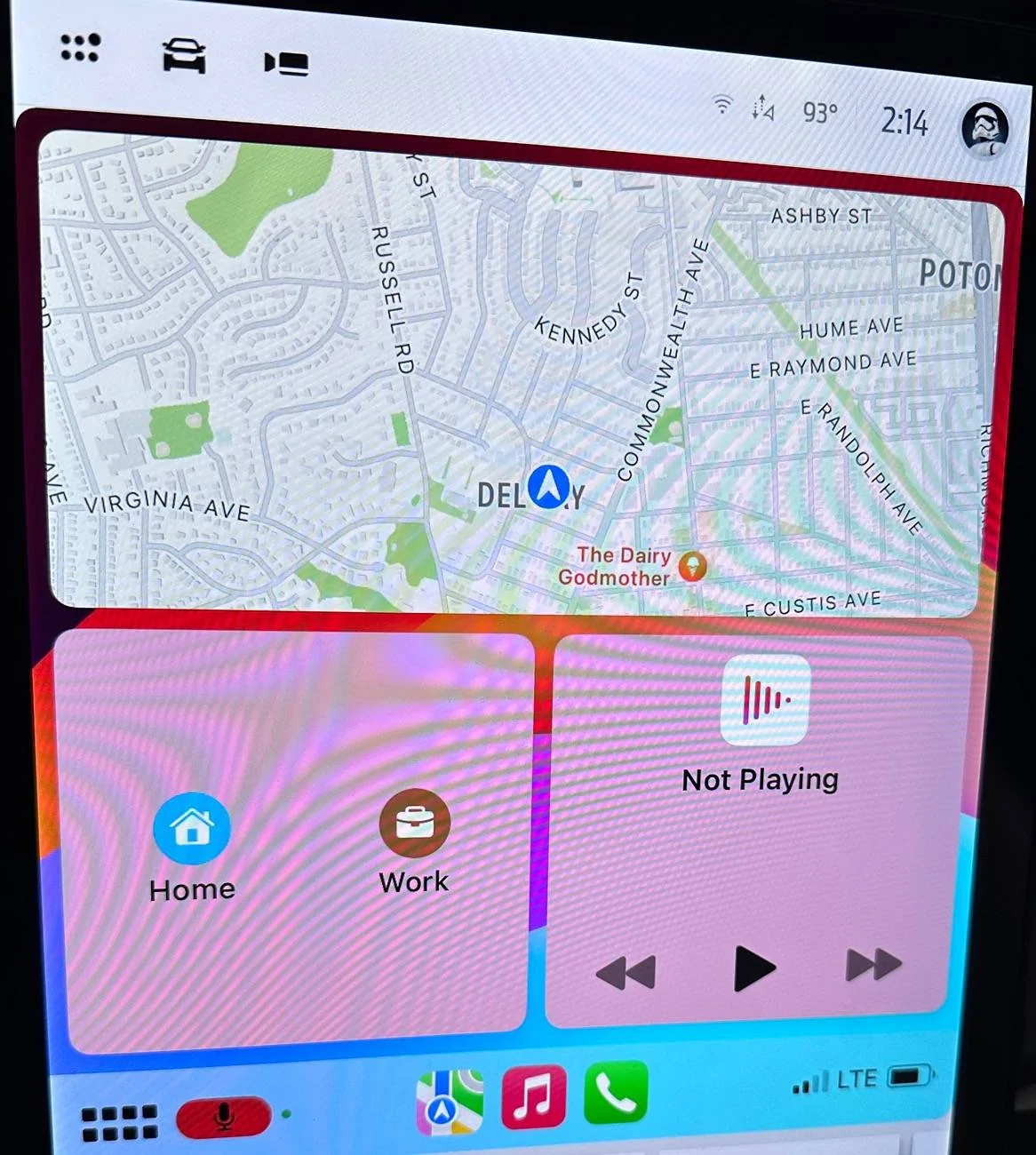
When I use CarPlay, the default view shows the map up top. Below that is a left hand tile with quick hit buttons to navigate home or to my office. Below the map and to the right is whatever music or podcast is playing. I don’t like this, but it is what it is and it’s been that way forever.
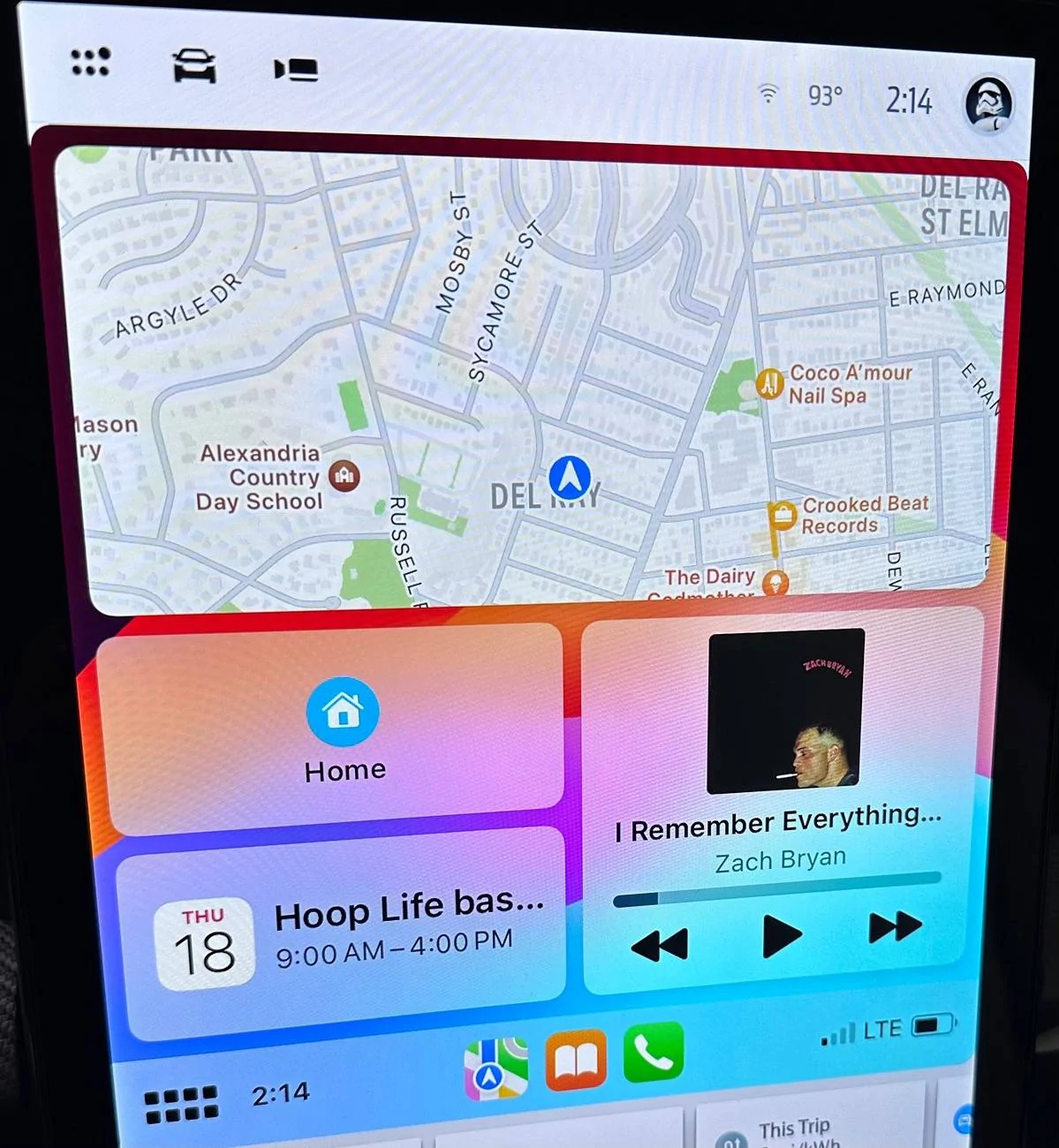
Recently, I noticed that CarPlay is slightly different when my wife’s phone is connected. Hers is the same, except for the left hand side, under the map. There, she has the quick hit buttons to navigate home, like me, but she also has whenever is next on her iOS calendar.
Anyone have any idea how I can make my CarPlay work like hers? We’re both using the same Mach E and the same iOS. I don’t get it.
Recently, I noticed that CarPlay is slightly different when my wife’s phone is connected. Hers is the same, except for the left hand side, under the map. There, she has the quick hit buttons to navigate home, like me, but she also has whenever is next on her iOS calendar.
Anyone have any idea how I can make my CarPlay work like hers? We’re both using the same Mach E and the same iOS. I don’t get it.
Sponsored