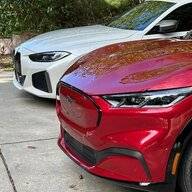
Initial experiences from a new Mach-E owner

BadgerGreg

Well-Known Member
First Name
Greg
Joined
Dec 2, 2020
Threads
29
Messages
642
Reaction score
1,546
Location
North Carolina
Vehicles
2023 Mach E Premium RWD SR and 2022 BMW i4 M50
Occupation
Engineer
Country flag
That’s true but I also want the advice because I have trouble connecting devices now. For example, I’m trying to connect an Amazon Echo and it cannot connect to the gateway (says no Internet connection when all my other devices work fine). If I knew what o do I wouldn’t have these problems. My TV says to check the DNS server and like I said, I’ve tried setting it manually with no luck. I don’t know what to do at this point.
You may want to buy a new wireless router; older ‘gateways’ and routers can be buggy and slow. I installed a new Netgear router six months ago and my connectivity problems went away (and my internet speeds shot through the roof).
Sponsored


Illinibird

Well-Known Member
First Name
Mike
Joined
Oct 13, 2020
Threads
40
Messages
1,563
Reaction score
1,451
Location
Frankfort Illinois
Vehicles
2015 Acura MDX Adv; 2016 Titanium Fusion Hybrid
Occupation
retired Endodontist (root canal specialist) and Clinical Assistant Professor
Country flag
You may want to buy a new wireless router; older ‘gateways’ and routers can be buggy and slow. I installed a new Netgear router six months ago and my connectivity problems went away (and my internet speeds shot through the roof).
Thanks
 
  • Like
Reactions: UW2

TheSteelRider

Well-Known Member
Joined
Dec 31, 2019
Threads
57
Messages
1,296
Reaction score
2,309
Location
United States
Vehicles
'21 Premium RWD
Country flag
I bet the car is set up to expect to be able to get an address in 2-99 so it isn't working right
Oh boy. Wait until mine sees my 3 separate SSIDs with different VLANs and completely different IP address ranges. Poor little guy's gonna poop out some Lithium.
 

Jimrpa

Well-Known Member
First Name
Jim
Joined
Sep 10, 2020
Threads
297
Messages
9,521
Reaction score
12,854
Location
Wayne, PA
Vehicles
2021 Infinite Blue Premium Mustang Mach E ER AWD
Occupation
Retied (formerly tried to herd highly technical, independent cats)
Country flag
If the problem is Apple Carplay, it's not the car's fault, you're holding it wrong.

OK, I'll show myself out...
Get a bumper for the car!
 

cmtaylor963

Well-Known Member
First Name
Charles
Joined
Jun 19, 2020
Threads
4
Messages
239
Reaction score
346
Location
Springfield, MO
Vehicles
Mach E 1st Ed
Occupation
Engineer
Country flag
Yes, and now that my Wi-Fi is working, I can actually get the OTA update when it is available. ;)
I got my Mach E last night and haven't been able to get it to connect. Gonna have to do some troubleshooting. Unifi USG & APs here.


methorian

Well-Known Member
Joined
Nov 18, 2019
Threads
17
Messages
1,557
Reaction score
2,437
Location
Roanoke, VA
Vehicles
2021 Mach-E First Edition, 2025 Kia EV6 GT-Line
Occupation
IT Admin
Country flag
I got my Mach E last night and haven't been able to get it to connect. Gonna have to do some troubleshooting. Unifi USG & APs here.
Do you have VLANs or any advanced networking options setup on your USG?

I run a Dream Machine Pro, and have a seperate IoT network, but figured the Mach-E could go on my more open network. I'll hopefully be able to test mine this evening.
 

Ma9573

Well-Known Member
First Name
Matt
Joined
Oct 28, 2020
Threads
2
Messages
365
Reaction score
438
Location
San Francisco
Vehicles
Current: Mach E CA Rte1
Occupation
Sales
Country flag
I got my Mach E last night and haven't been able to get it to connect. Gonna have to do some troubleshooting. Unifi USG & APs here.
Is it really necessary to connect to wifi to get the OTAs? There's literally only one spot on my block where I get the faintest connection to my network lol

If so, I'll just turn my Pixel into a hotpot. But I'll just have to keep checking back here to see when the updates are being pushed.
 

methorian

Well-Known Member
Joined
Nov 18, 2019
Threads
17
Messages
1,557
Reaction score
2,437
Location
Roanoke, VA
Vehicles
2021 Mach-E First Edition, 2025 Kia EV6 GT-Line
Occupation
IT Admin
Country flag
Is it really necessary to connect to wifi to get the OTAs? There's literally only one spot on my block where I get the faintest connection to my network lol

If so, I'll just turn my Pixel into a hotpot. But I'll just have to keep checking back here to see when the updates are being pushed.
It shouldn't be necessary, but we don't know for sure. My guess is that very large/more complex updates may request Wifi to complete, but would still show up in the car to let you know they're available. Smaller stuff should be just fine over the cars modem/cellular network.
 

Ma9573

Well-Known Member
First Name
Matt
Joined
Oct 28, 2020
Threads
2
Messages
365
Reaction score
438
Location
San Francisco
Vehicles
Current: Mach E CA Rte1
Occupation
Sales
Country flag
I love my Android phone but Android Auto has had so many issues over the years, it stinks that this will continue to be a problem. Over the years with my various Samsung phones AA has broken every so often on every car I've owned. Sometimes a random AA update will break it and all I can do is wait for Google to push an update. Last time it stopped working on my Bolt for 4 months before it started again randomly. I spent so much time trying different cables, troubleshooting in online Google forums, etc. Even if or when they fix it for the MME, when our phones upgrade to a new version of the AA app, or to Android 12, it'll start all over again. It's one of the reasons why I originally ordered a Volvo XC40 Recharge...the built in Google OS. No Android Auto needed. No fussing with connections to the phone etc. Too bad the darn car has such bad range and efficiency else I might've gone through with buying it.
I love Android, but am really happy my current cars do not have Android Auto or Apple Carplay. I (used to) rent cars about 2-3 times a month traveling for work and haven't liked the experiences of using AA or CP. I always give it a shot, but then just end up connecting via bluetooth manually after a day or so to get phone calls and music. That's all I really need anyway.

When I get the MME I'll be forcing myself to use it, and I'll assuming the large screen will help.
 

Ma9573

Well-Known Member
First Name
Matt
Joined
Oct 28, 2020
Threads
2
Messages
365
Reaction score
438
Location
San Francisco
Vehicles
Current: Mach E CA Rte1
Occupation
Sales
Country flag
It shouldn't be necessary, but we don't know for sure. My guess is that very large/more complex updates may request Wifi to complete, but would still show up in the car to let you know they're available. Smaller stuff should be just fine over the cars modem/cellular network.
My Fusion gets its sporadic updates over the air, but as you mention, they are nothing like the updates the MME is going to have. As long as I know when they are I'll just connect the car to my phone.
 

eltonlin

Well-Known Member
Joined
Oct 4, 2020
Threads
8
Messages
1,184
Reaction score
1,503
Location
NorCal
Vehicles
FE Gray
Country flag
I love Android, but am really happy my current cars do not have Android Auto or Apple Carplay. I (used to) rent cars about 2-3 times a month traveling for work and haven't liked the experiences of using AA or CP. I always give it a shot, but then just end up connecting via bluetooth manually after a day or so to get phone calls and music. That's all I really need anyway.

When I get the MME I'll be forcing myself to use it, and I'll assuming the large screen will help.
Personally I love using CarPlay whenever I rent a car. Consistent user experience across cars and super easy to use navigation and stream music. Much prefer that than to try to navigate some crazy proprietary interface to do some of the simple tasks.
 

cmtaylor963

Well-Known Member
First Name
Charles
Joined
Jun 19, 2020
Threads
4
Messages
239
Reaction score
346
Location
Springfield, MO
Vehicles
Mach E 1st Ed
Occupation
Engineer
Country flag
Do you have VLANs or any advanced networking options setup on your USG?

I run a Dream Machine Pro, and have a seperate IoT network, but figured the Mach-E could go on my more open network. I'll hopefully be able to test mine this evening.
I just have 1 LAN with all of my devices. I do have a failover LTE modem on a separate WAN. I set a static IP for it's MAC address, but that didn't help. Haven't had a chance to dig into the logs yet.
 

methorian

Well-Known Member
Joined
Nov 18, 2019
Threads
17
Messages
1,557
Reaction score
2,437
Location
Roanoke, VA
Vehicles
2021 Mach-E First Edition, 2025 Kia EV6 GT-Line
Occupation
IT Admin
Country flag
I just have 1 LAN with all of my devices. I do have a failover LTE modem on a separate WAN. I set a static IP for it's MAC address, but that didn't help. Haven't had a chance to dig into the logs yet.
Just connected my Mach-E to my network without issues. Connected to my main LAN via 2.4Ghz WiFi (5Ghz coverage in my garage is flakey).
 

RonTCat

Well-Known Member
First Name
Ron
Joined
Jul 21, 2020
Threads
27
Messages
1,135
Reaction score
2,979
Location
USA
Vehicles
Mach-E wannabuy
Country flag
Is it really necessary to connect to wifi to get the OTAs? There's literally only one spot on my block where I get the faintest connection to my network lol

If so, I'll just turn my Pixel into a hotpot. But I'll just have to keep checking back here to see when the updates are being pushed.
No.
 

Birger

Active Member
First Name
Birger
Joined
Dec 7, 2020
Threads
4
Messages
40
Reaction score
64
Location
Norway
Vehicles
Mach-e
Country flag
Just connected my Mach-E to my network without issues. Connected to my main LAN via 2.4Ghz WiFi (5Ghz coverage in my garage is flakey).
I just have 1 LAN with all of my devices. I do have a failover LTE modem on a separate WAN. I set a static IP for it's MAC address, but that didn't help. Haven't had a chance to dig into the logs yet.
I'm can also not connect my Mach-e to our Ubiquity Unifi WIFI network. It just says, "Can not connect to network". I tried putting in a faulty password and then receive an error message stating that the password was rejected.

I cannot see any errors in the Events or Alerts.

This is the first time I have had any device having problems in connecting to the WIFI.
Sponsored


Top