Mach-Lee
Well-Known Member
- First Name
- Lee
- Joined
- Jul 16, 2021
- Threads
- 262
- Messages
- 11,344
- Reaction score
- 24,963
- Location
- Wisconsin
- Vehicles
- 2022 Mach-E Premium AWD
- Occupation
- Sci/Eng

- Thread starter
- #1
If you are done DC charging and find that you cannot remove the charging cable, please follow these steps first:


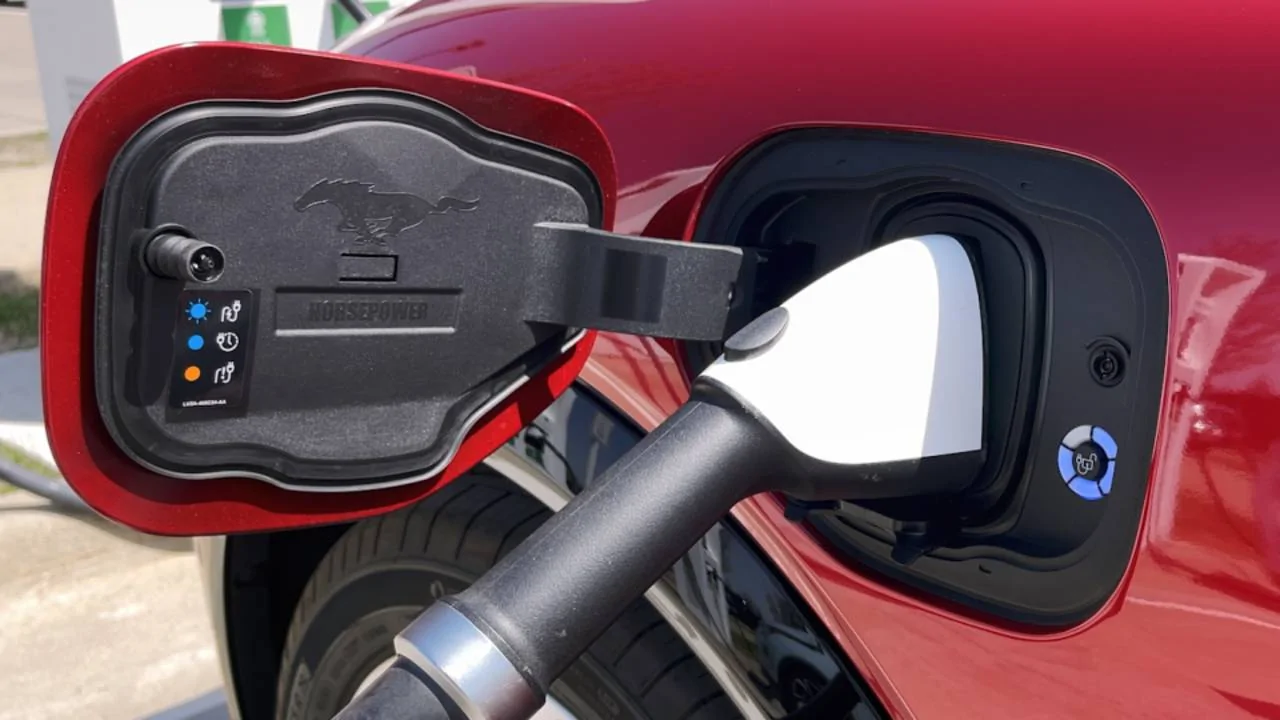
If there was a charge error (red circle) and the cable won't release with the unlock button:
If the cable is still not unlocking after following the above steps, there is an emergency release cable accessed from inside the frunk. Please follow these steps (or see owner's manual):
NOTE: The charge port locking actuator may need to be replaced if it gets stuck and doesn't release fully. This can occur if the charge cable has been removed incorrectly by forcing the release latch down, rather than pressing the unlock button and waiting for the white signal. Never force the release latch down. For more information, see this article: TSB 22-2355 - Illuminated Charger Service Required Indicator In The IPC And/Or Multiple DTCs
- Open the driver's door.
- Press the unlock button (for the door locks) on the inside of the door. Verify lock light is NOT lit.
- Press the unlock button on the charge port, wait 5 seconds for a white circle.
- If you don't see a white circle, also try the unlock soft button on the touchscreen under vehicle controls, between the frunk and tailgate open buttons.
- Lift/tilt the handle of the DC cable upwards slightly, and simultaneously press and hold the release latch.
- Pull cable or adapter directly outwards to remove.
- [Tesla Supercharger only] - Remove adapter from Supercharger cable. Be sure to press down the release button on the adapter FULLY if the cable won't release from the adapter. If the adapter is still stuck, try pressing the Tesla cable fully IN the adapter before pulling OUT while holding the cable release.
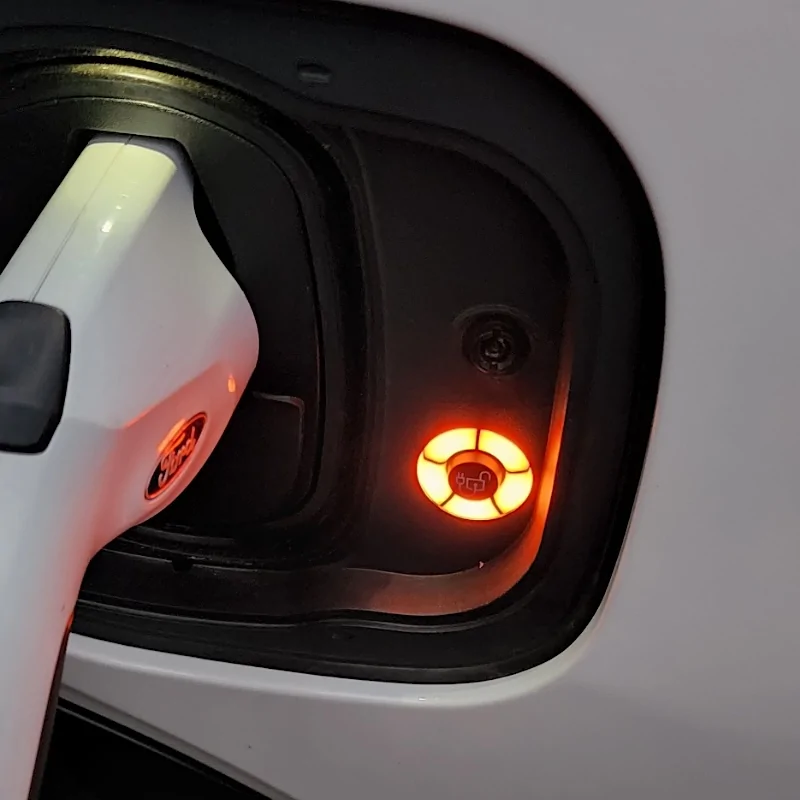
If there was a charge error (red circle) and the cable won't release with the unlock button:
- Shut the car off.
- Open and close the driver's door (screens should go dark).
- Wait 15 minutes with black screens.
- Turn the car back on.
- Try the above release steps again.
If the cable is still not unlocking after following the above steps, there is an emergency release cable accessed from inside the frunk. Please follow these steps (or see owner's manual):
- Verify DC charging has stopped before continuing. If not, press the stop button on the charger and/or the unlock button on the charge port (unlock vehicle first) and try removing the cable one more time.
- Shut off the vehicle, open the hood.
- Remove the top frunk panel cover by lifting upwards around the edges until each clip releases.
- Remove the left hand panel cover, start at the rear and pull upwards by each clip working to the front.
- This exposes the backside of the charge port. Look for thin steel cable with a loop at the end tucked behind the charge port.
- Grab the loop and slowly but firmly pull it towards the center of the vehicle. Do not yank the cable or it can break. Use a gradual pull of increasing force until it moves. The cable will only pull a small amount, perhaps a quarter inch.
- Lift/tilt the handle of the DC cable upwards slightly, and simultaneously press and hold the release latch.
- Pull cable or adapter directly outwards to remove. Wiggle the cable in all direction while pulling if it still won't remove.
NOTE: The charge port locking actuator may need to be replaced if it gets stuck and doesn't release fully. This can occur if the charge cable has been removed incorrectly by forcing the release latch down, rather than pressing the unlock button and waiting for the white signal. Never force the release latch down. For more information, see this article: TSB 22-2355 - Illuminated Charger Service Required Indicator In The IPC And/Or Multiple DTCs
Sponsored
Last edited: