bmwhitetx

Well-Known Member
First Name
Bruce
Joined
Jan 12, 2022
Threads
1
Messages
45
Reaction score
46
Location
Texas
Vehicles
2022 F-150 Lightning Lariat ER
Country flag
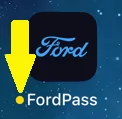
Sometimes on the app icon, I will see an orange dot, what does that indicate? I thought it may have been a message, but I see no message; so maybe an update?
If you are on an iPhone, that means you are running the Test Flight version (Early Access). If you re-download the official FP app from the app store that will go away. But then you can reload the beta version by going back to the Test Flight app. I think Android may have a similar mechanism.

Assuming you are talking about this orange dot:
Ford Mustang Mach-E Newly Designed FordPass 5.0 App®: What to Know 1716584525240-0m
Sponsored


syberghost

Active Member
Joined
Jun 17, 2021
Threads
1
Messages
29
Reaction score
54
Location
Oklahoma
Vehicles
2021 Mach-E Premium AWD Extended
Occupation
computer booper
Country flag
Mine's super fun. Pixel 7a. My buttons aren't dead: I don't have any buttons. I have the "start" button for charging, but all the other buttons don't exist.

Tried clearing cache, clearing cache and storage, clearing cache and storage and uninstalling and rebooting and reinstalling, nothing makes a difference.

Folks over on Reddit appear to just be flaming people for suggesting there's an issue, glad to see I'm not alone, wish I still had the "use the old app" option.
 

WNKent

Well-Known Member
First Name
Kent
Joined
Dec 5, 2021
Threads
19
Messages
519
Reaction score
261
Location
Santa Clara, CA
Vehicles
MME CR1 4X
Occupation
Airline
Country flag
If you are on an iPhone, that means you are running the Test Flight version (Early Access). If you re-download the official FP app from the app store that will go away. But then you can reload the beta version by going back to the Test Flight app. I think Android may have a similar mechanism.

Assuming you are talking about this orange dot:
1716584525240-0m.png
Yes, I was a tester with EA. I appreciate your response.
 

User100723

Well-Known Member
Joined
Oct 20, 2023
Threads
20
Messages
386
Reaction score
351
Location
United States
Vehicles
GT
Country flag
Maybe they didn't think it was necessary to show lock/unlock because the car defaults to locked. I've never found my mme unlocked. It always locks itself from walking away or after a time. Is there a way to keep it unlocked?
I’m pretty sure it’ll stay unlocked if you accidentally unlock it via app or phone? Or maybe I’m confusing this with my previous car.
 
Last edited:

Naren

Well-Known Member
First Name
Naren
Joined
Dec 23, 2023
Threads
5
Messages
135
Reaction score
117
Location
Albany NY
Vehicles
Mach E Premium EX AWD, RIVIAN R1S
Occupation
IT
Country flag
How to refresh ? Old pass pull down we can see last updated .


Woeo

Well-Known Member
First Name
Woeo
Joined
Feb 2, 2020
Threads
31
Messages
1,019
Reaction score
1,008
Location
Maryland
Vehicles
Fusion Energi
Country flag
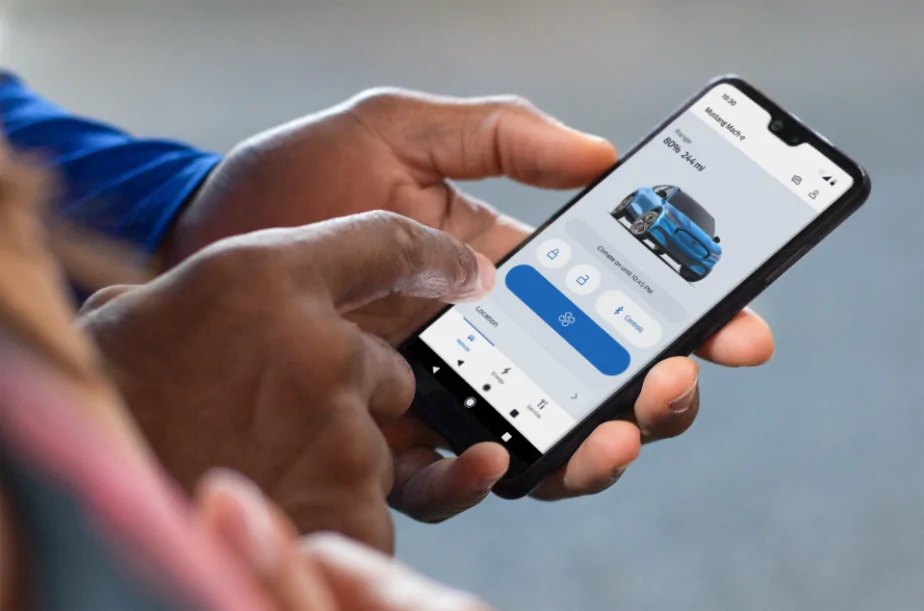
Hi Mustang Mach-E owners! If you recently updated your FordPass® app, you may have noticed it looks a little different. We are pleased to share that we have rolled out a newly designed app that is easy to use and efficient, to help you better manage your vehicle remotely. Here is what is new:
  • Simplified Experience: We have reduced the number of steps it takes to access functions and made it easier to find them. As an EV owner, you can enjoy a simplified slider for target charge. Also, instead of having to press and hold to turn the vehicle ‘on’, it is now a simple tap.
  • Apple Watch Integration: If you have an Apple Watch, in addition to lock/unlock and remote start/stop, you will also be able to use the following features from your wrist:
    • View battery level and range
    • View charging status, including: Charging speed, next departure time based on when desired charge is reached, current preferred charging window
    • View vehicle location
    • Activate horn and lights remotely
We are also continuing to improve the in-app experience with this latest version. If you notice a feature you previously used before is no longer there, don’t worry. The feature can still be accessed via your in-vehicle touchscreen.

We love to hear from our owners so let us know what you think and if you have any questions about FordPass!

Please note: FordPass® App, compatible with select smartphone platforms, is available via a download. Message and data rates may apply. 

524242.png
Trip Planning, sending a destination to the car Nav, has been removed. Do not update.
 

BreatheEasy

Member
First Name
Angela
Joined
Jul 5, 2022
Threads
1
Messages
24
Reaction score
26
Location
Canada
Vehicles
2022 MME Premium AWD, 2010 Lexus RX450H
Country flag
I can't find the odometer reading on the new app, and Location doesn't work. ?
 

MoonRiver

Well-Known Member
Joined
Jan 27, 2022
Threads
40
Messages
516
Reaction score
231
Location
Tampa Bay, FL
Vehicles
22 Mach e select, 07 Infiniti G35
Country flag
Hi Mustang Mach-E owners! If you recently updated your FordPass® app, you may have noticed it looks a little different. We are pleased to share that we have rolled out a newly designed app that is easy to use and efficient, to help you better manage your vehicle remotely. Here is what is new:
  • Simplified Experience: We have reduced the number of steps it takes to access functions and made it easier to find them. As an EV owner, you can enjoy a simplified slider for target charge. Also, instead of having to press and hold to turn the vehicle ‘on’, it is now a simple tap.
  • Apple Watch Integration: If you have an Apple Watch, in addition to lock/unlock and remote start/stop, you will also be able to use the following features from your wrist:
    • View battery level and range
    • View charging status, including: Charging speed, next departure time based on when desired charge is reached, current preferred charging window
    • View vehicle location
    • Activate horn and lights remotely
We are also continuing to improve the in-app experience with this latest version. If you notice a feature you previously used before is no longer there, don’t worry. The feature can still be accessed via your in-vehicle touchscreen.

We love to hear from our owners so let us know what you think and if you have any questions about FordPass!

Please note: FordPass® App, compatible with select smartphone platforms, is available via a download. Message and data rates may apply. 

524242.png
How do I schedule preconditioning with the new version?
 

Woeo

Well-Known Member
First Name
Woeo
Joined
Feb 2, 2020
Threads
31
Messages
1,019
Reaction score
1,008
Location
Maryland
Vehicles
Fusion Energi
Country flag
Please I ask that you add back the ability to send a trip to the car from the app. That was a big thing to leave out of the new app. Many people discuss going somewhere with family or friends and while discussing it send to the car from the phone. Who wants to sit in a driveway in the car with everyone while I program it in the car? Thank you
@Ford Motor Company
THIS!!!!!!!!!!
 

Woeo

Well-Known Member
First Name
Woeo
Joined
Feb 2, 2020
Threads
31
Messages
1,019
Reaction score
1,008
Location
Maryland
Vehicles
Fusion Energi
Country flag
How do I schedule preconditioning with the new version?
@Ford Motor Company
THIS!!!!!!

Particular a multi-waypoint route. Even a simple destination & subsequent return route [which is super helpful for battery charging needs estimation and suggested EVSE points when necessary]. I know I can do it in Apple Maps. I want to still be able to do it in your OEM Navigation, for which you ask us to pay an annual subscription for all the bell's and whistles.
 
Last edited:

MoonRiver

Well-Known Member
Joined
Jan 27, 2022
Threads
40
Messages
516
Reaction score
231
Location
Tampa Bay, FL
Vehicles
22 Mach e select, 07 Infiniti G35
Country flag
The things I need to see are nowhere to be found. It's like you come back to your home but can't find your stuff anymore.

I'm going to stick with the old version until it dies.
 

e-pony

Well-Known Member
Joined
Apr 19, 2021
Threads
22
Messages
176
Reaction score
116
Location
SoCal
Vehicles
Premium AWD Extended Star White
Country flag
Hi Mustang Mach-E owners! If you recently updated your FordPass® app, you may have noticed it looks a little different. We are pleased to share that we have rolled out a newly designed app that is easy to use and efficient, to help you better manage your vehicle remotely. Here is what is new:
  • Simplified Experience: We have reduced the number of steps it takes to access functions and made it easier to find them. As an EV owner, you can enjoy a simplified slider for target charge. Also, instead of having to press and hold to turn the vehicle ‘on’, it is now a simple tap.
  • Apple Watch Integration: If you have an Apple Watch, in addition to lock/unlock and remote start/stop, you will also be able to use the following features from your wrist:
    • View battery level and range
    • View charging status, including: Charging speed, next departure time based on when desired charge is reached, current preferred charging window
    • View vehicle location
    • Activate horn and lights remotely
We are also continuing to improve the in-app experience with this latest version. If you notice a feature you previously used before is no longer there, don’t worry. The feature can still be accessed via your in-vehicle touchscreen.

We love to hear from our owners so let us know what you think and if you have any questions about FordPass!

Please note: FordPass® App, compatible with select smartphone platforms, is available via a download. Message and data rates may apply. 

524242.png
seriously poor interface. Faster, but features are missing. Charging button is missing. Charge settings and preferences are gone. I don’t want paak. Never used it. Just bring back the prior version. There was a public widget that was light years ahead of this crap version 5.
 

e-pony

Well-Known Member
Joined
Apr 19, 2021
Threads
22
Messages
176
Reaction score
116
Location
SoCal
Vehicles
Premium AWD Extended Star White
Country flag
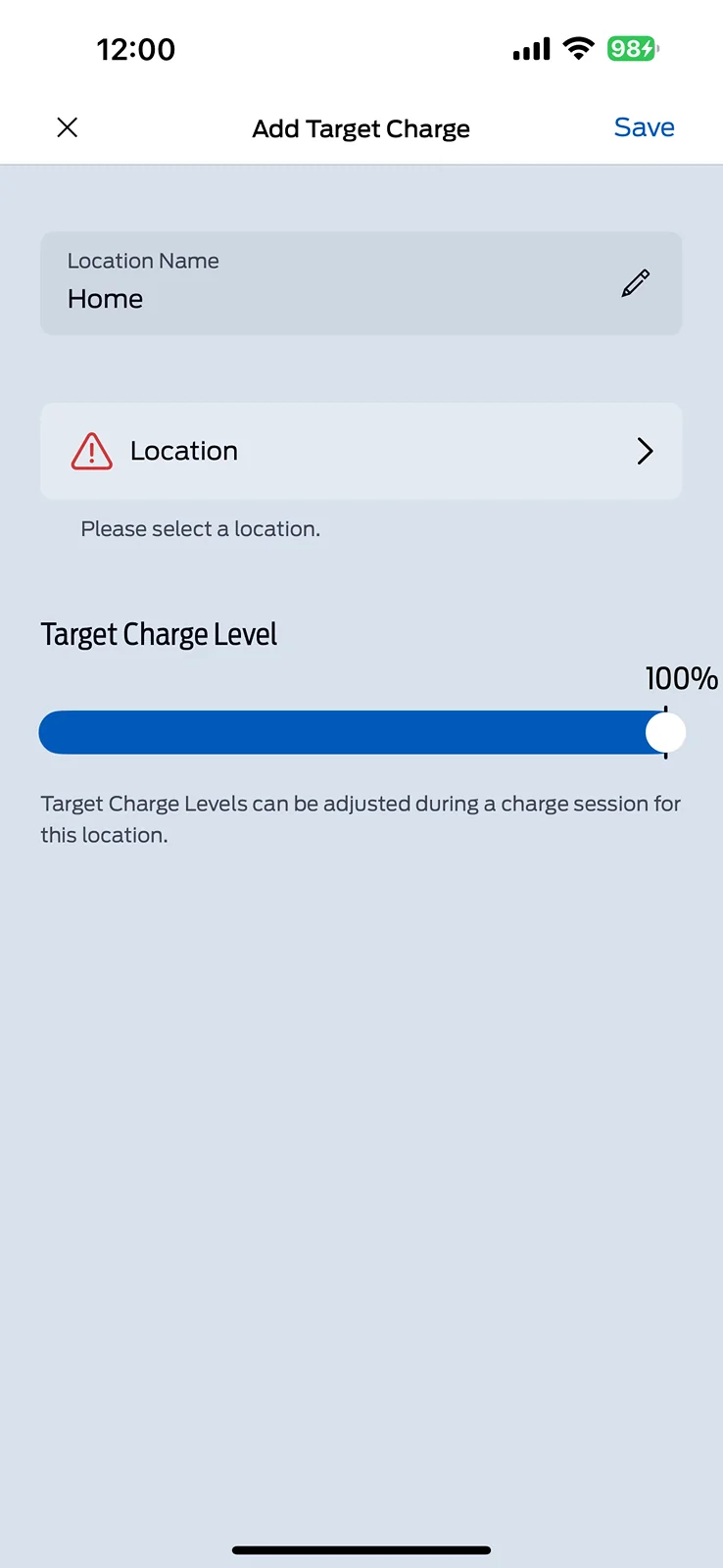
This screen right here is what I can’t figure out? I want to add a new charge location which is essentially going to be still my home. I might call at home too and I want to send it to 100% so I have the option to hit a button to charge 100 but it will not let you add a location is that the thing you’re talking about?

IMG_8118.png
My screen is blank
Sponsored


Top