
DevSecOps
Well-Known Member
- First Name
- Todd
- Joined
- Sep 22, 2021
- Threads
- 69
- Messages
- 4,764
- Reaction score
- 11,624
- Location
- Sacramento, CA
- Vehicles
- '21 Audi SQ5 / '23 Rivian R1T / '23 M3P
- Occupation
- CISO

Did you connect android auto before PaaK? If you did, go into the phone settings (in the car) and disconnect AA then try again.
If you didn't then go into general - reset and reset the PaaK setting in the car. On your phone, make sure you remove any Bluetooth devices that have just a MAC address without a name. Then try again.
You should get 2 pairing requests when pairing the phone, be sure to accept each request. Give both access to contacts just to be on the safe side.
If you didn't then go into general - reset and reset the PaaK setting in the car. On your phone, make sure you remove any Bluetooth devices that have just a MAC address without a name. Then try again.
You should get 2 pairing requests when pairing the phone, be sure to accept each request. Give both access to contacts just to be on the safe side.
Last edited:

DevSecOps
Well-Known Member
- First Name
- Todd
- Joined
- Sep 22, 2021
- Threads
- 69
- Messages
- 4,764
- Reaction score
- 11,624
- Location
- Sacramento, CA
- Vehicles
- '21 Audi SQ5 / '23 Rivian R1T / '23 M3P
- Occupation
- CISO
I've connected PaaK about 20 times already testing different things so it connects, it's just a PITA at times. Did you do the reset of PaaK in the car? I would assume at this point you probably have multiple PaaK profiles that are abandoned in the FP app.Ah so it may just take an app update to fix...
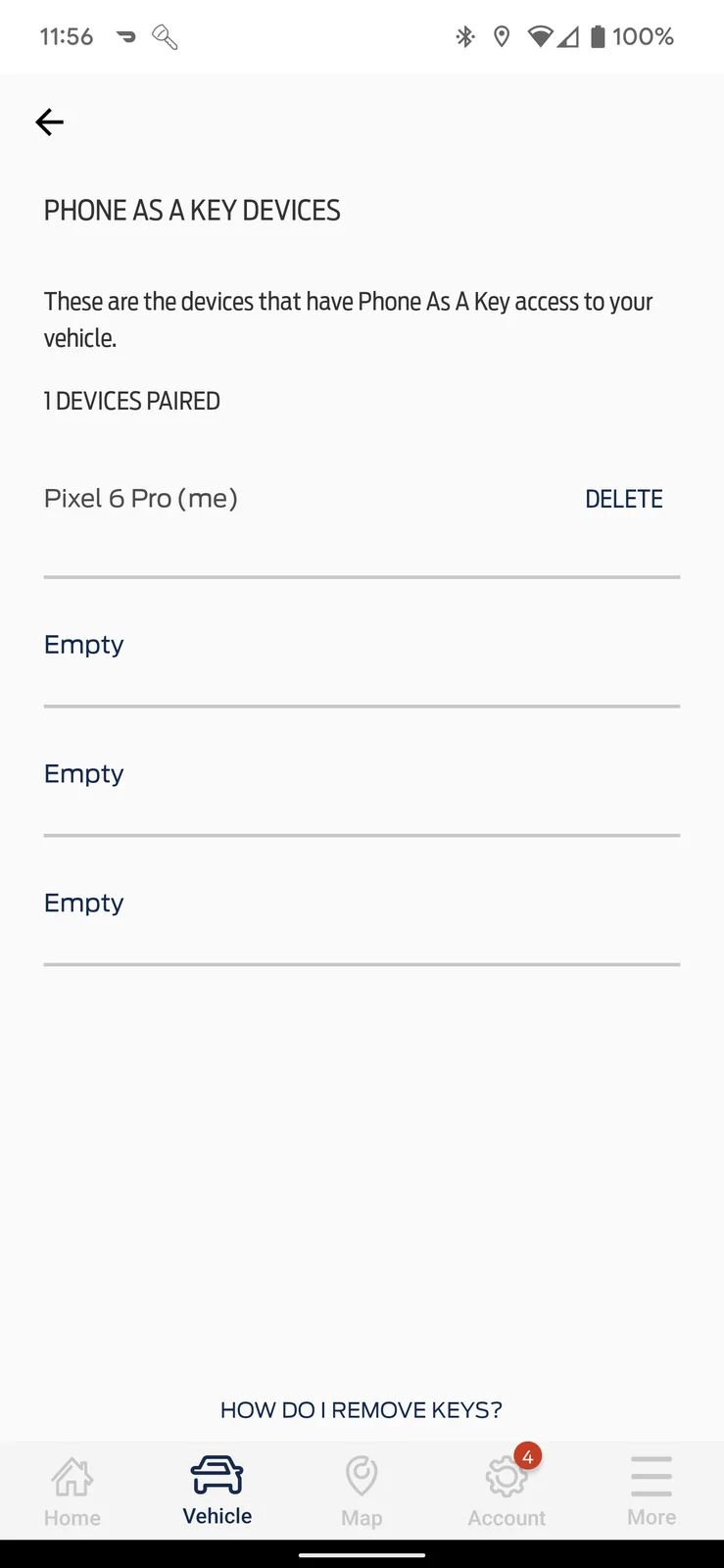
In the app go to Vehicle - Features & Settings - PaaK Key Settings. Do you have a bunch of devices there?

benk016
Well-Known Member
- First Name
- Ben
- Joined
- Nov 12, 2020
- Threads
- 39
- Messages
- 3,284
- Reaction score
- 5,133
- Location
- Tulsa, Oklahoma
- Vehicles
- 2021 Mustang Mach-E GT
I also am running an S21 Ultra, and PAAK setup works fine here.Ah so it may just take an app update to fix...
I reset PAAK the other day and fordpass, and it didn't connect successfully the first time I tried it, but a subsequent try got it after I cleared the PAAK stuff from the car menu it worked after that.
Rinehar7
Member
- Thread starter
- #8
Did you connect android auto before PaaK? If you did, go into the phone settings (in the car) and disconnect AA then try again.
If you didn't then go into general - reset and reset the PaaK setting in the car. On your phone, make sure you remove any Bluetooth devices that have just a MAC address without a name. Then try again.
You should get 2 pairing requests when pairing the phone, be sure to accept each request. Give both access to contacts just to be on the safe side.
Ok disconnected the BlueTooth. Went into the Car Settings and Reset Paak and was able to get it to all work... Thanks for your help

DevSecOps
Well-Known Member
- First Name
- Todd
- Joined
- Sep 22, 2021
- Threads
- 69
- Messages
- 4,764
- Reaction score
- 11,624
- Location
- Sacramento, CA
- Vehicles
- '21 Audi SQ5 / '23 Rivian R1T / '23 M3P
- Occupation
- CISO
Any time, that's what we're here for!Ok disconnected the BlueTooth. Went into the Car Settings and Reset Paak and was able to get it to all work... Thanks for your help
Lord Polymath
Well-Known Member
- Joined
- Sep 13, 2021
- Threads
- 12
- Messages
- 734
- Reaction score
- 729
- Location
- Arkansas
- Vehicles
- 2021 Sienna, '22 Mach-E Premium ER AWD (PWRPONY)
- Occupation
- Computer nerd
So when I actually get my car, I should set up PaaK before even connecting the standard bluetooth connection? iPhone user
Chuck
Well-Known Member
- First Name
- Chuck
- Joined
- May 13, 2021
- Threads
- 96
- Messages
- 1,265
- Reaction score
- 1,789
- Location
- SoCal
- Vehicles
- Mustang Mach E 2021
I also recommend doing this away from home. There's also a wifi connection to the car that needs to occur and if you're near home then you phone may get confused as to which wifi connection it should use.
DevSecOps
Well-Known Member
- First Name
- Todd
- Joined
- Sep 22, 2021
- Threads
- 69
- Messages
- 4,764
- Reaction score
- 11,624
- Location
- Sacramento, CA
- Vehicles
- '21 Audi SQ5 / '23 Rivian R1T / '23 M3P
- Occupation
- CISO
I don't own any Apple products, but my experience with Android is that if AA is already setup AND ACTIVE it makes the PaaK much more difficult to enable. You don't have to completely remove AA, you just have to turn it off from the car's settings and then PaaK will setup easier. Since you have Apple CarPlay, it might be the same, could be different. But something to keep in mind in case you have issues for sure!So when I actually get my car, I should set up PaaK before even connecting the standard bluetooth connection? iPhone user
PaaK doesn't use WiFi ... that's just for wireless AA or CarPlay. This also depends on the type of phone you have. My phone, for example, connects to AA without switching to the dedicated SSID for wireless AA. Not all phones have that capability.I also recommend doing this away from home. There's also a wifi connection to the car that needs to occur and if you're near home then you phone may get confused as to which wifi connection it should use.
Sponsored


