
Which Power-Up versions have you received (EU)?
Elektronik
Well-Known Member
- First Name
- Olegs
- Joined
- Aug 15, 2022
- Threads
- 1
- Messages
- 180
- Reaction score
- 136
- Location
- Latvia
- Vehicles
- Mach E RWD standard battery

Ouh nice. Check if the new system works.FordPass say it's successful - will see tomorrow

Mache_Nor
Well-Known Member
- Joined
- Feb 12, 2022
- Threads
- 22
- Messages
- 528
- Reaction score
- 716
- Location
- Norway
- Vehicles
- MachE LR RWD

God damnit, where are my updates? Even my fellow countrymen are running ahead several versions now ? Still has not revived the new UI or this update. I’ll go and kick my Pony a bit today and hopefully something will happen…
Mache_Nor
Well-Known Member
- Joined
- Feb 12, 2022
- Threads
- 22
- Messages
- 528
- Reaction score
- 716
- Location
- Norway
- Vehicles
- MachE LR RWD
Scrap that; my car is downloading 6.14 as we speak ?
Seems they have bundled some updates, as this contains both UI changes, some brightness slider changes and streaming.
Worth noting that my car is a 2021 job 2 car.
Seems they have bundled some updates, as this contains both UI changes, some brightness slider changes and streaming.
Worth noting that my car is a 2021 job 2 car.
Last edited:

Schox
Well-Known Member
- First Name
- Thomas
- Joined
- Jan 18, 2023
- Threads
- 5
- Messages
- 132
- Reaction score
- 106
- Location
- Norway
- Vehicles
- 2 x 2022 MME LR/ER AWD
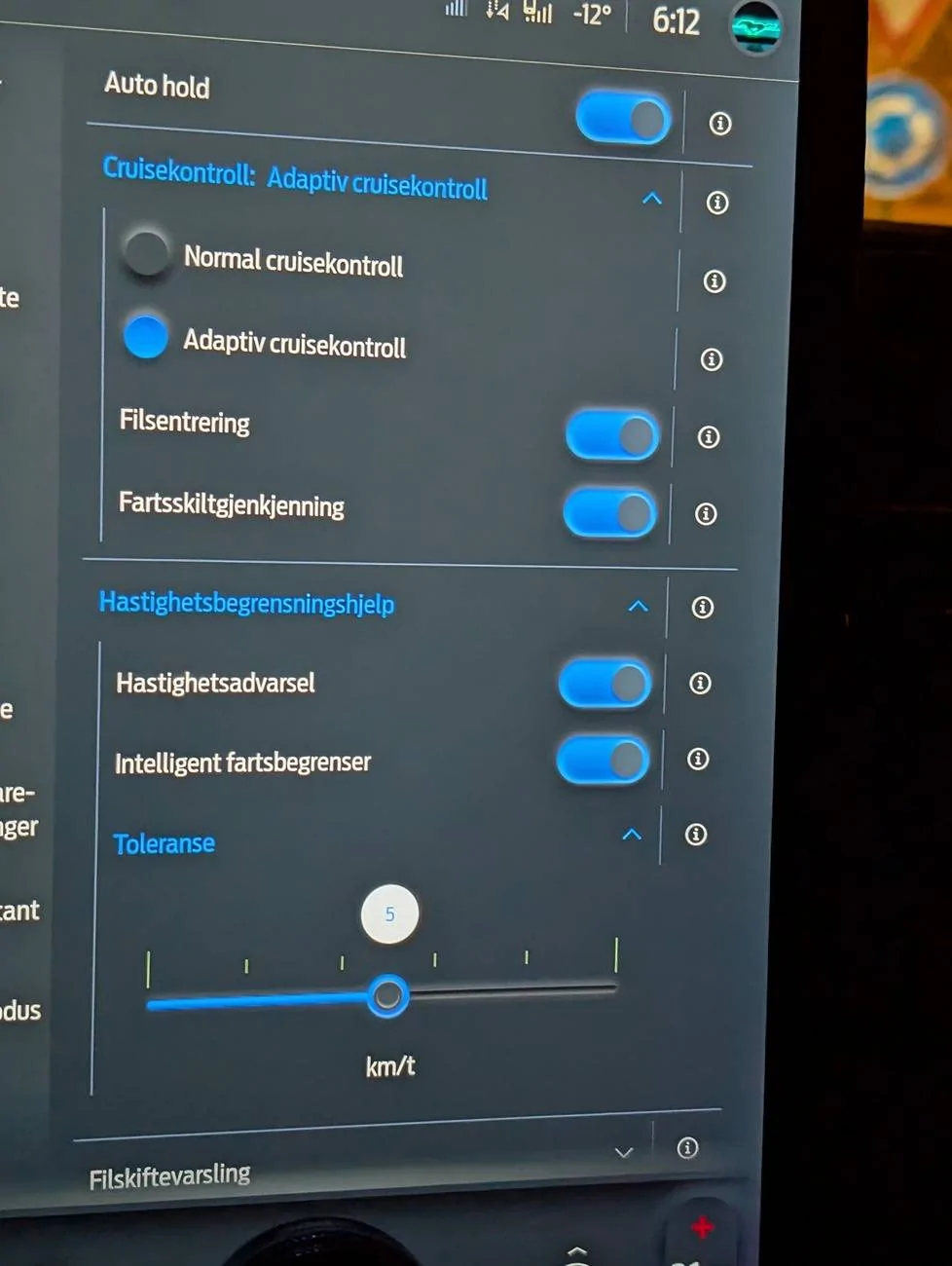
Looks like it is working, menu is there, and I activated iACC in a tunnel, and a new symbol appeared on the speed limit sign with an arrow as i approached a bend. (No pics of that ?)Ouh nice. Check if the new system works.
Edit: this is the complete release notes (BC is not available in Norway, but it's in other European markets):
What's In This Update?
Feature Enhancement
- BlueCruise 1.3
This Ford BlueCruise* 1.3 update brings improved hands-free highway driving performance to keep you hands-free longer, including the latest BlueCruise features
- Lane Change Assist and In-Lane Repositioning as well as an upgrade to the Adaptive Cruise Control system with Predictive Speed Assist.
BlueCruise 1.3 (equipped vehicles only):
• More hands-free highway time: In our internal testing, BlueCruise 1.3 stayed engaged in hands-free mode for an average of 5 times longer compared to BlueCruise 1.0
• Smoother drive: BlueCruise 1.3 significantly enhances hands-free driving performance, including greater ability to navigate in curves and narrow lanes, reducing the number of hands-free disconnects from prior versions.
New Features:
• Lane Change Assist: allows you to use the turn signal switch to indicate a desired lane change, which the system will perform when the path is clear. It will also suggest a lane change in slower-moving traffic.
• In-Lane Repositioning: can help provide more space by subtly shifting away from vehicles in adjacent lanes, giving you a little extra room when you need it.
Adaptive Cruise Control (ACC) with Predictive Speed Assist:
• When Predictive Speed Assist is active, the ACC system will now temporarily adjust the vehicle speed in advance of curves and will display a road geometry indicator in the instrument cluster display explaining the reason for the speed adjustment.
• Although Predictive Speed Assist is now deployed on your vehicle, the In-vehicle Driver Assistance screen will still show a Speed Sign Recognition slider.
To activate Predictive Speed Assist, push this slider to the right. The text of this slider will change to Predictive Speed Assist in an upcoming software update
Software updates are designed to help make your vehicle better over time.
To manage your Ford BlueCruise settings, go to your in-vehicle Driver Assistance screen.
* Available Feature. Equipped Ford vehicles come with either a complimentary trial period or an included duration, after which purchase of a BlueCruise subscription is required. Modem activation is required for subscription purchase and for initial activation of BlueCruise (for pre-2024 model year vehicles). See ford.com/ bluecruise for details. BlueCruise is a driver-assist feature and does not replace safe driving or driver's attention, judgment or need to control the vehicle. Only remove hands in a Hands-Free Blue Zone. Always watch the road and be prepared to resume control.
See Owner's Manual for details and limitations.
IPMA-24.204.8.27
Last edited:
Aulander
Well-Known Member
- Joined
- Mar 15, 2022
- Threads
- 11
- Messages
- 367
- Reaction score
- 277
- Location
- Italy
- Vehicles
- Mustang Mach-E Premium AWD

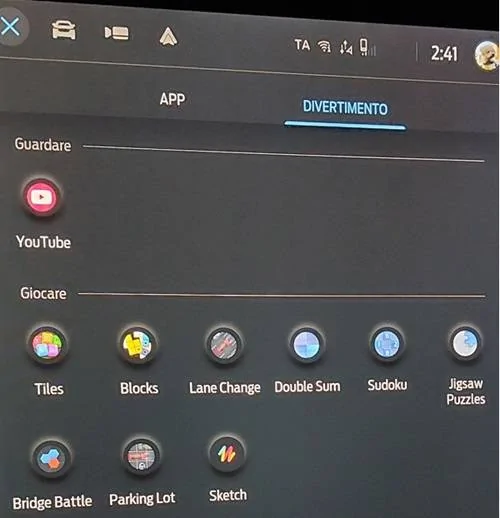
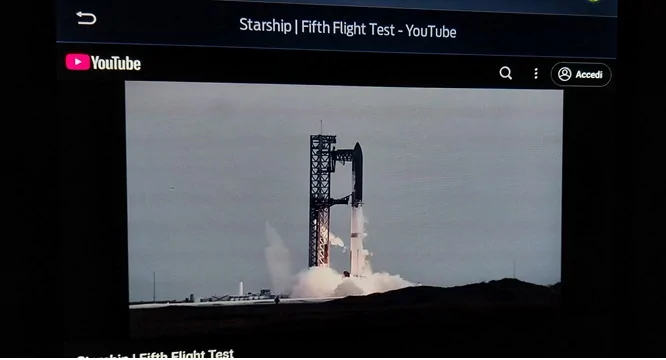
Finally I got today OTA update 6.14.0 on my MY21 Job 1. Youtube works also with the mobile hotspot.
Last update was in July, I hope next OTA updates will follow for MY21 in Europe.


Last update was in July, I hope next OTA updates will follow for MY21 in Europe.
Mache_Nor
Well-Known Member
- Joined
- Feb 12, 2022
- Threads
- 22
- Messages
- 528
- Reaction score
- 716
- Location
- Norway
- Vehicles
- MachE LR RWD
Same as me then, guess Ford is opening the floodgates for the 21s. About the YouTube app; do you have issues with full screen mode? When I click it the image only moves to the top while the black parts fill up the area where comment section was. Only once (of the 7-8 videos I tested) did it maximize the video when full screen was toggled.Finally I got today OTA update 6.14.0 on my MY21 Job 1. Youtube works also with the mobile hotspot.
Last update was in July, I hope next OTA updates will follow for MY21 in Europe.
This of course is a nitpick, just wondering wether it is a bug or feature

Aulander
Well-Known Member
- Joined
- Mar 15, 2022
- Threads
- 11
- Messages
- 367
- Reaction score
- 277
- Location
- Italy
- Vehicles
- Mustang Mach-E Premium AWD
You're right, the same happens to me. If you drag the video to the center of the screen it goes full screen for an instant then reverses reduced to the top.Same as me then, guess Ford is opening the floodgates for the 21s. About the YouTube app; do you have issues with full screen mode? When I click it the image only moves to the top while the black parts fill up the area where comment section was. Only once (of the 7-8 videos I tested) did it maximize the video when full screen was toggled.
This of course is a nitpick, just wondering wether it is a bug or feature
The App "Public Charging" that was introduced in US with 6.14.0 is also missing.
Schox
Well-Known Member
- First Name
- Thomas
- Joined
- Jan 18, 2023
- Threads
- 5
- Messages
- 132
- Reaction score
- 106
- Location
- Norway
- Vehicles
- 2 x 2022 MME LR/ER AWD
How does it look like on the UI - I can't find it, neither before or after update.MY21 job 2 here: I have it. But had it before the update and seems I didn’t lose it in the update.
Aulander
Well-Known Member
- Joined
- Mar 15, 2022
- Threads
- 11
- Messages
- 367
- Reaction score
- 277
- Location
- Italy
- Vehicles
- Mustang Mach-E Premium AWD
Here it is, sometimes labeled also as "Charge Assist". Image taken in the Forum, not on my MME.How does it look like on the UI - I can't find it, neither before or after update.


