rugedraw

Well-Known Member
First Name
Javier
Joined
Nov 13, 2023
Threads
0
Messages
2,633
Reaction score
2,390
Location
Miami, FL
Vehicles
2021 Ford F150 Platinum FX4 EB/2023 Bronco Sport Badlands/1991 Mustang 5.0 coupe
Occupation
Auto Sales
Country flag
After the WACM update, I'm getting the following error:
Code: U0184 - Lost Communication With Radio
I tried rebooting the WACM, ACM, and APIM modules, but no luck in clearing that DTC. It does seem like it does detect my phone, charge it, and it shows the phone charging icon on the top of the screen, so it doesn't seem like I lost functionality. It's just the DTC doesn't go away after clear and retesting.
Does the code end with a 08 or 28? If the module is green, I'd ignore it.
Sponsored


Mach-Lee

Well-Known Member
First Name
Lee
Joined
Jul 16, 2021
Threads
262
Messages
11,344
Reaction score
24,963
Location
Wisconsin
Vehicles
2022 Mach-E Premium AWD
Occupation
Sci/Eng
Country flag
After the WACM update, I'm getting the following error:
Code: U0184 - Lost Communication With Radio
I tried rebooting the WACM, ACM, and APIM modules, but no luck in clearing that DTC. It does seem like it does detect my phone, charge it, and it shows the phone charging icon on the top of the screen, so it doesn't seem like I lost functionality. It's just the DTC doesn't go away after clear and retesting.
Fun fact, the only reason wireless charger (WACM) communicates with the radio (ACM) is because it will change the frequency the phone is charged at when you have an AM station tuned to avoid radio interference on the station you're listening to. (Wireless/inductive chargers typically emit RFI in the AM band.) Unless you listen to AM radio stations while using the wireless charger, it doesn't really matter.
 

Mike G

Well-Known Member
First Name
Mike
Joined
Mar 27, 2022
Threads
25
Messages
6,449
Reaction score
5,289
Location
N. AL, USA
Vehicles
'23(J1) Mach-E GT-PE, '22 F-150 Lightning, '24 Bronco HLE 2Dr
Country flag
After the WACM update, I'm getting the following error:
Code: U0184 - Lost Communication With Radio
I tried rebooting the WACM, ACM, and APIM modules, but no luck in clearing that DTC. It does seem like it does detect my phone, charge it, and it shows the phone charging icon on the top of the screen, so it doesn't seem like I lost functionality. It's just the DTC doesn't go away after clear and retesting.
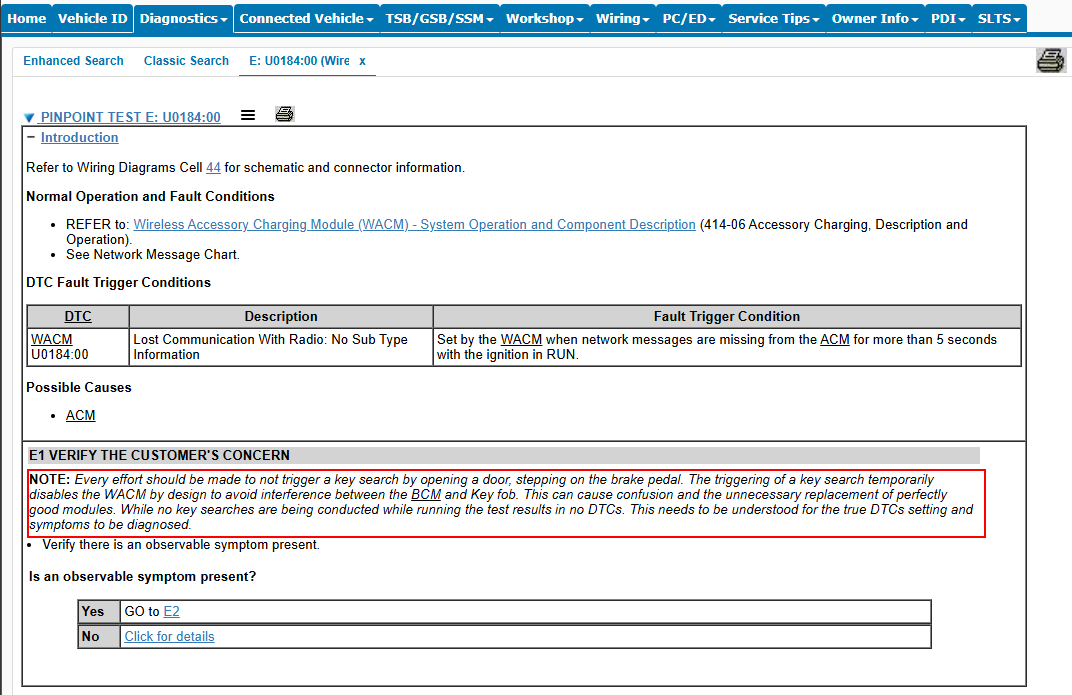
Says the ACM is the possible root of the problem for U0184 DTC. Is there an update available?


moethelawn

Well-Known Member
Joined
Jun 9, 2024
Threads
0
Messages
63
Reaction score
78
Location
US
Vehicles
2023 Mach-E
Country flag
Says the ACM is the possible root of the problem for U0184 DTC. Is there an update available?
The car is fully up to date at this point and there were no ACM updates.

Is your phone an iPhone?
I have an android. My wife has an iPhone and she does use it from time to time but it's mainly me.

I do use a keyfob but maybe I pressed something along the way :D I don't think I did during the WACM update. I did leave the car for a bit and tried again a few hours later. Retested and still failed. Functionally, it does seem to work so despite the code, it may be ok. I can let the code go for now if you don't think it is a big issue.

 

moethelawn

Well-Known Member
Joined
Jun 9, 2024
Threads
0
Messages
63
Reaction score
78
Location
US
Vehicles
2023 Mach-E
Country flag
I tried out her iPhone and luckily it still works too. She has an iPhone 13 with a magsafe case, so that is doing better than the bulletin. Thanks for posting that!

I'll leave it as is. I really appreciate the help from everyone and all the informative posts! Thank you!
 

Mike G

Well-Known Member
First Name
Mike
Joined
Mar 27, 2022
Threads
25
Messages
6,449
Reaction score
5,289
Location
N. AL, USA
Vehicles
'23(J1) Mach-E GT-PE, '22 F-150 Lightning, '24 Bronco HLE 2Dr
Country flag
I tried out her iPhone and luckily it still works too. She has an iPhone 13 with a magsafe case, so that is doing better than the bulletin. Thanks for posting that!

I'll leave it as is. I really appreciate the help from everyone and all the informative posts! Thank you!
I got tired of the charging-then-not-charging on and off "bong" tones, so I just put my iPhone on the right side of the charge mat so it never tries to charge. I have an iPhone 17 Max which doesn't really fit that charge mat anyway..even if it did work...which it doesn't. I keep a USB-C cable handy if I really need a top-up.
 

TheSeg

Well-Known Member
First Name
Seg
Joined
Oct 5, 2020
Threads
9
Messages
330
Reaction score
731
Location
San Francisco Bay Area, CA
Website
seg.fyi
Vehicles
2021 Mach-E Premium EB-RWD (Built: Feb 2021)
Country flag
A datapoint for 2021 Job 1 cars: I did FDRS yesterday on my car.

Last time I used FDRS was May 31st, 2025. The dealership also did the Car Door update in October.

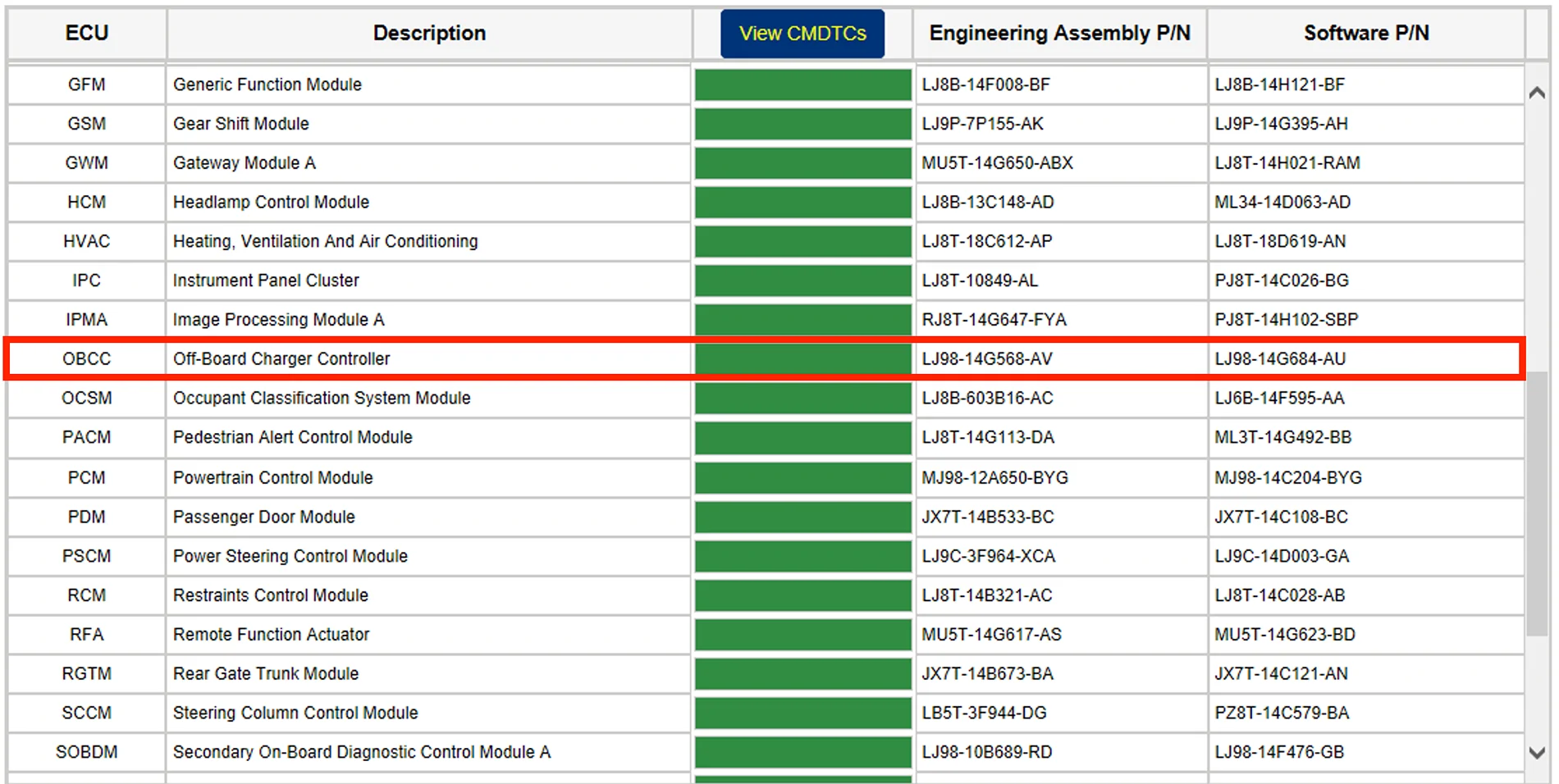
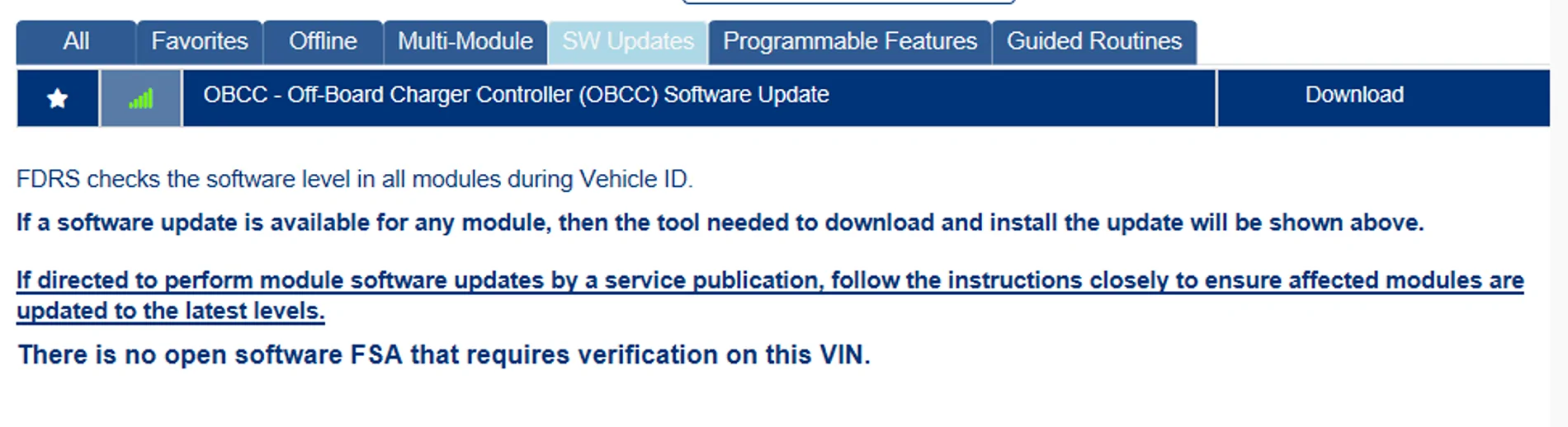
The only listed update was the Off-Board Charger Controller (OBCC).

Ford Mustang Mach-E The Complete DIY Guide to Updating Your Mach-E with FDRS MachE-2021-SWUpdates-2026-01-25


The version I now have is:
  • Engineering Assembly P/N: LJ98-14G568-AV
  • Software P/N: LJ98-14G684-AU
Ford Mustang Mach-E The Complete DIY Guide to Updating Your Mach-E with FDRS Mache-2021-VersionList-2026-01-25


No idea of the changelog on that component, but I am still able to charge at least with my Level 2 charger at home. Haven't done DCFC yet.
 

Mike G

Well-Known Member
First Name
Mike
Joined
Mar 27, 2022
Threads
25
Messages
6,449
Reaction score
5,289
Location
N. AL, USA
Vehicles
'23(J1) Mach-E GT-PE, '22 F-150 Lightning, '24 Bronco HLE 2Dr
Country flag
Ford Mustang Mach-E The Complete DIY Guide to Updating Your Mach-E with FDRS 110415-5017c990e931f7a32c15532530b9c581


There's nothing that says you have to immediately update if you don't want to. But if you do, you should update both FDRS and the VCI software at the same time. At least that's the inference I'm getting from the wording above. Always subject to interpretation I suppose.

On the software download page.... step 1 is to install the new FDRS...and then step 2 is the new VCI update....just so you know.

Link to FDRS 47.6.2 update. About 425mb

Link to VCI 1.0.1.19 update. About 436mb

Attached is the VCI "what's new" pdf...although there doesn't seem to be any mention of what actually changed in this release.
 

Attachments

Z Dog

Member
First Name
Willard
Joined
Jan 13, 2025
Threads
2
Messages
13
Reaction score
8
Location
Mesquite Nevada
Vehicles
2024 MME Premium, ER, AWD (Built May 24)
Occupation
Retired
I just installed the new FDRS and got message that at some point “future” updates will require a minimum of 16 GB ram. Not a recommendation like now but a requirement.

I also installed the VCI update, it failed.

I hope this will not impact the use of my Mongoose Adapter since it has its own drivers.
 

Kamuelaflyer

Well-Known Member
First Name
Bill
Joined
Feb 18, 2020
Threads
11
Messages
11,307
Reaction score
22,849
Location
Hawaii
Vehicles
2021 Premium Infinite Blue. ER AWD. 2020 Raptor, 2021 Ranger.
Country flag
This is an update...I just tried using that NVMe enclosure with a 1TB SSD in it and got the message on the Sync screen that it can only be used to "charge" the device...so it's not recognized as a valid drive I guess. It is formatted as exFAT, default allocation size, etc, etc...So I went back to the old standby Sandisk and am doing the GWM that showed up this morning for me with that instead.
Mike, I know this is like resurrecting the dead or reverting to speaking and writing in Old English or something, but has there been any change or update on using a 1 tb SSD? I haven't used FDRS personally in over 18 months, although the car has been updated by a helpful neighbor twice since then. I was rummaging through my computer bag when I stumbled across my NVME 1TB SSD, which I haven't used for FDRS. Thought I'd ask before I jump back in (eventually). The ssd is in exFat and was unused because I committed the cardinal sin of putting it away exactly where it belongs. Silly me.
 

Mike G

Well-Known Member
First Name
Mike
Joined
Mar 27, 2022
Threads
25
Messages
6,449
Reaction score
5,289
Location
N. AL, USA
Vehicles
'23(J1) Mach-E GT-PE, '22 F-150 Lightning, '24 Bronco HLE 2Dr
Country flag
Mike, I know this is like resurrecting the dead or reverting to speaking and writing in Old English or something, but has there been any change or update on using a 1 tb SSD? I haven't used FDRS personally in over 18 months, although the car has been updated by a helpful neighbor twice since then. I was rummaging through my computer bag when I stumbled across my NVME 1TB SSD, which I haven't used for FDRS. Thought I'd ask before I jump back in (eventually). The ssd is in exFat and was unused because I committed the cardinal sin of putting it away exactly where it belongs. Silly me.
The problem wasn’t the drive being a SSD. It just needed to have the partition as MBR rather than GPT. That’s why my first try didn’t work. After I changed the partition to MBR and reformatted it worked fine. I still use that drive today.
Sponsored


Top