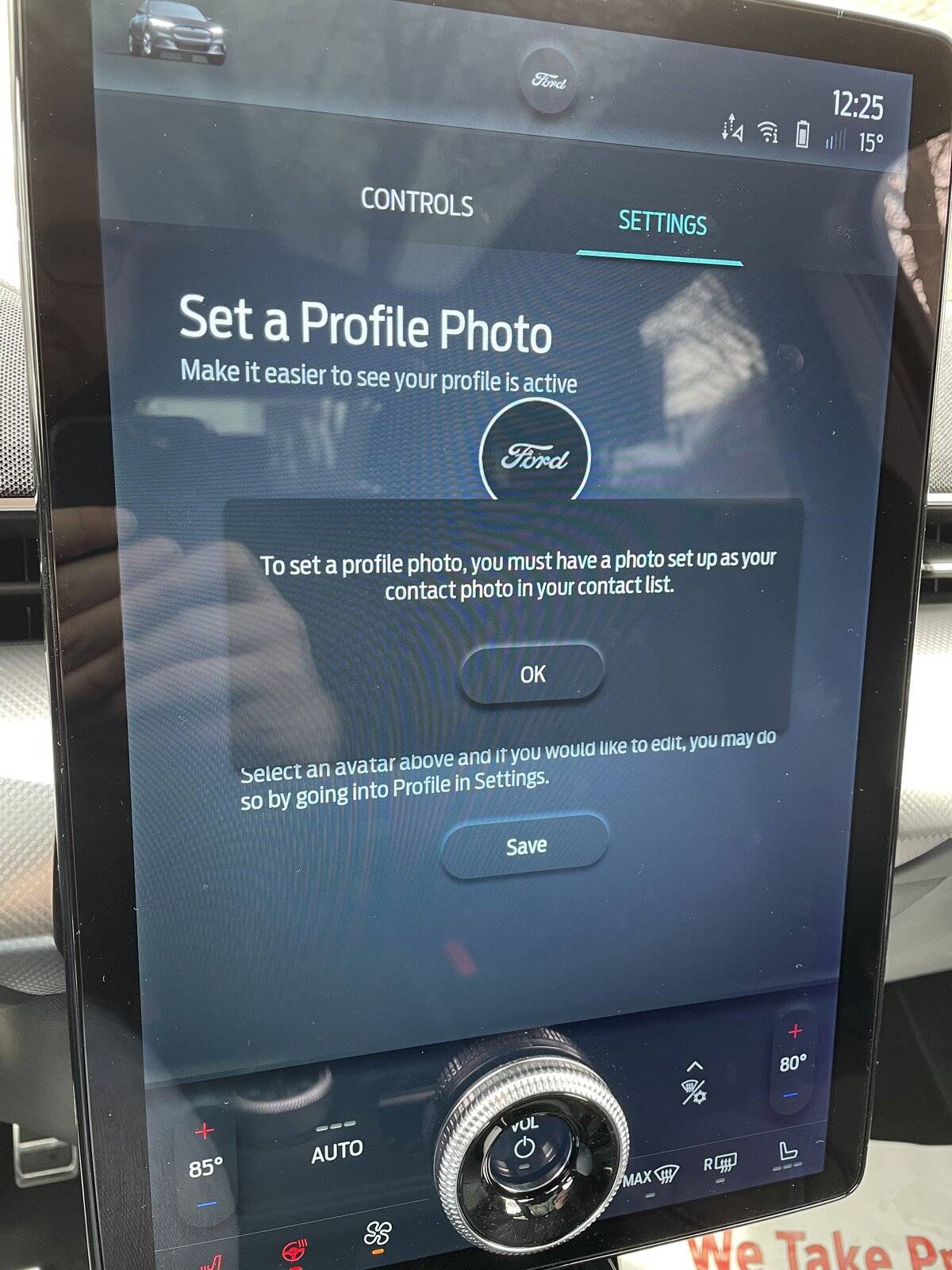
Adding a profile photo??

SaraV

New Member
First Name
Sara
Joined
Sep 13, 2021
Threads
0
Messages
1
Reaction score
0
Location
Dartford
Vehicles
Mustang Mach E
Occupation
Nurse
Country flag
Hi I just got my car - i have an Iphone 11. I have turned off car play. It still says the message about contacts. Am I doing something wrong
Sponsored
 

Petey

Well-Known Member
Joined
Oct 24, 2021
Threads
7
Messages
106
Reaction score
92
Location
Colorado
Vehicles
2022 EV6 GT-Line, 2022 Premium AWD ER (I hope!)
Country flag
Hi I just got my car - i have an Iphone 11. I have turned off car play. It still says the message about contacts. Am I doing something wrong
You might have to wait a minute, or turn the car off and on again. It's takes a bit / some patience.
 

ThatGuyLando

Well-Known Member
Joined
Jan 21, 2022
Threads
13
Messages
640
Reaction score
716
Location
Iowa
Vehicles
22 CR1
Occupation
Software Developer
Country flag
So I figured out the contact photo issue in iOS being available in profiles. I could never get it to show up. After fiddling with it for a MONTH, I got it to work.

Here was the fix:

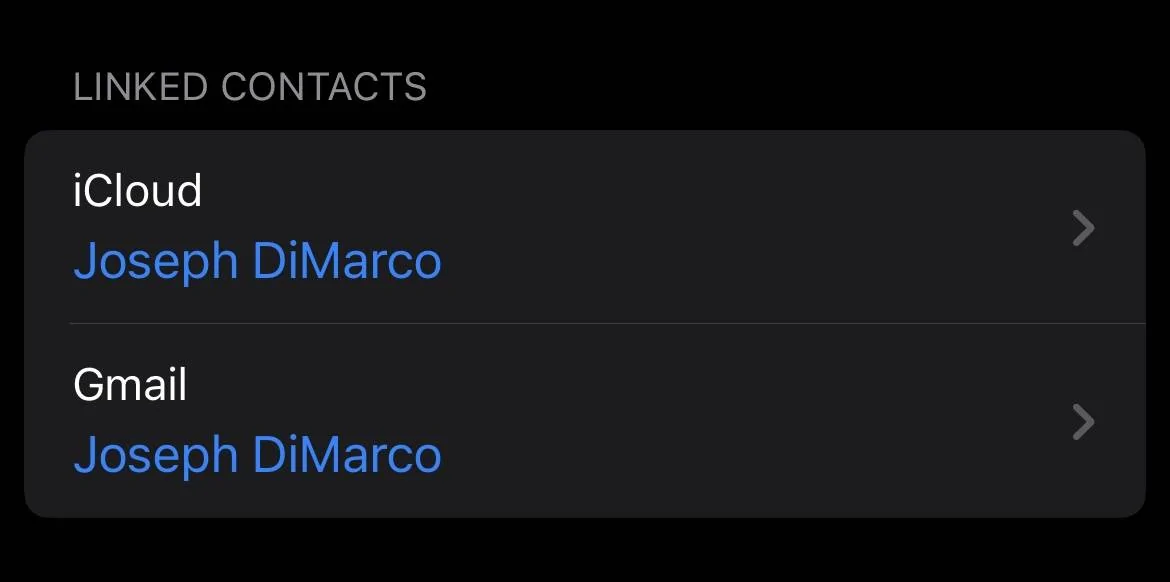
Delete ANY and ALL contacts that contain your phone number, email, and name, ANY association in your contacts.... that includes contacts synced with 3rd parties (like Google or Yahoo). Mine had a Google duplicate, see below. Take screenshots of the card prior to deletion so you can re-enter it later.

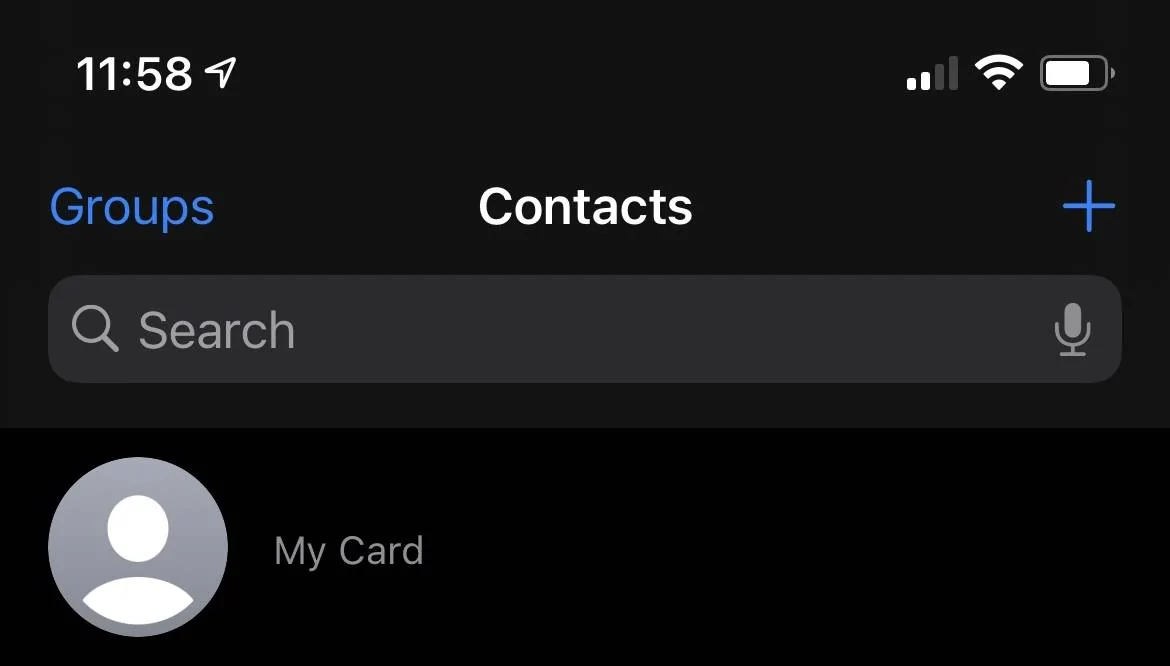
Your “contact card” should be completely blank and disassociated (you may have to do this manually in your contact settings).

On your Mach-E, go to phone settings and force delete all contacts.

Then, create a new contact that matches your FordPass app exactly (my profile name is Joe, but my account in FordPass is Joseph DiMarco, NO MIDDLE NAME... in my case...). It should only contain your cell phone number (exactly as shown in the FordPass app, no +1 for me), and your email that you registered your FordPass app with. Set a profile photo too, whatever you want to show up in your Sync4a Profile. Put NO other information in yet. Then, on your iPhone, go into Settings -> Contacts -> My Info, and reassociate it with the contact you created.

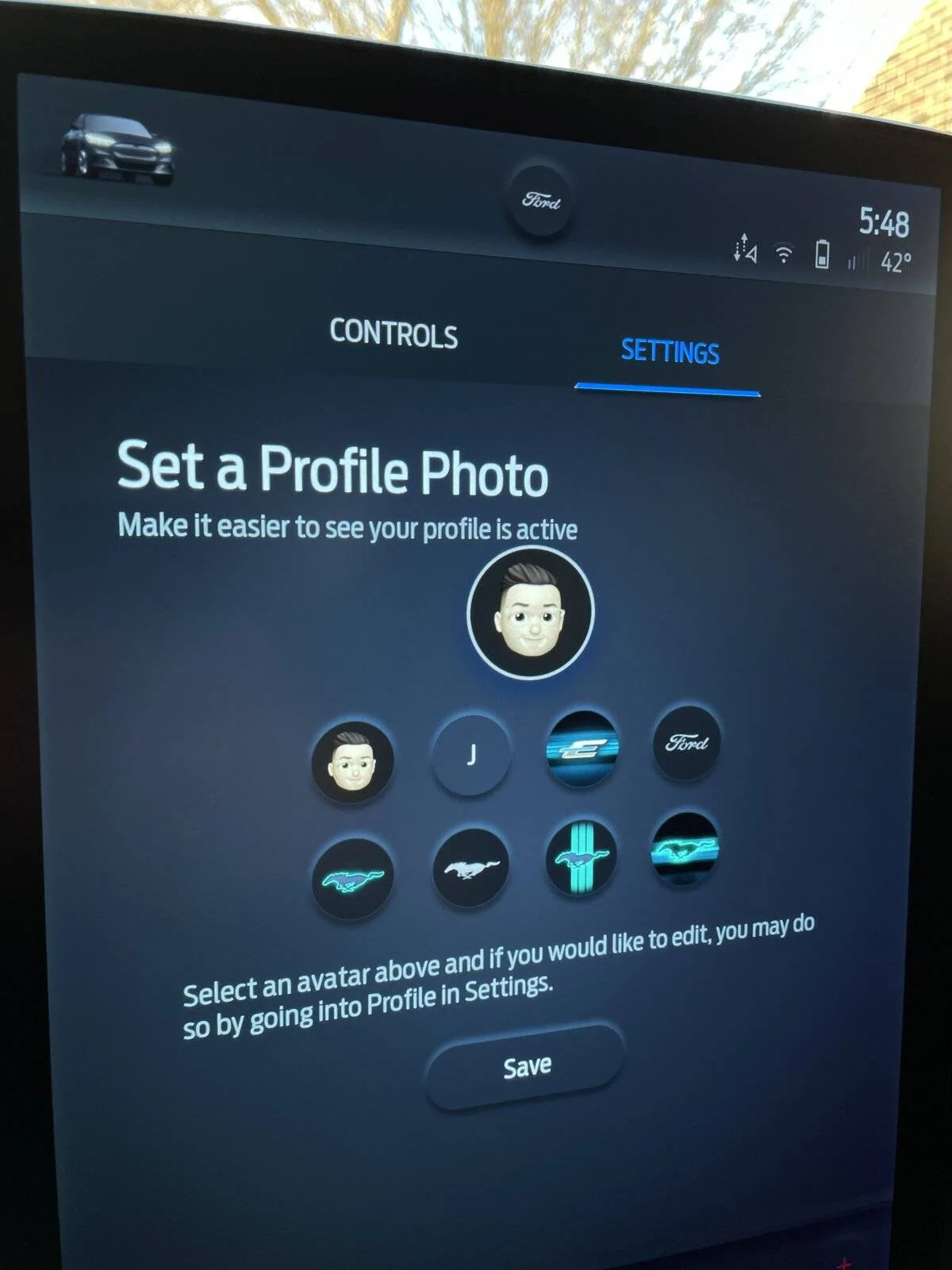
Reconnect your phone via Bluetooth (NOT CarPlay) and force sync your contacts. Go back into your profile settings in Sync4a and should automatically populate.

9619D6B8-9DBB-489D-972C-4B37CA81A62E.jpeg


A5601924-462B-4E97-8591-5B3A2B76899D.jpeg


6CC436A8-18C4-4F17-A0D3-318747816715.jpeg
Thanks this process just worked for my Android phone after a about an hour of cursing.
 

JohnFoxeSheets

Well-Known Member
First Name
John
Joined
Jan 29, 2022
Threads
28
Messages
3,403
Reaction score
5,500
Location
San Francisco
Website
johnfoxesheets.com
Vehicles
2022 Iced Blue Silver Mach E GT
Occupation
Retired Engineer
Country flag
So I figured out the contact photo issue in iOS being available in profiles. I could never get it to show up. After fiddling with it for a MONTH, I got it to work.

Here was the fix:

Delete ANY and ALL contacts that contain your phone number, email, and name, ANY association in your contacts.... that includes contacts synced with 3rd parties (like Google or Yahoo). Mine had a Google duplicate, see below. Take screenshots of the card prior to deletion so you can re-enter it later.

Your “contact card” should be completely blank and disassociated (you may have to do this manually in your contact settings).

On your Mach-E, go to phone settings and force delete all contacts.

Then, create a new contact that matches your FordPass app exactly (my profile name is Joe, but my account in FordPass is Joseph DiMarco, NO MIDDLE NAME... in my case...). It should only contain your cell phone number (exactly as shown in the FordPass app, no +1 for me), and your email that you registered your FordPass app with. Set a profile photo too, whatever you want to show up in your Sync4a Profile. Put NO other information in yet. Then, on your iPhone, go into Settings -> Contacts -> My Info, and reassociate it with the contact you created.

Reconnect your phone via Bluetooth (NOT CarPlay) and force sync your contacts. Go back into your profile settings in Sync4a and should automatically populate.

9619D6B8-9DBB-489D-972C-4B37CA81A62E.jpeg


A5601924-462B-4E97-8591-5B3A2B76899D.jpeg


6CC436A8-18C4-4F17-A0D3-318747816715.jpeg
It worked! Thank you. But one slight mod: I edited the name shown in my contacts for me rather than delete the card since it had too much other info that I didn't want to need to manually create. But it did require that I delete the mobile # and email address (though I realized afterwards that I could have edited those too). So nice to finally have this working!
 

Buzz

Well-Known Member
Joined
Mar 12, 2022
Threads
6
Messages
56
Reaction score
71
Location
Your moms house
Vehicles
2021
I figured out how to set a profile picture from an iPhone. When I send my profile to the car, nothing happens. So I found a workaround.

The key is that you have to turn off CarPlay and connect to regular Bluetooth. After that, whatever profile pic you have set on your iPhone, will be selectable on the Mach-E profile picture settings.

Then you can re-enable CarPlay after the picture is set.

It’s super annoying, but it works.
Awesome! Worked perfect!

Thanks!!!


OTR

Member
Joined
May 21, 2022
Threads
0
Messages
10
Reaction score
4
Location
Cincinnati, Ohio
Vehicles
2022 Mustang Mach-E Premium AW ER, 2015 Mazda 3
Occupation
Speech-Language Pathology
Country flag
Hey thanks! Updating my own contact card did the trick; I didn't even need to delete contacts on the car.
Thank you for posting this! I was overwhelmed with all the posts with multiple steps of deleting contacts, etc. I followed your simple instruction of just “updating” my own contact and “voila” it worked!
Hey thanks! Updating my own contact card did the trick; I didn't even need to delete contacts on the car.
This simple trick worked for me too! Thank for posting this, you saved me a lot of time and headache!
 

smellyspice

Member
First Name
Robert
Joined
Apr 29, 2024
Threads
0
Messages
8
Reaction score
3
Location
Ottawa, ON
Vehicles
2023 Mustang Mach-E Premium eAWD
Country flag
So on Android, the Google Contact app itself has a "Your info" section under Settings. This is where my 2023 Mach-E seems to get the profile picture from.

Instructions (I have a Pixel 6a):

From the Contacts app:
  1. click your profile icon in the top right
  2. click "Contacts settings'
  3. click "Your info"
  4. Add/edit the photo you want the car to use and save
Now go back to the car, under Phone connections, re-import your phone book. Then edit your profile, click to use your profile picture from your linked phone and it will grab the photo you set in the steps above.

It took me a while to figure out too -- non of the 'clear all your contacts with your name' stuff worked. The above was the only thing that did for me.

Hope this helps someone. :)
 
Last edited:

angeleon197

Member
First Name
Angel
Joined
May 8, 2024
Threads
1
Messages
17
Reaction score
9
Location
Fishers, IN
Vehicles
2023 MME GTPE in Space White
Country flag
I have tried everything, from not doing CarPlay, to deleting the phone from the car, deleting the contacts, and I still can’t get my profile picture there.
 

kdonnel

Well-Known Member
Joined
Oct 31, 2021
Threads
35
Messages
1,147
Reaction score
1,665
Location
Metro Atlanta
Vehicles
2022 CA Route 1, 2020 Bolt EV
Country flag
I have tried everything, from not doing CarPlay, to deleting the phone from the car, deleting the contacts, and I still can’t get my profile picture there.
I think it might not work anymore.

I have changed my profile photo on my phone and tried to update my photo in the car and was never able to get it to update, despite having had success a couple years ago.
 

angeleon197

Member
First Name
Angel
Joined
May 8, 2024
Threads
1
Messages
17
Reaction score
9
Location
Fishers, IN
Vehicles
2023 MME GTPE in Space White
Country flag
I think it might not work anymore.

I have changed my profile photo on my phone and tried to update my photo in the car and was never able to get it to update, despite having had success a couple years ago.
That would make sense then. I’ve tried every trick shared here and nothing. ??‍♂
 

Jerrytball

Well-Known Member
First Name
Jerry
Joined
Feb 21, 2024
Threads
30
Messages
2,151
Reaction score
1,135
Location
Gulfport MS
Vehicles
2026 bmw i4 M50
Occupation
Retired
Country flag

AHoss75

Active Member
First Name
Adam
Joined
May 28, 2024
Threads
6
Messages
38
Reaction score
6
Location
Pennsylvania, USA
Vehicles
2023 MME premium AWD ER
Country flag
Is this option completely gone now for anyone else? I no longer get the notification about having a contact photo set up or anything
 

dallowev

Well-Known Member
Joined
Mar 13, 2024
Threads
0
Messages
76
Reaction score
53
Location
DFW
Vehicles
2023.5 Ford Mach-E Premium EXR
Country flag
I gave up on this. Crazy how difficult it is for such a simple thing.
 

var23

Member
First Name
Duane
Joined
Apr 30, 2025
Threads
2
Messages
9
Reaction score
11
Location
Missouri
Vehicles
2022 Mustang Mach-e GT
Occupation
Information Technology
I added feedback on this through the feedback app. Doesn’t seem possible any longer if it ever worked.
Sponsored


Top