gduprey
Well-Known Member
- First Name
- Gerry
- Joined
- Feb 17, 2021
- Threads
- 10
- Messages
- 53
- Reaction score
- 41
- Location
- Rehoboth Beach, DE
- Vehicles
- Mach-E X4

- Thread starter
- #1
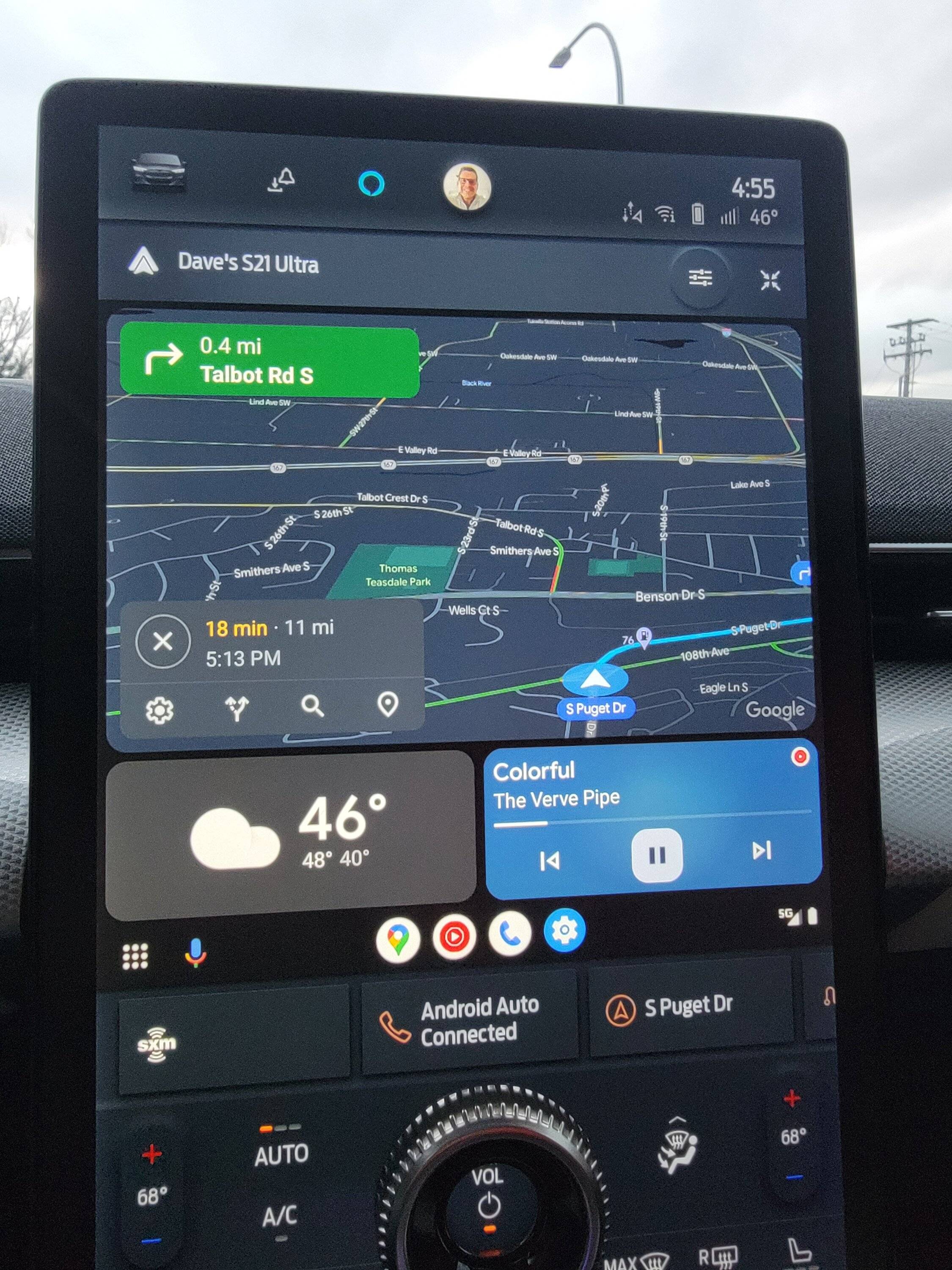
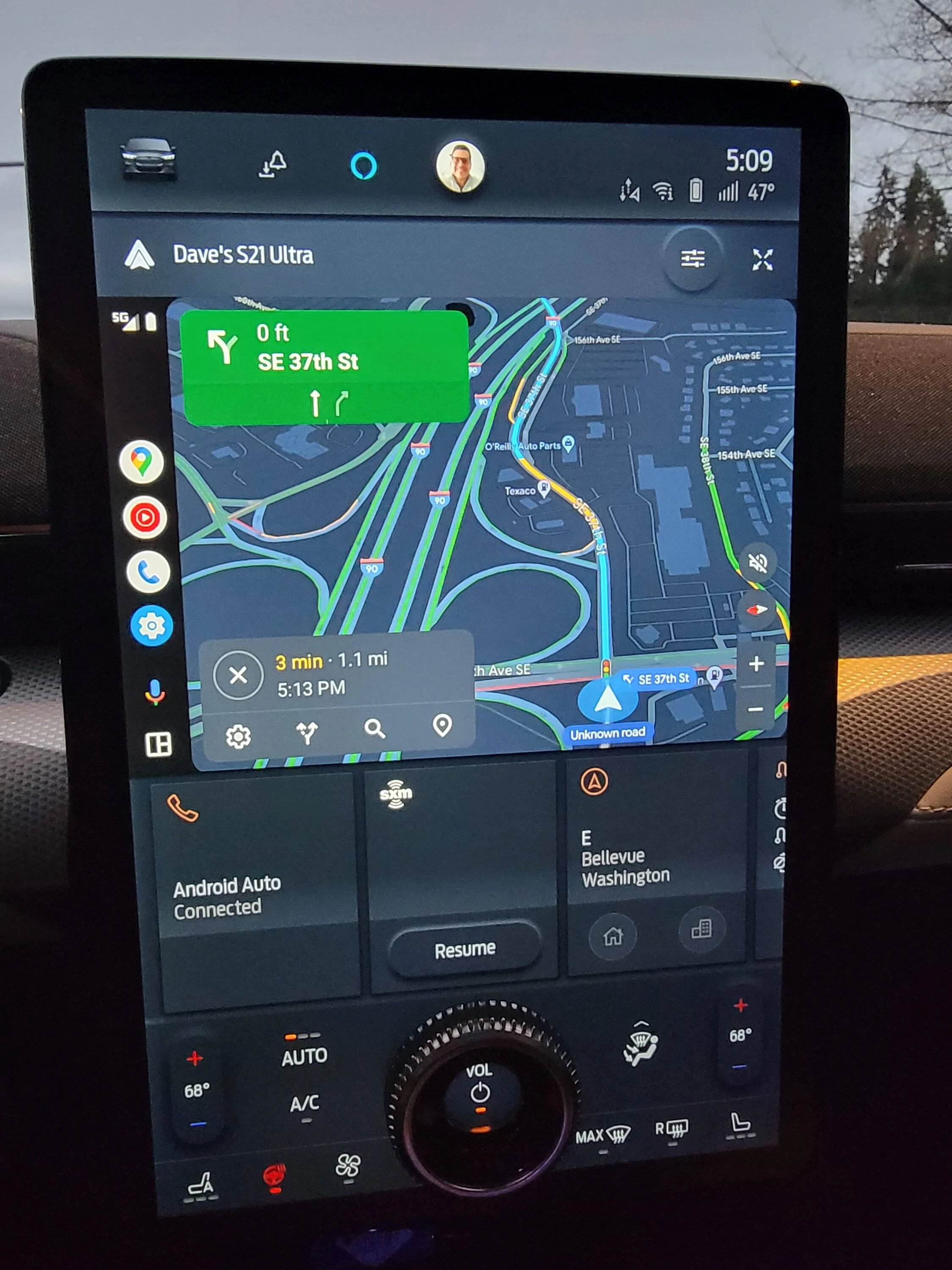
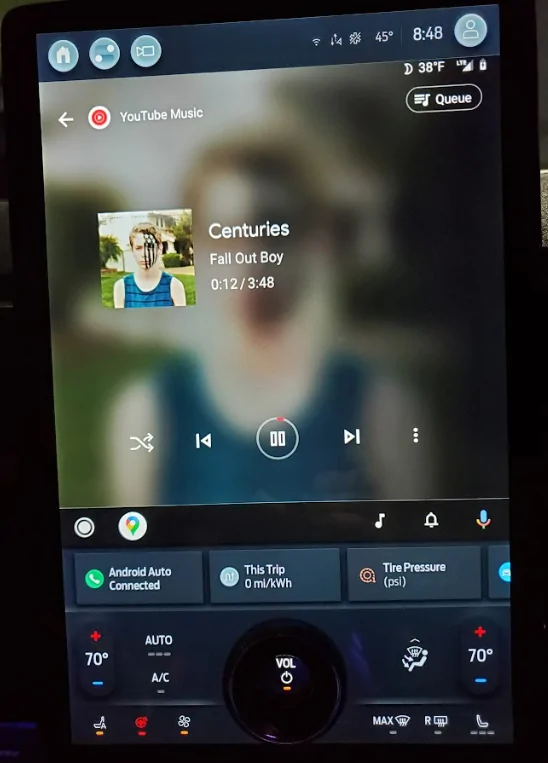
Since the recent Android Auto update (and 4.1.2 on the car), the Android Auto "screen" is split into 3 panels - one larger and two smaller. Which means I now have a much smaller "nav" screen (Waze, for me) than before and two extra panels I have no interest in.
I've been looking around for some way to "hide" the two smaller panel and go "back" to one large panel in the middle with navigation. This is what I had until recently and really appreciated.
I can see how the new "3-panel" split is sort of nice, if you have things you want to display at the same time. But often, at least for me, I want as much screen space given over to nav as possible.
I can't find much on how to"un-split" things, but there were some suggestions it might be initiated from the car (vs AndroidAuto itself).
I've tried flipping anything even remotely possible in the Android Auto settings (app and in-car) and while there are some customization, nothing seems to impact the main 3-way split. That said, when in "Settings" on the car (Android Auto Settings, not the MacheE's settings), the stuff in those two smaller panels is temporarily squeezed into a single line panel below (similar to how Android Auto used to handle it), so somewhere in it, there is the knowledge on how to layout one big screen. But I can't find it.
So wanted to check and see if anyone else experienced this and/or had found a way to have "just one big panel" for AndroidAuto
Gerry
I've been looking around for some way to "hide" the two smaller panel and go "back" to one large panel in the middle with navigation. This is what I had until recently and really appreciated.
I can see how the new "3-panel" split is sort of nice, if you have things you want to display at the same time. But often, at least for me, I want as much screen space given over to nav as possible.
I can't find much on how to"un-split" things, but there were some suggestions it might be initiated from the car (vs AndroidAuto itself).
I've tried flipping anything even remotely possible in the Android Auto settings (app and in-car) and while there are some customization, nothing seems to impact the main 3-way split. That said, when in "Settings" on the car (Android Auto Settings, not the MacheE's settings), the stuff in those two smaller panels is temporarily squeezed into a single line panel below (similar to how Android Auto used to handle it), so somewhere in it, there is the knowledge on how to layout one big screen. But I can't find it.
So wanted to check and see if anyone else experienced this and/or had found a way to have "just one big panel" for AndroidAuto
Gerry
Sponsored